
pmd-ruleset-visualizer
v1.0.4
Published
Local graphical explorer and runner for PMD XML rulesets with Monaco editor integration

Maintainers
 mohanchinnappan
Readme
PMD Ruleset Visualizer
A local-first Node.js app for exploring, visualizing, editing, and running PMD XML rulesets. No data is sent to any third-party service.
Screenshots
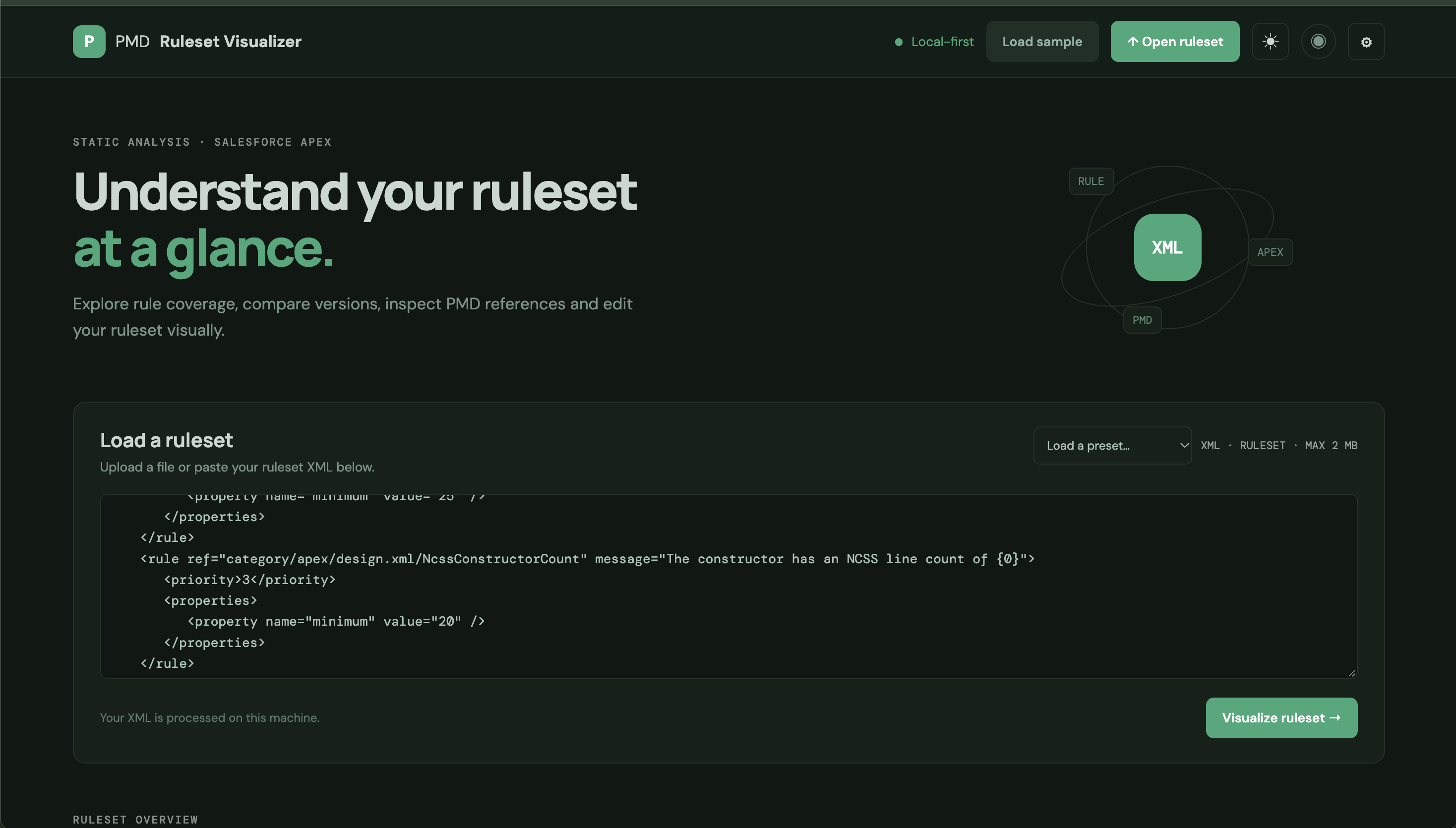
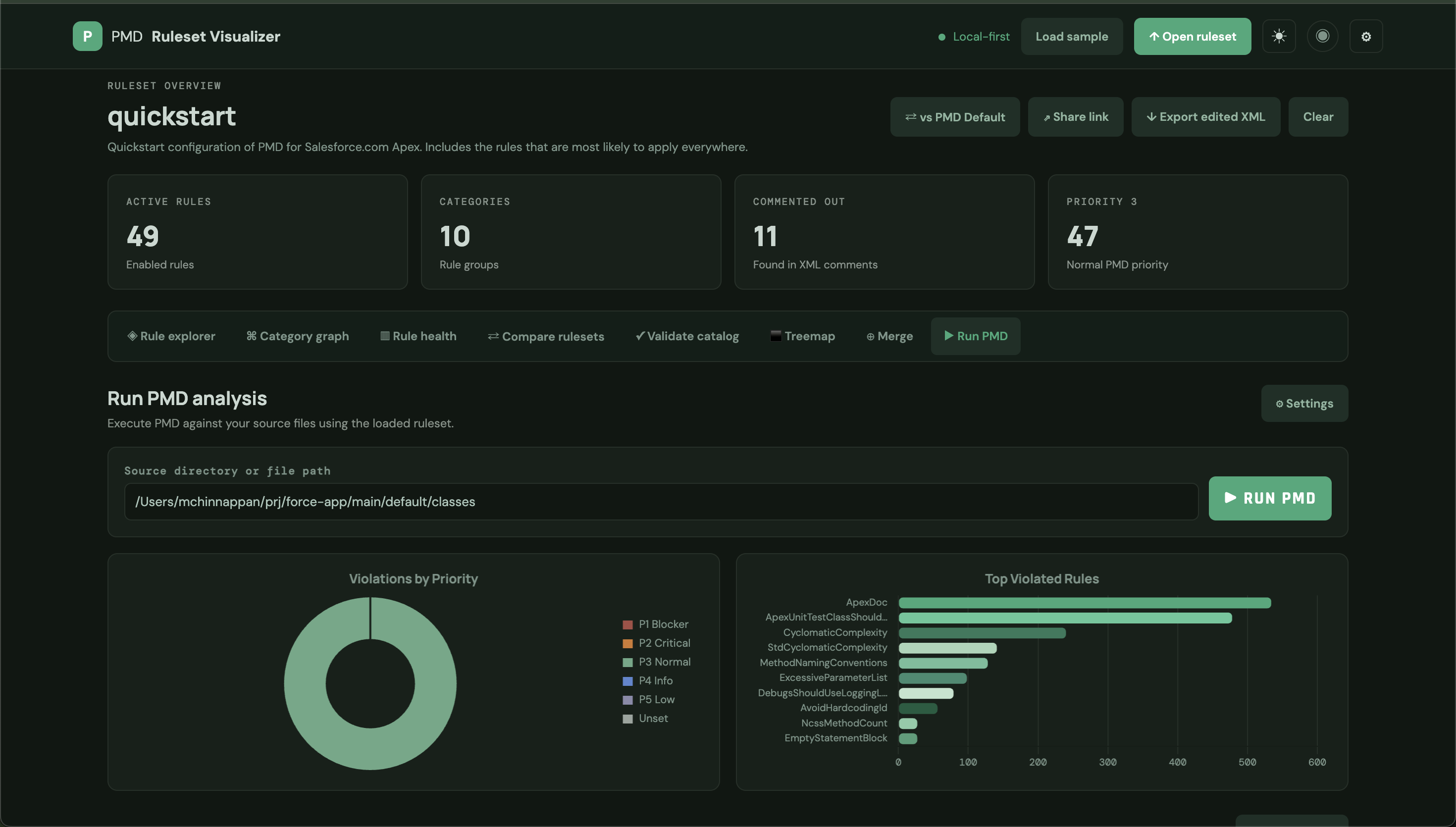
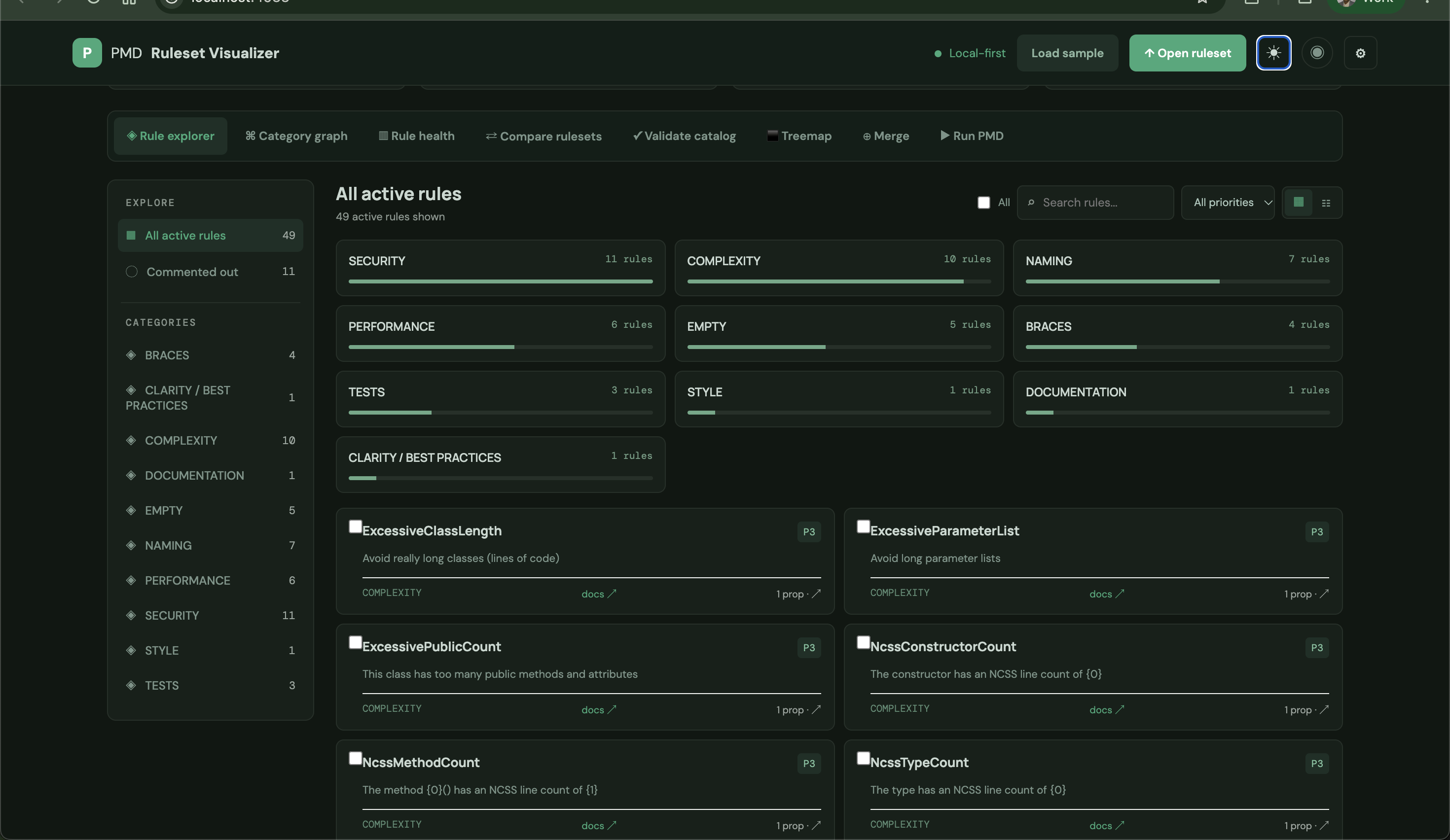
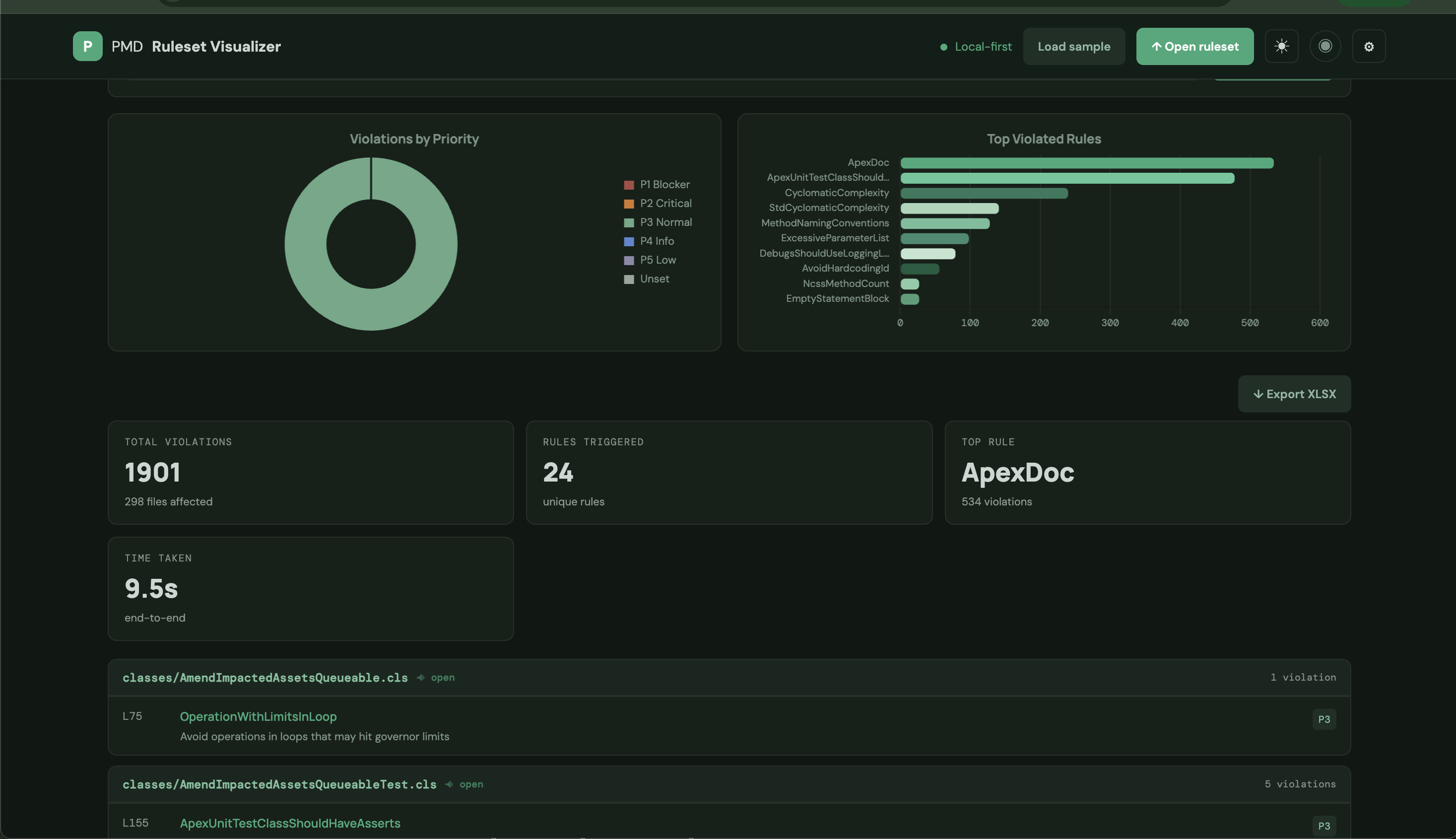
Prerequisites
1. Java
PMD requires Java 11 or later. Install Java 17 via Homebrew on macOS:
brew install openjdk@17After installation, check the path:
which java
# /opt/homebrew/opt/openjdk@17/bin/java
java -version
# openjdk version "17.x.x" ...
If java is not found, add it to your PATH (Homebrew will print the exact command after install):
echo 'export PATH="/opt/homebrew/opt/openjdk@17/bin:$PATH"' >> ~/.zshrc
source ~/.zshrc
2. PMD
Download and install PMD 7 from the official GitHub releases:
cd $HOME
curl -OL https://github.com/pmd/pmd/releases/download/pmd_releases%2F7.18.0/pmd-dist-7.18.0-bin.zip
unzip pmd-dist-7.18.0-bin.zip
Add a convenient alias (add to ~/.zshrc to make it permanent):
alias pmd="$HOME/pmd-bin-7.18.0/bin/pmd"Verify:
pmd --version
# PMD 7.18.0
Quick test run:
pmd check -d /usr/src -R rulesets/java/quickstart.xml -f textInstallation
Requires Node.js 18+.
npm install -g pmd-ruleset-visualizer
The bundled public/sample-ruleset.xml is loaded automatically on first open so the app is never blank. It is included in the published npm package via the files field in package.json.
Start
pmd-ruleset-visualizer -p 4933 --openCLI Flags
| Flag | Description |
|------|-------------|
| -p <port> / --port <port> | Port to listen on (default: 3000 or $PORT) |
| --open | Open the app in the default browser after starting |
| -h / --help | Show help and exit |
Features
Splash Screen & Guided Tour
- A branded splash screen appears on every load with an animated progress bar (2.5 s auto-dismiss).
- "Start Tour ▶" launches a 9-step guided tour of the entire app.
- "Get Started →" skips straight to the app.
- The ◉ button in the top-right restarts the tour at any time.
- Each tour step highlights the relevant element, scrolls it into view, and shows an auto-positioned tooltip with Prev / Next / ✕ controls. Press
Escto exit.
Explore Tab
- Upload or paste PMD ruleset XML (drag-and-drop supported).
- Cards and list view with search, category filter, and priority filter.
- Rule detail panel: view/edit priority and enabled state.
- Bulk edit mode: select multiple rules and apply priority or enable/disable.
Graph Tab
- Category doughnut — rules grouped by PMD category.
- Priority bar chart — distribution across Priority 1–5 and Unset.
Health Tab
- Rule health dashboard with category and priority distribution summaries.
Treemap Tab
- SVG slice-and-dice treemap of rule categories sized by rule count.
Compare Tab
- Load a second ruleset to see added, removed, and modified rules side-by-side.
- Keyed on
refattribute; reports priority, message, and property changes.
Catalog Tab
- Upload PMD category XML files to validate that every
refin your ruleset actually exists in those files.
Merge Tab
- Import a second ruleset and cherry-pick individual rules to merge into the current one.
Run Tab
- Run PMD against a local source directory using your installed PMD binary.
- Results include a TIME TAKEN stat alongside violation counts.
- Rendered as:
- Priority doughnut — violations grouped by severity.
- Top-10 rules bar chart — rules with the most violations.
- Per-file violation list — click a file to open it in Monaco.
- Pre-built Apex presets:
apex-security,apex-bestpractices,apex-performance,apex-all. - Export XLSX — downloads a workbook with three data sheets (Violations, By Priority, By Rule) plus a Charts sheet with the priority and rule PNG images embedded. Sheets use green header rows and zebra-stripe row coloring.
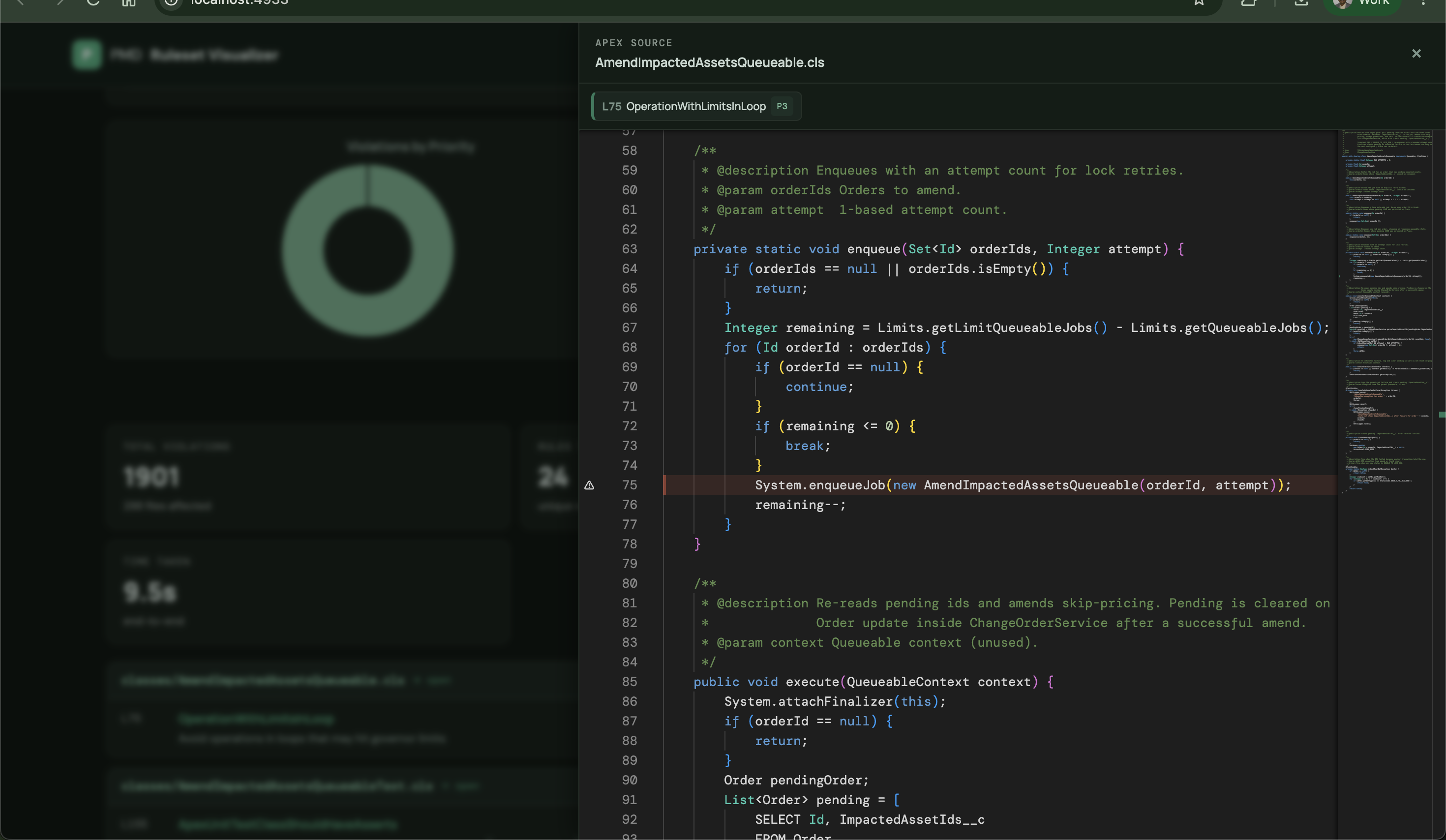
Monaco Code Viewer
- Apex source file displayed with syntax highlighting.
- Violation lines highlighted in red with gutter markers.
- Clickable violation list on the left to jump to specific lines.
- Resizable panel — drag the left edge to adjust width.
- Lazy-loaded — only fetches Monaco (~2 MB) on first use.
On First Load
The app auto-loads a ruleset in this priority order:
- URL hash — if the URL contains
#v=1&r=…(shared link), that ruleset is decompressed and loaded. - Default ruleset — if a path is saved in Settings → Default ruleset path, the server reads that file and loads it.
- Sample ruleset —
public/sample-ruleset.xmlis loaded and visualized automatically so the app is never blank.
When you open a ruleset file via the file picker and successfully visualize it, a dialog asks:
"Save as default ruleset?"
Enter the full file path and click Save as default — the server will read it automatically on every subsequent startup.
Settings
Click the ⚙ button (top-right) to open the settings panel. All settings are saved to localStorage.
| Setting | Description |
|---------|-------------|
| PMD Binary Path | Full path to the pmd executable |
| Source Directory | Directory to scan when running PMD |
| Language | Force-language for PMD (e.g., apex) |
| Minimum Priority | Only report violations at or above this priority |
| Default Ruleset Path | Absolute file path — loaded automatically on startup via the server |
Keyboard Shortcuts
| Key | Action |
|-----|--------|
| / | Focus search |
| j / k | Navigate rule list |
| e | Open rule detail |
| Esc | Close detail / modal / code view / tour |
| ? | Show keyboard help |
URL Sharing
Click Share to generate a URL with the current ruleset compressed into the hash. Recipients open the URL and the ruleset loads automatically — no server required.
Dark Mode
Click the ☽/☀ button (top-right) to toggle dark mode. The preference is saved to localStorage.
Security
The Express server binds to 127.0.0.1 — it is not accessible from the network.
/api/read-file enforces an extension allowlist. Only these file types may be read:
| Purpose | Extensions |
|---------|-----------|
| Ruleset auto-load | .xml .ruleset |
| Monaco source viewer | .cls .trigger .apex .java .js .ts .jsx .tsx .py .go .cs .cpp .cc .cxx .c .h .swift .kt .rb .php .scala .groovy .pl .html .jsp .vue |
Any other extension (.env, .pem, .key, config files, binaries) is rejected with HTTP 400.
Important Notes
- All XML parsing is local. No ruleset content is sent to any external service.
- PMD is invoked as a local subprocess via
execFile. PMD exit code4means violations were found — this is expected behavior, not an error. - Catalog validation is opt-in: it checks names against uploaded category files; it does not run PMD.
- Export XML applies in-app edits to the raw XML. Review before using in CI/CD.
- XLSX export is server-side (ExcelJS). Chart images are captured from the live Chart.js canvases and embedded as PNGs.
License
MIT — Author: Mohan Chinnappan