
pondscape
v0.1.3
Published
A living, realistic pond for the web: physically based water, caustics, lily pads, koi and axolotls, rendered with WebGL2.

Maintainers
 surajpathak
Readme
pondscape
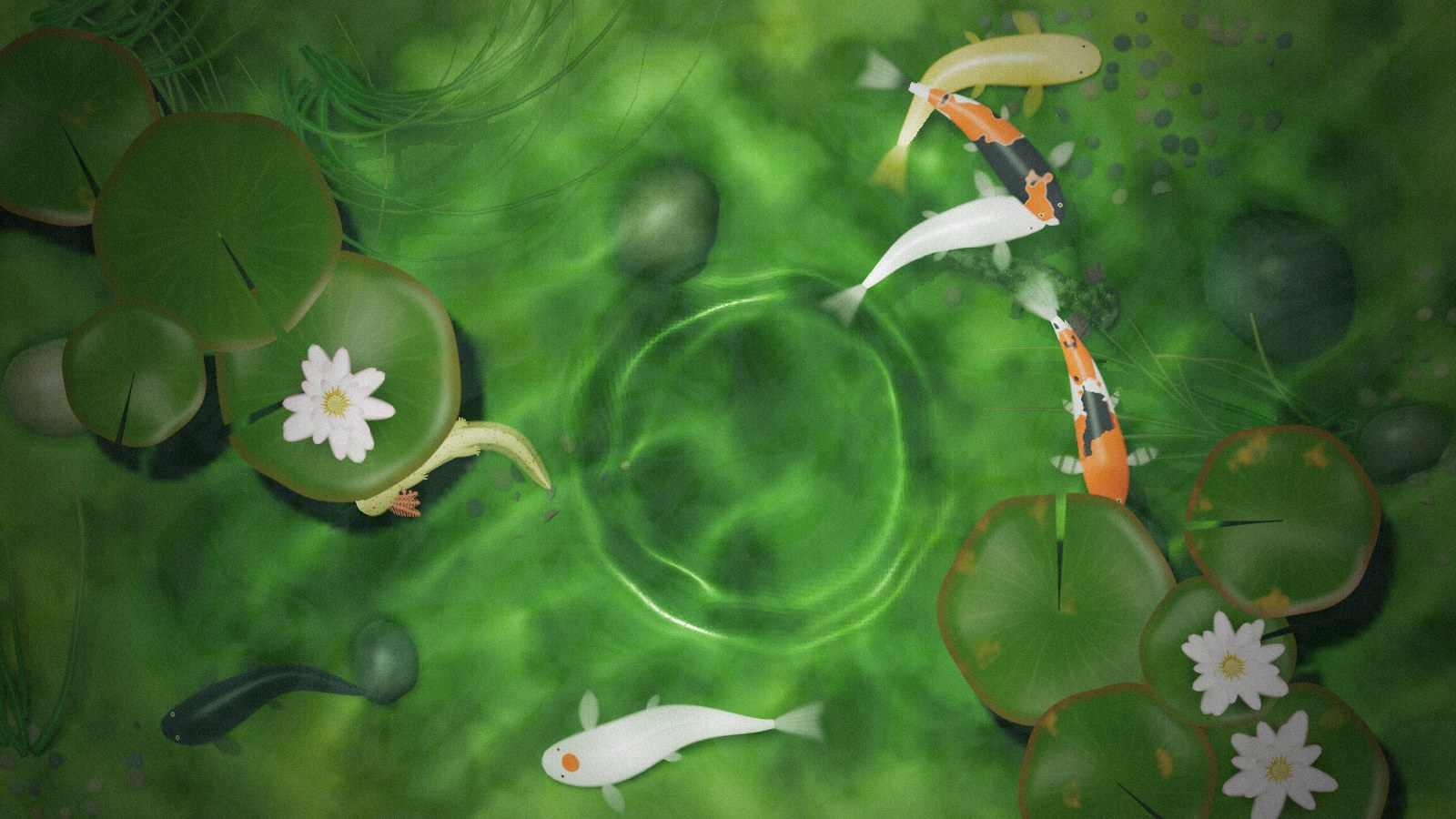
A living pond for the web. Real-time water with physically based ripples and caustics, lily pads and water lilies, swaying grass, koi and axolotls, all rendered with WebGL2 into a single canvas.
- Water that behaves like water. Ripples follow the physics of real surface waves: they spread into trains of rings, travel at real speeds, and fade the way they do in a pond. A finger dragged through the water leaves a proper wake.
- Light that's computed, not painted. Sunlight is traced through the moving surface to draw the bright web of caustics on the pond floor. The water absorbs colour with depth, and everything casts soft shadows.
- Creatures with behaviour. Koi wander, rest, startle, dive and rise to the surface. Axolotls walk with a salamander's gait, swim, and come up for air. Both react to taps.
- Light enough for any page. One canvas, no dependencies, about 33 KB gzipped.
Install
npm install pondscapeUse it
Any page
<canvas id="pond" style="width: 100%; height: 100vh"></canvas>
<script type="module">
  import { createPond } from "pondscape";

  const pond = createPond(document.getElementById("pond"), {
    fish: 6,
    axolotls: 2,
  });
</script>
The canvas can be any size; the pond fills it and follows it when it resizes. Call pond.destroy() when you remove it.
React
import { Pond } from "pondscape/react";

export function Hero() {
  return (
    <div style={{ height: "100vh" }}>
      <Pond options={{ fish: 6, axolotls: 2 }} fallback={<p>Your browser can't show the pond.</p>} />
    </div>
  );
}
<Pond> fills its parent. It's a client component (it carries "use client"), so it works in the Next.js App Router as is.
| Prop | |
| --- | --- |
| options | Any of the options below. Read once when the pond mounts; give it a new key to start over with new options. |
| onReady(pond) | Called with the pond as soon as it's created, e.g. to make ripples yourself or pause it while it's off screen. May return a cleanup function. |
| fallback | Shown instead of the pond on devices that can't run it. |
| className, style | Passed to the canvas. |
Options
| Option | Default | |
| --- | --- | --- |
| fish | 6 | The koi: a count, in a mix of varieties, or a list of fish. Up to 16. |
| axolotls | 2 | The axolotls: a count, in a mix of morphs, or a list of axolotls. Up to 8. |
| lilies | 9 | Lily pads on the surface. |
| flowers | 3 | Water lilies blooming on the pads. |
| stones | 6 | River stones on the pond floor. Up to 16. |
| grass | 5 | Clumps of grass in the shallows. |
| seed | 1 | Lays out the pond: stones, plants, where creatures start, their patterns. The same seed always gives the same pond. |
| waves | 0.4 | Strength of the gentle waves that are always moving. 0 is still water. |
| size | 0.8 | How many metres of pond the canvas's shorter side shows. Ripples move at real speeds, so this sets how fast they cross the screen. |
| depth | 0.25 | Pond depth, as a fraction of the canvas height. |
| interactive | true | Ripple and startle creatures when the pond is tapped or dragged across. |
| quality | "high" ("medium" on touch devices) | "low", "medium" or "high": the detail of the surface and light. |
| maxPixelRatio | 2 | Cap on device pixel ratio, to keep large screens fast. |
| palette | | Colours, any of: bed (the floor), water (what white looks like through half a pond of it), murk (light scattered by the water), sky (reflected in it). Hex strings. |
Koi
createPond(canvas, {
  fish: [
    { variety: "kohaku" },
    { variety: "tancho", length: 0.24 },
    { variety: "karasu" },
  ],
});
| Field | |
| --- | --- |
| variety | "kohaku", "sanke", "showa", "tancho", "ogon", "platinum" or "karasu". Patterned varieties get a pattern of their own from the pond's seed. |
| length | Body length in metres, without the tail. Default 0.18 to 0.26. |
| mark | A custom marking on the head (see below). |
Custom marks
Give a koi its own mark on the head: a shape drawn as a natural colour patch, with a softly wandering edge. On a tancho it takes the place of the round red spot.
{
  variety: "tancho",
  mark: {
    // SVG path data in a 100 × 100 box. The top edge points to the snout.
    path: "M50 12 L84 50 L50 88 L16 50 Z", // a diamond
    colour: "#c8321a", // default: koi red
    strength: 0.9,     // 0 to 1; lower blends it into the pattern
    // stroke: 12,     // draw the path as a line this wide instead of filling it
  },
}
Axolotls
createPond(canvas, {
  axolotls: [{ morph: "leucistic" }, { morph: "golden", length: 0.22 }],
});
| Field | |
| --- | --- |
| morph | "leucistic", "golden", "wild", "copper" or "melanoid". |
| length | Length in metres, snout to tail tip. Default 0.18 to 0.23. |
The pond object
createPond() returns, and onReady receives:
| | |
| --- | --- |
| ready | A promise that resolves when the first frame is drawn. The shaders compile in the background first, which can take a moment the first time a browser sees them; until then the canvas is hidden, so whatever is behind it shows. Rejects if they fail to compile. |
| ripple(x, y, { strength }) | Makes a ripple at a point, in CSS pixels from the canvas's top-left. strength: 1 is a fingertip tap. |
| pause(), resume() | Stop and restart the animation, e.g. while the pond is scrolled out of view. |
| fps | Frames per second, averaged over the last second. |
| canvas | The canvas it draws into. |
| destroy() | Stops the pond and frees its GPU memory. |
Also exported: isPondSupported(), defaultPalette, koiVarieties, axolotlMorphs, and the TypeScript types for everything above.
Browser support
Any browser with WebGL2 that can render to floating-point textures: current Chrome, Edge, Firefox and Safari (iOS 15 and later). Check with isPondSupported(), or use the React component's fallback. createPond() throws on devices that can't run it.
License
MIT