
post_body_encrypt_decrypt
v1.0.4
Published
Api post body encryption and decryption


Readme
API post body encryption and decryption
This is a Node.js module available through the npm registry. Installation is done using the npm install command:
Installation
$ npm install post_body_encrypt_decryptLoad post_body_encrypt_decrypt as a CommonJS Module
Client side:
//load the module
const  EncryptDecrypt = require('post_body_encrypt_decrypt');

// define a secret salt for encryption
let key = "mySecretSalt";

var encryptmydata = function(data) {
    //Encrypt the post body
	return EncryptDecrypt.EncryptDecrypt(data, key, 'Encrypt')
}

$.ajax({
		'url':'https://***.com/api/',
		'type':'POST',
		'data': encryptmydata(
				{"email" : "[email protected]",
				"password":"welcome"
				}),
		'dataType':'json',
		'success':function(data){
		},
	});
Server Side:
//load the module
const  EncryptDecrypt = require('post_body_encrypt_decrypt');

// define the secret salt which is used in encryption to Decrypt
let key = "mySecretSalt";

var decryptmydata = function(data) {
    //Decrypt the post body
	return EncryptDecrypt.EncryptDecrypt(data, key, 'Decrypt')
}
Load post_body_encrypt_decrypt as a transpiled ES6/UMD module
Client Side:
//load the module
import { EncryptDecrypt } from  'post_body_encrypt_decrypt';

// define a secret salt for encryption
let key = "mySecretSalt";

encryptmydata(jbody:any): void {
    //Encrypt the post body
	return EncryptDecrypt(jbody, this.key, 'Encrypt')
}
this.http.post<any>('https://***.com/api/',
				this.encryptmydata(
				{
					"email" : "[email protected]",
					"password":"welcome"
				})
				).subscribe(data  => {
				})
Server Side
//load the module
import { EncryptDecrypt } from  'post_body_encrypt_decrypt';

// define the secret salt which is used in encryption to Decrypt
let key = "mySecretSalt";

decryptmydata(jbody:any): void {
    //Decrypt the post body
	return EncryptDecript(jbody, this.key, 'Decrypt')
}
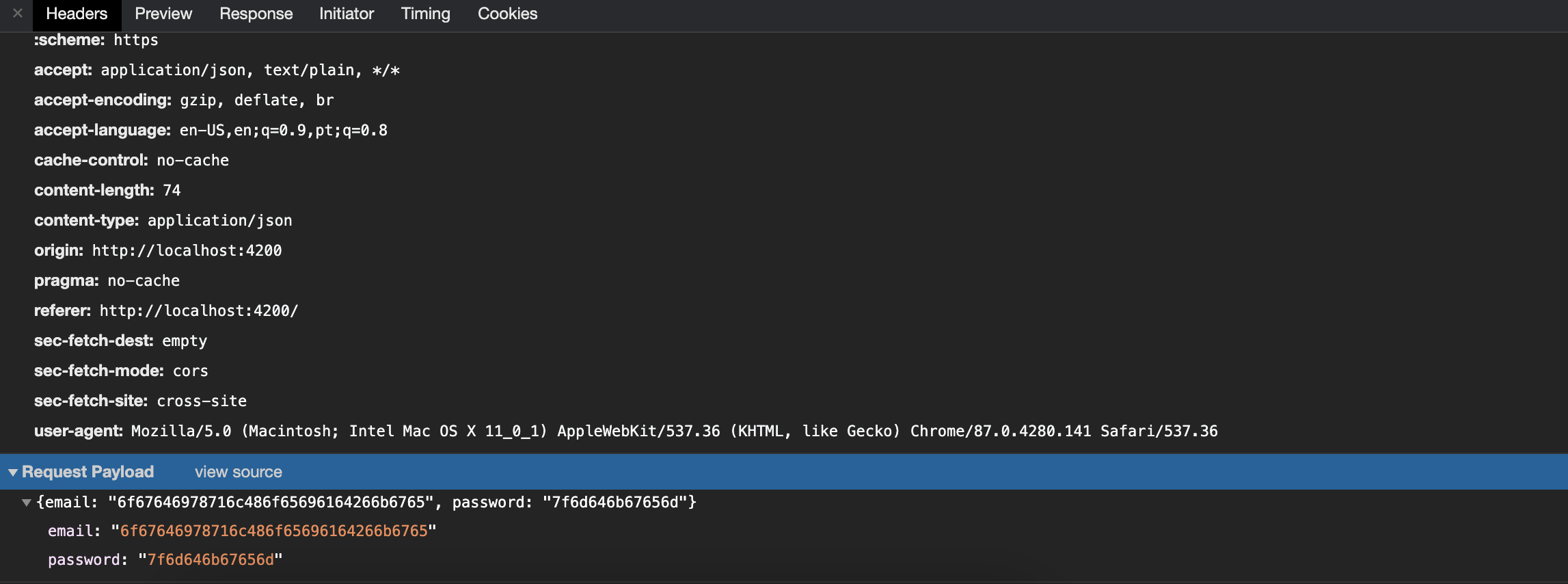
Encrypted Post Body will be:
{"email":"6f67646978716c486f65696164266b6765",
"password":"7f6d646b67656d"}
Decrypted Post Body will be:
{"email":"[email protected]",
"password":"welcome"}
Browser Network tab view:
Before:
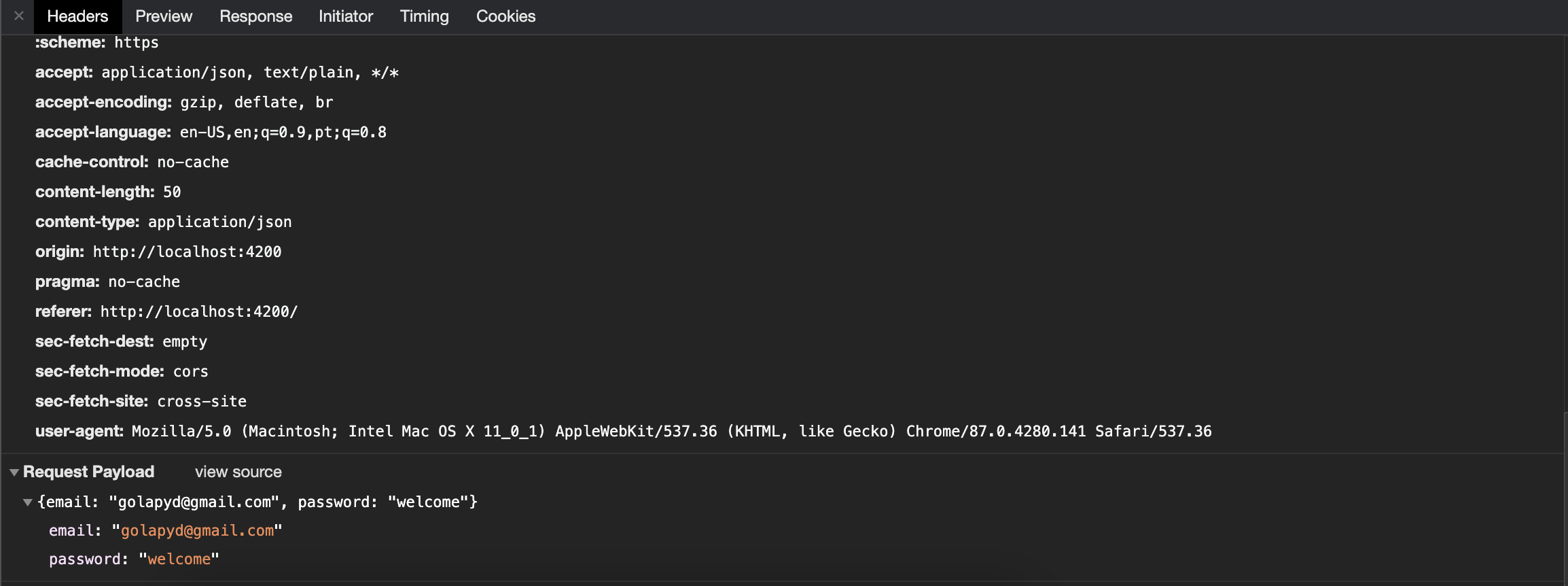
After: It encrypts the post body value.
Use with your existing framework
- Angular JS
- Angular
- Laravel
- CakePHP
- React JS
- Vue JS
- Yii2
- Yii1
- Wordpress
- Symfony
- Lumen
- Reactive
- Javascript based framework
Browser Support
At present, we officially aim to support the following browsers:
- Chrome
- Edge
- Firefox
- Safari
- Opera
- Internet Explorer 11
- Safari iOS
- Chrome, Firefox and Default Browser Android
Technical Support or Questions
If you have questions or need help integrating the editor please contact me [email protected] instead of opening an issue.