
pricing-table-react
v1.1.5
Published
A simple pricing plan for react

Maintainers
 omnimi
Readme
React Pricing Plan
An easy to use pricing table React component.
Demo
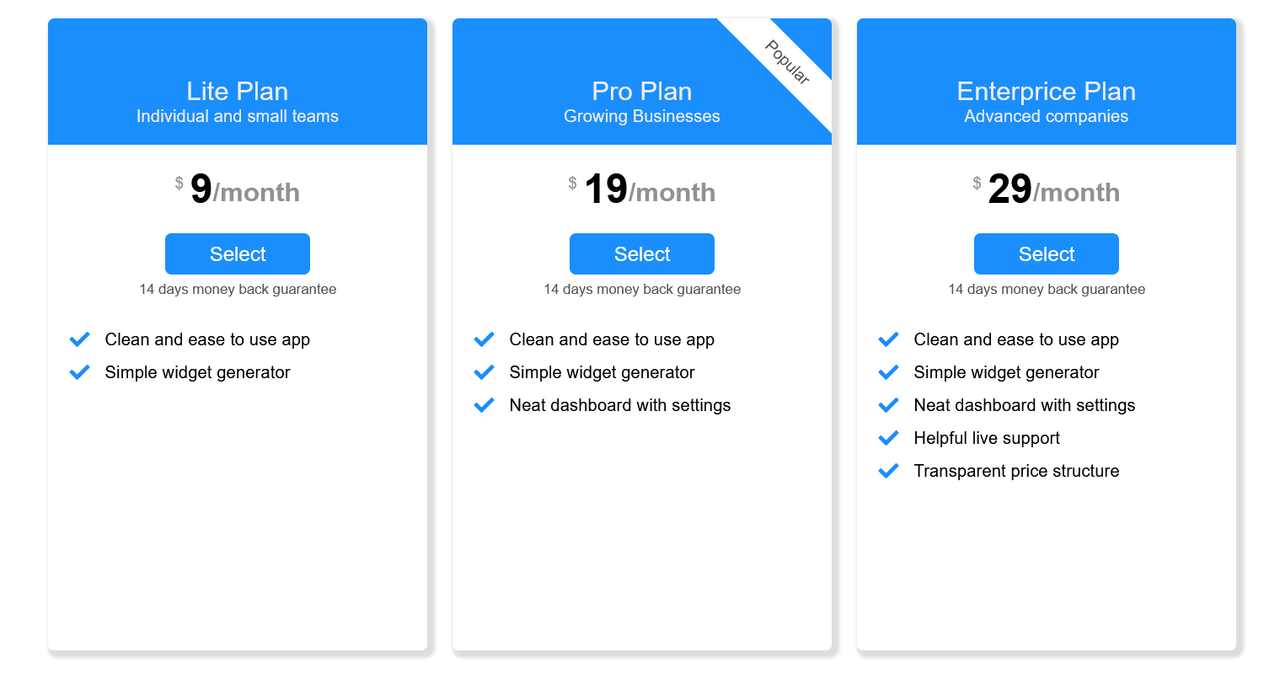
Installing Package
Npm installation:
npm install pricing-table-reactYarn Installation:
yarn add pricing-table-reactHow To Use
Import Plan to your project
import { Plan } from "pricing-table-react";Plan takes two arguments: Plans and Currency.
Currency is type of string and Plans is array of type PlanProps.
You can import PlanProps like below:
import { PlanProps } from "pricing-table-react";Example
import React from "react";
import { Plan, PlanProps } from "pricing-table-react";

const plans: PlanProps[] = [
  {
    href: "/Lite",
    price: "9",
    title: "Lite Plan",
    advantages: [
      {
        text: "Clean and ease to use app",
      },
      {
        text: "Simple widget generator",
      },
    ],
    duration: "month",
    highlightText: "Popular",
    guarantee: "14 days money back guarantee",
    titleDescription: "Individual and small teams",
  },
  ...
];

function App() {
  return <Plan currency="$" Plans={plans} />;
}

export default App;
Properties
| Parameter | Type | Description |
| :-------- | :------- | :------------------------- |
| Currency | string | Required. Currency sign |
| Plans | PlanProps[] | Required. All plans your website plans |
| BackColor | string | Background color of header and button |
| Color | string | Text color of header and button |
PlanProps
| Parameter | Type | Required |
| :-------- | :------- | :------- |
| title | string | true |
| titleDescription | string | false |
| duration | string | false |
| highlightText | string | false |
| price | string | true |
| guarantee | string | false |
| href | string | true |
| advantages | PlanAdvantage[] | true |
PlanAdvantages
| Parameter | Type | Required |
| :-------- | :------- | :------- |
| text | string | true |