
profiling-decorator
v1.1.4
Published
Runtime arguments profiling as ES7 decorators.


Readme
profiling-decorator
Installation
Use the following command in order to install this module
npm install profiling-decoratorThis use v8-profiler and v8-natives as dependencies.
Webpack support
If you want use this module with the webpack module bundler, you have to set the following configuration in webpackConfig.js file :
plugins: [
  new webpack.IgnorePlugin(/\bv8-profiler\b/),
],
resolve: {
  alias: {
    'v8-natives': 'v8-natives/lib/v8-browser-all',
  },
},
Usage
There are several decorators available :
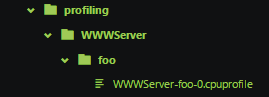
@profilingThis feature only works server-side. It allows to decorate a function in order to generate a CPU profiling file that starts before calling function and then stops at the end of execution. The generated file will be saved in a specific folder:profiling. Finally you can inspect the generated file with the amazing DevTools from google.
Example
import { profiling } from 'profiling-decorator';

// Decorate your function
@profiling()
foo() {
  console.log('bar');
}

// Then run your function
foo();
A file will be generated :
You can also decorate regular function :
// Decorate your regular function
const foo = profiling(() => {
  console.log('bar');
});

// Then run your function
foo();
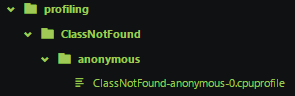
You will see a file generated with default name :
If you want set a specific name, just use :
// Decorate your regular function
const foo = profiling(() => {
  console.log('bar');
}, 'SpecificName');

// Or ...
@profiling('SpecificName')
foo() {
  console.log('bar');
}
// Then run your function
foo();
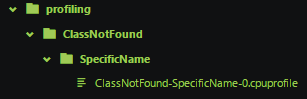
You will see your specific named file :
@optimizeThis feature works server-side and client-side. It allows to decorate a function in order to show if this function is optimized or not using the v8 functions. I advise you to watch this article. When you will decorate a function, you have to run at least 3 times this function before you can see whether the function is optimized or not.
Example
You can use it like @profiling :
import { optimize } from 'profiling-decorator';

// Decorate your regular function
const foo = optimize(() => {
  console.log('bar');
}, 'SpecificName');

// Or ...
@optimize('SpecificName')
foo() {
  console.log('bar');
}
// Then run several times (at least 3) your function
foo();
foo();
foo();
You have to run your node application or your browser with the following opts command in order to active natives v8 functions :
// Node
node --allow-natives-syntax [path-to-app]

// Chrome (be sure to shutdown all chrome process before doing this)
chrome  --js-flags=--allow-natives-syntax
This will be output a log like :

If you want more information about the optimization process, you can run the following command (only server-side) :
node --trace_opt --trace_deopt --allow-natives-syntax [path-to-app] | grep --context=5 [regexp-function-name]This will output more logs from --trace-opt & --trace-deopt options that will tell you why your function were not optimized.
// Not optimized function (try/catch)
const foo = optimize(() => {
  try {
    console.log('bar');
  }
  catch(e) {
    console.log(e);
  }
}, 'SpecificName');
You can see the reason about the not optimized function :
