
project-tiny-context-harness
v0.8.17
Published
Minimal project memory and validation harness for AI coding agents.

Maintainers
 steve1998
Readme
Project Tiny Context Harness



Translations: Chinese (Simplified)
Project Tiny Context Harness is repo-native project memory for AI coding agents, plus a narrow delivery harness for trustworthy long-task completion. The product principle is: keep the memory, drop the ceremony. It adds durable project memory behind AGENTS.md without becoming an agent scheduler or Git orchestrator. It is designed to reduce drift between large plans, durable project truth, design intent, implementation and proof by keeping ownership recoverable and assurance proportional to the delivery.
Public launch surfaces are English-first; localized documents are secondary entry points.
Best for:
- repositories where coding agents repeatedly rediscover project intent;
- teams using multiple agents or frequent fresh chats;
- maintainers who want durable Context and explicit long-task evidence.
Not for:
- replacing project tests, review, CI or human acceptance;
- autonomous Tiny Context execution;
- codebase semantic indexing or external docs retrieval.
Concrete shift:
Before: ask a fresh agent to read the repo and tell you what matters.
After: ask it to read AGENTS.md and project_context/** first, then summarize goal, non-goals, architecture boundaries and validation paths before proposing code.
What gets added:
flowchart LR
  A["Fresh agent session"] --> B["AGENTS.md startup router"]
  B --> C["project_context/** durable facts"]
  C --> D["Goal, boundaries, validation paths"]
  D --> E["Implementation and delivery work"]
  F["Tests / CI / review"] --> G["Product quality evidence"]
  C -. "does not own" .-> G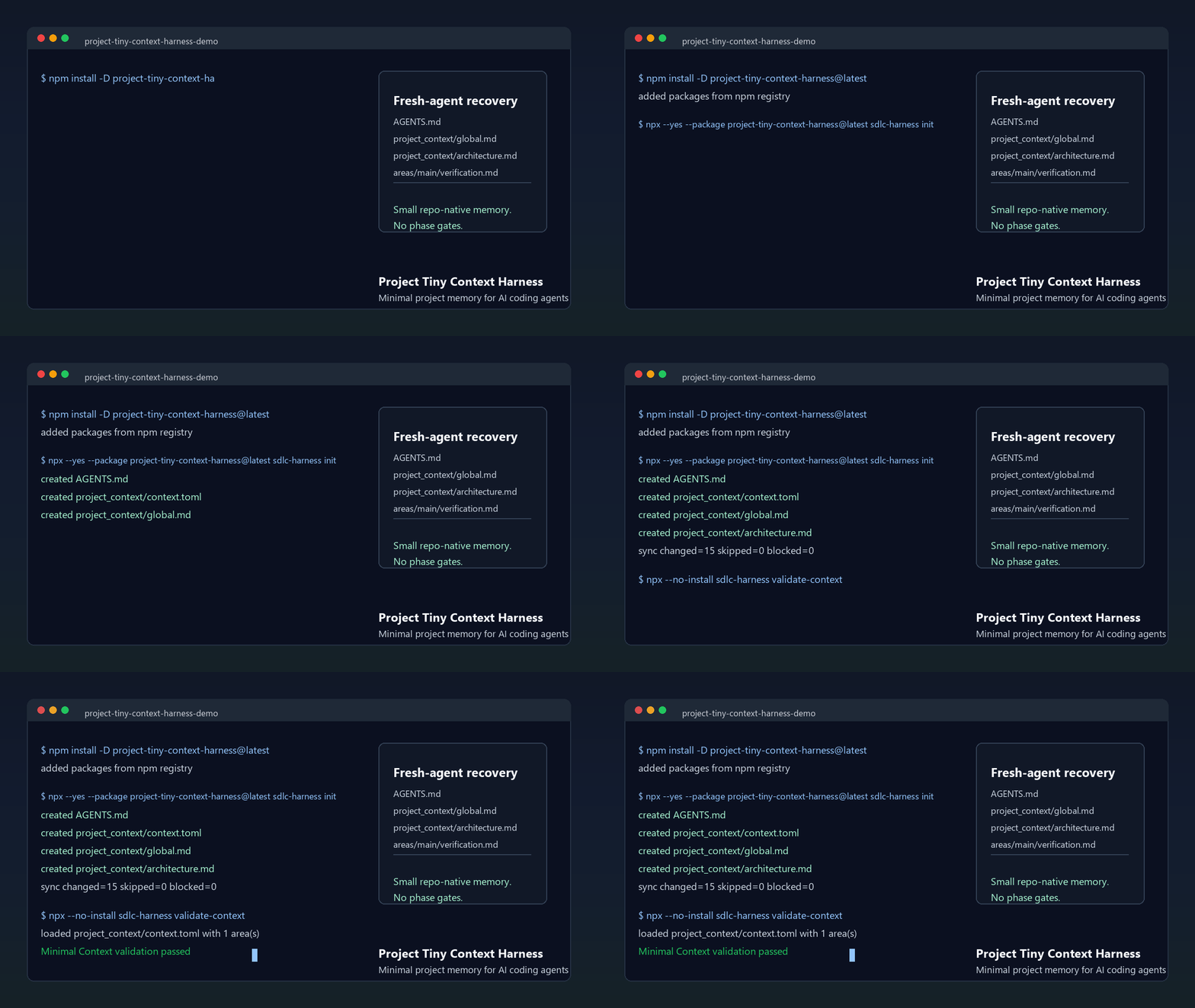
The demo shows the core loop: initialize AGENTS.md and project_context/**, run validate-context, then ask a fresh agent to recover intent before proposing code. Use the npm install path below, or inspect the no-install previews first.
Install:
npm install -D project-tiny-context-harness@latest
npx --yes --package project-tiny-context-harness@latest ty-context init
No-install preview:
- Read the fresh-agent recovery walkthrough.
- Inspect the Minimal Context sample guide.
- Browse the tiny generated repository at examples/minimal-context-sample/.
Why It Exists
project_context/** preserves small durable facts across sessions. Both implementation routes share one risk-proportional Architecture Deliberation with applicable-quality routing before implementation, Goal-owned boundary-preserving implementation guardrails, and one current-candidate Engineering Quality Conformance that includes Architecture Conformance. The default model-led route applies at any complexity, reads graph-relevant Context, supplements that route with one bounded Context search before Context Delta, uses project-native current-candidate evidence and reports its verification boundary. When machine completion authority, recoverability or auditability is explicitly required, long-task-delivery-v2 adds one complete Contract authority, fail-closed Source ownership, Control/applicability closure, semantic Counterfactuals, an unconditional one-time host model-change checkpoint after Authority Lock, scoped progress and a protected-input-recompiled Live Final Gate.
Tiny Context does not invoke or switch models, create agent sessions, branches or worktrees, merge, push, create PRs, deploy, or replace project tests and human acceptance.
Capability Model
| Capability | When and how to use it | What it owns |
|---|---|---|
| Minimal Context | Installed by default. Every delivery route reads and updates project_context/** as needed. | Durable goals, ownership, architecture/interface/state boundaries and repeatable verification/deployment facts; never a test-pass claim. |
| Workflow Contract | Prompt-level default after init, for implementation work of any complexity unless Long-Task is explicitly selected or already bound. There is no Skill command or delivery-contract.yaml. | Model-led Context discovery, risk-proportional requirement/architecture judgment, one Context Delta, Goal-owned implementation, current project checks, failure repair, evidence-bounded Contract Conformance and Context drift; no exact Fact ledger, validator result, Receipt, persisted state or machine completion. |
| Long-Task Workflow | Enable the profile once, then explicitly select long-task-workflow, or resume a valid binding, when machine completion authority, recoverability or auditability is required. Task size alone does not activate it. | One Source-bound Delivery Contract, Authority Lock, recoverable scoped progress, protected revision, exact declared-obligation evidence and a current-snapshot Live Final Gate. |
Every delivery uses Minimal Context. The default Workflow Contract applies unless Long-Task is explicitly selected or validly bound. Complexity determines execution and verification depth; required completion authority and recoverability determine the route; Long-Task-internal risk determines proof strength. Long-Task uses long-task-workflow as its sole execution and completion carrier, and its Final Gate carries Engineering Quality/Architecture Conformance instead of duplicating default Contract Conformance. design-system-authoring and design-resource-authoring are independent optional upstream Skills, not Long-Task stages. Their selected outputs may feed either route.
| Task shape | Model-led, evidence-bounded handoff is sufficient | Machine-traceable complete closure is required | |---|---|---| | Local or small | Default Workflow Contract | Explicit Long-Task is available | | Cross-module or complex | Default Workflow Contract remains valid | Explicit Long-Task |
Skill names here are host-neutral. In Codex, explicitly select one with $skill-name (for example $long-task-workflow) or use /skills; other hosts use their own Skill selector.
Install And Initialize
npx --yes project-tiny-context-harness ty-context init
# Existing repository:
npx --yes project-tiny-context-harness ty-context init --adopt

npx --yes project-tiny-context-harness ty-context validate-context
npx --yes project-tiny-context-harness ty-context doctor
Default profiles are core-portable and workflow-default; the base managed set includes explicitly selected design-system-authoring and design-resource-authoring. Explicitly enable long-task support:
ty-context enable long-taskEnabling Long-Task additionally installs long-task-workflow, package-owned lifecycle Hooks and, only when the resolved harness root is exactly .codex, one optional project-scoped Codex custom agent named long_task_implementation. Its canonical package-owned profile currently uses gpt-5.6-luna, model_reasoning_effort = "max" and disabled child-agent tools; that canonical TOML is the only machine-readable model/effort source. The fixed, stateless profile is usable only for bounded rolling implementation/repair after the first-Authority-Lock terminal-turn checkpoint. A supported Codex host must explicitly select exact long_task_implementation; generic/built-in workers, task names, prompt imitation and model-only choices are not the profile. If exact selection is unavailable, or the host rejects the required [agents].enabled = false leaf boundary, do not remove that boundary or spawn a generic substitute: execute in the parent. Static installation alone proves neither discovery nor use. The profile is not a Skill, runtime, model router, scheduler, Authority or proof carrier; absence, invalidity or a preserved same-path user file does not change acceptance.
When sync first installs or updates Tiny Context entries in .codex/hooks.json, it reports: Codex Hook review required: open /hooks and trust the current Tiny Context project Hook before relying on PreToolUse, SubagentStart, SessionStart or Stop behavior. Tiny Context cannot observe or persist Codex Hook trust. Review the current project Hook in /hooks; trust is host/user-owned and changes can require review again. Installation is not evidence of trust or active enforcement, and trust-bypass flags are not the normal path.
Recommended Usage
Start from either a concise product request or a detailed initial proposal authored elsewhere, including Web GPT. That input does not require design authoring or Long-Task; choose the execution route independently.
Design-First Machine-Assurance Workflow
Use this route when an implementation delivery both genuinely needs new style-bearing design resources and requires Long-Task's machine-assurance/recovery/audit boundary. It is not a prerequisite for every Long-Task:
- Run
ty-context enable long-taskonce. - If Design Authority is absent and the scope is style-bearing, explicitly select
$design-system-authoringto generate, select and adopt the canonicalDESIGN.md, token source and provider binding. Skip it when Design Authority is already configured. - Prepare a writable project-native initial proposal at a concrete path such as
docs/initial-proposal.md. It may come from the user, an external service or an explicitly requested applicable proposal capability;design-resource-authoringdoes not author it, and no standalone intermediary authoring stage is required. - Select
$design-resource-authoringwith that path plus the exact development scope and targets. For formal Web/App work it first reads real technical Source. Keep its reconciled proposal, validated residualdesign-resource-handoff-v1, separate implementation-feasibility input, and selected immutable canonical resources, manifest and dependencies. - Select
$long-task-workflowwith the exact paths to all of those inputs, including feasibility Source. It authors the Source-bound Contract Draft. The first Compile/Authority Lock always ends the current turn before implementation and saysAfter handling the model change, reply exactly: model checkpoint cleared, continue; a generic continuation does not satisfy the managed prompt protocol, earlier model wording cannot skip this boundary, and Harness cannot observe the next host message or whether the model changed. After the user resumes, the parent identifies qualifying bounded packets before profile/capacity. Absent an explicit user or host prohibition, a qualifying set requires actual host calls for multiple exactlong_task_implementationworkers; host results determine zero-start or partial fallback under the Skill's six-reason rule. Worker count stays dynamic, generic substitutes remain forbidden, and the parent alone owns Source, Contract, Authority, architecture, Context, packet selection, integration, current-candidate checks, formal verification, Final Gate, close and completion.
$design-system-authoring Generate, select and adopt the project design system for this style-bearing scope. Skip this request when DESIGN.md is already configured.

Prepare a writable project-native initial proposal at docs/initial-proposal.md for <delivery scope>.

$design-resource-authoring Use docs/initial-proposal.md for <exact development scope and targets>. Return the reconciled proposal path, validated design-resource-handoff-v1 path, implementation-feasibility Source path, and selected immutable canonical resource, manifest and dependency paths.

$long-task-workflow Use docs/initial-proposal.md, <handoff.md>, <feasibility.json>, and the selected canonical resources, manifest and dependencies as Source for one complete implementation delivery.
These paths are illustrative. Candidate images or editable explorations alone do not authorize fidelity; implementation uses the selected immutable canonical resources and their validated handoff.
Other valid routes remain available:
- Default model-led delivery, no new design resources: give the request directly to the current coding Goal; the default Workflow Contract applies automatically at any complexity.
- Machine-assurance/recoverable delivery, no new design resources: explicitly select
long-task-workflowwith the request or proposal. It authors the Source-bound Contract Draft; design authoring is not a prerequisite. - Delivery that needs new design resources: follow the sequence above, then send the revised proposal plus selected immutable resources and the validated handoff to either the default Workflow Contract or
long-task-workflow, based on recovery and completion-authority needs. - Design-resource-only request: stop after
design-resource-authoring; do not create a Long-Task Contract unless implementation delivery was also selected.
The design-system Skill is normally used at cold start but never auto-runs. Only style-bearing resource work is gated; low-fidelity structure, IA/flow and semantics-only state studies remain available. A pre-existing planning or proposal document remains ordinary Source, not a recommended intermediate service.
Positioning
| Adjacent tool type | Use it for | Harness stance | |---|---|---| | Spec-first kits | Turning a feature idea into structured specs and plans. | Complementary; Harness keeps durable repo facts beyond one feature spec. | | BMAD-style workflows and full Tiny Context processes | Role/process ceremony for selected work. | Lighter automatic route; explicit machine assurance stays opt-in. | | Task Master-style planners | Backlog decomposition and task state. | Complementary; Harness does not own backlog state. | | Context7/Serena-style retrieval | External docs, symbols or repository retrieval. | Complementary; Harness owns local intended boundaries. |
Try It In 60 Seconds
mkdir project-tiny-context-harness-demo
cd project-tiny-context-harness-demo
git init
npm init -y
npm install -D project-tiny-context-harness@latest
npx --yes --package project-tiny-context-harness@latest ty-context init
make validate-context
Expected result:
AGENTS.md
project_context/
  context.toml
  global.md
  architecture.md
  areas/main.md
  areas/main/verification.md
Fresh-agent test prompt:
Read AGENTS.md and project_context/** first. Summarize the project goal, non-goals, architecture boundaries, validation entry points and next safe action before proposing code changes.Source checkout preview:
Open https://codespaces.new/Seven128/project-tiny-context-harness, or run locally:
git clone https://github.com/Seven128/project-tiny-context-harness.git
cd project-tiny-context-harness
npm ci
npm run smoke:quickstart
npm run preview:pack
cd /path/to/your/test-repo
npm install -D /path/to/project-tiny-context-harness/tmp/ty-context/source-preview/package/project-tiny-context-harness-0.8.17.tgz
npx --no-install ty-context init --adopt
make validate-context
Use this tarball path for source-preview testing, private review or package development. For normal installs, use project-tiny-context-harness@latest from npm. If it fails, open a Source preview report.
Minimal Context And Default Workflow
The default read path is project_context/global.md, project_context/architecture.md, project_context/context.toml, the default area root, then minimum graph-relevant role Context.
Only near-universal recovery facts should use read_policy = "default"; specialized detail should be task-triggered on-demand. ty-context doctor reports the deterministic default Context footprint, soft-budget overages, byte-identical default files and DESIGN.md authority status as advisory maintenance signals, not a new gate. Genuine near-universal recovery facts take precedence over the byte heuristic and must not be omitted, obscured or misclassified merely to fit it.
Bounded Context discovery
Before deciding Context Delta, the Agent combines two low-state routes:
- collect area, role, trigger and graph candidates from
context.toml; - run one bounded text search over
project_context/**with a small set of high-signal task terms, including explicit area/module names and relevant API/schema/state/security/verification/deployment language; - merge the candidates and read only semantically relevant files.
The bounded search supplements rather than replaces Agent semantic judgment. It creates no vector or persistent index, cache, registry, search state or second authority. It can still miss unrelated synonyms or indirect dependencies, so every implementation delivery still performs Architecture Deliberation and final Conformance.
Sparse Context workspaces and monorepo repositories
Monorepos may keep Context centralized while sparsely mirroring only implementation workspaces that own durable non-code facts under project_context/workspaces/<workspace-id>/**. Each represented Context workspace maps exactly one repository-relative code root through existing [[areas]].root and context and may contain several workspace-local Area/role owners. Package-manager workspaces with no durable Context need no empty directory; cross-workspace/repository/shared Areas stay under top-level project_context/areas/**. Package-manager/build files remain the complete code-workspace inventory. Single-workspace and non-monorepo projects keep the existing layout and validation path.
Prefer a small top-level repository-common default Area in a monorepo; keep workspace-local Context on-demand unless it is genuinely near-universal. The default set plus manifest/search candidates is an expandable working set, not read isolation, a maximum or a requirement to read the entire target workspace. Read any additional Area/shared Context, root DESIGN.md or code needed for an indirect dependency. Root DESIGN.md remains the current shared project Design Authority; Context workspace placement does not create independent design systems.
Resolve task-local intended workspace(s) from explicit user/product/path/repository facts. If materially different siblings remain ambiguous, ask one concise target question before product edits; intentional multi-workspace work enumerates every target and supporting/shared scope. After implementation, use a repository-owned changed-path/target-scope verifier on exact task-attributable paths when available, or review the final diff against durable owners during Conformance. Tiny Context adds no [[workspaces]] schema, automatic topology scan, forced migration, full-graph default, persistent target state, registry, generic path/import/runtime scanner or duplicate Long-Task scope classifier.
The default model-led route at any complexity:
- resolve minimum relevant Context through manifest routing plus bounded Context search;
- widen the Context working set when shared or indirect dependencies require it, and disambiguate a genuinely unclear sibling product target before product edits;
- identify material requirements, conditions, owners, failure boundaries and acceptance entries at risk-proportional depth without an exact Fact/Obligation ledger;
- surface one concise, repository-bound Architecture Deliberation with triggered quality attributes or a concrete preservation basis;
- decide
Context Delta: none|requiredand update durable facts before code when required; - use the platform's internal plan and implement under Goal-owned boundary-preserving quality guardrails;
- run current-candidate project verification, including an available changed-path/target-scope check; localize and repair failures, then rerun checks affected by later changes;
- perform evidence-bounded Contract Conformance, including Engineering Quality Conformance and its Architecture Conformance subset, then the separate Context drift check;
- hand off
Implemented,Verified,Unverified,Blocked / decision requiredand Context status separately.
The default workflow has no required plan artifact, target declaration, matrix, verdict, evidence ledger, persistent retrieval index or second plan. Missing, stale, unreadable or conflicting controlling Source, unsupported observation or stale/failed evidence blocks an unqualified claim for the affected scope. Duration, file count and complexity never auto-enable Long-Task.
Plan Validator commands no longer exist; existing plan, matrix or verdict files remain ordinary user files.
Engineering Quality And Modularity Guidance
Shared Engineering Quality extends the architecture obligation without adding a workflow. Every implementation delivery visibly completes Architecture Deliberation before its first implementation edit. Risk changes depth, not occurrence. A small change names the concrete owner/current extension point, confirms durable boundaries and applicable quality attributes remain preserved, and explains why it adds or worsens no debt. Material work additionally covers the unique source of truth, dependency and interface/state/resource-lifecycle boundaries, selected and rejected alternatives, one plausible future change and its extension point, touched technical debt, forbidden shortcuts, project-owned executable checks and triggered failure/load/threat scenarios. Correctness/invariants and maintainability/changeability always receive at least preservation; reliability/resource lifecycle, concurrency/consistency, performance/capacity/cost, security/privacy/safety, compatibility/migration/rollout and operability/observability/testability activate only when material. Architecture Context Hit, Decision Rationale Hit: existing|required|none and Modularity Check: none|required|exception remain internal routing questions; no Task Contract or fixed plan.md is required.
When foundational machinery, a mature protocol/security boundary, a dependency/shared abstraction or a nearby extension point makes sourcing material, the deliberation adds a risk-triggered Build / Reuse / Buy judgment. It records an allowed solution set, prohibited failure modes and required rationale/evidence rather than one mandatory library or abstraction. Existing owners, standard capabilities, installed dependencies, mature compatible libraries, bounded self-implementation and intentional non-abstraction may all be valid; duplicate owner rules, extension-point bypass, unjustified heavy dependencies, incomplete security reinvention, license/platform incompatibility, forced abstraction and a second source of truth are not. This adds no mandatory open-source/DRY rule, generic score, stage or Gate.
Implementation order, methods and feedback cadence remain Goal-owned. The thin discipline is to reuse the owning service/facade/adapter and one source of truth, make the smallest complete change, preserve explicit failure/resource semantics and add abstraction only for a stable concept or evidenced change axis. Exact product/technical predicates remain owned by Semantic Facts and selected UI/UX values by selected-design closure.
context_development_engineer is content-sensitive rather than generic-coding-sensitive: material owner/source-of-truth, architecture/dependency, API/schema/data/state/lifecycle, complex-alternative, concurrency/recovery, external-integration/shared-abstraction, performance/security/compatibility/migration or architecture-audit judgment loads its on-demand engineering reasoning; generic implement/fix/refactor wording, role/agent mentions and ordinary local code/test/docs/style work do not activate it merely by themselves. The reference separates facts/constraints/assumptions/unknowns, drivers/path dependence, material alternatives, counterfactuals and minimum experiments, then projects the decision into concrete owners, interfaces, data/state/lifecycle/failure and checks. It is not a mandatory method checklist or second workflow.
After implementation and project verification, Engineering Quality Conformance includes Architecture Conformance and checks the current candidate for scope/path escape, owner/dependency violations, owner bypass, duplicate truth, undeclared boundary/lifecycle change, silent failure, applicable resource/concurrency/security/compatibility/operability defects, unsupported performance claims, missing declared checks and new or worsened debt. A performance claim requires workload, metric, baseline or budget, environment, comparator/tolerance and a project-owned benchmark/probe; static shape is not runtime proof. Any candidate or controlling-input change invalidates the result. Default work embeds this closure in Contract Conformance; Long-Task maps every material independently falsifiable invariant into existing Source-backed obligations/constraints/forbidden shortcuts, owners/paths/Bindings, executable Checks and separate Assertions where functional behavior could pass independently. Final Gate is the sole Long-Task carrier and proves only that declared project-check-bound set—not overall code quality. The two carriers never both run for one candidate.
Contract Conformance asks whether current Source and Context reached implementation and verification; the separately named Context drift check asks whether implementation or a new decision made durable Context stale. New or worsened debt blocks handoff unless the project has an explicit bounded exception with owner, rationale, tracking and a removal condition. Unrelated legacy debt does not automatically expand task scope, but debt touched, relied on or worsened by the change cannot remain hidden.
The visible checkpoint proves only that the reviewable deliberation occurred; it does not expose private chain-of-thought, guarantee the best design or anticipate every unknowable future request. Store stable reasons, rejected alternatives or tradeoffs only in the smallest durable Context surface. The obligation creates no quality plan, stage, matrix, second Authority, Contract field/aspect/Claim/risk type, Gate, state or Receipt. Harness routes repository-native type/compiler/lint/AST/dependency/contract/behavior/benchmark/probe checks rather than becoming a language-generic architecture, quality or performance analyzer.
ty-context check-modularity is a capability-aware portable risk signal. All selected handwritten source/config formats receive physical-line analysis; JS/TS-family files additionally receive lexical per-function statement/branch, export, state-transition and responsibility heuristics; Python receives a dedicated lexical per-function statement/branch heuristic; every other included format, including Vue without an SFC parser, is line-only. Output names analysis=js-ts-heuristic|python-heuristic|line-only; unsupported metrics are null internally and n/a in CLI output, never zero, and cannot affect risk or regression. This is not complete static analysis, architecture proof or runtime-performance evidence. validate-code-modularity and validate-harness enforce the supported signals separately from validate-context.
Modularity Policy
Newly generated Harness configs default to strict_except_generated. Generated/build files remain excluded; strict_except_generated rejects configured modularity.waivers. Projects with bounded legacy exceptions may opt into scoped_waivers, whose entries require path, category, owner, introduced_at, reason, tracking_issue and expiry_condition. An explicit ty-context upgrade removes only waivers that existed solely for unsupported metrics from the retired cross-language JS heuristic and whose targets have no current supported risk; ordinary sync never performs that migration, and every other stale or invalid waiver remains fail-closed.
Product Surface Contract
context_surface_contract compiles durable screen/page/CLI responsibility using existing contract, area/subdomain and verification roles. product-surface-contract.md owns cross-surface/main-versus-drilldown responsibility; optional on-demand screen-contract.md goes deeper for one screen's target user/context reference, primary task outcome/work object/loop, operation-object-feedback relationship, critical visible context, entry/exit/shared state, information hierarchy, semantic regions, repeated-scroll/context-switch boundary, client/size-class topology, navigation/variants, material controls and target/verification references. context_uiux_design may load a non-authoritative task-analysis method for material new-page/flow/complex-control, hierarchy/topology, task-feedback, client adaptation, recovery/state/accessibility or UI/UX audit reasoning, but durable Design Authority remains its only owner role and Surface/Screen Source still owns page duty. Analysis or Skill activation alone grants no write authority; an already-authorized implementation may update the smallest Surface owner only when the current Goal independently decides Context Delta: required. Local style/copy/icon/image fixes, exact-target local alignment and single-control previews remain lightweight.
For material UI, UI Authority Closure reconciles each stable surface/control/target key as covered by existing Context, requiring a Context update, task-local, explicitly out of scope or genuinely decision-required. Design Source Projection sends durable cross-surface and Screen/Control/state meaning to existing Product Surface or Screen/interaction Context, durable visual-system/token/motion-policy/rationale meaning to DESIGN.md, exact composition/value/condition/asset facts to versioned targets, repeatable proof routes to verification Context and delivery-local coverage/provenance/blockers to task or Contract Source. Conflicts fail closed; current code, timestamps, YAML or implementation screenshots do not silently win.
Non-UI Semantic Completeness
Both development paths preserve all expressed, logically entailed, explicitly delegated or evidence-backed non-UI authority. This covers product and business meaning as well as technical, backend and architecture meaning; current code cannot silently redefine it. Default work understands material requirements and conditions at risk-proportional depth and reports its evidence boundary, while Long-Task turns the complete declared scope into exact machine obligations.
Long-Task Source authoring inventories every material request fragment, attachment, controlling Context unit, canonical specification, external constraint, repository-preservation source and delegated instruction. Its standard catalog is a mandatory floor: goals/scope/glossary; actors/roles/tenants/entitlements; business rules/calculations; entities/fields/relations; commands/queries/workflows/state/time; validation/output/error/API/protocol/event/job; persistence/cache/search/transactions/consistency/concurrency/idempotency; faults/retry/degradation/recovery/backup; configuration/flags/secrets; compatibility/migration/rollout; performance/capacity/cost/reliability/SLO; security/privacy/safety/compliance; observability/deployment/operations; integrations/notification/file/media/localization/commercial; hardware; AI/ML; architecture ownership/boundaries/debt. Domain-specific families, properties, condition axes and proof methods extend this floor.
In Long-Task, every applicable subject, typed relation and static/dynamic population receives a stable identity. Applicable actor/role/tenant/version/environment/state/input/boundary/locale/time/concurrency/dependency/failure/migration/rollout/threat/custom conditions are first-class atomic values and exact combinations. Every atomic property is specified or carries an exact basis-backed N/A/exclusion; unresolved, unavailable, conflicting or unreadable meaning blocks. Aggregate strings such as all-states, default paths, representative/pairwise samples and ungrounded N/A cannot stand for atomic cells.
One Long-Task semantic Fact binds Outcome × subject/relation/population × exact condition × atomic property × typed expected predicate, together with owner, Source locator/digest, provenance, quantifier, observation boundary and sensitivity. Fact identity is separate from proof obligation: every Fact expands to all required methods and the furthest independently failing boundary, with frozen comparator/parameters/tolerance/mask, Oracle capability/identity, environment and protected-value policy. Exact values remain in Source or owning Context; downstream carriers retain identities and comparison authority rather than becoming a second semantic value source.
Default work creates no Expected Fact Universe, stable Fact/Obligation keys, exact set equality, complete Cartesian expansion, frozen Oracle graph or per-Fact result ledger. It identifies material requirements, conditions, owners, failure boundaries and acceptance entries; runs attributable checks after the last relevant change; repairs failures; and reports Implemented, Verified, Unverified and Blocked / decision required separately. Explicit Long-Task persists one Source semantic-fact-manifest-v1, requires Expected = Source Indexed = Contract Indexed Facts, maps every machine obligation to one single-Fact Assertion and typed semantic_fact result (or to a named External Confirmation), and enforces exact expectation/result equality in its existing Final Gate. Missing, extra, duplicate, unresolved, unmapped, unimplemented, unexecuted, stale, failed, proxy-only, reused or indistinguishable Long-Task rows block machine acceptance.
This mechanism cannot discover intent the user never expressed or prove an arbitrary Inspector/Oracle semantically sound. It may complete only necessary derivations and explicitly delegated defensible choices; real product, legal, security, commercial, safety or externally owned decisions remain blocking. Durable meaning still goes to its existing Context owner, code remains current implementation truth, and no second plan, registry, Authority, Gate or prescribed implementation sequence is introduced.
Visual Delivery Guidance
Both development paths preserve selected design Source authority within its declared scope and conditions, but they do not share a formal proof level. Formal handoff preflight still proves complete machine-readable input; default work then opens affected targets/conditions and real-substrate feasibility Source, selects the production strategy in Architecture Deliberation, routes it to current-candidate project checks, and reports conditions not established. Long-Task additionally provides exact per-Fact/Rule machine closure through existing Source, bindings and its sole Final Gate. Neither route infers unexpressed behavior or proves that the user supplied every desired requirement. Open Design can produce implementation-rich HTML/CSS/JS, specifications, tokens and assets, but capability is not a per-run guarantee: for a selected Web/App implementation handoff, design-resource-authoring must explicitly commission and completely retrieve one machine-readable canonical entry plus its exact dependency closure, freeze every file with a digest and expose stable typed locators. Before formal publication, it exercises every declared verification method on those immutable bytes and blocks unresolved conflicts among code, specs, tokens and assets. That is source QA, not production acceptance. PNG may be a visual baseline, never the sole implementation source.
The provider-neutral handoff is a residual semantic and binding layer, not a textual copy of CSS, another value authority or another complete Fact index. Before formal Web/App generation, design-resource-authoring derives an Expected Fact Universe from scope, adopted Design Authority and a frozen Inspector/Census obligation. The atomic unit is an applicable subject × selected target × condition combination × variation combination × property Fact Cell. Subjects include surfaces, regions, overlays, component families/instances, controls, every anatomy part/slot/primitive, text, icons, media, assets and relations. Conditions are first-class across 33 standard condition axes (platform/runtime/device/viewport/density/safe area/window/fold/display/color/localization/content/data/text scale/input/assistive and accessibility preferences/system UI/IME/permission/capability/connectivity/lifecycle); variation is first-class across five variation axes: variant, state, interaction_phase, presence_phase and instance_case. Properties use 217 standard atomic keys across geometry, layout, scroll, typography, color, decoration, content, icon, media, interaction/navigation, motion/feedback, responsive, accessibility, asset, system and relation families, plus explicitly defined custom properties.
The generated canonical implementation source remains the sole owner of exact values. Its dependency closure contains a design-resource-observable-fact-manifest-v1 with stable subject/property/Fact IDs, typed locators, located-value digests, units/rounding/pixel-snapping rules, token/effective-value lineage, dynamic population/relations/assets, required proof methods, comparator parameters/tolerance/mask, Oracle identity/capability and render environment. A frozen Inspector enumerates the complete resource/node/declaration/token/asset/relation/custom-property/variant/state/interaction/dynamic-population Census; complete-generation counts and digests prove that no sampling or truncation occurred. Each applicable Fact Cell is either covered by one atomic Fact or carries an explicit blocking/non-applicable disposition with Source/basis/rationale. Aggregate labels such as “all states” cannot stand for atomic values, and a default page/shared style cannot be used to infer another applicable combination.
Formal Web/App handoff also indexes one separate design-resource-implementation-feasibility-v1 JSON Source per target. It records current platform, framework/runtime, UI system, token/theming adapter, component-owner roots and route-owner roots; non-observed dispositions carry a reason instead of an invented value. Every material component-family × target × condition profile binds the complete matching V1 Fact or intersecting V2 Rule set and has capability/feasibility-Source-backed reuse/compose/extend/theme/create candidates or an explicit blocker. Composite multi-primitive strategies, per-platform candidates and authorized planned owners are valid. Browser-only capability cannot be relabeled as a native-App/React Native substrate. Exact design values remain canonical-resource owned and are rejected from feasibility prose; DRA cannot select a required production realization without independent technical authority. V1 uses an exact condition partition and symbolic V2 uses reachable, disjoint and exhaustive regions. New V1 bundle publication requires the input; direct preflight keeps legacy implementation handoffs readable and reports technical feasibility not declared when absent, while a reference target may omit it without that limitation.
Unresolved substrate observations are target-wide: every decision_required or unavailable observation is named by an exact blocker in every material family × condition cell, blocker/projection observation-ref sets are equal, and zero-family vacuity fails. Candidate cells require observed component-owner roots. Exact motion or ambiguous time values remain canonical-resource data; explicit build/compile/test/startup/latency/timeout/network/benchmark/runtime-cost durations remain valid technical feasibility prose.
Long-Task proves every file/path_glob target and carrier, every verified carrier and every planned non-empty carrier wholly inside observed component/route roots; partial or unknown containment fails. Empty component refs stay invalid under standalone Contract validation. Complete activation defers that check only for all-blocker-only surfaces with valid route and exact blocker closure; candidate, mixed, legacy, missing-feasibility and fake-binding cases fail. Open target-blocking External Confirmation reaches blocked_external, never machine_accepted, without changing the sole Final Gate.
Ready handoff requires exact set equality: Expected Fact Universe = Canonical Resource Facts = Handoff Indexed Facts, together with complete material-with-facts or honestly supporting-only resource closure. The canonical per-target manifest is the sole complete Fact/Census/proof index. New authoring keeps the shipped design-resource-handoff-v1 marker and adds representation: manifest_backed; YAML carries only residual Source/scope/resource/target/closure/coverage/proposal binding, and preflight hydrates the same complete V1 object from the frozen manifest. Older embedded V1 remains read-compatible. UI symbolic V2 is explicit opt-in; V1 remains the default. An opted-in target uses design-resource-handoff-v2, representation: symbolic_rules_v2 and design-resource-observable-rule-manifest-v2; constant located expected values and mutually exclusive canonical regions preserve exact point meaning. Applicability either keeps legacy exact remainder rows or uses package-owned property profiles, frozen Inspector custom-property closure and explicit unique instance exceptions, while every logical subject-property point retains one disposition. Fact Rule, required-method semantic obligation and set-valued non-interference certificate identities remain separate. ready is emitted only after unresolved dispositions and blockers are absent, V1 proof policies pass, and an exact_target's full-target layout and pixel region unions each cover the complete reachable domain. Omitted axes require both Source-side and production-side proof through frozen closed-world static dependency closure, restricted-IR exact equivalence or finite complete-domain exhaustive equivalence; dynamic/reflected/unfrozen/external or sampled dependencies block. Preflight resolves immutable resources and exact locators, recomputes canonical DAG/region/certificate identity and rejects missing, overlapping, gapped, unresolved, unsupported, stale or value-conflicting input. Exploration remains schema-free.
Every non-interference method requires a digest-identified frozen executable Oracle with the exact symbolic_noninterference.<side>.<method> capability. On the Source side, the complete Inspector input set contains exactly one canonical, non-executable design-resource-symbolic-source-ir-v1 resource for each admitted scope. The package binds that IR to the current target, certificate and Rule scope, reparses its current bytes and derives the dependency DAG, canonical predicate or complete finite-domain evaluation itself. Submitted graph nodes, Rule roots, side/axis-erased predicates, evaluation claims and passed verdicts are only Oracle-output caches; preflight requires current recomputation = artifact bytes = proof binding/cache, and the artifact is not part of the semantic input closure. Static non-interference therefore cannot be accepted from an axis list or manufactured from Rule references. JavaScript, CSS cascade or implicit DOM semantics, executable templates, dynamic loading/fetch/import, reflection, computed access, unfrozen extensions and external runtime/device dependencies block until a package-owned complete extractor exists. The production side retains its conservative package-parsed static HTML plus inert JSON subset. Both sides bind Oracle implementation closure/version/capability, environment, every input path and declared/current digest, current Source-manifest or production-target snapshot, exact Rule/certificate scope, omitted axes, derived method result, artifact path/digest and attributable failure witness. Source and production proof digests enter certificate identity and the existing current Final-Gate certificate expectation/result; extraction outside the admitted representations remains an explicit TCB boundary.
Capacity changes representation, never the information universe. Before draft generation DSA freezes the explicit manifest path set, target/scope identities, file SHA-256 and exact collection counts/identity digests, then authors one small manifest-backed target file and calls ty-context design-resource bundle with an actual UTF-8 ceiling. The descriptor does not repeat manifest-owned axes/conditions/subjects/variations/properties/lineage/Fact Cells/Facts/evidence/proofs/Oracles/environments/assets/blockers. Bundle rejects embedded/full-array or multi-target drafts, over-budget descriptors, missing/extra/duplicate targets and any manifest/preflight drift; validates one target at a time from one resource snapshot; and atomically publishes the complete set through a same-volume command-owned temporary directory. It never overwrites, post-hoc splits or rewrites a target. V1 admission uses stat plus a bounded prefix capacity header before full parse/hydration and never truncates or expands then deduplicates. If truthful data exceeds V1 capacity, diagnostics may recommend an explicit V2 target but do not switch it automatically.
V1/V2 equivalence is pointwise over the full subject/relation × target × reachable condition/variation × applicable atomic property × population/quantifier universe and includes disposition, located expected semantics and complete proof-obligation denotation; physical V1 ground-row identity is not required. One manifest compilation session shares axis partitions, predicate/Boolean memoization and DAG hash-consing; tuple/profile/Rule indexes avoid per-point full-array scans. Set-valued certificates carry exact Rule and omitted-axis sets without physical Rule × axis edges, and canonical work remains independent of theoretical ground cardinality. The deterministic package fixture covers 639 subjects, 217 properties, 53 axes and 5,245 variations while preserving all 138,663 logical subject-property dispositions without 137,385 N/A rows. One Contract may mix V1 and V2 targets under the existing sole current-snapshot Final Gate. Purpose-fulfillment efficiency non-degradation is a package mechanism-change admission property, not an AcceptedDeliveryTerminal condition. Non-UI symbolic admission remains out of scope; machine-observer and verifier/runner trust-boundary closure is mandatory rather than deferred Provider/P0 work.
Those inputs remain Source. The default Workflow opens affected exact targets or constraints and their declared conditions, routes them through production owners and cold-start journeys, runs applicable project-native visual, interaction, accessibility or runtime checks on the final candidate and reports every condition those checks did not establish. It does not rebuild the complete UI Fact Cell universe or per-Fact-by-method production result ledger. Long-Task projects the exact expected universe into existing Claims/Assertions/Checks/Bindings: every method/condition cell carries exact fact_refs and one fact_expectations row per Fact/proof obligation. A current fact_results row may close that cell only when a package-admitted observer supplies its Actual and Harness comparison; otherwise the cell remains a blocking External Confirmation and Final Gate fabricates no result. The current slice does not admit UI layout/pixel/accessibility/motion, browser/native/device, protected or tolerance/mask observations. These carriers are mutually exclusive. Generation success, screenshots, hashes, Census and handoff preflight prove input completeness or integrity only, never production conformance.
The default Workflow performs UI Authority Closure and a conditional Design Authority Check before a material product, design, implementation or acceptance decision. It traverses affected stable keys to exactly one canonical adoption record, then actively opens every selected exact-target or constraint; a reference-index or handoff-index mention alone is not consumption. DESIGN.md canonically records project/system/component-family targets, while the owning Screen Contract records one-screen/interaction-specific targets. The canonical record owns interpretation, selection basis, readable immutable locator/digest, declared condition coverage and editable upstream owner/locator/update route; other layers keep only the stable key, canonical owner/anchor and local applicability. Missing, unreadable, stale or conflicting resources fail closed. Updates create a new immutable version instead of overwriting the adopted baseline. An unconfigured starter, candidate, style-only prose or inspiration does not authorize invented production layout, and a configured project visual system does not claim every page is implementation-ready. Explicit project design-system adoption routes to design-system-authoring; standalone resource generation routes to design-resource-authoring. Implementation with sufficient authority, local style fixes and throwaway prototypes remain lightweight.
For selected implementation handoff files, DSA first publishes the exact target set with ty-context design-resource bundle; both development paths rerun ty-context design-resource preflight <handoff.md> on every published file. Incomplete acquisition, missing or undeclared dependencies or targets, duplicate targets, unsafe paths, stale manifest/file digests, fictional locators, non-frozen or incomplete Census, sampled/truncated generation, aggregate axis values, mismatched Expected/Canonical/Handoff Fact sets, missing required methods, invalid comparator/Oracle/environment binding, unresolved design-system lineage, uncovered applicable cells, absent exact-target layout/pixel facts, unsupported evidence and unresolved meaning all fail closed. Each workflow must still open the resources and prove the production implementation on the real entry.
In Long-Task projection, every Claim-bearing Assertion remains single-Claim. For each selected-design verification method, the target's root conformance Assertion and that method's independent Assertion jointly cover the Source Claims referenced by its Facts or Rules; the union closes coverage without collapsing method capabilities, evidence, results or failure attribution.
Repository patterns accept parentheses only as escaped literal route-group characters—never regex groups or extglob—while preserving existing *, **, ? and rejecting unsupported []/{} syntax.
For material work under either existing execution route, context_uiux_design applies non-authoritative task-level UI/UX analysis and keeps risk-proportional coverage reasoning task-local. Product/Surface/Screen Source remains the durable owner of page duty and interaction topology, while DESIGN.md and selected exact-target/constraint Source own visual-system and selected-design facts. With a valid Long-Task binding, long-task-workflow alone owns Source/Contract lifecycle, formal verification, Final Gate and completion; the UI/UX Skill may also contribute Design Authority closure but creates no second plan, lifecycle, Authority, Gate or acceptance path. context_development_engineer traces every affected selected target and declared condition through stable surface/control keys to the production route/component owner, cold-start real-user journey and applicable rendered/interactive checks. A first useful runnable production slice is a recommended real-entry feedback point when early localization is worth the cost, never an implementation gate; the final candidate always reruns the affected cold-start journey. Source-required combinations cannot be silently pruned, but default work reports conditions it did not establish instead of claiming exact machine closure. Resource hashes, manifests and counts prove integrity only; an implementation screenshot cannot become its own target or implementation-conformance proof.
An explicit Long-Task is the strong authority carrier of the same shared obligation. It resolves missing/conflicting UI authority before Compile, then closes all 22 canonical fields of every real Product Control through field_coverage; that semantic Control projection is independent of, and never caps, the finer design Fact universe. Selected targets freeze the canonical manifest identity/digest and project every atomic Fact/required-method pair into a fact_expectations row with subject/target/condition/variation/property identity, expected located-value digest, comparator/parameters/tolerance/mask, Oracle identity/capabilities, environment and sensitivity. Only a package-admitted observer may supply the matching fact_results Actual/comparison row. In the current slice, project design_conformance, design_method and fact_results records are diagnostic; affected UI/design obligations remain blocking External Confirmations rather than machine proof. Product surface_bindings, Control Claims/relations and root-entry journeys continue to carry product semantics, while existing Claim, Assertion, Check, Stage, Binding, revision and Final Gate mechanisms remain the sole Long-Task lifecycle and closure. Every blocker preserves exact Source-item/method/capability lineage and cannot be dismissed in-band; scope removal requires revised Source/Contract authority.
Combined design-and-implementation work may author candidates in ordinary Outcomes/Stages, but a candidate or planned target cannot authorize fidelity implementation. Selection must become real marked Context-reachable Source plus the owning Context/DESIGN.md reference and, after Authority Lock, an adopted Authority Revision. Browser visual ACs may use ui_browser for diagnostic localization, but current machine closure remains External Confirmation; a browser proxy, detached route or deep link cannot prove a native/root journey that can fail independently. Resource integrity and visual_render cannot satisfy selected-target implementation conformance. Frozen baselines are verifier inputs, generated actual renders/diffs are current artifacts, and subjective approval remains external. No uiux_delivery block, visual Claim type, resource registry, risk level, lifecycle state, Gate, required design directory, per-Control screenshot matrix or universal pixel threshold is added.
ty-context doctor keeps its compatible missing | unconfigured | configured project-level status and adds advisory Design Authority Index, token-source and classified-reference signals. It explicitly does not infer surface implementation readiness; that requires the owning Screen/Control meaning, selected target/constraints and project-owned verification.
Static guidance tests prove routing text, positive/negative analysis rules, distribution, projection and canonical ownership—not real host Skill activation, Agent adherence, map-design quality, runtime cost, performance or ROI. The optional delivery-mechanism benchmark provides a fixed fresh-agent UI/UX Context/target-recovery task with routing gold and a hidden production oracle; only independent paired runs may support effectiveness or ROI conclusions.
Explicit Design System Authoring
Use design-system-authoring only on an explicit request to initialize, generate, select, adopt, replace or repair the project design system/style. It discovers live Open Design MCP resources/tools and feature-detects lifecycle methods; because Open Design 0.15.1 exposes design systems as MCP resources but no creation tool, the documented compatibility path uses the same installed daemon's official generation/revision/accept API. Candidates require explicit human or explicitly delegated selection before adoption into canonical project DESIGN.md, one authored token source/direction and only owning Context. Adopted targets record immutable identity/digest plus editable upstream owner/locator/update route; updates create a new immutable version instead of replacing the baseline. Provider ID/revision/digest and get_project.designSystemId are synchronization provenance, not another authority.
Optional Design Resource Authoring
Use design-resource-authoring only for an explicit request to generate, iterate or prepare standalone design resources, prepare resources for a named development scope, or use Open Design. It accepts raw notes or an initial proposal, product/technical plans, a visual brief, screenshots, existing resources or another pre-existing planning document. No standalone intermediary authoring document is either prerequisite or recommended middle stage.
The Skill makes the explicit output or development content its hard ceiling; a local slice includes only necessary surrounding context. Before page/flow/complex-control generation it separately consumes controlling Product/Surface/Screen Source for target user/context, client/host, page duty, primary task outcome, primary work object/task loop, operation-object-feedback and applicable state/recovery/accessibility meaning, and DESIGN.md plus selected exact-target/constraint Source for visual-system and selected-design conditions. Non-authoritative task-level UI/UX analysis may inform candidate comparison but cannot supply missing product or surface meaning. The Provider must not infer that meaning from a feature list, screenshot, route tree, component inventory or analysis output. For an implementation handoff it accounts for material UI/UX meaning through relevant surfaces/flows/regions/components/controls and applicable visual/content, state, interaction/feedback/motion, responsive/platform/input, accessibility and asset conditions, then subtracts only explicit selected-source coverage. It discovers current Open Design capabilities and assigns every considered resource a reasoned selected, optional, not-needed, unavailable or decision-required disposition.
Inside that ceiling, DRA records selected existing coverage, new gaps and preservation obligations. An outside-ceiling effect returns existing decision-required with reason scope-expansion-required; only the user can expand the ceiling. A durable Product/Surface/Screen/Design change updates its actual owner before generation resumes. Style-bearing commissions carry Source-derived style_application fields only where needed plus an archetype-specific quality_commission for primary challenges, desired/avoided visual character, real copy/data, reference roles and design-side shared-family reuse. These are task-local Provider inputs, not files, states, scores, Authorities or routing records.
Formal generation, a major design revision and critical regeneration use the highest eligible live model and that model's highest supported reasoning effort. Eligibility first preserves required tools, visual/context capability, authentication and data boundaries; provider capability ordering or documented replacement evidence establishes rank. The Skill never guesses from price, model name, release date or list order. An unrankable choice fails closed as highest_performance_unverified; an uncontrollable or unobservable provider result is reported with the same qualification and is never described as a confirmed highest-tier run. This policy creates no model registry, scheduler or persistent routing state.
For formal Web/App implementation output, “complete” defaults to the finest applicable observable Fact granularity described above. Before commissioning generation, the Skill builds the Expected Fact Universe, freezes the Inspector/Census obligation, and reads real technical Source for the platform, framework/runtime, UI system, token/theming adapter, component owners and route owners. It passes those constraints and the adopted design-system identity into a live capability matched to the resource archetype, then requires the returned canonical source/manifest to express every applicable cell. It separately authors the feasibility document described above; every material family/condition has a candidate or blocker, while production-owner selection remains downstream. It does not defer missing anatomy-part, state, responsive/platform/text-scale, motion, accessibility, asset or basic implementability decisions to downstream implementation.
High-fidelity/branded output, visual direction, typography/color/density, component visual treatment and production-style prototypes are style-bearing. If Design Authority is unconfigured or lacks one authored token source/direction, the Skill stops before project/run creation and tells the user to explicitly select design-system-authoring; it never auto-initializes. Low-fidelity structure, IA/flow and semantics-only state studies remain non-fidelity. Style-bearing Open Design projects pass the adopted ID through create_project.designSystem and verify get_project.designSystemId.
It commissions only the smallest sufficient artifact/file set through structured MCP with bounded fallback; this minimizes packaging, never information granularity. One canonical HTML/CSS/JS prototype plus manifest, tokens/assets and an inspectable state/component workbench may carry thousands of atomic Facts. Repeated controls may map to one component family and only unique/complex uncovered controls need dedicated studies. Static/default views do not imply unseen behavior. No prototype, low/high-fidelity pair, component board, provider-native input, one-file-per-control rule, artifact count or directory is mandatory, and Tiny Context copies no provider prompt/template or catalogue. Designs carry user-visible interaction semantics, not sole ownership of business/data/permission/algorithmic rules.
For implementation Web/App output, the Skill requires the complete canonical entry/dependency set and addressable declared facts described above. Figma remains useful when an existing design team needs native Components/Variables/Variants, shared libraries, Dev Mode or Code Connect; Penpot when open/self-hosted multi-user design infrastructure is itself required; OpenPencil as a local static-layout sidecar while its prototype/motion model remains incomplete. Default conversion from complete Open Design source to another representation is not required because it adds synchronization and operating cost without closing a new enforcement gap.
Provider execution, Artifact readiness and Design suitability stay separate. Suitability inspects at least one real render for formal high-fidelity work and proportionally reviews scope/Source, mechanical integrity, Design-System application, visual craft/language, product distinctiveness, content realism, design-side component reuse, technical feasibility, state/condition coverage and preservation. A first candidate with no material grounded defect may proceed directly to selection; a material defect triggers the highest-impact smallest patch, rerender and affected re-review, never a cosmetic revision quota. Suitability never performs human selection or independently establishes readiness. Provider behavior relied on durably is pinned to an immutable version/tag/commit instead of a floating branch.
Exploration returns a visible scoped candidate after minimal sanity review and requires no handoff schema. Design Resource Review & Selection Stop lets the user correct, select, reject, leave unresolved, expand scope or route a durable owner change; it is not an approval record, Gate, acceptance or formal-completeness claim. Ordinary conversational selection creates no persistent state; deterministic cross-interruption selection reuses existing marked Source, authority, selected-source and recovery-checkpoint owners. Selection binds the canonical selected-source digest, target, declared conditions and controlling Source/Design-Authority identity. Equivalent derived exports preserve selection; visible or semantic differences return to suitability and review. After a selected formal Web/App direction completes canonical source/dependency/Census/manifest/preflight closure, any newly visible decision returns to the same stop; only stable closure is followed by one consolidated idempotent proposal reconciliation and provider-neutral marked handoff. V1 manifest-backed authoring remains the default; only an explicit per-target symbolic opt-in emits the strict V2 Rule manifest/handoff. Shared preflight cannot call incomplete, unaddressable,