
prreviewbuddy
v0.73.1
Published
Understand code changes before you approve them. Local branch and pull request reviews with Claude Code, Codex or Gemini CLI.

Maintainers
 prreviewbuddy
Readme
PR Review Buddy
Understand before you approve.
A local review workspace that helps you understand code changes before you approve them.
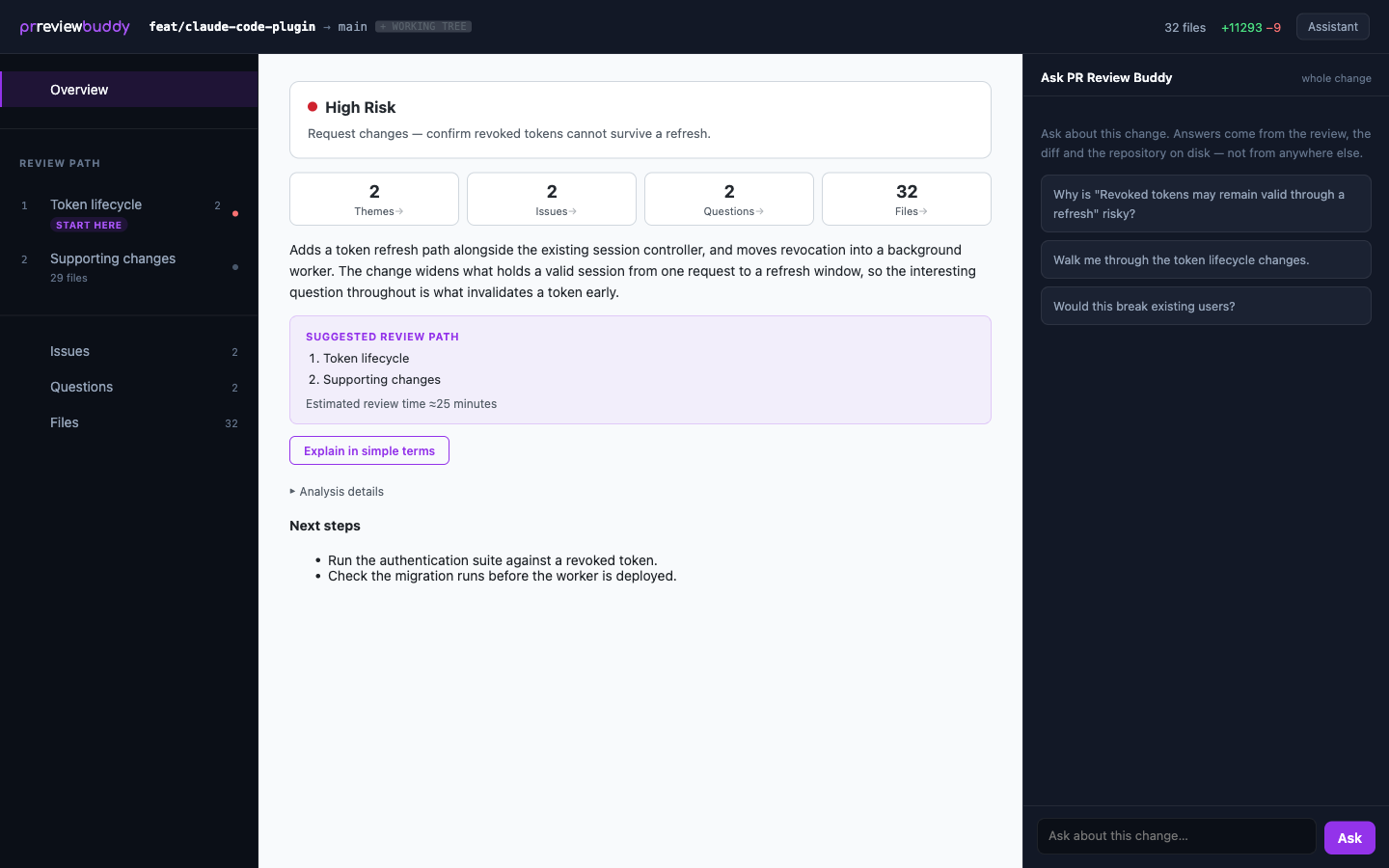
Have Claude Code, Codex or Gemini CLI analyse a branch or pull request, then explore what it found, the evidence behind it and your own follow-up questions in your browser.
Install
npm install -g prreviewbuddyStart a review
In the repository you want reviewed:
prreviewbuddy reviewOr a pull request:
prreviewbuddy review --pr <url>It prints a link to the review straight away. Open it and the workspace fills in as the analysis runs.
Why PR Review Buddy?
Most AI review tools read a pull request, leave comments and move on. PR Review Buddy is for the person who has to decide whether to approve it. It gives you a workspace for understanding the change, and the decision stays yours.
Understand the change, not just the findings. A review starts with what the change is for, how risky it is and a suggested path through it, so you know where to begin before you read a line of diff.
Inspect the evidence. Issues and questions point at the code they are about. Investigate one and the agent goes back to the repository to confirm or refute it.
Keep reviewing. Ask Buddy AI about the change; it has read the diff and the repository, not just your question. Come back to a review tomorrow, update it when the branch moves on, and keep the ones you need.
Your checkout is left alone. Each analysis runs in an isolated checkout pinned to the commit being reviewed, so your working tree is never touched and you can carry on working.
What a review looks like
Review → Understand → Investigate → Ask → Decide
- Overview: what the change is for, its risk, and where to start.
- Issues and Questions: what is worth checking, and what to ask the author. Investigate, dismiss or answer each one.
- Files: every changed file, grouped under the part of the change it belongs to.
- Diagrams: a change map of how the parts of the change affect each other, and an architecture map of where it sits in the repository.
- Buddy AI: follow-up questions, answered from the change itself.
- Prepare feedback: choose the findings you want to raise and copy them as one message for the author.
Local by design
PR Review Buddy uses a coding agent already installed on your machine, and that agent's existing authentication: Claude Code, Codex CLI or Gemini CLI. There is no PR Review Buddy account and no model API key.
Your code goes to the agent you chose, exactly as if you had run it yourself. It does not pass
through us. PR Review Buddy itself sends non-identifying usage telemetry, on by default: first use,
review start and finish, version, platform, agent, success and duration. Never your code, diffs,
repository names or review content. prreviewbuddy config set telemetry-upload off turns it off,
and the privacy page lists every field.
Commands
prreviewbuddy review             review this branch
prreviewbuddy review --pr <url>  review a pull request
prreviewbuddy open               open your previous reviews
prreviewbuddy help               every command
Run prreviewbuddy help for the full command reference, and prreviewbuddy review --help for
every option a review takes. How reviews, updates and lenses work is under Help in the workspace.
What you need
- Node 20 or newer, and git.
- A coding agent, installed and signed in.
prreviewbuddy agentsshows which you have. - GitHub CLI (
gh), signed in, to read a pull request's conversation. Without it the review still runs, on the code alone, and says so.
Uninstall
prreviewbuddy uninstall
npm rm -g prreviewbuddy
Run the first line first: it removes your reviews and the isolated checkouts, including the git bookkeeping they left in your repositories.
Prefer to stay in GitHub? PR Review Buddy is also a Chrome extension, for pull requests in your browser. prreviewbuddy.com