
pure-react-native
v0.0.4
Published
Pure React Native UI components
Downloads
11

Maintainers
 yuguo
yuguoReadme
Pure React Native Components

安装和使用(TL;DR;)
Step 1:
npm install pure-react-native --saveStep 2:
import {Button} from pure-react-native;
<Button
  type="blue"
  text="Submit"
  onPress={alert("Pressed!")}
  onLongPress={alert("Long Pressed!")}
/>
Step 3:
That's it!
为什么使用Pure Components(Why Pure Components)
无状态的组件又被叫做“纯粹的组件”,或者“白痴组件”,这是指这样的一些组件:React组件中有一些被声明为函数(而不是继承自Component的class),它们没有state,只要给定同样的props,就会返回同样的标签块。
这种类型的组件出人意料的成为构建大型应用程序的常用方法,所以,自从React 0.14开始支持使用函数的方式来创建这种无状态组件,所以也被叫做“函数式无状态组件”。
无状态组件渲染效率更高,编写和组合更加简单,我在整理自己的UI库的时候发现,这是一种很好的方法,所以我尽量使用无状态的方式来构建所有这些UI组件。
这就是为什么这个库叫做Pure React Native,它足够简单,你可以马上在项目中开始使用。
Stateless components may also be referred to as Pure Components, or even Dumb Components, and are meant to represent any React Component declared as a function that has no state and returns the same markup given the same props.
These types of components surprisingly compose a large majority of our applications and, as a result, React 0.14 introduces the ability to write these stateless components as functions, also known as functional stateless components.
So these are some of the UI elements that I summarize from Tencent work.
They are simple enough that you can grab and put it into your project now.
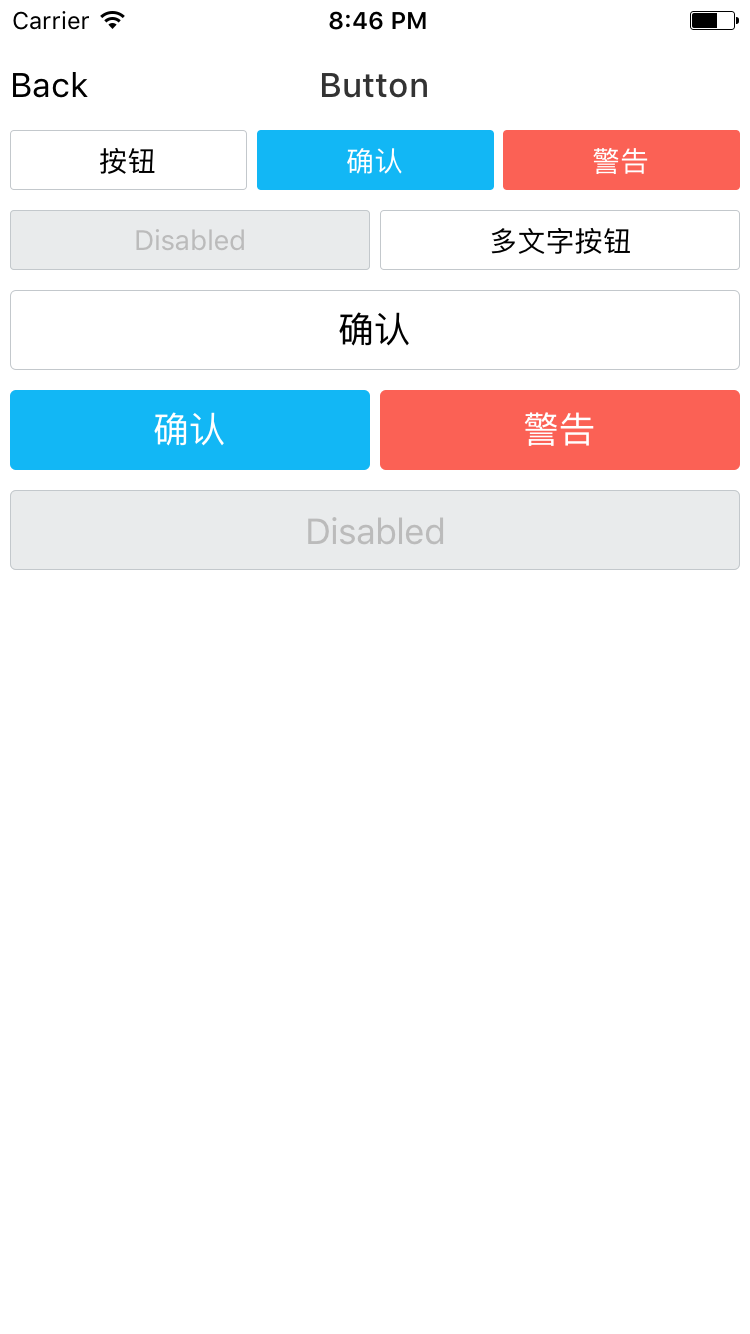
Buttons
import { Button } from 'react-native-elements'

<Button
  text='BUTTON'
/>

<Button
  type="line"
  text='LINE STYLE BUTTON'
/>

<Button
  large
  text="SMALL WITH RIGHT ICON"
  onPress={alert("Pressed!")}
  onLongPress={alert("Long Pressed!")}
  style={{marginLeft:10, backgroundColor:"blue"}}
/>

<Button
  text='BUTTON WITH ICON' />
  disabled
/>
Button API
| prop | default | type | description | | ---- | ---- | ----| ---- | | onPress | none | function | press event handler | | onLongPress | none | function | long press event handler | | disabled | false | boolean | disable a button(both style and functional) | | large | false | boolean | a quick way to change button style to large | | text | none | string | text inside the button | | style | none | object | custom the button container style | | textStyle | none | object | custom the text style |
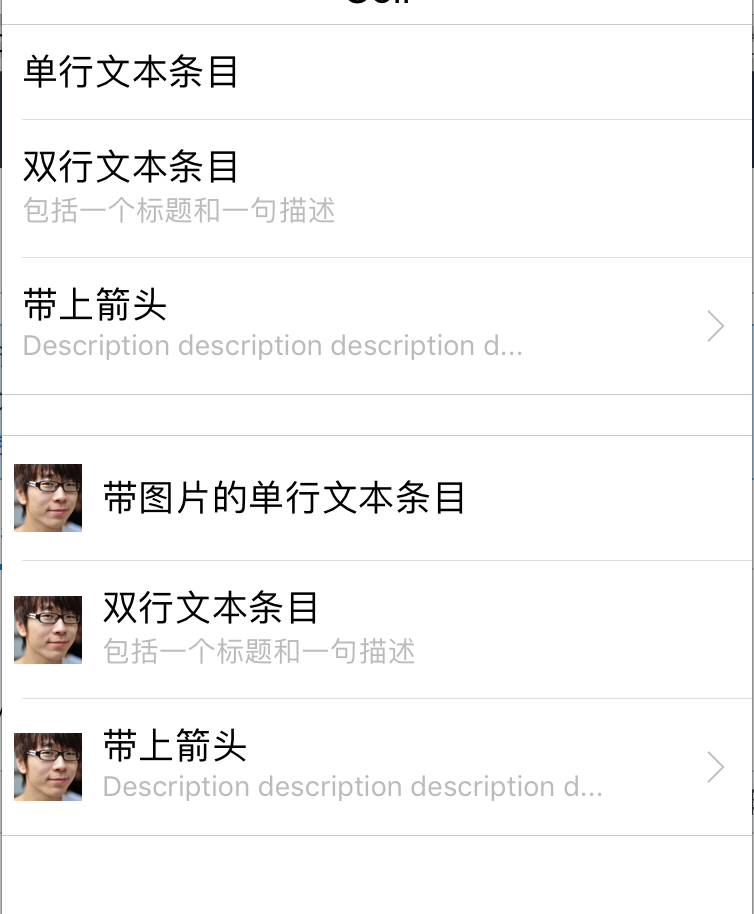
List Cell
Toast
Roadmap
I AM SORRY THAT I DON'T HAVE ENOUGH TIME TO POLISH IT, AND HERE IS THE PLAN:
- [x] Button
- [x] List Cell
- [x] Toast
- [x] TabNav
- [ ] Search
- [ ] Dialog
- [ ] Menu
- [ ] Actionsheet
- [ ] Share
- [ ] Polish the API