
py-learning-ide
v1.0.3
Published
Interactive Python Learning IDE — Monaco Editor, AI Sidekick, integrated terminal, and 25+ commented examples

Maintainers
 mohanchinnappan
Readme
Python Learning IDE
An interactive, browser-based Python IDE powered by Monaco Editor (the engine behind VS Code). Includes 25+ line-commented examples, an integrated terminal, one-click
pip install, a smart Python interpreter picker, and an optional AI Sidekick that writes code for you.
Author: Mohan Chinnappan | License: MIT
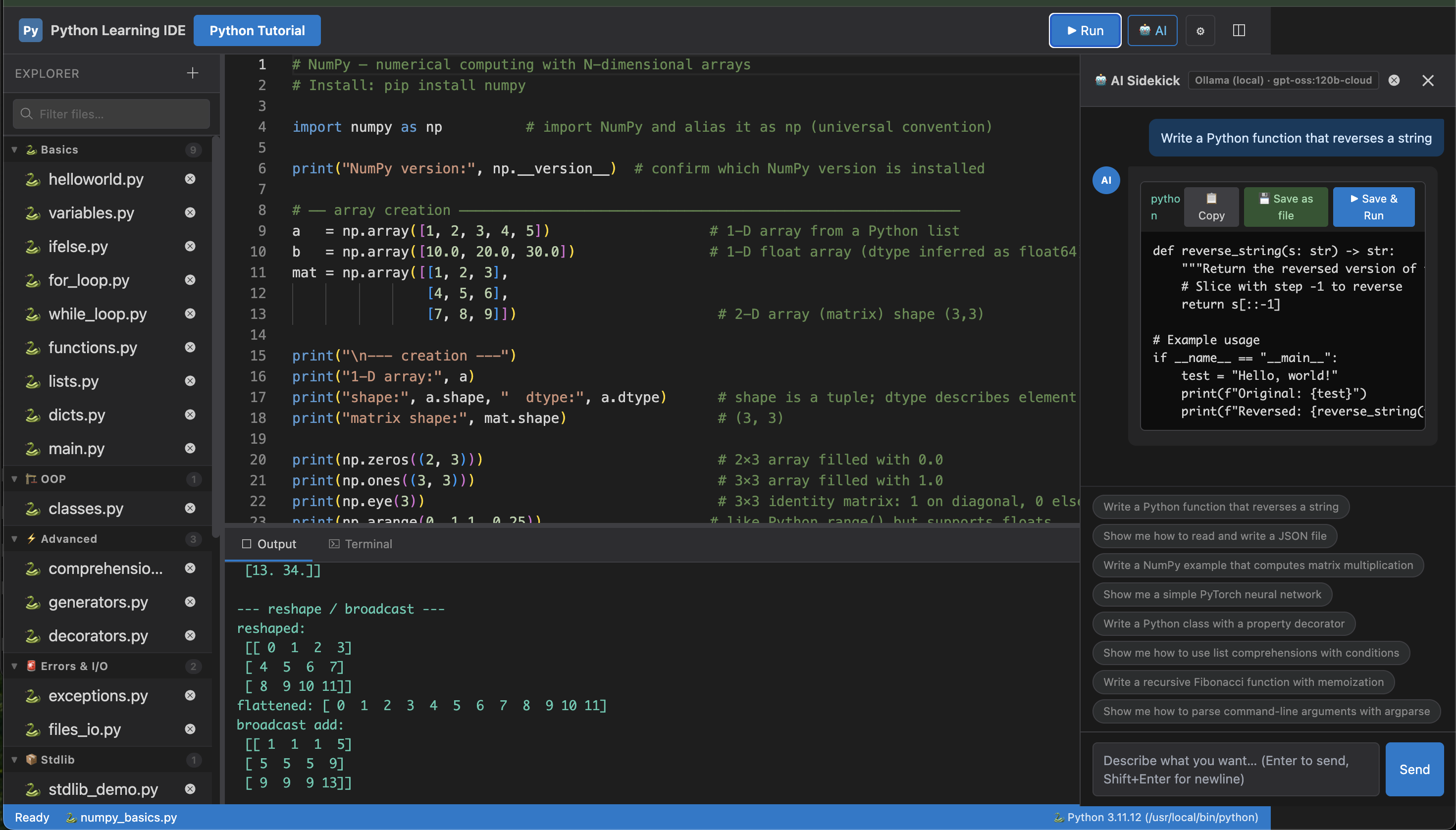
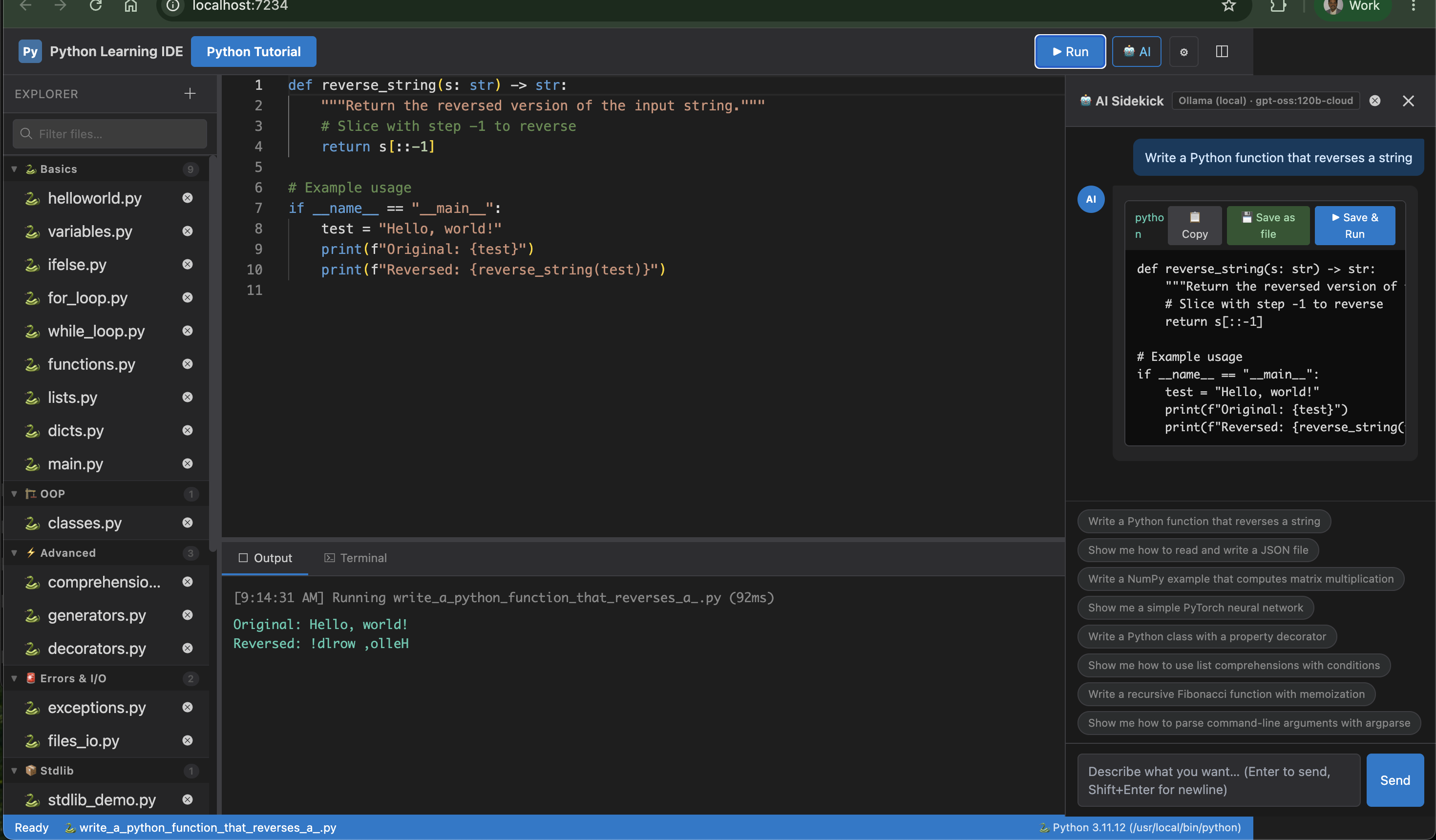
Screenshots
Installation
npm install -g py-learning-ideFeatures
| Feature | Details |
|---|---|
| Monaco Editor | Syntax highlighting, IntelliSense completions, hover docs, resizable panes |
| 25+ examples | Grouped sections: Basics → OOP → Advanced → Stdlib → NumPy → PyTorch → JAX |
| Every line commented | Each example file has an inline comment on every line explaining the why |
| Run code | Ctrl+Enter / ⌘+Enter — file saves automatically before running |
| One-click pip install | ModuleNotFoundError shows a green banner; one click installs and re-runs |
| Integrated terminal | Shell tab in the bottom panel — ↑/↓ history, clear command |
| Interpreter picker | Click the status bar to switch Python versions live (no restart needed) |
| Guided tour | 12-step annotated walkthrough, shown on first load with --enable-tour |
| AI Sidekick | Chat panel (Ollama · Claude · OpenAI · xAI · Gemini) with --enable-ai |
| Settings | Provider, model, API key, and system prompt stored in localStorage |
| Section search | Filter sidebar by filename or category tag (numpy, pytorch, jax …) |
CLI Options
| Flag | Default | Description |
|---|---|---|
| -p, --port <n> | 3000 | Port to listen on |
| -h, --host <addr> | localhost | Host to bind to |
| --python <path> | auto-detect | Explicit Python interpreter path |
| --enable-tour | off | Show splash + guided tour on first visit |
| --enable-ai | off | Show AI Sidekick button in toolbar |
AI Sidekick
Start with --enable-ai, then click 🤖 AI in the toolbar.
Supported providers
| Provider | Notes |
|---|---|
| Ollama | Runs locally — click Fetch Models to list installed models. No API key needed. |
| Claude | Anthropic API — paste your sk-ant-... key in Settings |
| OpenAI | gpt-4o, gpt-4o-mini, etc. |
| xAI | Grok models |
| Google Gemini | gemini-2.0-flash, gemini-1.5-pro, etc. |
Workflow
- Open Settings (⚙), choose a provider, paste your API key, select a model.
- Click 🤖 AI to open the Sidekick panel.
- Click a quick-prompt pill or type your own request and press Enter.
- The AI responds with a code block. The code is automatically saved as a new
.pyfile named from your prompt (e.g.write_a_numpy_matrix_multiply.py). - Click ▶ Save & Run on the code block to run it immediately.
Python Interpreter
The IDE detects Python at startup (tries python then python3). The active
interpreter is shown in the status bar at the bottom of the screen.
Click the status bar badge to open the interpreter picker:
- Lists every Python found on your PATH with its version
- Type a custom path (e.g.
/usr/local/bin/python) - Switching takes effect immediately — no restart
You can also pin a specific interpreter at startup:
py-ide --python /usr/local/bin/pythonAll pip install commands (terminal and one-click banner) are automatically
rewritten to "<selected python>" -m pip install so packages always land in
the correct environment.
Guided Tour
py-ide --enable-tourA splash screen appears on first load. Click Take the Tour → to start the 12-step walkthrough. Each step highlights the relevant UI element with a blue glow ring and an explanatory tooltip.
Re-run the tour anytime from the browser console:
localStorage.removeItem("pyide_tour_done_v2"); location.reload();Support This Work
If this tool has helped you, please consider donating to one of Mohan's suggested charities:
❤️ St. Jude Children's Research Hospital — fighting childhood cancer and other life-threatening diseases
🌍 Any charity supporting Developing Countries — organisations providing food, clean water, education, or healthcare to communities in need
Your generosity makes a real difference. Thank you.
License
MIT © Mohan Chinnappan