
qa-check-cli
v1.1.5
Published
Universal QA CLI for web projects.

Maintainers
 zeel_patel
Readme
🚀 QA Check CLI
A powerful framework-aware Quality Assurance CLI that automatically audits modern web projects for code quality, SEO, accessibility, performance, responsiveness, broken links, images, console errors, network issues, and more.
Detect the framework → Select the correct QA pipeline → Generate a beautiful report.
📌 Project Status
QA Check CLI is actively being developed as a framework-aware testing and QA reporting tool for modern web projects.
The current stable npm release is 1.1.3.
Version 1.1.3 focuses on turning QA Check CLI into a complete reporting
workflow:
- Professional dark HTML dashboard
- HTML, JSON, Markdown, and PDF report generation
- Screenshot gallery
- Fix suggestions for common issues
- Code quality insights for maintainability, repeated code, debug statements, and component structure
- Baseline comparison
- Historical quality tracking
- Route include / exclude controls
- GitHub Actions support
- Pull request summary comments
- CI profiles for report-only, normal CI, and strict CI modes
- GitHub Sponsors support
If you only want reports and do not want QA checks to block CI, use:
qa-check . --profile report✨ Features
- 🔍 Automatic framework detection
- ⚡ Framework-specific QA pipelines
- 🏗 Build validation
- 📝 ESLint validation
- 📘 TypeScript validation
- 🧠 Code quality insights
- 🧩 Component and screen structure signals
- 📱 Responsive design testing
- ♿ Accessibility audit (axe-core)
- 🌐 SEO audit
- 🚀 Lighthouse audit
- 🔗 Broken link detection
- 🖼 Broken image detection
- 🐞 Console error detection
- 🌍 Network request validation
- 📄 Beautiful HTML dashboard report
- 📊 JSON report
- 📝 Markdown summary report
- 🧾 PDF report
- 💡 Practical fix suggestions
- 📈 Baseline comparison
- 🧭 Route include / exclude controls
- 🔎 Search and filtering in the report
- 📊 Dashboard charts and analytics
- 🛠 Project setup with
qa-check init - 🧪 CI profiles: report, ci, strict
- ☁ GitHub Actions workflow
- 💬 GitHub Pull Request summary comments
- 🎯 Overall Quality Score
- 📸 Responsive screenshots
✅ What QA Check CLI Does
QA Check CLI helps developers and teams run practical website quality checks from the terminal and CI/CD pipelines.
| Area | What it checks | | --- | --- | | Code Quality | Build, ESLint, TypeScript, maintainability, repeated code, debug statements | | Structure | Large files, reusable component signals, screen and route flow signals | | SEO | Title, description, canonical, Open Graph, Twitter card, structured data | | Accessibility | axe-core violations, landmarks, contrast, buttons, image alt text | | Performance | Navigation timing, slow pages, Lighthouse performance signals | | Responsive UI | Viewport overflow, clipped text, oversized images, screenshots | | Network | Broken links, broken images, failed requests, slow requests, HTTP errors | | Console | Browser console errors and JavaScript exceptions | | Reports | HTML dashboard, JSON, Markdown, PDF, screenshots, history | | CI/CD | GitHub Actions, PR comments, artifacts, configurable failure rules |
🆕 Latest Highlights
qa-check initcreates config and GitHub Actions workflow--profile report,--profile ci, and--profile strict--route,--ignore-route, and--max-routesreports/history/stores compact historical run snapshotsreport.mdgives a shareable Markdown summary- Code Quality Insights reports maintainability and reusable component signals
- Pull requests can receive automatic QA Check summary comments
- Funding metadata and GitHub Sponsors support are included
💖 Support This Project
QA Check CLI is an open-source project built and maintained in public.
If this CLI saves you time, helps your team catch issues earlier, or improves your CI/CD workflow, you can support development here:
https://github.com/sponsors/zeel2306Your support helps keep the project active and fund future work like better framework checks, PR comments, historical reports, and developer tooling.
📸 Screenshots
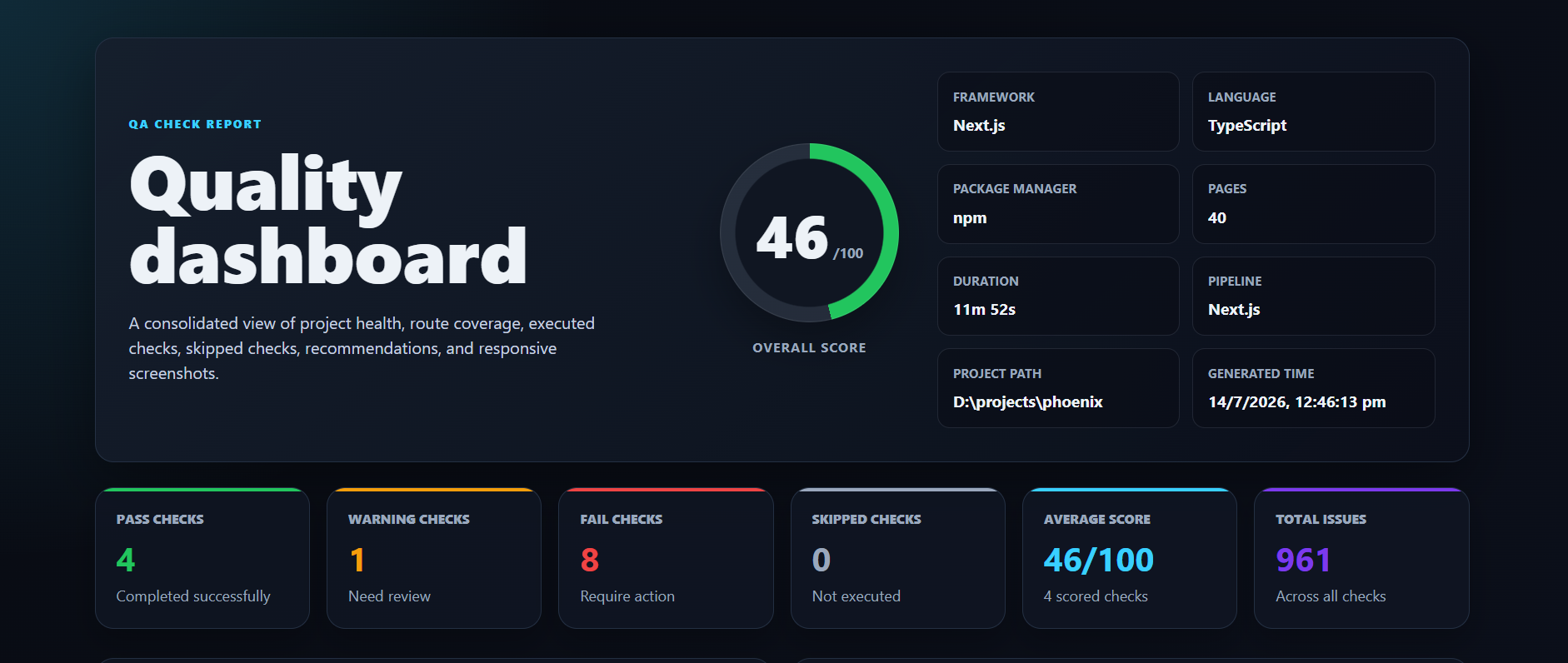
Dashboard
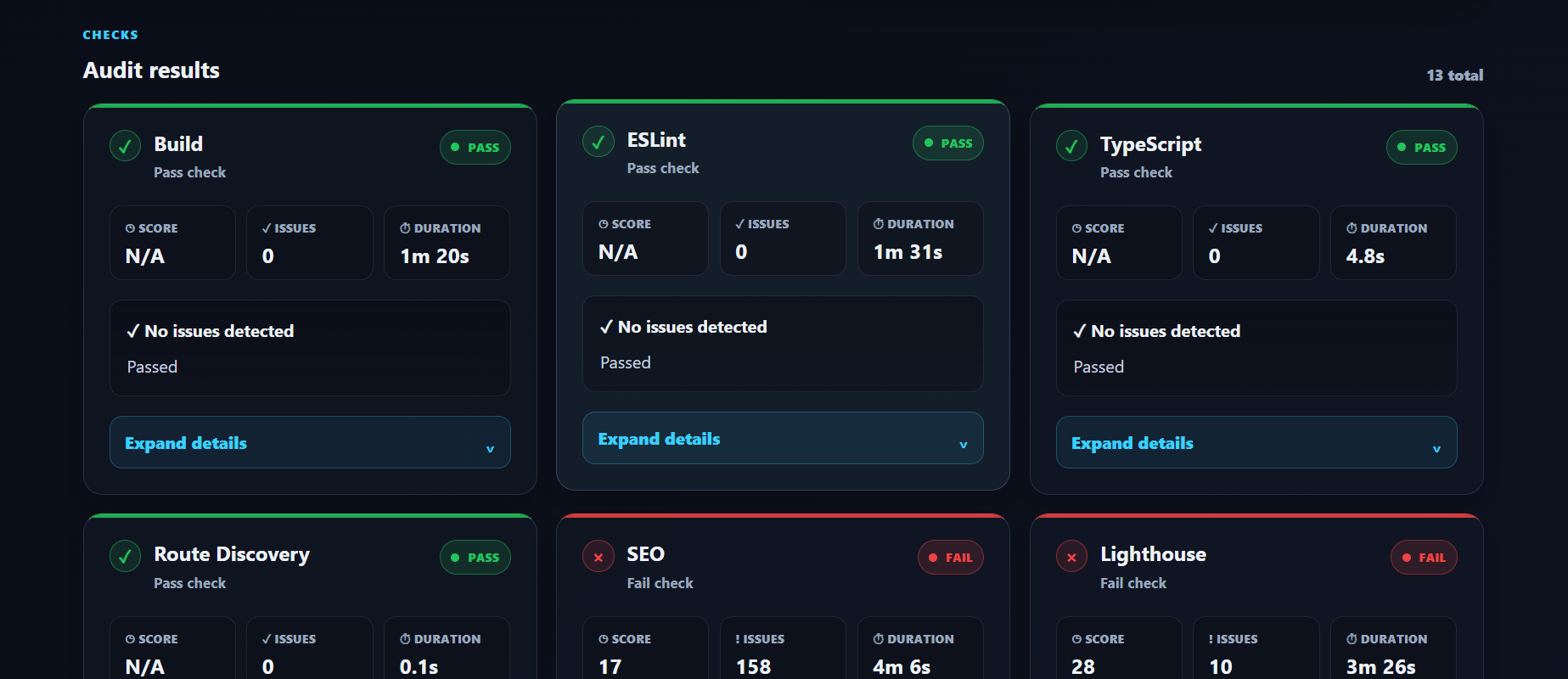
Audit Results
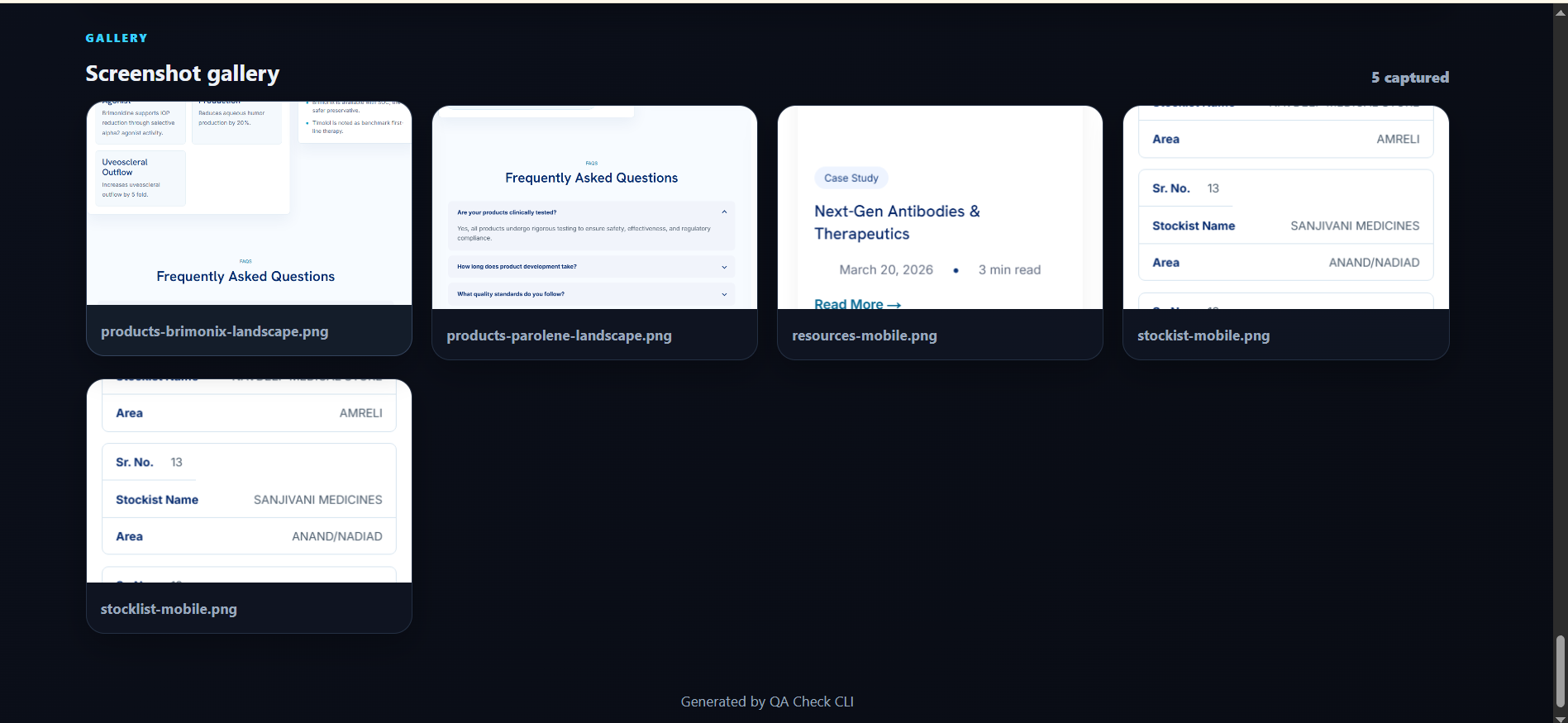
Screenshot Gallery
📦 Installation
Install globally
npm install -g qa-check-cliVerify installation
qa-check --versionIf qa-check is not recognized on Windows, the CLI is not available on your
PATH yet. Install it globally first, or run it through npx:
npm install -g qa-check-cli
qa-check --version
npx qa-check-cli .When developing this repository locally, build and link it before using the global command:
npm run build
npm link
qa-check --version
To debug PATH issues on Windows:
where qa-check
npm config get prefix
🚀 Usage
Show command help
qa-check --helpWhen you run a normal local scan, QA Check also prints a short list of useful next commands, such as report-only mode, CI mode, strict mode, route-only runs, and project setup.
Create a starter config and GitHub Actions workflow
qa-check initAudit current project
qa-check .Audit another project
qa-check "D:\Projects\Phoenix"Laravel Example
qa-check "C:\xampp\htdocs\LaravelProject"Compare with a previous report
qa-check . --baseline "reports\report.json"By default, QA Check compares the current run with the previous
reports/report.json when it exists. Disable this with:
qa-check . --no-baselineUse a QA profile
qa-check . --profile report
qa-check . --profile ci
qa-check . --profile strict
Profiles:
report = generate reports and never fail because of QA results
ci     = fail on FAIL or ERROR checks
strict = fail on WARNING/FAIL/ERROR checks and require 80/100
Use report when QA Check is used as a testing and documentation tool.
Use ci when failed checks should block CI.
Use strict when warnings and low score should also block CI.
Control which routes are audited
qa-check . --route / --route /about
qa-check . --ignore-route /admin --ignore-route /api
qa-check . --max-routes 20
--route and --ignore-route can be repeated or passed as comma-separated
lists. Route controls apply to browser checks, screenshots, and Lighthouse.
Track report history
qa-check . --history
qa-check . --history-limit 50
qa-check . --no-history
History is enabled by default. QA Check stores compact snapshots in
reports/history/ and shows recent score and issue trends in the HTML report.
📄 Generated Report
After the audit finishes
reports/

├── index.html
├── report.json
├── report.md
├── report.pdf
├── history/
└── screenshots/
Open
reports/index.htmlto view the complete interactive dashboard.
GitHub Actions
QA Check CLI includes a ready-to-use GitHub Actions workflow at:
.github/workflows/qa-check.ymlThe workflow runs on push, pull request, and manual workflow dispatch.
It uses Node.js 20, installs project dependencies, runs QA Check in CI mode, generates HTML, JSON, PDF, and screenshot reports, then uploads them as downloadable workflow artifacts.
On pull requests, the workflow also posts or updates a QA Check summary comment with the overall score and PASS/WARNING/FAIL/SKIPPED counts.
Default command:
npx qa-check-cli . --ci --pdf --profile ci --output reportsUploaded artifacts:
reports/index.html
reports/report.json
reports/report.md
reports/report.pdf
reports/screenshots/
CI Failure Rules
Recommended profiles:
--profile reportUse this when QA Check is only for testing and report generation.
--profile ciUse this for normal CI. It fails on FAIL or ERROR checks.
--profile strictUse this for stricter teams. It fails on WARNING, FAIL, ERROR, or score below 80/100.
Fail only when a check has FAIL status:
--fail-on errorFail when a check has WARNING or FAIL status:
--fail-on warningGenerate reports but never fail CI because of QA check status:
--fail-on noneFail only when the overall score is below a minimum threshold:
--min-score 80Configuration
The workflow supports manual configuration through workflow dispatch:
- Node version
- QA profile:
report,ci, orstrict - Fail threshold:
error,warning, ornone - Minimum score
- Report output folder
Default values:
node_version: 20
profile: ci
fail_on: profile
min_score: profile
report_dir: reports
For push and pull request runs, edit the workflow env defaults in
.github/workflows/qa-check.yml:
env:
  NODE_VERSION: 20
  QA_PROFILE: ci
  FAIL_ON: profile
  MIN_SCORE: profile
  REPORT_DIR: reports
Use QA_PROFILE: report when QA Check should only generate reports.
Use QA_PROFILE: ci for normal CI failure behavior.
Use QA_PROFILE: strict for stricter PR gates.
Use FAIL_ON: warning when warnings should block a pull request.
Use FAIL_ON: error when only failed checks should block a pull request.
Use FAIL_ON: none when QA Check should only generate reports.
Use MIN_SCORE: 80 when the workflow should fail below 80/100.
Project Config File
You can also configure QA Check from qa-check.config.json:
{
  "profile": "report",
  "failOn": "none",
  "minScore": 0,
  "output": "reports",
  "markdown": true,
  "pdf": true,
  "baselineComparison": true,
  "history": true,
  "historyLimit": 30,
  "includeRoutes": [],
  "ignoreRoutes": ["/api", "/admin"],
  "maxRoutes": 50
}
CLI flags override values from the config file.
Example 1: Run on Every Push
on:
  push:
Example 2: Run Only on Pull Requests
on:
  pull_request:
Example 3: Manual Execution
on:
  workflow_dispatch:
The workflow writes a GitHub job summary with framework, pipeline, overall score, and PASS/WARNING/FAIL/SKIPPED counts. If QA fails, reports are still uploaded before the workflow exits with the QA Check CLI exit code.
📊 Sample Output
QA CHECK

Framework : Next.js

Pipeline : Next.js

Pages : 40

✔ Build
✔ ESLint
✔ TypeScript
✔ Responsive
✔ Accessibility
✔ SEO
✔ Lighthouse

Overall Score

92/100
🌍 Supported Frameworks
Frontend
- Next.js
- React
- Vue
- Angular
- Nuxt
- Astro
- Svelte
- SvelteKit
- Qwik
- Gatsby
- Remix
- SolidJS
- Vite
Backend
- Laravel
- PHP
- Express
- NestJS
- Fastify
- Koa
- Hono
- Flask
- Django
- FastAPI
- Spring Boot
- ASP.NET
CMS
- WordPress
- Drupal
- Joomla
- Magento
- Shopify
- Ghost
Mobile
- React Native
- Flutter
- Swift
- SwiftUI
- Android
- Kotlin
- Expo
Desktop
- Electron
- Tauri
🔍 QA Checks
Code Quality
- Build Validation
- ESLint
- TypeScript
UI & UX
- Responsive Design
- Accessibility
- Performance
SEO
- Page Title
- Meta Description
- Canonical URL
- Open Graph
- Twitter Card
- Structured Data
- Duplicate Metadata
Network
- Broken Links
- Broken Images
- Console Errors
- Failed Requests
Lighthouse
- Performance
- Accessibility
- SEO
- Best Practices
📋 Requirements
- Node.js 20+
- Google Chrome (for Lighthouse)
- npm
Some framework-specific pipelines require their native tools.
Examples
- PHP / Composer (Laravel)
- Flutter SDK
- Android SDK
- .NET SDK
- Java (Spring Boot)
🔄 Updating
npm update -g qa-check-cli🛣 Roadmap
Current
- ✅ Framework Detection
- ✅ Framework Pipelines
- ✅ HTML Dashboard
- ✅ JSON Report
- ✅ Markdown Report
- ✅ PDF Report
- ✅ Screenshot Gallery
- ✅ Lighthouse
- ✅ Accessibility
- ✅ SEO
- ✅ Performance
- ✅ Responsive Testing
- ✅ Fix Suggestions
- ✅ Baseline Comparison
- ✅ Historical Reports
- ✅ Charts & Analytics
- ✅ Interactive Search
- ✅ Issue Filtering
- ✅ Dark Theme
- ✅ Route Controls
- ✅ Project Init Command
- ✅ GitHub Actions
- ✅ Pull Request Comments
- ✅ CI/CD Profiles
Upcoming
- 📑 Excel Export
- 🧪 More framework-specific checks
- 🧠 More intelligent fix suggestions
- 📦 Release automation
🤝 Contributing
Contributions are welcome.
- Fork the repository
- Create a feature branch
- Commit your changes
- Open a Pull Request
🐞 Report Issues
Found a bug?
Please create a GitHub Issue with:
- Framework
- OS
- Node Version
- Error Log
- Generated Report
📄 License
MIT License
👨💻 Author
Zeel Patel
QA Check CLI is an open-source project focused on making Quality Assurance faster, smarter, and framework-aware.