
qasai
v0.1.3
Published
Image compression CLI with lossless and lossy options
Downloads
69

Maintainers
 ahmadawais
Readme
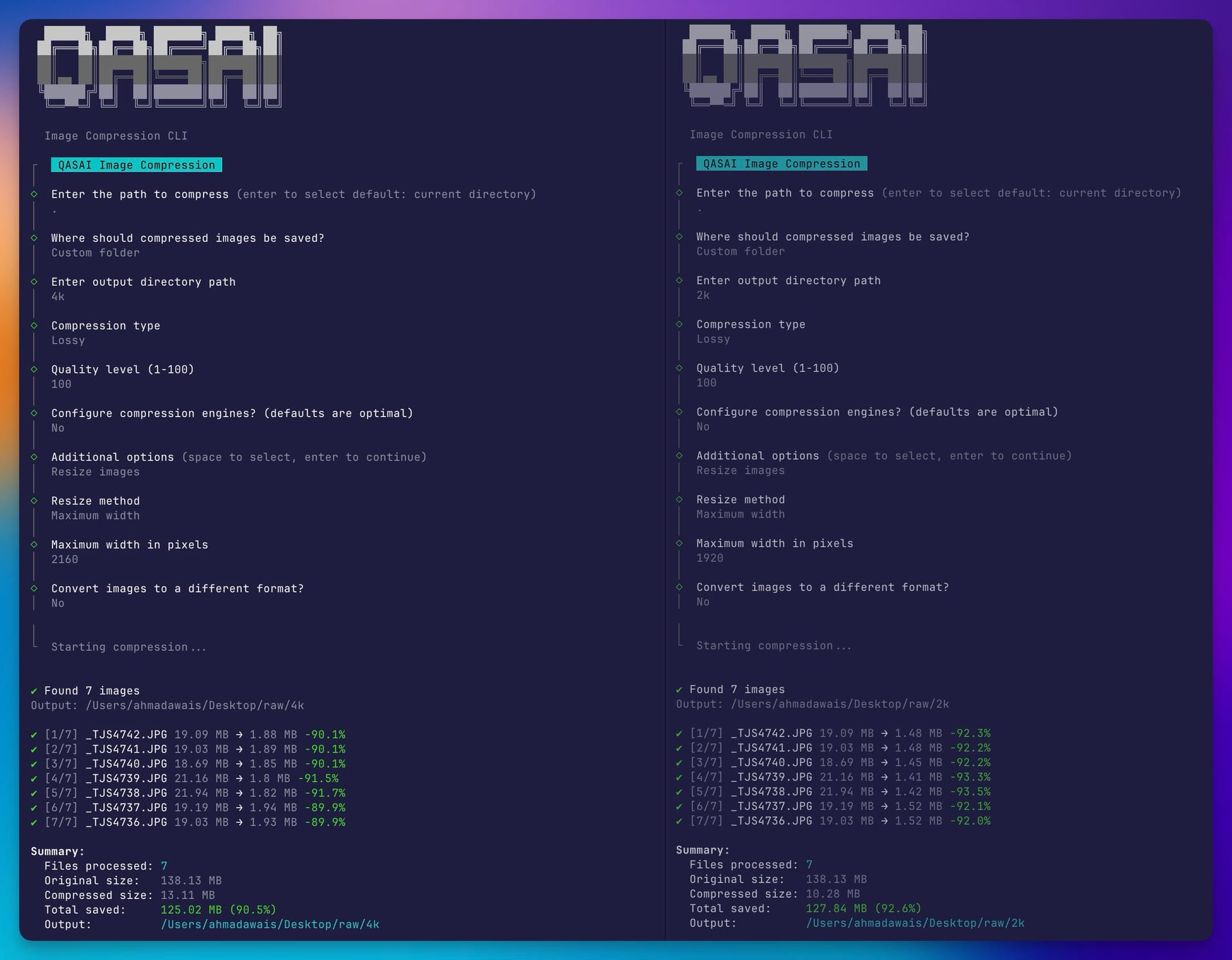
QASAI
A powerful image compression CLI with multiple engine support, lossless/lossy options, and both interactive and non-interactive modes.
Features
- Multiple compression engines - Choose the best tool for each format
- Lossless & lossy compression - Optimize without quality loss or maximize savings
- Batch processing - Compress entire directories recursively
- Format conversion - Convert between JPG, PNG, WebP, AVIF
- Resize options - Scale by dimensions, percentage, or max width/height
- Interactive & CLI modes - Guided prompts or scriptable commands
- Parallel processing - Process multiple files concurrently
- Dry run mode - Preview changes without compressing
- JSON output - Machine-readable output for automation
Installation
npm install -g qasai
# or
npx qasai
AI Agent Skill
Install as an AI agent skill:
npx skills ahmadawais/qasaiUsage
Interactive Mode
qasaiLaunches a guided interface to configure compression options.
Direct Mode
# Compress current directory (outputs to ./qasai folder)
qasai .

# Compress specific directory
qasai ./images

# Compress with custom output
qasai ./images -o ./compressed

# Compress in place (overwrites originals)
qasai ./images -i

# Recursive with quality setting
qasai ./images -r -q 75
CLI Options
| Short | Long | Description | Default |
|-------|------|-------------|---------|
| -o | --output <dir> | Output directory | qasai/ folder |
| -i | --in-place | Overwrite original files | false |
| -q | --quality <n> | Quality 1-100 | 80 |
| -l | --lossless | Lossless compression | false |
| -s | --resize <dim> | Resize (e.g., 800x600, 50%) | - |
| -w | --max-width <px> | Max width (keeps aspect ratio) | - |
| -H | --max-height <px> | Max height (keeps aspect ratio) | - |
| -f | --format <fmt> | Convert to format (jpg, png, webp, avif) | - |
| -r | --recursive | Process subdirectories | false |
| -m | --keep-metadata | Preserve EXIF data | false |
| | --no-progressive | Disable progressive JPEGs | false |
| -e | --effort <n> | Compression effort 1-10 | 6 |
| -j | --jpeg-engine <e> | mozjpeg, jpegtran, sharp | mozjpeg |
| -p | --png-engine <e> | pngquant, optipng, sharp | pngquant |
| -g | --gif-engine <e> | gifsicle, sharp | gifsicle |
| | --png-quality <r> | PNG quality range | 65-80 |
| -c | --colors <n> | Max colors for PNG/GIF | 256 |
| -D | --dry-run | Preview without compressing | false |
| -Q | --quiet | Silent mode (only errors) | false |
| | --json | Output results as JSON | false |
| -S | --skip-existing | Skip existing output files | false |
| -P | --parallel <n> | Parallel processing workers | 4 |
| -B | --backup | Backup before in-place compression | false |
| -v | --version | Show version | - |
| -h | --help | Display help | - |
Compression Engines
QASAI uses the best compression engine for each format by default:
JPEG Engines
| Engine | Type | Description | Default | |--------|------|-------------|---------| | mozjpeg | Lossy | Best compression ratio, 5-10% smaller than libjpeg | ✅ | | jpegtran | Lossless | Optimizes Huffman tables, no recompression | | | sharp | Lossy | Fast, uses libvips with MozJPEG | |
# Use MozJPEG (default, best compression)
qasai ./images -j mozjpeg

# Use jpegtran (pure lossless, no quality loss at all)
qasai ./images -j jpegtran

# Use Sharp (fastest)
qasai ./images -j sharp
PNG Engines
| Engine | Type | Description | Default | |--------|------|-------------|---------| | pngquant | Lossy | Best compression, reduces to 256 colors | ✅ | | optipng | Lossless | Optimizes without color reduction | | | sharp | Both | Fast, good compression | |
# Use pngquant (default, best compression)
qasai ./images -p pngquant

# Use OptiPNG (lossless)
qasai ./images -p optipng

# Limit colors (2-256)
qasai ./images -c 128
GIF Engines
| Engine | Type | Description | Default | |--------|------|-------------|---------| | gifsicle | Both | Best for animated GIFs, preserves animation | ✅ | | sharp | Basic | Fast, basic optimization | |
SVG Engine
SVGs are always optimized with SVGO:
- Removes metadata, comments, hidden elements
- Optimizes path data
- Multipass optimization
WebP & AVIF
Handled by Sharp with libvips:
- Native lossless mode support
- Effort levels 1-10 for compression/speed tradeoff
Examples
Basic Compression
# Compress with defaults (creates qasai folder)
qasai ./photos

# High quality compression
qasai ./photos -q 90

# Maximum compression (lower quality)
qasai ./photos -q 60
Lossless Compression
# Lossless JPEG (jpegtran)
qasai ./photos -j jpegtran

# Lossless PNG (optipng)
qasai ./photos -p optipng

# Lossless flag (uses lossless mode for WebP/AVIF)
qasai ./photos -l
Resize Images
# Max width 1920px (maintains aspect ratio)
qasai ./photos -w 1920

# Max height 1080px
qasai ./photos -H 1080

# Specific dimensions
qasai ./photos -s 800x600

# Scale to 50%
qasai ./photos -s 50%
Format Conversion
# Convert all to WebP
qasai ./photos -f webp

# Convert to AVIF (best compression)
qasai ./photos -f avif

# Convert to JPEG
qasai ./photos -f jpg
Batch Processing
# Recursive with all options
qasai ./website -r -q 80 -w 1920 -j mozjpeg -p pngquant -o ./optimized
Advanced Features
# Dry run (preview without compressing)
qasai ./images -D

# Quiet mode for scripting
qasai ./images -Q -q 80

# JSON output for automation
qasai ./images --json

# Skip existing files
qasai ./images -S -o ./out

# Parallel processing (8 workers)
qasai ./images -P 8 -r

# In-place with backup
qasai ./images -i -B
Supported Formats
| Format | Input | Output | Engines | |--------|-------|--------|---------| | JPEG | ✅ | ✅ | mozjpeg, jpegtran, sharp | | PNG | ✅ | ✅ | pngquant, optipng, sharp | | WebP | ✅ | ✅ | sharp | | AVIF | ✅ | ✅ | sharp | | GIF | ✅ | ✅ | gifsicle, sharp | | SVG | ✅ | ✅ | svgo | | TIFF | ✅ | ✅ | sharp |
Recommended Settings
Web Images (Best Balance)
qasai ./images -q 80 -w 1920 -rMaximum Compression
qasai ./images -q 60 -j mozjpeg -p pngquantLossless Optimization
qasai ./images -j jpegtran -p optipng -lConvert to Modern Formats
qasai ./images -f webp -q 80
# or for best compression:
qasai ./images -f avif -q 70
How It Works
JPEG: MozJPEG provides 5-10% better compression than standard libjpeg. jpegtran offers pure lossless optimization by reorganizing data without recompression.
PNG: pngquant reduces colors to 256 (lossy but visually identical), achieving 60-80% size reduction. OptiPNG provides lossless optimization.
GIF: Gifsicle optimizes animated GIFs while preserving all frames and timing.
SVG: SVGO removes unnecessary data, optimizes paths, and minifies the XML.
WebP/AVIF: Sharp uses libvips for native encoding with quality and effort controls.
License
Apache 2.0 by Ahmad Awais