
qls
v1.0.3
Published
QR Link Server: generate a QR to open your local dev server from another device on your LAN.
Downloads
41

Maintainers
 tsourdox
Readme
qls — QR Link Server

Generate a QR code that opens your local dev server from another device on your LAN.
Install
Global (preferred for quick usage):
npm i -g qls then qls 3000
No install (one‑off use):
npx qls 3000
Local dev (from this repo):
npm link then qls 3000
Usage
qls <port>

Example: qls 3000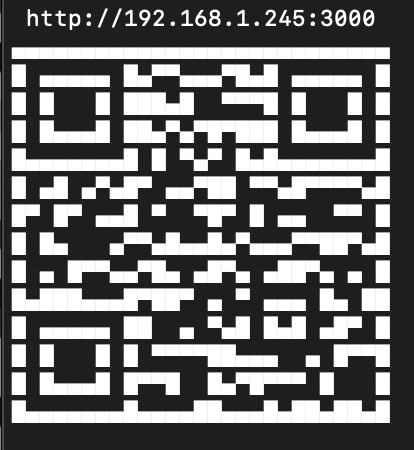
qls waits until the given port is reachable on localhost, rewrites the host to your LAN IP, prints a QR in the terminal, and echoes the URL.
Why
Open your local dev server on a phone/tablet without typing IPs. Great for testing responsive layouts, PWAs, and camera features.
Notes
Requires Node.js (LTS recommended). Works on macOS, Linux, and Windows.
The QR encodes http://<your-lan-ip>:<port> - ensure your device is on the same Wi‑Fi/LAN and your firewall allows access.
Troubleshooting
Can’t find LAN IP: some environments (e.g., containers) may restrict network interfaces. Run on your host OS or expose interfaces.
Port never becomes ready: ensure your dev server is running on the given port and listening on localhost.
Alternatives / Name ideas
Other nice names we considered (wanted something short and memorable): qres, lan-qr, dev-qr, qr-dev-link, qrserve, qr-open, port2qr