
react-2d-game-engine
v1.0.6
Published
A 2D Game Engine built with React.
Downloads
62

Maintainers
 yefee
yefeeReadme
React 2D Game Engine
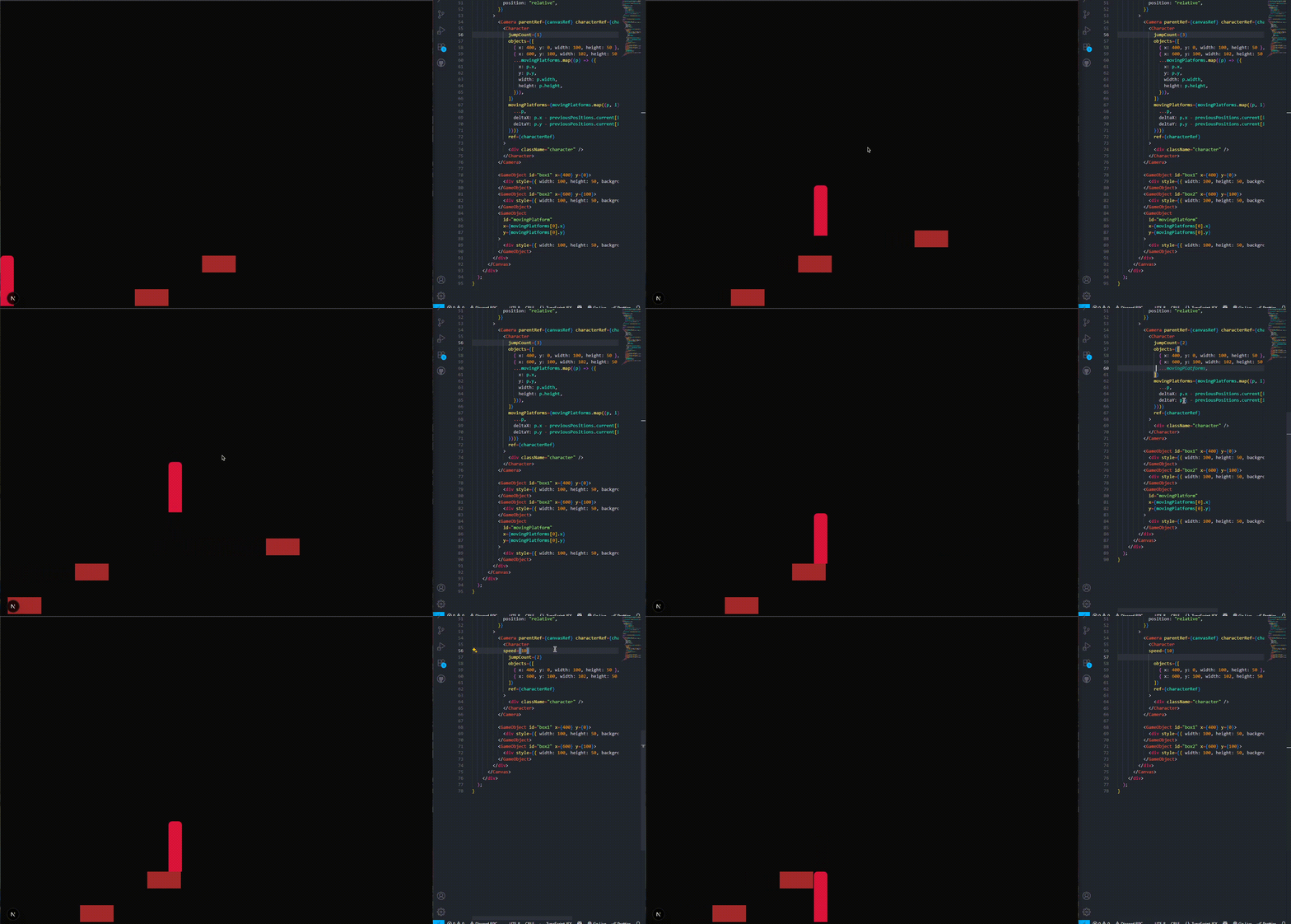
It's a game engine built with React.js. It's still in development but designed to allow developers to quickly prototype 2D games in React, with support for characters, camera, objects, and collisions. npm Website Website's Github Github
Roadmap
- [x] Character & Movement
- [x] Canvas
- [x] Camera
- [x] Object
- [x] Collision System
- [ ] Collision System for elements that use border-radius
Installation
Install via npm:
npm install react-2d-game-engineOr with yarn:
yarn add react-2d-game-engineComponents & Usage
Canvas
The main container for your game world. Handles scrolling and positioning.
import { Canvas } from "react-2d-game-engine";
import { useRef } from "react";

const canvasRef = useRef<HTMLDivElement>(null);

<Canvas ref={canvasRef}>
  <div
    style={{
      width: "6000px",
      display: "flex",
      alignItems: "end",
      height: "100%",
      position: "relative",
    }}
  ></div>
</Canvas>;
Camera
Tracks a target (usually a Character) and keeps it centered in the viewport. Camera works with scroll. So parentRef should be the main container (like Canvas.)
import { Camera } from "react-2d-game-engine";

<Camera parentRef={canvasRef} characterRef={characterRef}>
  {/* Your character goes here */}
</Camera>;
Props:
parentRef: Reference to the Canvas container.characterRef: Reference to the Character to track.gapX(optional): Horizontal offset for smooth camera scrolling.gapY(optional): Vertical offset for smooth camera scrolling.
Character
A controllable entity that can move, jump, sprint, and interact with objects.
import { Character } from "react-2d-game-engine";
import { useRef } from "react";

const characterRef = useRef<HTMLDivElement>(null);

<Character
  ref={characterRef}
  speed={5}
  jumpHeight={15}
  gravity={0.5}
  sprintMultiplier={1.5}
  onAction={(action) => console.log(action)}
  objects={[
    { x: 100, y: 0, width: 200, height: 50 },
    { x: 400, y: 0, width: 150, height: 50 },
  ]}
>
  <div className="character" />
</Character>;
Props:
gravity(optional, 9.8 is the default): Gravity applied to the character.jumpHeight(optional, 9 is the default): Jump strength.speed(optional, 5 is the default): Horizontal movement speed.sprintMultiplier(optional, 1.4 is the default): Multiplier for sprinting.controls(optional,["KeyW", "KeyA", "KeyD", "ShiftLeft"]is the default): Array of key codes for movement[Jump, Left, Right, Sprint].objects(optional): Array of objects with{ x, y, width, height }to collide with.onAction(optional): Callback fired on actions like moving, jumping, or colliding.jump(optional, default is true): Allows character to jump or notjumpCount(optional, default is 1): defines the number of jumps allowed in succession (e.g., 1 = single, 2 = double, etc.)."movingPlatforms(optional): Array of objects with{x, y, width, height, deltaX deltaY}for moving platforms.children: Sprite etc.
GameObject
Static or dynamic object in the world that Characters can collide with.
import { GameObject } from "react-2d-game-engine";

<GameObject x={500} y={0} width={100} height={100} />;
Props:
x,y: Position of the object in pixels.width,height: Size of the object.gravity(optional): Whether this object is affected by gravity.
Collision System
Currently, collisions work with rectangular objects. When a Character collides with an object, the onAction callback will be called with:
onAction={(action) => {
  console.log(action); // "collided with object at x:500, y:0"
}}
Note: Circular or rounded collisions (border-radius) will be supported in a future release.
Example Use (with moving platform):
"use client";

import { useEffect, useRef, useState } from "react";
import { Camera, Canvas, Character, GameObject } from "react-2d-game-engine";

export default function Home() {
  const canvasRef = useRef<HTMLDivElement>(null);
  const characterRef = useRef<HTMLDivElement>(null);

  const [movingPlatforms, setMovingPlatforms] = useState([
    { x: 900, y: 175, width: 100, height: 50, direction: 1 },
  ]);

  const previousPositions = useRef(movingPlatforms.map((p) => ({ x: p.x, y: p.y })));

  useEffect(() => {
    let animationFrameId: number;

    const animate = () => {
      setMovingPlatforms((prev) =>
        prev.map((p, i) => {
          let dir = p.direction;
          if (p.x >= 1300) dir = -1;
          if (p.x <= 900) dir = 1;
          const newX = p.x + 2 * dir;

          previousPositions.current[i] = { x: p.x, y: p.y };

          return { ...p, x: newX, direction: dir };
        })
      );
      animationFrameId = requestAnimationFrame(animate);
    };

    animate();

    return () => cancelAnimationFrame(animationFrameId);
  }, []);

  return (
    <div style={{ height: "100vh" }}>
      <Canvas ref={canvasRef} style={{ width: "1000px" }}>
        <div
          style={{
            width: "6000px",
            display: "flex",
            alignItems: "end",
            height: "100%",
            position: "relative",
          }}
        >
          <Camera parentRef={canvasRef} characterRef={characterRef}>
            <Character
              jumpCount={2}
              objects={[
                { x: 400, y: 0, width: 100, height: 50 },
                { x: 600, y: 100, width: 102, height: 50 },
                ...movingPlatforms.map((p) => ({
                  x: p.x,
                  y: p.y,
                  width: p.width,
                  height: p.height,
                })),
              ]}
              movingPlatforms={movingPlatforms.map((p, i) => ({
                ...p,
                deltaX: p.x - previousPositions.current[i].x,
                deltaY: p.y - previousPositions.current[i].y,
              }))}
              ref={characterRef}
            >
              <div className="character" />
            </Character>
          </Camera>

          <GameObject id="box1" x={400} y={0}>
            <div style={{ width: 100, height: 50, backgroundColor: "brown" }} />
          </GameObject>
          <GameObject id="box2" x={600} y={100}>
            <div style={{ width: 100, height: 50, backgroundColor: "brown" }} />
          </GameObject>
          <GameObject
            id="movingPlatform"
            x={movingPlatforms[0].x}
            y={movingPlatforms[0].y}
          >
            <div style={{ width: 100, height: 50, backgroundColor: "brown" }} />
          </GameObject>
        </div>
      </Canvas>
    </div>
  );
}
Demo
Demos will be available soon! Currently, the engine is under active development.
Contributing
This project is open for contributions! You can fork the repository, make your own improvements, or contribute features back via pull requests.
License: MIT Author: Yefee