
react-achievements-redux
v0.0.1
Published
This is the implemenation of the react-achievements library using redux.


Readme
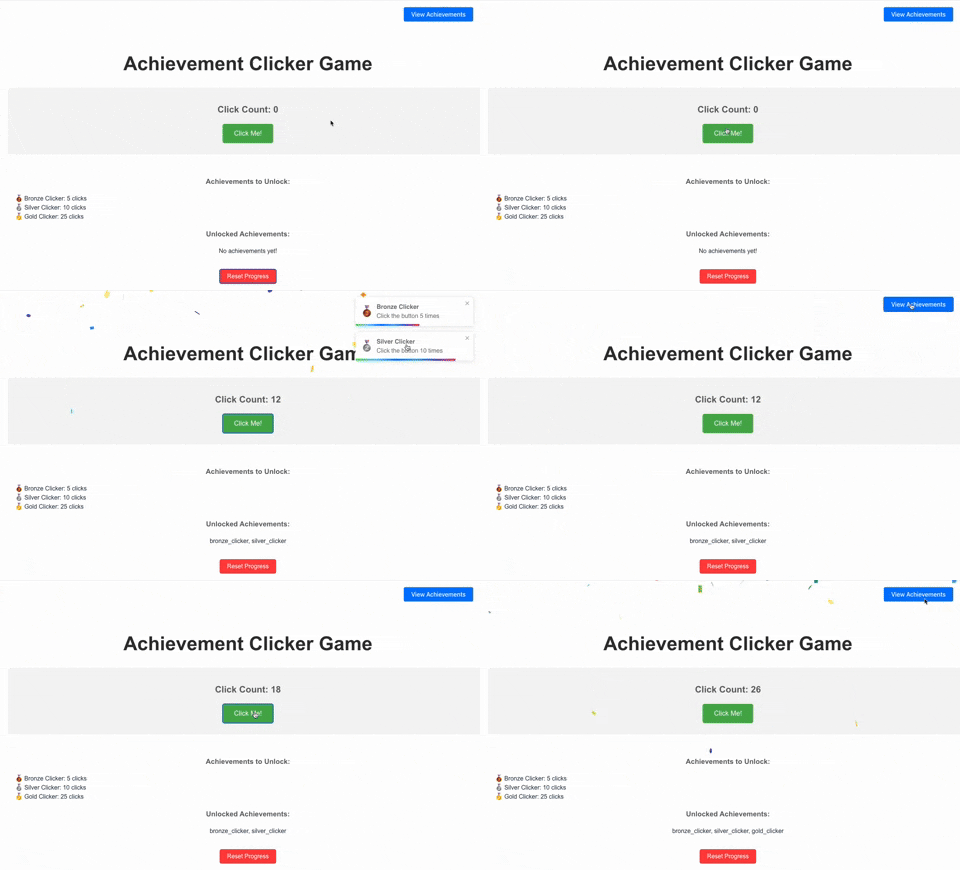
Install react-achievements and its peer dependencies using npm or yarn:
npm install react-achievements @reduxjs/toolkit react-redux react-toastify react-confetti react-useor
yarn add react-achievements @reduxjs/toolkit react-redux react-toastify react-confetti react-useLet's walk through setting up a simple RPG-style game with achievements.
First, wrap your app or a part of your app with the AchievementProvider:
import React from 'react';
import { Provider } from 'react-redux';
import store from './store';
import { AchievementProvider } from 'react-achievements';
import Game from './Game';
import achievementConfig from './achievementConfig';

const initialState = {
    level: 1,
    experience: 0,
    monstersDefeated: 0,
    questsCompleted: 0,
    previouslyAwardedAchievements: ['first_step'], // Optional: Load previously awarded achievements
};

function App() {
    return (
        <Provider store={store}>
            <AchievementProvider
                config={achievementConfig} // Required: your achievement configuration
                initialState={initialState} // Required: initial game metrics and optionally previously awarded achievements. This can be loaded from your server
                storageKey="my-game-achievements" // Optional: customize local storage key
                badgesButtonPosition="top-right" // Optional: customize badges button position
                // Optional: add custom styles and icons here
            >
                <Game />
            </AchievementProvider>
        </Provider>
    );
}

export default App;
You need to create a store for you state
// src/store.ts
// src/store.js

import { configureStore } from '@reduxjs/toolkit';
import achievementReducer from 'react-achievements/redux/achievementSlice';
import notificationReducer from 'react-achievements/redux/notificationSlice';

const store = configureStore({
  reducer: {
    achievements: achievementReducer,
    notifications: notificationReducer,
  },
});

// If you are using JavaScript, you don't need to explicitly export RootState and AppDispatch types.
export type RootState = ReturnType<typeof store.getState>;
export type AppDispatch = typeof store.dispatch;

export default store;
Create a file (e.g., achievementConfig.js) to define your achievements:
// achievementConfig.js
import levelUpIcon from './icons/level-up.png';
import monsterSlayerIcon from './icons/monster-slayer.png';
import questMasterIcon from './icons/quest-master.png';

const achievementConfig = {
    level: [
        {
            isConditionMet: (value) => value >= 1,
            achievementDetails: {
                achievementId: 'level_1',
                achievementTitle: 'Novice Adventurer',
                achievementDescription: 'Reached level 1',
                achievementIconKey: 'levelUpIcon',
            },
        },
        {
            isConditionMet: (value) => value >= 5,
            achievementDetails: {
                achievementId: 'level_5',
                achievementTitle: 'Seasoned Warrior',
                achievementDescription: 'Reached level 5',
                achievementIconKey: 'levelUpIcon',
            },
        },
    ],
    monstersDefeated: [
        {
            isConditionMet: (value) => value >= 10,
            achievementDetails: {
                achievementId: 'monster_slayer',
                achievementTitle: 'Monster Slayer',
                achievementDescription: 'Defeated 10 monsters',
                achievementIconKey: 'monsterSlayerIcon',
            },
        },
    ],
    questsCompleted: [
        {
            isConditionMet: (value) => value >= 1,
            achievementDetails: {
                achievementId: 'quest_master',
                achievementTitle: 'Quest Master',
                achievementDescription: 'Completed 1 quest',
                achievementIconKey: 'questMasterIcon',
            },
        },
    ],
};

export default achievementConfig;
In your game components, use the useAchievement hook to update metrics and trigger achievement checks:
import React, { useState } from 'react';
import { useAchievement } from 'react-achievements';

function Game() {
    const { updateMetrics, metrics } = useAchievement();
    const [currentQuest, setCurrentQuest] = useState(null);

    const defeatMonster = () => {
        updateMetrics({
            monstersDefeated: [(metrics.monstersDefeated?.[0] || 0) + 1],
            experience: [(metrics.experience?.[0] || 0) + 10],
            level: [Math.floor(((metrics.experience?.[0] || 0) + 10) / 100) + 1], // Calculate new level
        });
    };

    const completeQuest = () => {
        updateMetrics({
            questsCompleted: [(metrics.questsCompleted?.[0] || 0) + 1],
            experience: [(metrics.experience?.[0] || 0) + 50],
            level: [Math.floor(((metrics.experience?.[0] || 0) + 50) / 100) + 1], // Calculate new level
        });
        setCurrentQuest(null);
    };

    const startQuest = () => {
        setCurrentQuest("Defeat the Dragon");
    };

    return (
        <div>
            <h1>My RPG Game</h1>
            <p>Level: {metrics.level?.[0] || 1}</p>
            <p>Experience: {metrics.experience?.[0] || 0}</p>
            <p>Monsters Defeated: {metrics.monstersDefeated?.[0] || 0}</p>
            <p>Quests Completed: {metrics.questsCompleted?.[0] || 0}</p>

            <div>
                <h2>Battle Arena</h2>
                <button onClick={defeatMonster}>Fight a Monster</button>
            </div>

            <div>
                <h2>Quest Board</h2>
                {currentQuest ? (
                    <>
                        <p>Current Quest: {currentQuest}</p>
                        <button onClick={completeQuest}>Complete Quest</button>
                    </>
                ) : (
                    <button onClick={startQuest}>Start a New Quest</button>
                )}
            </div>
        </div>
    );
}

export default Game;- Flexible Achievement System: Define custom metrics and achievement conditions for your game or app.
- Built with TypeScript: Provides strong typing and improved developer experience.
- Redux-Powered State Management: Leverages Redux for predictable and scalable state management of achievements and metrics.
- Automatic Achievement Tracking: Achievements are automatically checked and unlocked when metrics change.
- Achievement Notifications: Uses react-toastify to display notifications when an achievement is unlocked
- Persistent Achievements: Unlocked achievements and metrics are stored in local storage, allowing players to keep their progress
- Achievement Gallery: Players can view all their unlocked achievements, encouraging completionism
- Confetti Effect: A celebratory confetti effect is displayed when an achievement is unlocked, adding to the excitement
- Local Storage: Achievements are stored locally on the device
- Loading Previous Awards: The AchievementProvider accepts an optional previouslyAwardedAchievements array in its initialState prop, allowing you to load achievements that the user has already earned
- Programmatic Reset: Includes a
resetStoragefunction accessible via theuseAchievementContexthook to easily reset all achievement data
Props:
config(required): An object defining your metrics and achievementsinitialState(optional): The initial state of your metrics. Can also include an optional previouslyAwardedAchievements array of achievement IDsstorageKey(optional): A string to use as the key for localStorage. Default: 'react-achievements'badgesButtonPosition(optional): Position of the badges button. One of: 'top-left', 'top-right', 'bottom-left', 'bottom-right'. Default: 'top-right'styles(optional): Custom styles for the badges components (see Customization section below)icons(optional): Custom icons to use for achievements. You can use the default icons provided by the library (see Available Icons section) or provide your own. Icons should be a Record<string, string> where the key is the iconKey referenced in your achievement config and the value is the icon string/element.
Available Default Icons
{
    // Time & Activity
    activeDay: '☀️',
    activeWeek: '📅',
    activeMonth: '🗓️',
    earlyBird: '⏰',
    nightOwl: '🌙',
    streak: '🔥',
    dedicated: '⏳',
    punctual: '⏱️',
    consistent: '🔄',
    marathon: '🏃',

    // Creativity & Skill
    artist: '🎨',
    writer: '✍️',
    innovator: '🔬',
    creator: '🛠️',
    expert: '🎓',
    master: '👑',
    pioneer: '🚀',
    performer: '🎭',
    thinker: '🧠',
    explorer: '🗺️',

    // Achievement Types
    bronze: '🥉',
    silver: '🥈',
    gold: '🥇',
    diamond: '💎',
    legendary: '✨',
    epic: '💥',
    rare: '🔮',
    common: '🔘',
    special: '🎁',
    hidden: '❓',

    // Numbers & Counters
    one: '1️⃣',
    ten: '🔟',
    hundred: '💯',
    thousand: '🔢',

    // Actions & Interactions
    clicked: '🖱️',
    used: '🔑',
    found: '🔍',
    built: '🧱',
    solved: '🧩',
    discovered: '🔭',
    unlocked: '🔓',
    upgraded: '⬆️',
    repaired: '🔧',
    defended: '🛡️',

    // Placeholders
    default: '⭐', // A fallback icon
    loading: '⏳',
    error: '⚠️',
    success: '✅',
    failure: '❌',

    // Miscellaneous
    trophy: '🏆',
    star: '⭐',
    flag: '🚩',
    puzzle: '🧩',
    gem: '💎',
    crown: '👑',
    medal: '🏅',
    ribbon: '🎗️',
    badge: '🎖️',
    shield: '🛡️',
}
You can customize the look of the achievement badges by overriding the default styles. Pass a styles prop to the AchievementProvider:
const customStyles = {
    badge: {
        // Your custom styles here
    },
    // ...other styles
};

<AchievementProvider
    config={achievementConfig}
    initialState={initialState}
    styles={customStyles}
>
    <Game />
</AchievementProvider>
You can create achievements that depend on other achievements being unlocked first:
const achievementConfig = {
    prerequisite: [
        {
            isConditionMet: (value) => value === true,
            achievementDetails: {
                achievementId: 'prerequisite',
                achievementTitle: 'Prerequisites Met',
                achievementDescription: 'Unlocked advanced achievements',
                achievementIconKey: 'unlock'
            }
        }
    ],
    dependent: [
        {
            isConditionMet: (value, state) => {
                const prereqMet = state.unlockedAchievements.includes('prerequisite');
                return prereqMet && typeof value === 'number' && value >= 100;
            },
            achievementDetails: {
                achievementId: 'dependent',
                achievementTitle: 'Advanced Achievement',
                achievementDescription: 'Completed an advanced challenge',
                achievementIconKey: 'star'
            }
        }
    ]
};
You can create achievements based on specific times or dates:
const achievementConfig = {
    loginTime: [
        {
            isConditionMet: (value) => {
                if (!(value instanceof Date)) return false;
                const hour = value.getHours();
                return hour >= 22 || hour < 6;
            },
            achievementDetails: {
                achievementId: 'night_owl',
                achievementTitle: 'Night Owl',
                achievementDescription: 'Logged in during night hours',
                achievementIconKey: 'moon'
            }
        }
    ]
};
You can create achievement chains that unlock in sequence:
const achievementConfig = {
    skillLevel: [
        {
            isConditionMet: (value) => typeof value === 'number' && value >= 1,
            achievementDetails: {
                achievementId: 'skill_novice',
                achievementTitle: 'Novice',
                achievementDescription: 'Reached skill level 1',
                achievementIconKey: 'bronze'
            }
        },
        {
            isConditionMet: (value) => typeof value === 'number' && value >= 5,
            achievementDetails: {
                achievementId: 'skill_master',
                achievementTitle: 'Master',
                achievementDescription: 'Reached skill level 5',
                achievementIconKey: 'gold'
            }
        }
    ]
};
To persist user achievement progress across sessions or devices, you can save the metrics and previouslyAwardedAchievements from your Redux store:
import React from 'react';
import { useAchievementState } from 'react-achievements/hooks/useAchievementState';

const LogoutButtonWithSave = ({ onLogout }) => {
    const { metrics, previouslyAwardedAchievements } = useAchievementState();

    const handleLogoutAndSave = async () => {
        const achievementData = {
            metrics,
            previouslyAwardedAchievements,
        };
        try {
            await fetch('/api/save-achievements', {
                method: 'POST',
                headers: {
                    'Content-Type': 'application/json',
                },
                body: JSON.stringify(achievementData),
            });
            onLogout();
        } catch (error) {
            console.error('Failed to save achievements:', error);
        }
    };

    return <button onClick={handleLogoutAndSave}>Logout</button>;
};