
react-anticapture
v0.1.5
Published
A lightweight React component that helps prevent users from capturing (copying, selecting, printing, or screenshotting) sensitive information rendered on your website. Perfect for privacy, security, and content protection in React applications.

Maintainers
 dimszy
Keywords
Readme
React Anticapture


NPM: react-anticapture
A lightweight React component that helps prevent users from capturing (copying, selecting, or screenshotting) sensitive information rendered on your website.
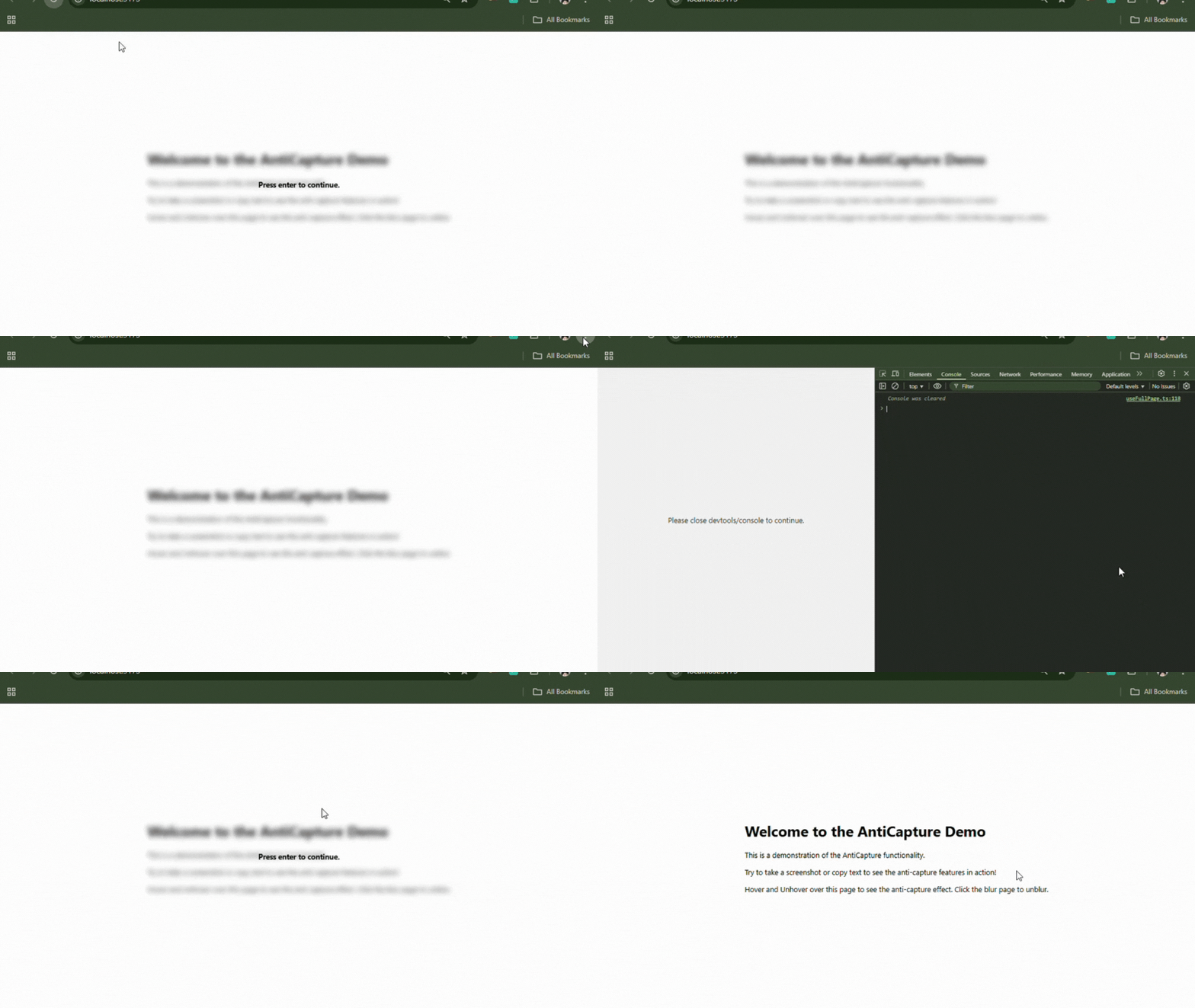
✨ Overview
React Anticapture provides a drop-in <AntiCapture> component that you can wrap around any part of your React app to strongly discourage or block screen capture, selection, and copying of sensitive content.
It’s designed for scenarios where you want to provide an extra layer of deterrence for confidential UI sections.
🚀 Features
- Block Text Selection & Copying: Prevents text selection and copying inside wrapped content.
- Screenshot Deterrence: Applies CSS and event-based tricks to discourage screenshots (e.g., blur overlays, keyboard shortcut interception).
- Block Context Menu: Disables right-click/context menu to make copying harder.
- Clipboard Protection: Optionally blocks clipboard copy/paste.
- Devtools Detection: (Optional) Can attempt to block/alert on devtools opening.
- Lightweight: Zero dependencies, works with any React project (TypeScript & JavaScript).
- Highly Configurable: Use props to customize behavior per use-case.
📦 Installation
pnpm add react-anticapture
# or
npm install react-anticapture
# or
yarn add react-anticapture
🛡 Usage
Simply import and wrap any sensitive page or component within <AntiCapture>:
import { AntiCapture } from 'react-anticapture';

function ConfidentialSection() {
  return (
    <AntiCapture>
      <h2>Confidential Information</h2>
      <p>
        This section contains sensitive information. Copying, selecting, and screenshots are discouraged.
      </p>
    </AntiCapture>
  );
}
You can also combine props to fine-tune the deterrence:
<AntiCapture
  screenshotPrevent={true}
  clipboardPrevent={true}
  devtoolsPrevent={true}
  userSelect={false}
>
  <SecretStuff />
</AntiCapture>
⚙️ Props
| Prop | Type | Default | Description | |--------------------|-----------------------|---------|--------------------------------------------------------------------------------------------------| | screenshotPrevent | boolean | true | Prevents common screenshot and screen recording keyboard shortcuts (PrintScreen, Cmd+Shift+4, etc).| | userSelect | boolean | true | If true, allows user text selection. Set to false to block selection via CSS. | | targetClick | HTMLElement | null | null | Optional target element for dismissing blur overlay. Defaults to component's internal wrapper. | | clipboardPrevent | boolean | false | If true, prevents clipboard copy/paste actions and context menu inside the component. | | devtoolsPrevent | boolean | false | If true, detects and attempts to prevent developer tools from being open. |
⚠️ Limitations & Caveats
- No client-side solution can provide 100% protection against screenshots or determined users with advanced tools. This library is a deterrent, not a guarantee.
- Some techniques may not work in all browsers or may be bypassed by browser extensions, accessibility tools, or OS-level features.
- Use with consideration for user experience; some users dislike aggressive anti-capture measures.
🖥 Demo
Try it out instantly via Storybook:
Live Demo
📚 Related Links
📄 License
MIT
Inspired by modern needs for client-side data privacy and protection.