
react-auth-code-input-with-pattern
v1.1.4
Published
A React Component for inputting Auth Codes inspired in Apple Two-Factor Authentication UI. It allows deleting using the backspace and pasting as well


Readme
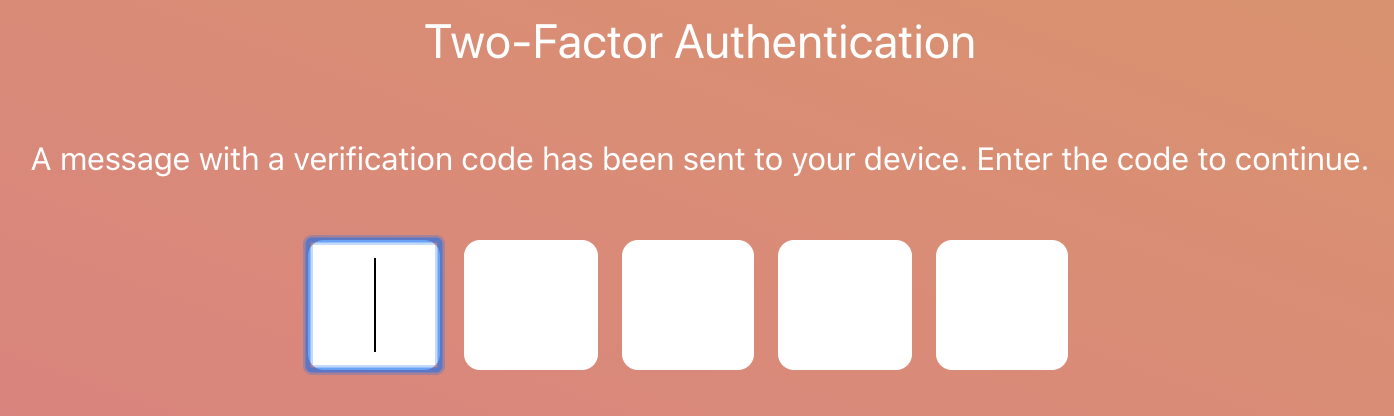
React Auth Code Input
A React Component for inputting Auth Codes inspired in Apple Two-Factor Authentication UI. It allows deleting using the backspace and pasting as well.





Demo
Install
npm install --save react-auth-code-inputor
yarn add react-auth-code-inputUsage
import React from 'react';
import AuthCode from 'react-auth-code-input';

const App = () => {
  return (
    <AuthCode
      characters={5}
      containerStyle={{
        padding: '16px'
      }}
      inputStyle={{
        width: '2ch',
        padding: '8px',
        borderRadius: '8px',
        fontSize: '40px',
        textAlign: 'center',
        marginRight: '12px',
        border: '1px solid black',
        textTransform: 'uppercase'
      }}
    />
  );
};
Props
| Prop | Type | Description | Default Value |
| :------------------ | :---------------------- | :------------------------------------------------------------------------------ | :------------- |
| characters | Number | The number of inputs to display | 6 |
| allowedCharacters | String | Regex for allowed characters | ^[A-Za-z0-9] |
| password | Boolean | If present changes the type of the input to password, by default is set to text | False |
| inputStyle | Object | The styles to be applied to each input | |
| containerStyle | Object | The styles to be applied to each input | |
| onChange | Function(value: String) | Callback function called every time an input value changes | |
Changelog
1.1.0
- Typescript support.
1.0.0
- Initial Version.
License
Licensed under the MIT License, Copyright © 2020-present Luis Guerrero drac94.
See LICENSE for more information.