
react-axios-mockkit
v0.0.8
Published
A React library to intercept and mock Axios requests with a UI
Downloads
34


Readme
React Axios MockKit
A lightweight, zero-config React library to intercept, inspect, and mock Axios requests with a built-in UI. Perfect for frontend development when APIs are not ready, or for debugging edge cases like error states and slow networks.
Features
- 🚀 Zero Config: Just wrap your app and pass your axios instance.
- 🛠 UI-Based Mocking: Create, edit, and toggle mock rules directly in the browser.
- 🔍 Request Inspector: View logs of all outgoing requests (headers, body, response).
- 💾 Persistence: Mock rules are saved to
localStorage, so they survive page reloads. - ⚡ Dynamic Paths: Support for dynamic segments like
/api/users/:id. - 🎯 Flexible Matching: Choose between partial match, exact match, or Regex.
- ⏱ Latency Simulation: Add artificial delay to test loading states.
Installation
npm install react-axios-mockkit
# or
yarn add react-axios-mockkitNote: This library requires
axiosandreactas peer dependencies.
Usage
1. Setup
Wrap your application (or a specific part of it) with the AxiosMockKit provider and pass your axios instance.
import React from 'react';
import axios from 'axios';
import { AxiosMockKit } from 'react-axios-mockkit';
import 'react-axios-mockkit/dist/style.css'; // Import styles

// Create your axios instance
const api = axios.create({
  baseURL: 'https://api.example.com',
});

const App = () => {
  return (
    // Wrap your app and pass the instance
    <AxiosMockKit instance={api}>
      <YourAppContent />
    </AxiosMockKit>
  );
};

export default App;
2. Mocking Requests
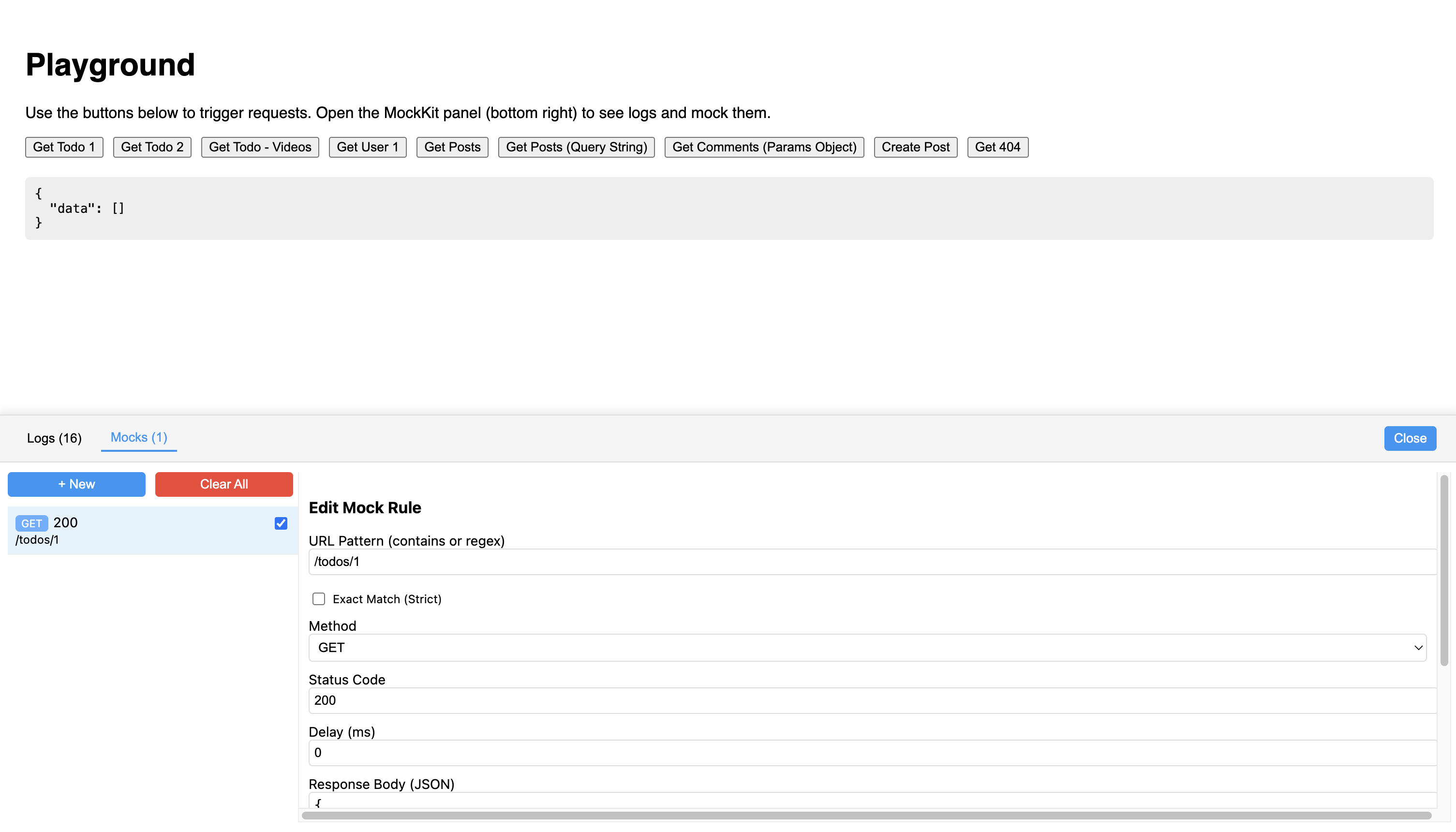
Once running, you will see a floating MK button in your app. Click it to open the DevTools panel.
Creating a Rule
Go to the Mocks tab and click + New.
| Field | Description | Example |
|-------|-------------|---------|
| URL Pattern | Path to match. Supports string, regex, or dynamic params. | /users, /users/:id, /^api\/v1\/.*$/ |
| Method | HTTP Method to match. | GET, POST, ANY |
| Status | HTTP Status code to return. | 200, 404, 500 |
| Response | JSON body to return. | {"id": 1, "name": "John"} |
| Delay | Simulated network delay in milliseconds. | 1000 (1 second) |
| Exact Match | If checked, URL must match exactly (including query params). | /users?type=active vs /users |
3. Matching Strategies
Partial Match (Default)
By default, rules use "contains" logic.
- Rule:
/users - Matches:
/users,/users/123,/users?sort=asc
Dynamic Path (Recommended)
Use colons for dynamic segments.
- Rule:
/users/:id - Matches:
/users/1,/users/abc - Does NOT Match:
/users/1/details
Exact Match (Strict)
Enable the Exact Match checkbox for strict equality.
- Rule:
/users?type=active - Matches:
/users?type=active - Does NOT Match:
/users,/users?type=inactive
Regex
Start and end the URL string with / to treat it as a Regex.
- Rule:
/^\/api\/v\d+\/users$/ - Matches:
/api/v1/users,/api/v2/users
Development
To run the playground locally:
- Clone the repo
- Install dependencies:
npm install - Run the playground:
npm run playground
License
ISC