
react-canvas-progress
v0.3.6
Published
Simple progress component for react


Readme
react-canvas-process
React process component drawn by canvas 2d with simple config🎨
Installation
npm install react-canvas-process
# or
yarn add react-canvas-process
Basic Usage
import React from 'react';
import ReactDOM from 'react-dom';
import ReactCanvasProcess from 'react-canvas-process';

ReactDOM.render(
  <ReactCanvasProcess
    percentage={80}
    startAngle={4 / 5 * Math.PI}
    endAngle={1 / 5 * Math.PI}
  />,
  document.querySelector('#app'),
);Props options
| Option | Type | Required | Description |
| --------------------- | --------------------- | -------- | ----------------------------------------------------------- |
| percentage | number | true | Percentage value, range [0, 100] |
| unit | string | false | Unit of canvas size, default is vw |
| startAngle | number | false | Radian of start angle(not degree), default is π |
| endAngle | number | false | Radian of end angle(not degree), default is 0 |
| speed | number | false | Speed of animation, default increase 1% per frame |
| animation | boolean | false | Whether show animation, default is true |
| width | number | false | Width of canvas, default is 100vw |
| height | number | false | Height of canvas, default ratio of width / height is 3 / 2 |
| lineWidth | number | false | Width of progress bar, default is 1vw |
| text | string | false | Text of process bar, default show curren percentage |
| font | string | false | Font family of text, default is serif |
| fontSize | number | false | Size of text, default is 8vw |
| fontColor | string | false | Color of text |
| withBaseProgressColor | boolean | false | Whether show base progress, default is true |
| baseProgressColor | string | false | Color of base progress |
| progressColor | string | false | Color of progress |
| bgColor | string | false | Color of background, default is #fff |
| style | React.CSSProperties | false | Style of the wrapper of canvas |
| className | string | false | Classname of the wrapper of canvas |
onAnimationStart | () => void | false | Call this hook when animation start |
onAnimationEnd | () => void | false | Call this hook when animation end |
Description
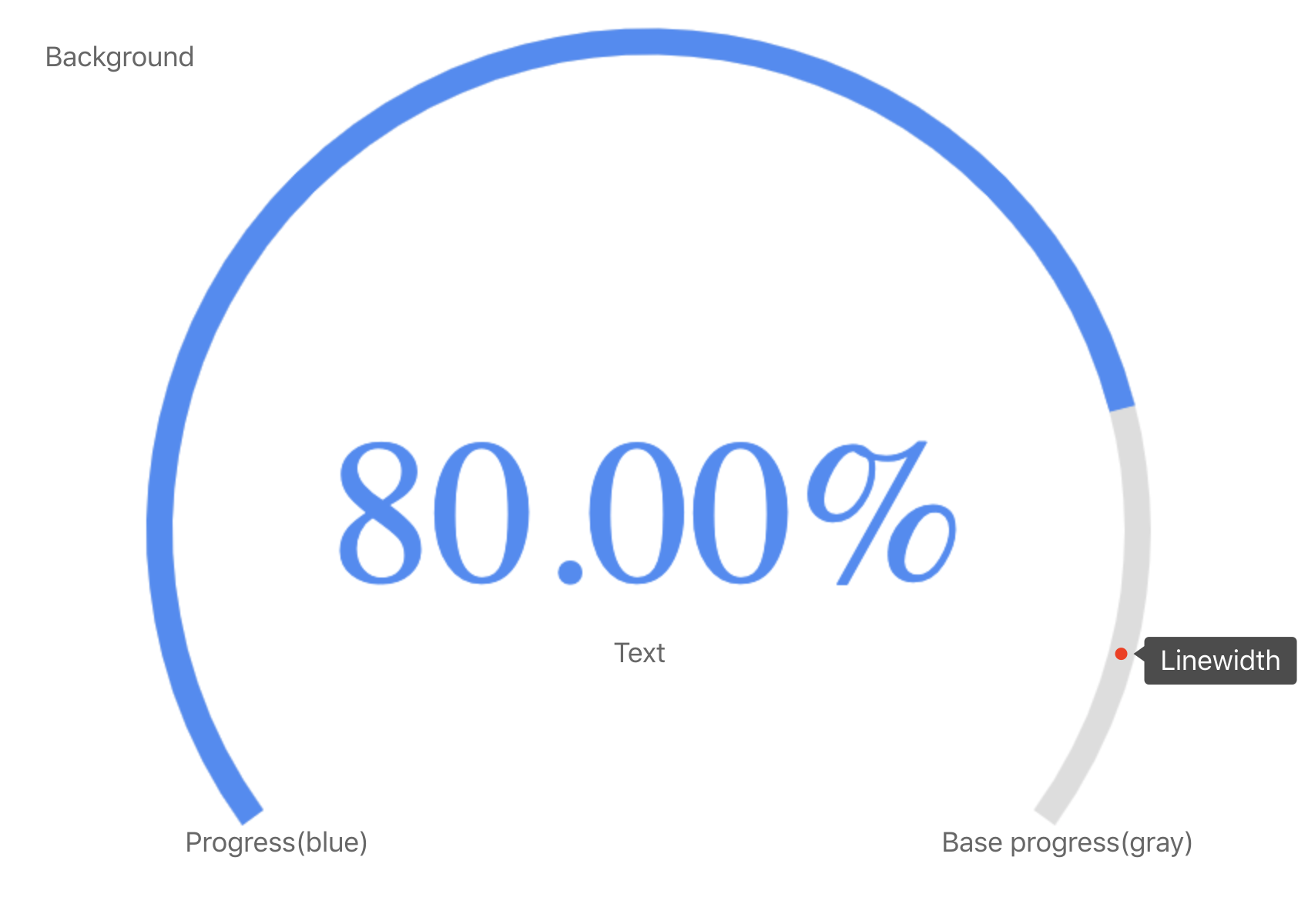
The angles of start and end are the same as arc function in canvas 2d. And now is version 0.1.0, there are still many features to be developed.
Todo
- [ ] Support line progress bar.
- [ ] Support gradient color of progress bar.
- [ ] Support description text.
- [x] Support dynamic percentage.
- [x] Support lifecycle callback.
- [ ] Support padding style of canvas.