
react-console-notify
v0.2.3
Published
A small React package that shows real-time notifications for console logs (log, warn, error, etc.) during development

Maintainers
 wexop
wexopReadme
React Console Notify
A small React package that shows real-time notifications for console logs (log, warn, error, etc.) during
development.
It keeps the original console behavior, so logs still appear in the browser console. You can configure which log types you want to track.
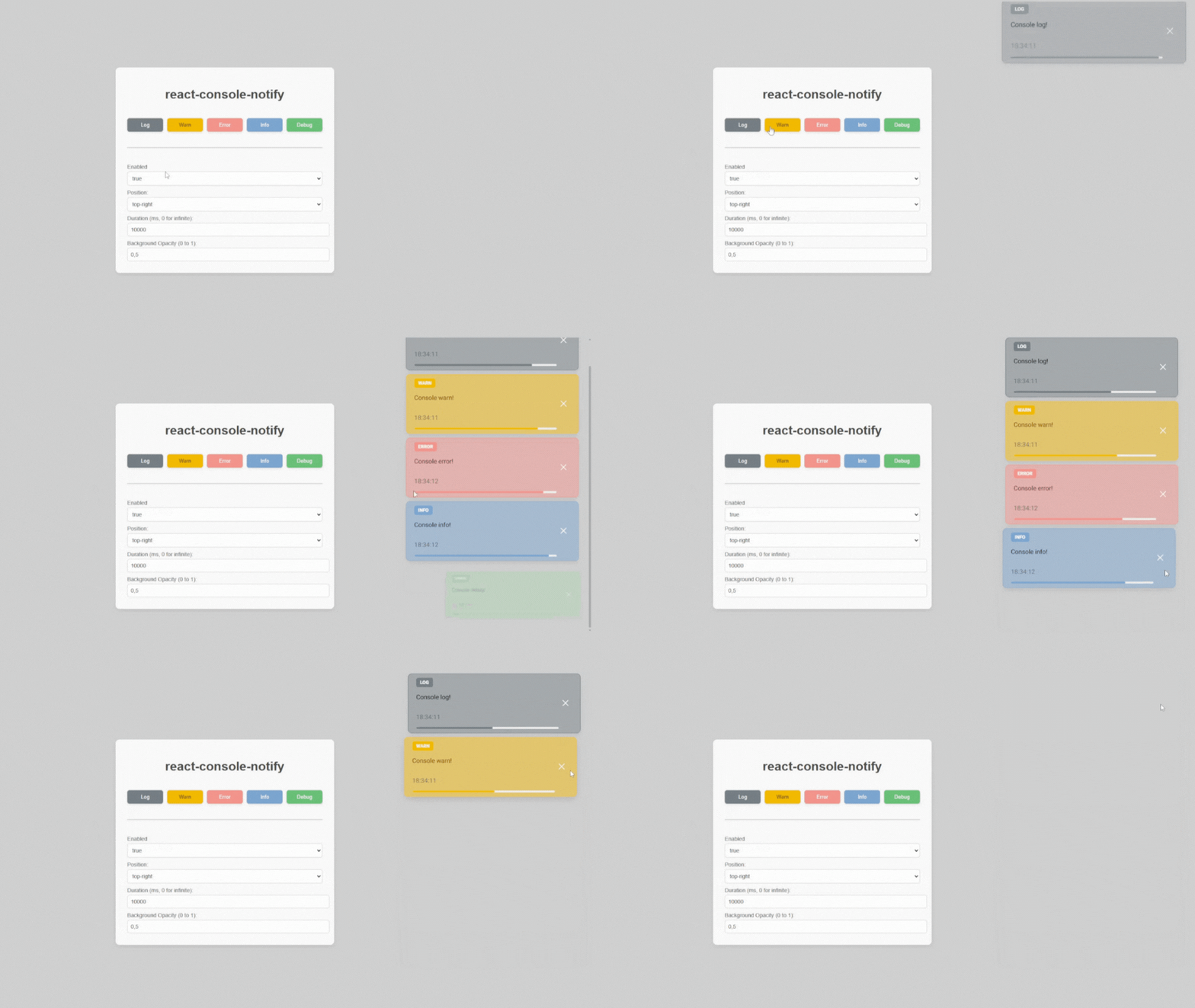






Live Playground
Or on StackBlitz

Installation
npm
npm install react-console-notifypnpm
pnpm i react-console-notifyyarn
yarn add react-console-notifyUsage
To use react-console-notify in your React project, import the main component and the CSS file like this
Make sure to import the CSS file (index.css) so the notifications are styled correctly
import ConsoleNotifier from "react-console-notify"
import "react-console-notify/index.css"


function App() {
  return (
    <>
      <ConsoleNotifier enabled>
        {
          /* your app content */
        }
      </ConsoleNotifier>
    </>
  );

}
Props
| Prop | Type | Default | Description |
|---------------------|-----------------------------------------------|---------------------------------------------|------------------------------------------------------------------------------------------|
| types | LogType[] ("log", "warn", etc.) | ["log", "warn", "error", "info", "debug"] | Console methods to intercept and notify. |
| onNotify | (type: LogType, ...args: unknown[]) => void | undefined | Custom callback called on each intercepted log. Overrides default notification behavior. |
| colorMap | Record<LogType, string> | See below | Allows custom colors per log type. |
| children | ReactNode | undefined | Optional children to render within the same tree. |
| enabled | boolean | true | Enable notifications or not. This can be useful to disable on production environment. |
| position | "top-right" | "top-left" | "top-right" | Position of the notification container. |
| duration | number \| null | 10000 (ms) | Time before a log disappears. Set to null for persistent logs. |
| backgroundOpacity | number (0 → transparent, 1 → solid) | 0.5 | Background transparency of the notification. |
| containerHeight | number \| string | 500px | Max height of the notification container (can be px or %). |
Default colorMap
{
    log: "#6c757d",    // Gray
    warn: "#f4b400",   // Yellow
    error: "#f28b82",  // Red
    info: "#719dcb",   // Blue
    debug: "#61b96e",  // Green
}
Features
Displays console logs as visible notifications on screen.
Filter by log types (log, warn, error, info, debug).
Customizable colors.
Configurable position (top-right or top-left).
Notifications auto-dismiss after a configurable duration.
Example
You can run the example project by cloning this repo, and run
npm i && npm run dev:example
Contributing
Contributions are welcome! Feel free to fork, open issues, or submit pull requests.