
react-custable
v1.0.5
Published
A custom table for react

Maintainers
 barzin
Readme
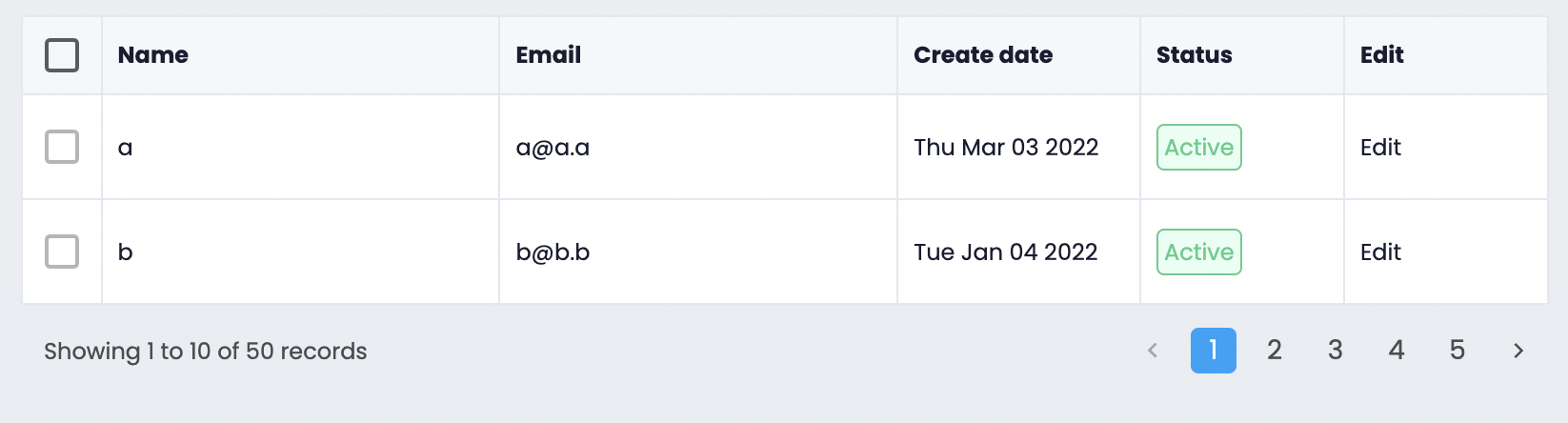
This component will suitable for you if
You want
a selectable react table ?
to render a component inside the table cell ?
a table with beautiful pagination?
Run component in storybook
First clone the source then run
npm startInstall via NPM:
npm install --save react-custableUsage
Just two variable is needed, column and data
import { Table } from 'react-custable';

//the fieldName should be as same as data's key
const column = [
  { fieldName: 'name', title: 'Name', width: '180px', sortable: true },
  { fieldName: 'email', title: 'Email', width: '180px', sortable: true },
];

const data = [
  { id: '1', name: 'name one', email: '[email protected]' },
  { id: '2', name: 'name two', email: '[email protected]' },
];
<div className="App">
  <Table columns={columns} data={data} />
</div>;
Column Options
| Option | Type | Description | | :---------: | :-----------------------------: | :---------------------------------------------------------------------------: | | fieldName* | string | data key | | title* | string | column header title | | width | string(px) | column width (Default is auto) | | fixed | string ('left' or 'right') | if you want to fixed the column (only work for first column or last column) | | sortable | boolean | is column sortable (Default is false), string sort | | sortFunc | ( a , b ) => number | sort function for column //return -1 when a < b , 1 when a > b , 0 when a = b | | render | (row: T, index: number) => Cell | for rendering custom component in cell |
Cell
type Cell = {
  value: React.ReactNode,
  props: { [key: string]: string }, //props will be applied to td elemenet like colspan
};
Table Options
| Option | Type | Description | | :---------------: | :-------------------------------------------------------------: | :--------------------------------------------------: | | column* | Column[] | array of columns | | data* | { id:string, ... }[] | array of data | | selectRowHandler | (selectedRowIds: string[]) => void | the callback function will receiver selected row IDs | | selectedRowKeys | string[] | default value for selected rows | | pagination | { currentPage: number; totalCount: number; pageLimit: number; } | values for table pagination | | pageChangeHandler | (pageNumner: number) => void | the callback for handle page changes | | rowClickHandler | (row: Row) => void | the callback for handle row click | | showLoading | boolean | show spinner over table |