
react-float-tooltip
v1.0.9
Published
react tooltip component

Maintainers
 gornyyvladimir
Readme
react-float-tooltip





Preview
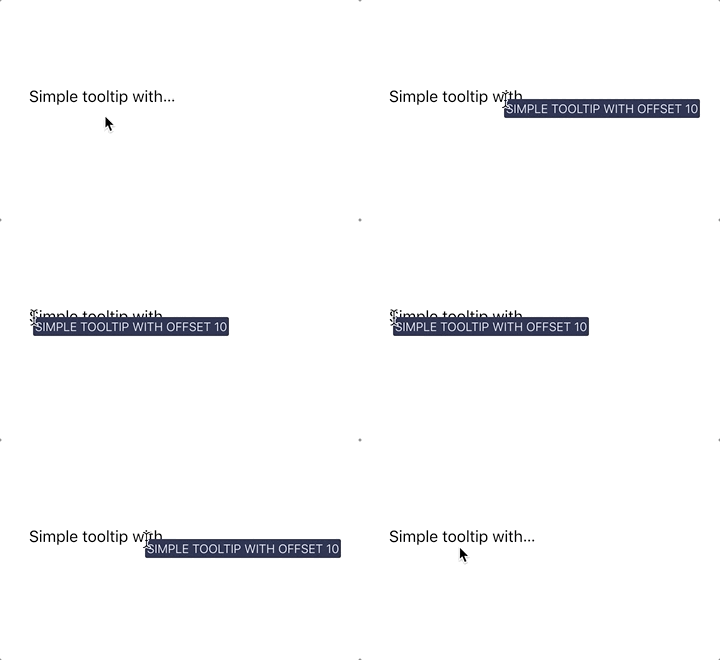
This React Component lets you create full-controlled float tooltips like that. And it's easy to use 👍. Also check out demo page 😉
Getting started
npm install --save react-float-tooltipor
yarn add react-float-tooltipThis uses portals so you need to add id="tooltip-root" to your index.html next to id="root"
<div id="root"></div>
<!-- tooltip container -->
<div id="tooltip-root"></div>
react-float-tooltip adds a Tooltip wrapper that takes tooltip component as a tooltipElement prop.
import React, { Component } from 'react'
import Tooltip from 'react-float-tooltip'

class App extends Component {
  render() {
    return (
      <div>
        <Tooltip tooltipElement={() => <div style={{background: 'yellow'}}>Tooltip</div>}>
          <div>Element with tooltip</div>
        </Tooltip>
      </div>
    );
  }
}

export default App;
Check example folder for more.
Api
Props
| name | type | default | isRequired | description | |----------------|---------------|---------|------------|-------------------------------------------------------| | disable | boolean | false | false | disable tooltip | | isRevert | boolean | false | false | revert tooltip if it has no place from the right edge | | offset | number | 0 | false | tooltip offset from right edge | | tooltipElement | function | | true | function that returns component for render tooltip | | children | React.Element | | true | wrapped element | | className | string | | false | className for children wrapper component | | style | Object | | false | style for children wrapper component |
Development
First, run rollup to watch your src/ module and automatically recompile it into dist/ whenever you make changes.
npm start # runs rollup with watch flag The second part will be running the example/ create-react-app that's linked to the local version of your module.
cd example
npm start # runs create-react-app dev server
Now, anytime you make a change to your library in src/ or to the example app's example/src, create-react-app will live-reload your local dev server so you can iterate on your component in real-time.
Check create-react-library documentation for development.
License
MIT © gornyyvladimir