
react-glaze
v0.2.1
Published
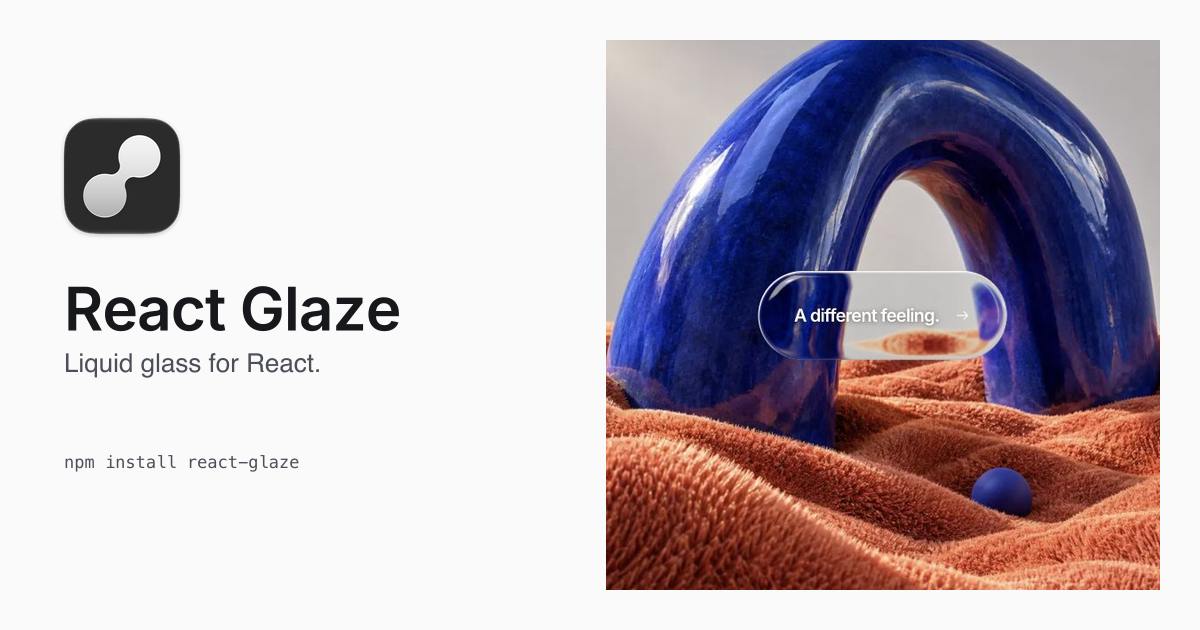
Liquid glass for React. Composable glass surfaces, morphing menus and spring-driven action groups.

Maintainers
 stianlarsen
Readme
Website · Components · Liquid Glass editor · Showcase · npm
An open-source React 19 component library for liquid glass: a configurable wrapper, morphing menus, spring-driven actions and composable surfaces. Keep native content and your own CSS, and tune the material and motion.
| Component | Use it for |
| --- | --- |
| LiquidGlass | Wrap existing buttons, cards and other native content in configurable glass |
| LiquidGlassActions | Open separate action buttons in a row, column or fan |
| LiquidGlassMenu | Morph a trigger into a menu panel |
| LiquidGlassGroup | Coordinate the shared glass and motion of custom surfaces |
| LiquidGlassSurface | Bind native content to a surface inside a group |
Start with the three ready-made components, or compose your own interactions with the group and surface primitives. All five exports come from react-glaze.
Licensed under MIT. This is an experimental library for React 19 and Next.js. Desktop Chrome, Firefox and Safari are the targets; iPhone Safari is experimental. The optical lens, physical material values and studio lighting derive from the pinned Drawn To reference. See third-party notices.
Install and wrap
Install in a React 19 application:
npm install react-glazeTo create an archive from the source workspace, run pnpm pack:local there. Each run prints a new absolute archive path and preserves earlier archives. When replacing a local archive with the same version, install its new path and restart the consuming app. The installed package should be a real directory, not a workspace symlink.
Import the public entrypoint below. No provider, background image prop or separate CSS import is required. This package exports ESM and TypeScript declarations; it has no CommonJS entrypoint.
'use client';
import { LiquidGlass } from 'react-glaze';

export function Example() {
  return (
    <section style={{ background: '#16405e', padding: 32, color: 'white' }}>
      <LiquidGlass preset="reference" style={{ padding: 24 }}>
        <h2>Your content sets the size.</h2>
        <p>Style this wrapper with your own CSS, just like a div.</p>
      </LiquidGlass>
    </section>
  );
}
In a Next.js App Router application, a server component can render LiquidGlass directly: the library supplies its client boundary and server-renders the native element and children. Put event handlers and DOM refs in your own 'use client' module, as in the example above. The independent archive consumer was verified with Next.js 16.3.4 and React / React DOM 19.2.8; the declared React peer range is ^19.0.0, not evidence for every version in that range.
The default wrapper follows normal div flow. It adds no width, height, padding, flex alignment, typography or color reset. Its essential styles establish local stacking; a low-specificity stylesheet supplies default positioning and corners. Your ordinary CSS selectors and inline styles can override the shape defaults. className and style belong to the caller; width and height remain optional conveniences. Native buttons and links retain their browser styling unless you style them explicitly.
The background is ordinary page HTML. The component chooses the nearest ancestor with an opaque background color, or document.body; callers do not provide an image/source prop. The library combines a DOM snapshot adapter based on pinned html-to-image 1.11.13 helpers with an automatic native-image path and a lazily imported Three.js renderer. Its owned clone adaptation preserves browser-selected responsive images. This does not establish arbitrary live-DOM compatibility.
Morph components
The Components editor includes animation playback: pause, play, replay and scrub the actual spring animation, then tune the material on the held frame. Menu and group refs expose the same playback methods for your own tooling.
'use client';
import { LiquidGlassActions } from 'react-glaze';

export function DocumentActions() {
  return <LiquidGlassActions
    label="Document actions"
    items={[
      { id: 'save', label: 'Save', onSelect: () => console.log('Save') },
      { id: 'share', label: 'Share', onSelect: () => console.log('Share') },
    ]}
    appearance="labels" layout="fan" direction="right"
    distance={-40} actionSize={56}
    motion={{ duration: 500, bounce: 0.5 }} refraction={1.5}
  />;
}
Use LiquidGlassMenu for a single trigger-to-panel morph. Menus have at most six items, native keyboard/dismissal behavior, controlled or local open state, disabled actions and viewport fitting. They render in place and follow ancestor clipping/stacking. Duration includes settling; signed distance moves the whole action group without compressing the arc. Content stays native and sharp. externalControls can associate one bounded external controls element so its pointer and focus events do not dismiss the menu. boundary optionally fits a menu within a stage instead of the visual viewport; scrolling a shared stage and trigger then keeps the same fitting geometry. Paused playback and a settled endpoint retain their sampled time across hidden/offscreen suspension, while unpaused motion completes before resources are released.
For custom interactions, LiquidGlassGroup takes explicit dimensions and up to eight identified { id, x, y, width, height, radius? } geometries, with center coordinates in CSS pixels. LiquidGlassSurface binds native content and hit regions to the current geometry. Group options include material, motion, connection, refraction, reducedMotion, backdrop, onReady, onError and onPlaybackUpdate. A GlassGroupHandle ref exposes element, refresh(), pulse(), pause(), play(), seek() and replay(); menu refs use GlassMenuHandle with the playback methods and root element. Playback inspection samples the actual spring and pulse, clamps to the current duration and remains a safe no-op until an authored transition exists. Native fallback geometry remains inspectable while loading or when graphics are unavailable. Reduced motion continues to snap.
Complete morph API, defaults, examples and limits · Interactive guide
Component contract
The options below apply to the original LiquidGlass wrapper. Use the morph component guide for the menu, group and surface APIs.
as:div(default),button,a,span,section,article. Native attributes/events and typed DOM refs are forwarded. Buttons default totype="button"; explicitly usetype="submit"for form submission. Links use normalhref.enabled: show/hide glass while retaining native children and interaction. It is independent of the nativedisabledprop. Usedisabledon a button when it should not be clickable.width,height,style,className: optional ordinary layout inputs. Dimensions use React CSS width/height types, includingauto,fit-content,min-content,max-content, percentages and CSS expressions. Dimension props are inline conveniences; normal CSS cascade rules apply. CSS transforms currently support translation; rotated/scaled ancestors are not verified.shape:rounded(default),rectangle,pill,circle,square,ellipse, orlens. Shape presets are optional CSS defaults.circle/squaresuggest a 1:1 aspect ratio and accept zero or one dimension prop; use CSS to deliberately set both. Fixed shapes prohibit the numericradiusconvenience in TypeScript and ignore it at runtime. The implicit lens inpreset="optical-type"/"optical-flow"also prohibits radius unless you explicitly selectshape="rounded".radius: numeric CSS-pixel convenience for rounded/custom corners. Usestyle.borderRadiusor a stylesheet for percentages, elliptical radii or distinct corners. The renderer uses the final computed border radii, including CSS overlap scaling. Common computedcalc(),min(),max()andclamp()expressions are supported; unsupported computed math reports an error rather than drawing an unrelated contour. CSS variables and relative units are resolved by the browser. Arbitrary clip-paths and masks remain outside this contract.depth: geometric depth. Uniform rounded geometry retains the existing analytic normals. Unequal/elliptical CSS corners use an offset contour with a curvature-bounded bevel; sharp corners use mitered edges. The legacy lens retains its original smooth spherical normals and source tilt while CSS remains a full ellipse. This sculpted, tilted lens is intentionally not an exact axis-aligned CSS ellipse. A non-elliptical CSS radius override selects the CSS-following rounded profile while retaining the material/optics settings.contentMode:sharp(default and the first-version foreground contract) leaves foreground DOM above the glass;refractedincludes children in the snapshot as an experimental visual mode. Background refraction remains active in both modes. Refracted selection/caret/hit regions remain at original DOM positions, not optical pixel positions; use sharp content for precise interaction.preset:reference,optical-type,optical-flow,quiet,frosted.optical-typeuses the original Drawn To lens optics and studio lighting.optical-flowadds position-responsive reflections. Presets do not impose size, background or content. Explicit material props override the material preset; fixed shape presets separately lock their radius convenience.REFERENCE,PRESETS, andnormalizeGlassSettingsare exported for editor integrations.optics:smooth(default) uses parallel orthographic refraction rays and filtering based on the refracted pixel footprint;referenceuses the finite view ray and model-scaled lens of Optical Type.lighting:studio(default) preserves the original studio reflections;responsivechanges their projection with surface position using a finite-eye view and a bounded virtual light probe. This is a simulated studio, not a reflection of the user's room.rimLight: an optional white directional edge highlight, separate fromlightingand the broad studio reflections. Omitted orfalsekeeps the existing appearance.trueenables the pointer defaults; use an object to configure it.onReady,onError,onMetrics: readiness, capture/render failures, and throttled local counters.sourceMsis snapshot wall time, not GPU timing.renderMsmeasures WebGL submission wall time;copyMsmeasures the 2D copy and may include GPU synchronization.sourceAgeMsis the displayed snapshot age from capture start. Source dimensions, capture attempts/discards and retained geometry count are also reported. GPU timer queries exist only in the isolated benchmark, never in the package.
Reference defaults and numerical limits
Optional rim light
<LiquidGlass
  rimLight={{
    mode: 'pointer',
    onLeave: 'return',
    strength: 0.95,
    width: 1.8,
    reach: 100,
    response: 0.14,
  }}
>
  Your content
</LiquidGlass>
rimLight follows a nearby mouse or hovering pen. onLeave: 'return' (default) returns calmly to the upper left after the pointer leaves the configured reach or window; onLeave: 'hold' keeps the last displayed direction until the pointer returns. Touch and reduced motion use that fixed light. Use rimLight={{ mode: 'static' }} for a fixed edge without loading the pointer controller, or rimLight={false} to remove it. enabled={false} also removes the rim.
| Rim setting | Default when enabled | Meaning / range |
| --- | --- | --- |
| mode | pointer | pointer or static |
| onLeave | return | return to the upper left or hold the last pointer direction |
| strength | 0.95 | White-highlight opacity, 0–1 |
| width | 1.8 | Edge width in CSS pixels, 0.5–4 |
| reach | 100 | Influence distance outside the wrapper's box in CSS pixels, 0–220 |
| response | 0.14 | Pointer-follow damping time constant in seconds, 0.06–0.30; not a fixed animation duration |
In return mode, pointer influence fades toward the rest direction with distance. Hold mode follows the pointer throughout the configured reach without that return fade, then freezes the displayed direction without idle animation. Leaving the window, focus loss and hiding the surface preserve a held direction. Touch, reduced motion and static mode use the fixed upper-left light; removing/remounting the component starts there too. Returning to rest uses a 0.22-second damping time constant. There is no automatic rotation or click shimmer. RIM_LIGHT_DEFAULTS, normalizeRimLight, RimLightOptions and RimLightSettings are exported for editor integrations. Invalid inputs disable the rim; invalid object fields use defaults and finite numbers clamp to the ranges above. Optical normalizeGlassSettings remains separate from rim configuration.
The rim is an aria-hidden, non-interactive decorative layer following the wrapper's CSS radius. Pointer updates change only that excluded layer's styles, without React state updates, backdrop capture or optical WebGL rendering. CSS shadow painting still has a browser cost; this is not a compositor-only or zero-cost claim. The controller shares document listeners and a pending frame across instances, settles without idle polling, and releases its resources after the final pointer-enabled rim unmounts. Geometry animations can keep geometry tracking active while relevant; decorative color/shadow animations do not.
This adds a narrow contour accent. It does not replace the physical material, refract new content, or reduce resolution/mipmaps. Existing envMapIntensity can independently adjust the broad studio reflections.
Optical material
| Prop | Default | Accepted interval | |---|---:|---| | radius | 32 | 0–1000 px | | depth | 0.44 | 0.04–1 | | roughness | 0.015 | 0–1 | | transmission | 1 | 0–1 | | thickness | 1.25 | 0–3 | | ior | 1.48 | 1–2.333 | | dispersion | 0.028 | 0–0.25 | | clearcoat | 1 | 0–1 | | clearcoatRoughness | 0.06 | 0–1 | | attenuationDistance | 16 | 0.1–100 | | envMapIntensity | 0.85 | 0–3 | | exposure | 1 | 0.25–2 | | shadowOpacity | 0.16 | 0–0.5 | | maxDpr | 1.5 | 0.5–2 |
color defaults to #ffffff, attenuationColor to #b6e6e7; both accept six-digit hex. Invalid values fall back to the preset; finite numerical values clamp to limits. A DPR below 1 deliberately lowers resolution and can show pixelation. Source snapshots follow the visible surfaces’ DPR request, within a 2,097,152-pixel budget and 4096-pixel dimension limit. Their mip chains use about one-third additional pixel storage. Very large document roots trade detail for bounded memory; this is not viewport-tiled capture. On WebKit, the SVG is drawn, given 120 ms to finish painting embedded images, and redrawn. This fixed the observed missing-image snapshots in Safari 26.4; it is a bounded workaround, not a guarantee for arbitrary resources. It slows animated-background snapshots on Safari. Moving sharp glass or an empty unpainted refracted wrapper over an unchanged backdrop reuses the snapshot and avoids that delay.
Optics, scheduling and ownership
One offscreen WebGL renderer is shared across ordinary surfaces, which receive a 2D canvas copy to keep normal DOM stacking. One active fixed/sticky surface can instead use its own visible WebGL canvas, avoiding that copy. At most two engine contexts are allocated, only when needed. The physical material samples the automatic backdrop texture directly. This removes the opaque-plane/transmission render target pass. Refraction, Fresnel reflection, dispersion, attenuation, clearcoat and the studio environment remain physically based approximations from Three. The smooth model uses parallel view rays and mip selection follows the refracted pixel footprint. The reference model preserves the source's finite refraction ray, mesh scaling and roughness-based mip selection. Source geometry and material settings alone do not establish pixel-identical rendered output through the DOM snapshot path.
This is a single-interface volume approximation, not a ray tracer or a simulation of caustics, multiple internal reflections, real room lighting or wavelength-resolved optics. Both lighting modes reuse the prefiltered environment texture; responsive lighting adds shader arithmetic, without rebaking the environment or running an idle animation. The shader adapter is tied to Three 0.185.1 and fails visibly if its expected chunks change. Upgrades require visual and material-boundary tests.
Each surface retains its last successfully presented image when the source identity/revision, exact sampling coordinates, geometry, material, resolved corners, output resolution and canvas presentation state are unchanged. A scheduled update then skips both WebGL rendering and the 2D presentation copy. Ordinary scrolling can reuse an image when the host and backdrop move together; fixed/sticky movement still renders whenever relative sampling changes. The engine retains only comparison metadata, with no additional bitmap or polling loop. Hidden, removed, failed and context-lost surfaces discard that state. renders counts actual surface renderings; reuse reports zero submission/copy time. These counters do not measure GPU elapsed time or displayed FPS.
Sources are shared per backdrop root. Captures are serial across roots and start at most 12 times per second per root; movement over an unchanged source redraws independently. Text/structure/style animation can commit intermediate snapshots, so continuous updates make progress. Resource URL and dimension changes invalidate obsolete captures. A slow capture can still block or lag: the rate limit does not make DOM reconstruction free or promise 60 fps.
Resource preparation happens before acquiring the shared capture lock. Eager images still loading wait for load/error/removal; unloaded lazy images and excluded sharp children do not block preparation. The queue records its version and cooldown at actual capture start, coalescing changes while waiting. A delayed load event for an already complete captured image does not trigger redundant work. Actual selected-source, intrinsic-size and loading-state changes still invalidate obsolete pixels. There is no new idle polling loop.
The geometry cache keeps at most 16 shapes and releases the least recently used entry on eviction. Layout measurements are normalized to 1/64 CSS pixel to prevent floating-point translation noise from rebuilding geometry or resizing the drawing buffer. A shared drawing buffer grows within a 2,097,152-pixel budget and uses per-surface viewports plus cropped copies. Alternating ordinary surface sizes does not resize it after warmup; extreme opposing aspect ratios may require resizing to stay within budget. Output resolution is bounded to the same area/dimension limits as capture. Source canvases, textures, observers and cached geometry are released on final unmount.
Hidden, offscreen, disabled and data-saving surfaces pause. Reduced motion stops animation-driven updates; page authors still control their own animations. CSS animation of a sharp host redraws with the cached source, while animation of its sharp children needs no engine work. WebGL context loss hides optical layers and retains the original DOM. Restoration regenerates the studio environment, refreshes sources and invokes readiness again. New surfaces mounted during a lost context also wait for restoration. Capture/render errors hide the optical layer until a successful new capture.
Native image source updates
The engine automatically identifies one sizeable, eligible cover image in a backdrop. Three browser-painted controls (black, white and transparent image pixels) measure the foreground, its coverage and the background beneath the image. New decoded image pixels can then update the backdrop texture without serializing the DOM again. Refraction, dispersion, Fresnel reflection, roughness and lighting still use the same Three material on every browser.
The native path currently requires an origin-clean image, object-fit: cover, percentage object-position, zero image padding/borders, compatible ancestors and inspectable stylesheets. Selection is bounded to an image of at least 100,000 CSS pixels. With matching static control alpha, native alpha composition avoids full image readback and supports transparent image pixels. Controls whose alpha changes with the substituted image retain the earlier opaque-image path, whose opacity readback is limited to 4,194,304 natural image pixels. Relational or source-attribute-dependent selectors, incompatible geometry, filters/blending and unsupported images retain ordinary snapshot capture. Video/canvas and animated-image frames are not newly supported by this path.
Image decoding is completed before checking and sampling pixels. The original element, responsive candidates and caller styles are preserved. A source change can render the ready image before an asynchronous caption/template refresh. Supported local text changes refresh a clipped template region while preserving the full SVG viewport; broader changes recreate the template. Template preparation costs more at startup because it uses three controls and prepares compositing canvases. The accelerated path then releases the raw control arrays; the CPU fallback retains the buffers it needs. A local caption update stages only regional compositing data and shares the existing output canvas until commit, avoiding three full-region buffer copies and a full-root canvas copy. Discarded updates leave the presented source untouched. Incompatible patches use fresh template preparation and the existing fallback. Clone traversal yields between short work batches so queued input and optical draws can run. DOM/style changes still have asynchronous capture latency.
Controls with the same capture region share one DOM/style/resource preparation within that capture. Initial creation preserves a separate full black source and one shared regional preparation for white/transparent controls; a local caption refresh uses one regional preparation for all three. Each control is fully serialized before the detached clone is substituted again. The independent SVG images then decode and settle together, retaining each control's complete 120 ms Safari wait and redraw. No prepared DOM is cached between updates.
Engine queues share one animation-frame callback, so capture promise continuations cannot start between those queues' draws in the same callback. Native-media presentation waits own no global capture lock and are released on hide, error or disposal. This is not a compositor-rate scrolling guarantee.
Enabled sharp glass hosts keep their layout boxes in the source clone but contribute no tint, border, shadow or pseudo-element paint. Their actual DOM styling and interaction remain untouched. This prevents a glass surface from sampling its own decoration.
sourceMs, sourceAgeMs and captures describe browser-painted templates. A live image in that template can be newer; those counters do not measure native-image composition time or its displayed age. copyMs is zero for the direct WebGL presenter.
Compatibility
The library targets desktop Chrome, Firefox and Safari. iPhone Safari is experimental. Development checks cover Chrome 152, Firefox 155, Playwright WebKit 26.5 and a separate native Safari 26.4 smoke. The existing Next.js archive consumer was tested with Next.js 16.3.4 and React 19.2.8. Browser engines, Simulator, viewport emulation and physical devices are distinct checks; these are not minimum-version or pixel-parity guarantees.
Physical iPhone 16 Pro Max / iOS 26 testing found the normal showcase usable with slight remaining navbar-background stutter. It does not establish quantitative FPS or acceptance of every optional effect.
Known limits
Cross-origin images without CORS access, foreign iframes, canvas/video frames, closed shadow DOM, complex filters/masks/blending and nested scroll can be omitted or reconstructed incorrectly. Sibling glass surfaces are not recursively refracted. The root is selected at mount; reparenting needs a remount. Ancestor transforms, sticky/fixed arrangements and large documents need further work. Captures during animation are asynchronous and can lag; this is not an assurance of 60 fps. On detected capture/render failure the glass is hidden and original DOM remains.
No physical iPhone/Android or Windows Edge support guarantee is made by this version. The package is MIT-licensed. Report reproducible issues at https://github.com/Stianlars1/react-glaze/issues, including browser/device, reproduction steps and the smallest useful example.
Shape examples
// No shape preset is needed for normal CSS styling.
<LiquidGlass className="card">Your content</LiquidGlass>

// A pill owns its radius, but accepts ordinary CSS dimensions.
<LiquidGlass shape="pill" width="fit-content" height="auto"
  style={{ padding: '12px 24px' }}>Continue</LiquidGlass>

// A circle suggests a 1:1 aspect ratio without setting a fixed size itself.
<LiquidGlass shape="circle" width={120}>Profile</LiquidGlass>

// Deliberate CSS overrides remain available, even with a shape preset.
<LiquidGlass shape="circle"
  style={{ width: 240, height: 100, aspectRatio: 'auto', borderRadius: '24px 8px' }}>
  Custom shape
</LiquidGlass>

// TypeScript rejects these contradictory convenience props:
// <LiquidGlass shape="circle" radius={12} />
// <LiquidGlass shape="circle" width={120} height={80} />
.card {
width: min(100%, 32rem);
padding: 24px;
border-radius: 28px 8px 40px 0;
}Material presets remain adjustable. shape is the outline convenience; preset is the material starting point. The Liquid Glass editor at /components?component=glass retains the selected shape when changing material and provides Match Optical Type to restore the original material, lens, artwork and proportions together. Manually editing corners shows Custom corners. JSX/JSON export uses the same typed prop builder as the live preview and excludes locked radius/height props. /playground is a compatibility redirect.
Shape defaults ship as one deduplicated React 19 style resource; consumers do not need a separate stylesheet import. Class/style changes, ancestor theme classes, stylesheet text changes, resize and CSS radius transitions/animations refresh the contour. No idle polling or DOM measurement probe is added. Direct CSSOM insertRule mutations and JavaScript Web Animations started without a DOM/CSS animation event are not automatically tracked by this version. Geometry animation may allocate changing meshes; bounded memory is not a promise of arbitrary animation performance.
The shape follow-up is covered by Node geometry/SSR tests, compile-time prop tests, rendered Chrome/WebKit contour comparisons and a freshly packed Next.js consumer. The earlier physical iPhone study predates these shape changes; it must not be presented as validation of the new per-corner geometry.
CSS cascade layers
The default rules live in the liquid-glass cascade layer. Unlayered author styles override them. If your application uses layers, declare the library before your override layer in the application's global CSS. For example:
@layer theme, base, liquid-glass, components, utilities;This lets utilities override shape defaults while keeping ordinary reset rules below them. Inline style remains the direct escape hatch. The browser follows normal cascade ordering; zero specificity alone does not bypass layer order.
Responsive images and asynchronous capture
Background capture preserves image query parameters and browser-selected currentSrc, including Next Image and art-directed picture selections. Different resources using the same pathname remain distinct. Changes to image bytes at an unchanged URL are not automatically observable.
The renderer protects its internal overscan canvas from ordinary responsive media resets. Cached presentation follows document scrolling, while fresh DOM capture remains asynchronous. Large backgrounds, nested scrolling, animation and mobile browser chrome can still produce visible delay. The adapter depends on pinned html-to-image helpers; dependency upgrades require responsive-image and consumer verification.