
react-godot-bridge
v1.0.5
Published
Bidirectional, event-driven bridge between React and a Godot WebAssembly game running in an iframe. Socket.io-style API.

Maintainers
 omega_photon
Readme
react-godot-bridge




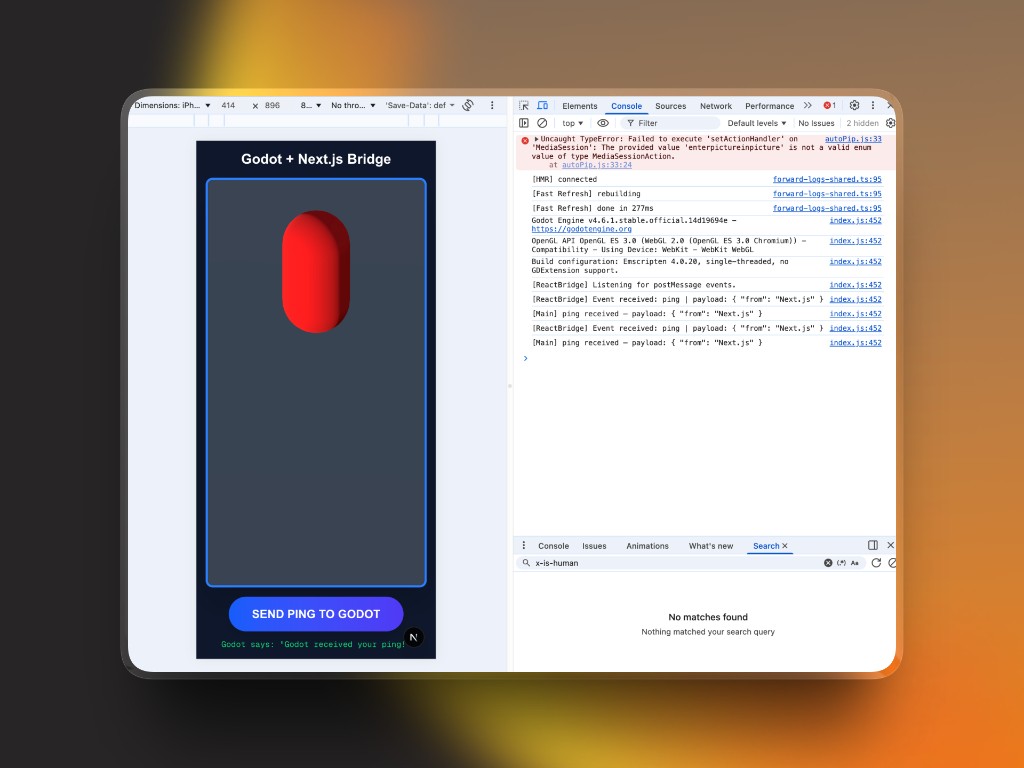
Bidirectional, event-driven bridge between a React / Next.js app and a Godot 4 WebAssembly game running inside an <iframe>. Designed to feel like Socket.io — just emit("event") and on("event").
Install
npm install react-godot-bridge
# or
bun add react-godot-bridge
Quick Start
1. Wrap your app with the Provider
import { GodotBridgeProvider, GodotFrame } from 'react-godot-bridge';

export default function Page() {
  return (
    <GodotBridgeProvider appKey={process.env.NEXT_PUBLIC_BRIDGE_KEY ?? ''}>
      <GodotFrame src="/game/index.html" className="w-full h-screen" />
      <Controls />
    </GodotBridgeProvider>
  );
}
2. Use the hook anywhere inside the Provider
import { useGodot } from 'react-godot-bridge';

function Controls() {
  const { emit, on } = useGodot();

  // React → Godot
  const handleJump = () => emit('jump', { height: 2 });

  // Godot → React
  useEffect(() => on('player_died', (payload) => {
    console.log('Score:', payload.score);
  }), [on]);

  return <button onClick={handleJump}>Jump</button>;
}
API
<GodotBridgeProvider>
| Prop | Type | Default | Description |
|------|------|---------|-------------|
| appKey | string | — | Secret key matched against every envelope. Empty = dev mode (no validation). |
| allowedOrigin | string | '*' | Restrict incoming postMessage origin. |
| children | ReactNode | — | |
<GodotFrame>
Drop-in <iframe> wired to the Provider's ref. Accepts all standard iframe HTML attributes plus a required src.
useGodot()
| Method | Signature | Description |
|--------|-----------|-------------|
| emit | (event: string, payload?: object) => void | Send event to Godot |
| on | (event: string, cb: (payload) => void) => () => void | Subscribe to Godot event. Returns unsubscribe function. |
| off | (event: string, cb) => void | Manual unsubscribe |
Message Envelope
All messages use this JSON structure:
{
  "event": "jump",
  "payload": { "height": 2 },
  "metadata": { "secret": "APP_KEY", "timestamp": 1711910000 }
}
Godot Plugin
Option A — Godot Asset Library (recommended)
Search ReactBridge in the AssetLib tab inside the Godot editor and click Install.
Option B — Manual
Copy addons/react_bridge/ from the GitHub repo into your Godot project root, then add ReactBridge as an Autoload in Project Settings.
See addons/react_bridge/README.md for full docs.