
react-mui-input-search-debounce
v1.0.3
Published
Componente de búsqueda con autocompletado, selectores y enrutamiento, construido con MUI y React Router.
Downloads
23

Maintainers
 blackycoderx4
Readme
🔍 react-mui-input-search-debounce

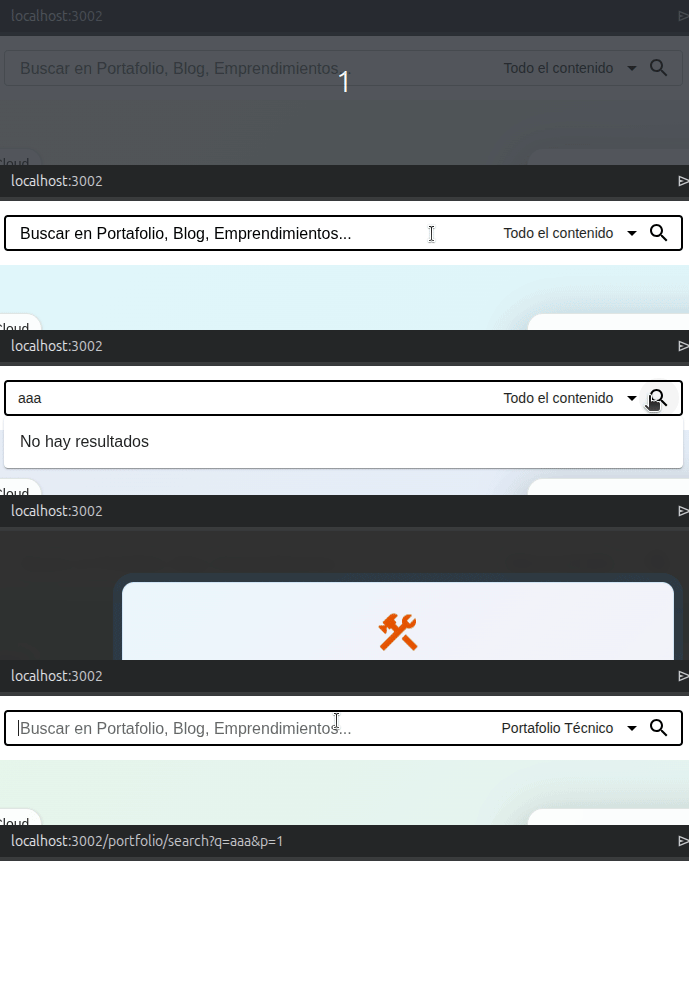
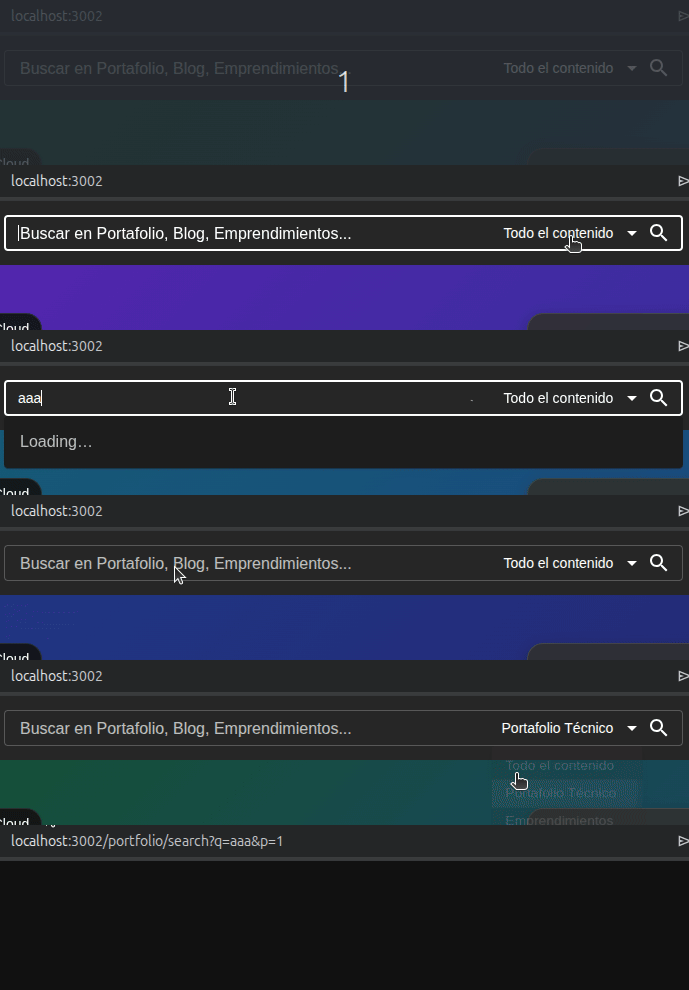
Search component with autocomplete, category selector, and routing, built with Material-UI (MUI) and React Router. Includes debounce to optimize requests and supports light/dark themes.
Component for use in two themes
| Modo claro | Modo oscuro |
| ------------------------------------------------------------------------------------------------- | ------------------------------------------------------------------------------------------------ |
|  |
|  |
|
📦 Installation
npm install react-mui-input-search-debounceor with Yarn:
yarn add react-mui-input-search-debounceRequired peer dependencies
Make sure you have the following libraries installed in your project:
react >= 17.0.0
react-dom >= 17.0.0
@mui/material >= 5.0.0
@mui/icons-material >= 5.0.0
@emotion/react >= 11.0.0
@emotion/styled >= 11.0.0
react-router-dom >= 6.0.0
🚀 Basic Usage
import { InputSearch } from 'react-mui-input-search-debounce';

function App() {
  return (
    <InputSearch
      labelText="Search in Portfolio, Blog, Startups..."
      noResultMessage="No results found"
      menuItems={[
        { label: 'All content', value: '' },
        { label: 'Technical Portfolio', value: 'portfolio' },
        { label: 'Startups', value: 'entrepreneurships' },
        { label: 'Blog', value: 'blog' },
      ]}
      routeMap={{
        '': '/all/search',
        portfolio: '/portfolio/search',
        entrepreneurships: '/entrepreneurships/search',
        blog: '/blog/search',
      }}
      fetchSuggestions="https://api.example.com/suggestions?q="
    />
  );
}
📋 Props
Prop Type Required Description
labelText string Yes Placeholder text
displayed when the input
is empty.
menuItems { label: string; value: string }[] Yes List of category selector
options. The first item
is used as default.
fetchSuggestions string | ((query: string) => Promise<string[]>) Yes* Base URL or custom
function returning
suggestions.
routeMap Record<string, string> No Route mapping per
category.
noResultMessage string No Message displayed when
there are no suggestions.
Default: "No results".
Note: The category selector is only displayed if
menuItems.length >= 2.
🧠 Behavior
- Debounce: 300 ms after the user stops typing.
- Conditional selector: Only shown if more than one category exists.
- React Router integration: Navigates with
?q=term&p=1. - Autocomplete: Displays suggestions or
noResultMessage. - Light/Dark theme: Automatically adapts to the active MUI theme.
🔗 Routing (routeMap)
const menuItems = [
  { label: 'All', value: '' },
  { label: 'Blog', value: 'blog' },
];

const routeMap = {
  '': '/search/all',
  blog: '/blog/search',
};
If routeMap is not provided, /all/search is used by default.
🔌 Suggestions Source (fetchSuggestions)
As a string (base URL)
fetchSuggestions="https://myapi.com/suggest?q="The component builds the final URL as:
${baseUrl}${encodedQuery}&category=${currentCategory}As a custom function
fetchSuggestions={async (query) => {
  const res = await fetch(`/api/search?q=${query}`);
  const data = await res.json();
  return data.titles; // must return string[]
}}
🎨 Style Customization
You can use the sx prop, a custom MUI theme, or override classes such
as .MuiAutocomplete-root.
📁 Internal Structure
src/
  components/
    surfaces/
      appbar/
        inputs/
          components/
            SearchButton.tsx
            SearchInput.tsx
            SearchSelect.tsx
          hooks/
            useDebounce.ts
            useSearchInput.ts
          services/
            api/
              suggestionsService.ts
          styles/
            SearchInput.styles.ts
          index.ts
⚙️ Full Example with Routing
import { BrowserRouter, Routes, Route } from 'react-router-dom';
import { InputSearch } from 'react-mui-input-search-debounce';

const menuItems = [
  { label: 'All', value: '' },
  { label: 'Projects', value: 'projects' },
];

const routeMap = {
  '': '/search',
  projects: '/projects/search',
};

function App() {
  return (
    <BrowserRouter>
      <InputSearch
        labelText="Search..."
        menuItems={menuItems}
        routeMap={routeMap}
        fetchSuggestions="https://api.example.com/suggest?q="
        noResultMessage="No suggestions found"
      />
      <Routes>
        <Route path="/search" element={<SearchResults />} />
        <Route path="/projects/search" element={<ProjectsResults />} />
      </Routes>
    </BrowserRouter>
  );
}
🧪 Additional Notes
- The suggestions API must return
string[]. - The parameter
p=1is automatically added if it does not exist. - If
qorpis missing, the component redirects to/. - The debounce delay can be modified by editing
useDebounce(if cloning the repository).
📄 License
MIT © BlackyCoder
Made with ❤️ for the React and MUI community.