
react-native-android-facebook-login
v0.1.1
Published
A react-native wrapper around facebook-android-sdk for authentication purposes
Downloads
45

Maintainers
 centaurwarchief
Readme
react-native-android-facebook-login 
A react-native wrapper around facebook-android-sdk for authentication purposes. This library isn't a complete wrapper around facebook-android-sdk, it will only handle authentication-related process such as retrieving the access token and basic profile information.
Key features
- Entirely based on promises instead of callbacks;
- Handles both
logInWithPublishPermissionsandlogInWithReadPermissions; - Simple JS API. You don't need to consume
NativeModulesdirectly.
Usage
This library doesn't provide any custom or native component(s), so the integration will be done entirely using JS API. For example:
import React, { Component } from 'react-native'
import { View, Text, TouchableHighlight } from 'react-native'
import FacebookLogin from 'react-native-android-facebook-login'

class LoginWithFacebook extends Component {
  constructor(nativeProps) {
    super(nativeProps)

    this.state = {
      profile: null,
      didCancelled: false
    }
  }

  async getUserProfileAndSetState() {
    const profile = await FacebookLogin.getLoggedInUserProfile()

    if (profile) {
      this.setState({
        profile
      })
    }
  }

  async logIn() {
    const loggedIn = FacebookLogin.isLoggedIn()

    if (loggedIn) {
      this.getUserProfileAndSetState()
      return
    }

    const loginResult = await FacebookLogin.logInWithReadPermissions(['public_profile'])

    if (loginResult.isCancelled) {
      this.setState({
        didCancelled: true
      })

      return
    }

    this.getUserProfileAndSetState()
  }

  render() {
    if (this.state.profile) {
      return (
        <View>
          <Text>I'm logged in as {this.state.profile.name}</Text>
        </View>
      )
    }

    return (
      <View>
        {this.state.didCancelled && (
          <Text>Why?</Text>
        )}
        <TouchableHighlight onPress={this.logIn.bind(this)}>
          <Text>Log in with Facebook</Text>
        </TouchableHighlight>
      </View>
    )
  }
}
Installation
Firstly, you need to download the library from npm:
$ npm install --save react-native-android-facebook-loginThen you should go to developers.facebook.com and choose your app, then under Settings (+Add Platform if you don't have Android configured yet) you'll notice that Key Hashes will be empty:
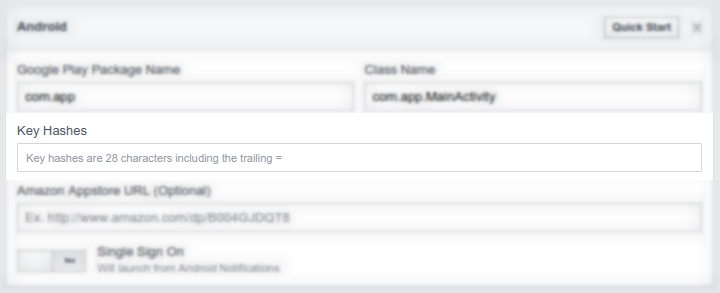
To get your application key hash to fill in, in your JS code you can call: __logCurrentApplicationSignature to log it. For example:
componentDidMount() {
  if (__DEV__) {
    FacebookLogin.__logCurrentApplicationSignature()
  }
}
So, $ adb logcat -s 'React' and grab the logged key hash.
Then, in your android/settings.gradle:
include ':ReactNativeAndroidFacebookLogin'
project(':ReactNativeAndroidFacebookLogin').projectDir = new File(
  rootProject.projectDir,
  '../node_modules/react-native-android-facebook-login/android'
)
android/app/build.gradle
compile project(':ReactNativeAndroidFacebookLogin')android/app/src/main/AndroidManifest.xml
<activity
  android:name="com.facebook.FacebookActivity"
  android:configChanges="keyboard|keyboardHidden|screenLayout|screenSize|orientation"
  android:label="@string/app_name"
  android:theme="@android:style/Theme.Translucent.NoTitleBar"/>

<meta-data
  android:name="com.facebook.sdk.ApplicationId"
  android:value="@string/facebook_app_id" />
android/app/src/main/res/values/strings.xml
<string name="facebook_app_id">(...)</string>...and then finally MainActivity.java
import com.centaurwarchief.facebooklogin.FacebookLoginPackage;@Override
protected List<ReactPackage> getPackages() {
return Arrays.<ReactPackage>asList(
new MainReactPackage(),
new FacebookLoginPackage(),
// (....)
);
}