
react-native-android-wheel-picker
v1.0.3
Published
iOS like wheel picker for Android

Maintainers
 yaad
yaadReadme
react-native-android-wheel-picker
An iOS like wheel picker for Android with very similar syntax as the original React Native Picker.
Installation
npm install react-native-android-wheel-picker --saveExample
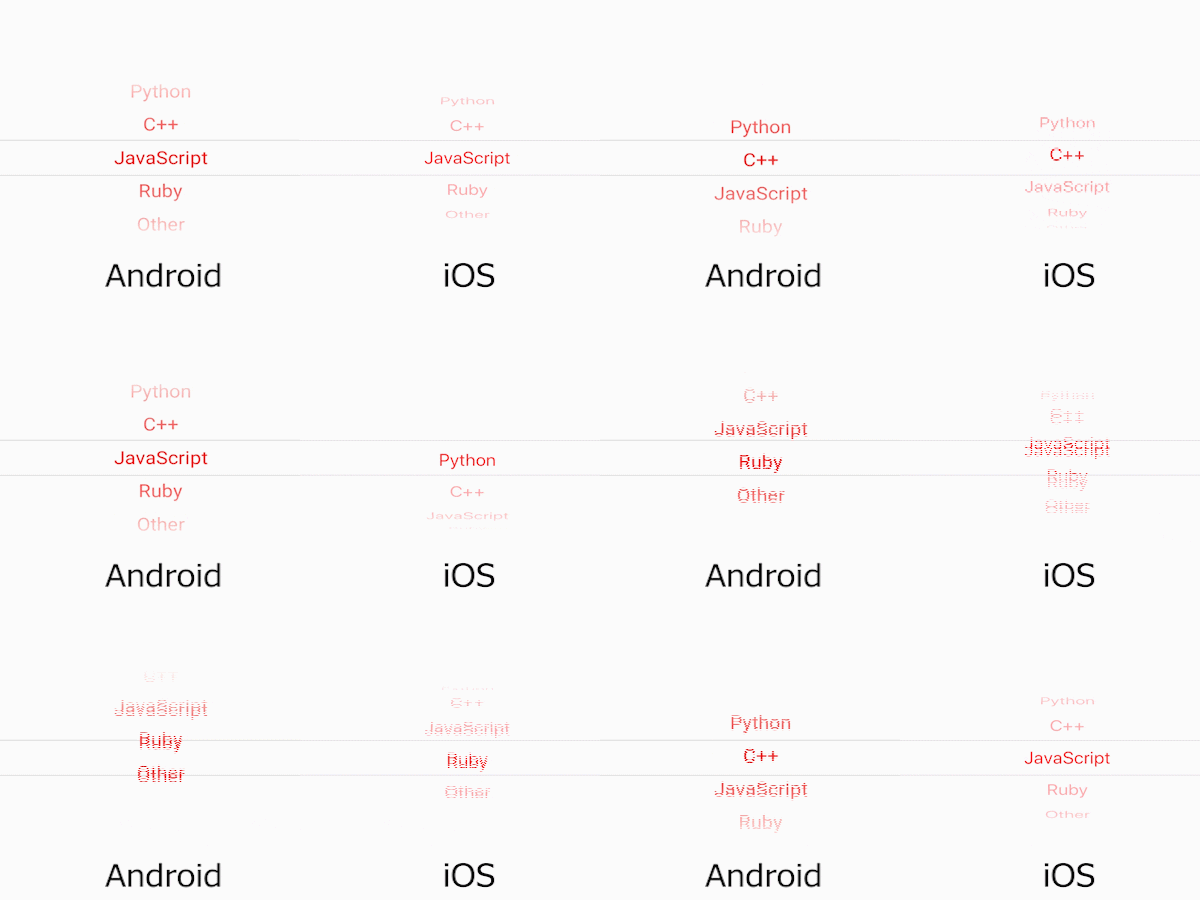
import React, { Component } from "react";
import { WheelPicker, Item } from "react-native-android-wheel-picker";

export default class ExamplePicker extends Component {
  constructor(props) {
    super(props);

    this.state = {
      selected: "js"
    };
  }

  render() {
    return (
      <WheelPicker
        selectedValue={this.state.selected}
        onValueChange={value => this.setState({ selected: value })}
        backgroundColor="white"
        itemStyle={{ color: "red" }}
      >
        <Item label="Python" value="py" />
        <Item label="C++" value="c" />
        <Item label="JavaScript" value="js" />
        <Item label="Ruby" value="ru" />
        <Item label="Other" value="etc" />
      </WheelPicker>
    );
  }
}
Props
enabled (boolean)
If set to false, the picker will be disabled, i.e. the user will not be able to make a selection.
itemStyle (object)
Style to apply to each of the item labels. Don't change the fontSize, it can mess up with the alignment.
onValueChange (function)
Callback for when an item is selected.
selectedValue (any)
Value matching value of one of the items.
backgroundColor (hex, rgb/rgba, common colors)
Since Android does not support MaskedView, this was the only way to create the fade out effect. Pick the color of the background you use for the Picker. If you place the picker on a white background, pick "white".
Notes
Please use this Picker for Android devices only. Though it works with iOS, when you apply backgroundColor there is a weird effect that I can't seem to fix.