
react-native-autosuggest-image
v0.0.1
Published
an autosuggest text input implementation for react native.


Readme
AutoSuggest TextInput Component
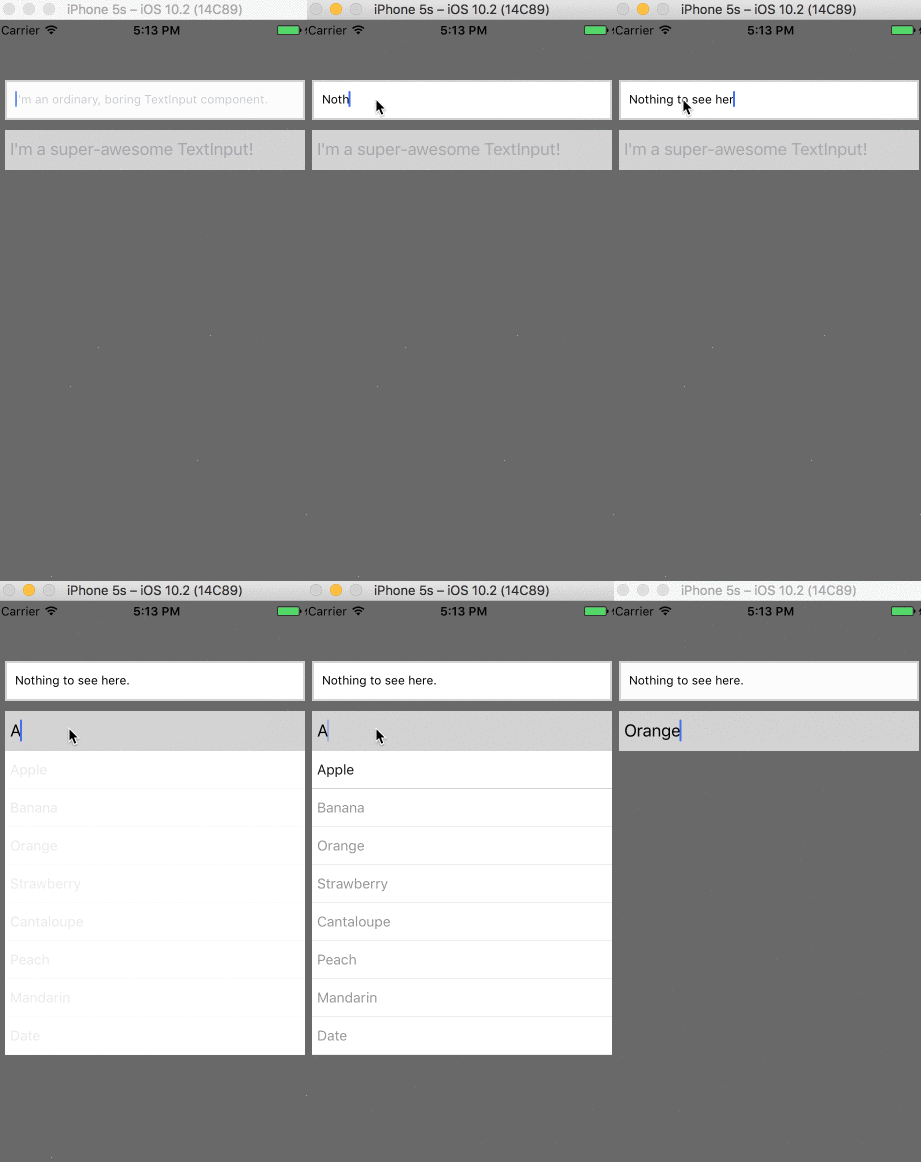
Installation
npm install autosuggest --save
Example:
check the index.ios.js in the example repo.
~~import { TextInput } from 'react-native'~~
import AutoSuggest from 'react-native-autosuggest';
   <AutoSuggest
      onChangeText={(text) => console.log('input changing!')}
      terms={['Apple', 'Banana', 'Orange', 'Strawberry', 'Lemon', 'Cantaloupe', 'Peach', 'Mandarin', 'Date', 'Kiwi']}
      ...
    />
Props
| Prop | Type | Optional | Default | Description |
|-------|-------|----------|---------|--------------|
| onChangeText | Function | false | (prop is manadatory) | fired when the input changes. e.g (ev) => console.log(event)
| terms | Array | false | (prop is mandatory) | list of suggestions. e.g ['Chicago', 'New York', 'San Francisco'] |
| onChangeTextDebounce | Number | true | 300 | the minimum break in milliseconds that the onChangeText callback needs to take before firing again. |
| onItemPress | Function | true | undefined | fired when an item in the menu is pressed with that item's string value as the argument. You probably don't need this, and should just use onChangeText
| placeholder | String | true | '' | e.g 'please enter a name' |
| clearBtnStyles | Object | true | ...see src | styles that go around your clear btn |
| clearBtnVisibility | Bool | true | false | is the clear input button visible? |
| clearBtn | Array | true | undefined | only if you want a custom btn component | []|
| containerStyles | Object | true | ...see src | applies to the entire application |
| placeholderTextColor | String | true | 'lightgrey' | placeholder text color |
| otherTextInputProps | Object | true | undefined | check the TextInput docs for the full list) |
| textInputStyles | Object | true | undefined | applies to the TextInput component e.g {width: 400, backgroundColor: "black"})
| rowWrapperStyles | Object | true | undefined | applies to the View around the dropdown |
| rowTextStyles | Object | true | undefined | applies the dropdown text