
react-native-brainblocks
v1.0.4
Published
A React Native integration for BrainBlocks.io

Maintainers
 brianfoody
Readme
react-native-brainblocks
Getting started
$ npm install react-native-brainblocks --save
Usage
import NanoPayment from 'react-native-brainblocks';

// Rai
<NanoPayment
  amount={1000}
  currency='rai'
  destination='xrb_36ooqx5oz3fppjijaabg1jxojn57cuacee31twsk5owewzqgp5bz7ck6rawn'
  onFailure={this._onFailure}
  onSuccess={this._onSuccess}
/>

// AUD
<NanoPayment
  amount={1.99}
  currency='aud'
  destination='xrb_36ooqx5oz3fppjijaabg1jxojn57cuacee31twsk5owewzqgp5bz7ck6rawn'
  onFailure={this._onFailure}
  onSuccess={this._onSuccess}
/>

// USD
<NanoPayment
  amount={1.99}
  currency='usd'
  destination='xrb_36ooqx5oz3fppjijaabg1jxojn57cuacee31twsk5owewzqgp5bz7ck6rawn'
  onFailure={this._onFailure}
  onSuccess={this._onSuccess}
/>

...
Note: 1 Rai = 0.000001 XRB
Sample
https://www.youtube.com/watch?v=Q3X7d6gAQzM
API
Prop | Description | Type | Required | Default
------ | ------ | ------ | ------ | ------
amount | The amount you would like to charge | Number | Required |
currency | The currency that you would like to charge. This will be converted to XRB automatically based on current market rates. | String | Required |
destination | The destination RaiBlocks address. Note that brainblocks works through intermediate accounts so the address that shows up on screen is not the actual destination. | String | Required |
onFailure | Callback for if payment fails or times out within 120 seconds. Contains a string reason for the failure | Function | Required |
onSuccess | Callback for when the payment succeeds. Contains an object with the token you should use to verify on the serverside. | Function | Required |
autoplay | Should we automatically start a transaction or wait for user to tap first | bool | Optional | false
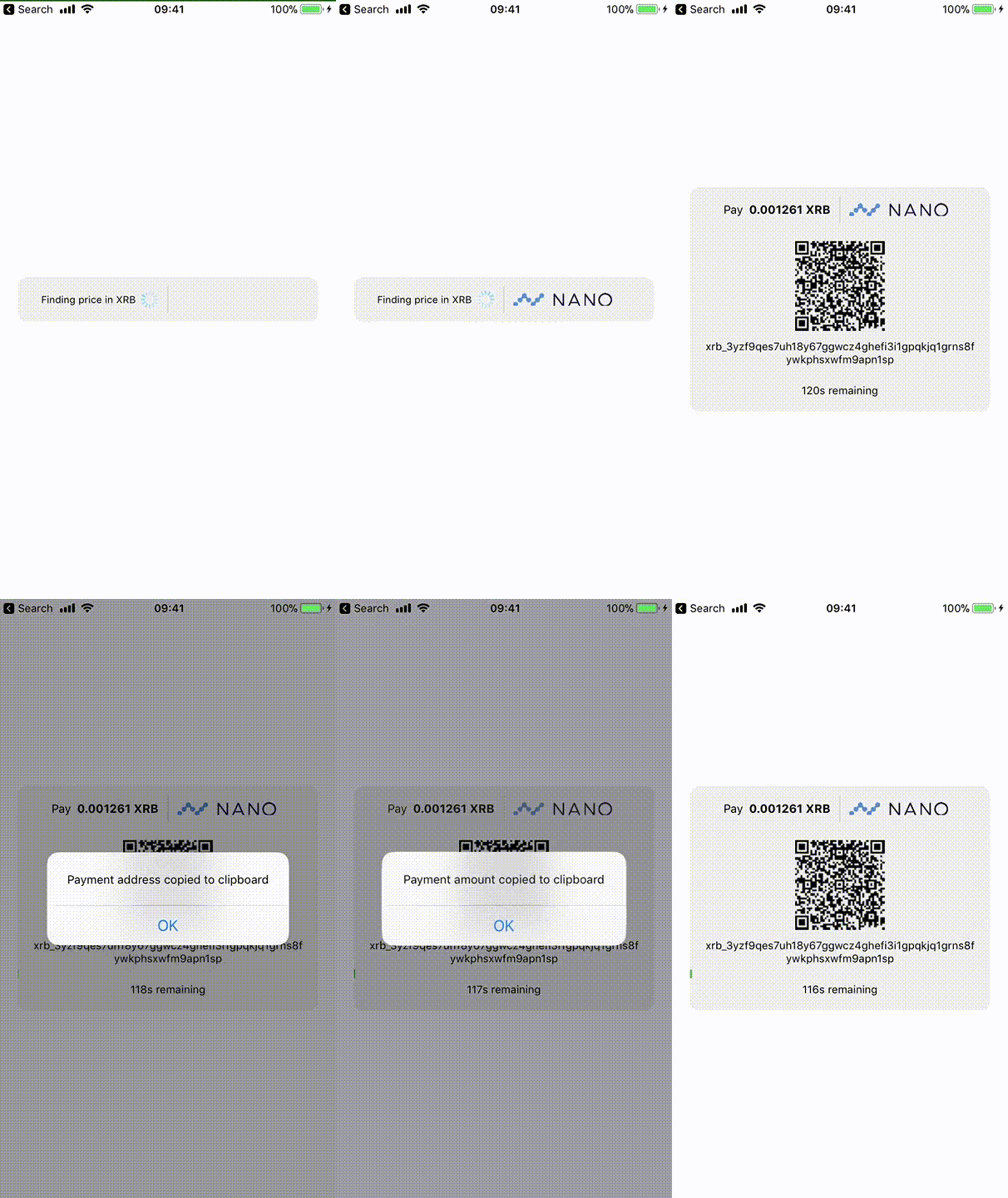
Example
Support 💙
React Native Lib Donation Address: xrb_36ooqx5oz3fppjijaabg1jxojn57cuacee31twsk5owewzqgp5bz7ck6rawn Brainblocks Donation Addresss: xrb_164xaa1ojy6qmq9e8t94mz8izr4mkf1sojb6xrmstru5jsif48g5kegcqg7y