
react-native-cms-pages
v1.0.0
Published


Readme

Installation
npm i react-native-cms-pagesGenerate Files
Before generate library files to your react-native-project, make sure that lussatech-cli is installed globally in your machine, otherwise use this command to install it:
npm i lussatech-cli -gIf lussatech-cli have been installed, change directory to your react-native-project and run this command:
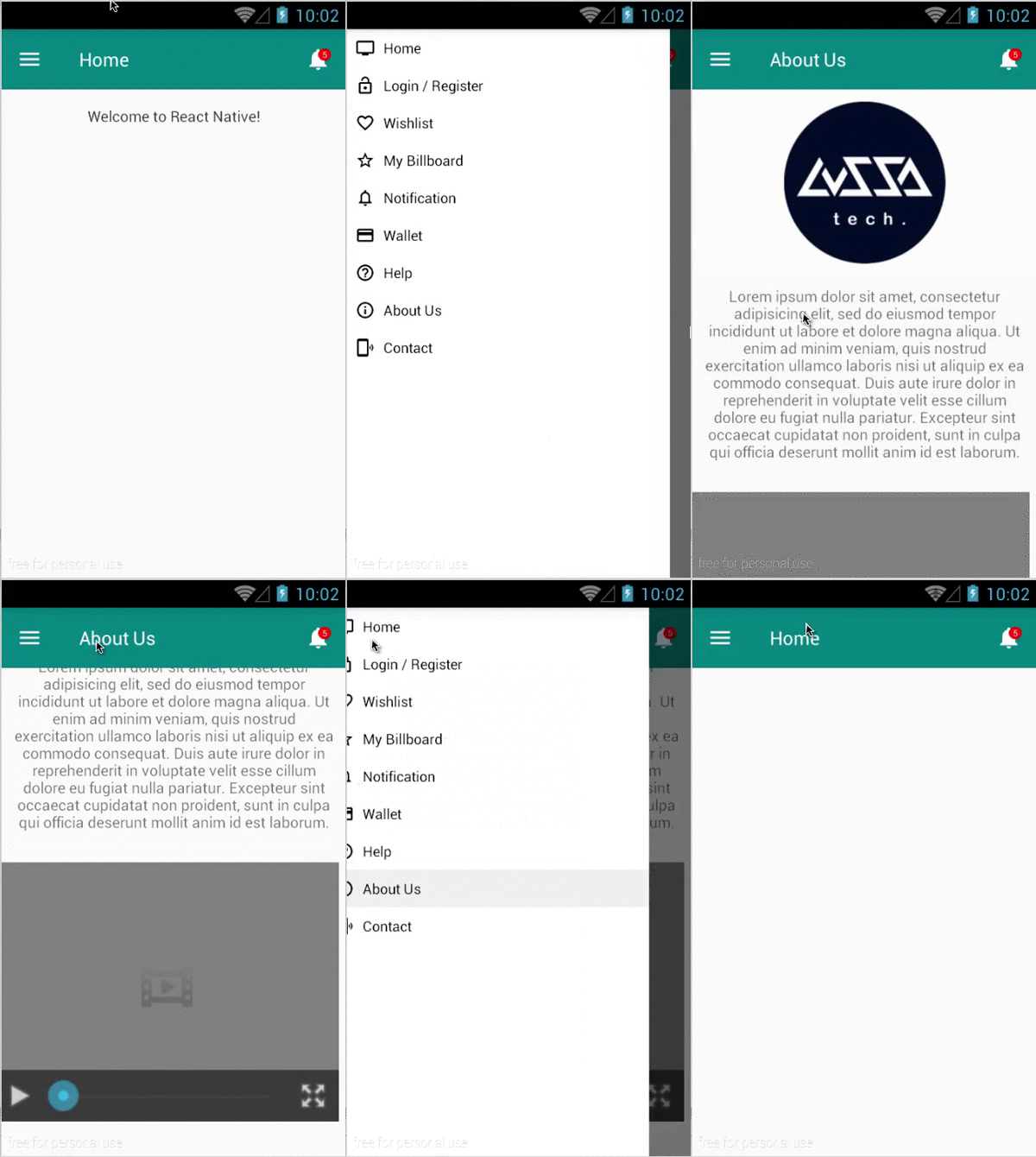
lussatech generate react-native-cms-pagesthen the library files will be added automatically inside your react-native-project, e.g.
react-native-project
|_ ...
|_ lib
  |_ react-native-cms-pages
    |_ ...
    |_ index.js
    |_ ...
Usage
...
import CMSPages, {      // sample app
/* available components */
  About,                // sample about view
  Home                  // sample home view
} from './lib/react-native-cms-pages';

class Name extends Component {
  render() {
    return (
      <CMSPages />      // sample calling component
    );
  }
}
...
Customize sidebar and navigation bar
To customize navigation bar, update index.js based on your need, e.g.
# lib/react-native-cms-pages/index.js

...
const actions = [
  ...
  {title: 'Help', icon: icons.help},
  {title: 'About Us', icon: icons.info, component: About}, // add component key, when this menu is selected
  {title: 'Contact', icon: icons.phonelink},               //   the value of the component will be rendered
];

...
  render() {
    return (
      <DrawerLayoutAndroid
        renderNavigationView={() => {
          return (
            /* customize sidebar menu */
            <View>
              {
                actions.map((val, key) => {
                  return (
                    <TouchableHighlight key={key} onPress={() => this.onActionSelected(val)}>
                      <View>
                        <Image source={val.icon} />
                        <Text>{val.title}</Text>
                      </View>
                    </TouchableHighlight>
                  )
                })
              }
            </View>
          )
        }}>
        <Navigator
          navigationBar={
            <Navigator.NavigationBar
              routeMapper={{
                /* customize navbar menu */
                LeftButton: (route, navigator, index, navState) => {
                  return (
                    <TouchableOpacity onPress={() => this.refs.sidebar.openDrawer()}>
                      <View>
                        <Image source={require('./icons/ic_menu_white.png')} />
                      </View>
                    </TouchableOpacity>
                  )
                },
                Title: (route, navigator, index, navState) => {
                  return (
                    <View>
                      <Text>{this.state.scene && this.state.scene.title || `Home`}</Text>
                    </View>
                  )
                },
                RightButton: (route, navigator, index, navState) => {
                  return (
                    <TouchableOpacity>
                      <View>
                        <Image source={require('./icons/ic_notifications_white.png')} />
                        <View>
                          <Text>{`5`}</Text>  // add notification counter
                        </View>
                      </View>
                    </TouchableOpacity>
                  )
                }
              }}
            />
          }
          renderScene={(route, navigator) => {
            return (
              /* render the current component or view based on selected sidebar menu */
              <ScrollView>
                {(this.state.scene && this.state.scene.component) ? <this.state.scene.component /> : <Home />}
              </ScrollView>
            )
          }}
        />
      </DrawerLayoutAndroid>
    )
  }
...
Customize views
To customize views, update Home.js and About.js or create your own views based on your need, e.g.
# lib/react-native-cms-pages/About.js

...
class Video extends Component {
  ...
  render() {
    let html = `<!DOCTYPE html>
                <html>
                  <body>
                    <video width="320" height="240" controls>
                      <source src="http://www.w3schools.com/html/movie.mp4" type="video/mp4">
                      <source src="http://www.w3schools.com/html/movie.ogg" type="video/ogg">
                      Your browser does not support the video tag.
                    </video>
                  </body>
                </html>`;

    return (
      <WebView
        style={{...this.props.style}}
        html={html}
        ... />
    )
  }
}

export default class extends Component {
  ...
  render() {
    return (
      <View>
        <View>
          /* render image from url */
          <Image source={{uri: `https://avatars2.githubusercontent.com/u/16607791?v=3&s=200`}} />
        </View>
        <View>
          /* render text */
          <Text>
            {``}
          </Text>
        </View>
        <View>
          /* render video */
          <Video style={{backgroundColor:'transparent',height:270,width:350}} />
        </View>
      </View>
    )
  }
}