
react-native-fast-cached-images
v0.0.6-alpha1
Published
A simple and customizable caching mechanism for images fetched from an external url


Readme
:rocket: react-native-fast-cached-images
A simple yet powerful image caching component with offline image support built for react native

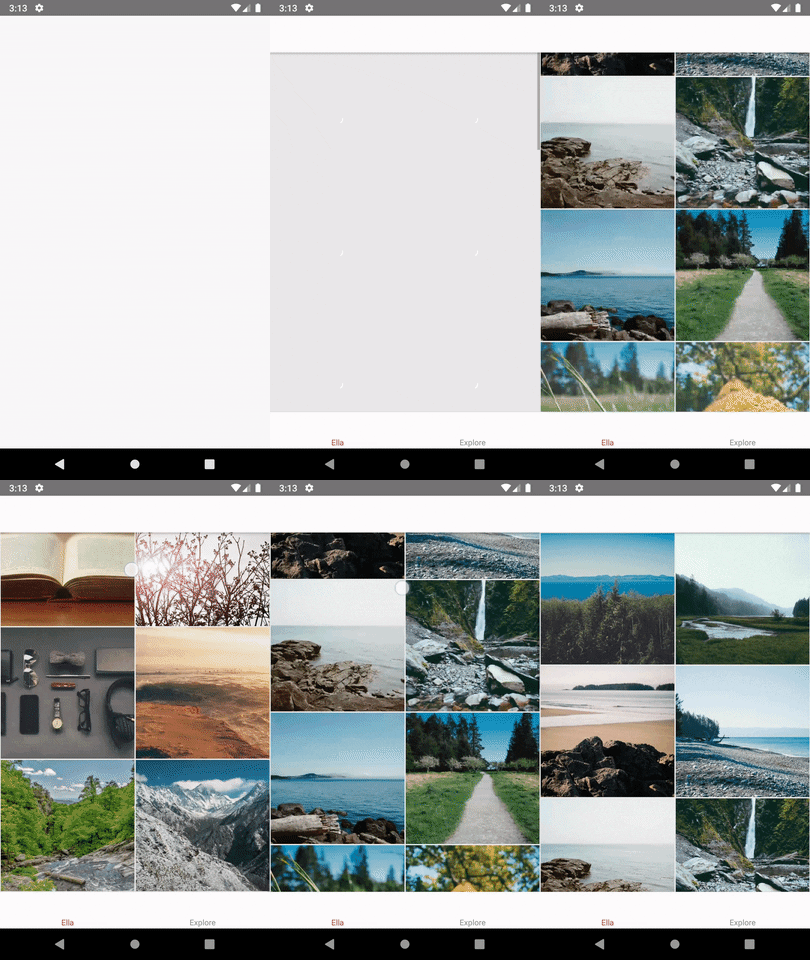
Features
- Cache images to load fast
- Fully offline image support for offline apps
- Control amount of storage for image caching or handle it automatically
- React Context API support for Accessing the cache from anywhere
- High quality images shown only when internet connection is available (TODO)
About
When we are working with images speed of loading is a crucial factor. We suggest a simple and lightweight CachedImage component to handle the images automatically for you based on the internet connectivity or manually with your own logics.
How to use
basic usage
put this code anywhere you like in your code with its relevant styles
import React from 'react';
import {CachedImage} from 'react-native-fast-cached-images';

class App extends React.PureComponent {

  render() {
    return (
            <CacheImage
              containerStyles={styles.imageContainer}
              imageStyles={styles.image}
              imageUrl={IMAGE_URL_PATH (S3, imgur etc.. or file path)}
            />
          )}
       );
  };
}

export default App;
advanced usage
here are all the props you can pass to customize the component
| prop | type | default | usage | | -------------------- | ------------- | ------- | ------------------------------------------------------------------------------------------------- | | imageUrl* | string | none | set online image url to the component and component will cache it automatically (s3, imgur etc..) | | imageStyles | style object | 100% | set CSS for image component | | containerStyles | style object | 100% | set CSS for the container of the image component | | fromCache* | boolean | true | prop to control caching ability dynamically (If caching is needed or not) | | coverMode | boolean | true | resize mode "cover" vs "contain" | | isLoading | boolean | none | Manually control the loading state of the placeholder | | children | React Element | none | Can pass overlay components for the image background | | onPress | function | none | pass the handler for image onClick event | | imageBackgroundStyle | style object | none | Can pass CSS directly to image background ( if only coverMode=true ) | | placeholderStyles | style object | 100% | Can pass CSS directly to placeholder component | | activeOpacity | number | 1 | When clicking on image should there be a highlight | | blurRadius | number | 0 | When images are switching should there be a blur effect | | cacheFolder | string | '' | Specify which folder the file Cache should go to | | placeholderStyles | style object | 100% | Can pass CSS directly to placeholder component | | retryCount | number | 1 | how many times a failed image should retry to download |
Installation
Install package from npm
yarn add react-native-fast-cached-images
then
yarn add rn-fetch-blob
Manually Link Native Modules
If automatically linking doesn't work for you, see instructions on manually linking.
Automatically Link Native Modules
For 0.29.2+ projects, simply link native packages via the following command (note: rnpm has been merged into react-native)
react-native link
Optionally, use the following command to add Android permissions to AndroidManifest.xml automatically
RNFB_ANDROID_PERMISSIONS=true react-native link
The link script might not take effect if you have non-default project structure, please visit the wiki to link the package manually. If you are using any a lower react-native version <60 or having any difficulties installing this use this link. for advanced setup options
Grant Permission to External storage for Android 5.0 or lower
The mechanism for granting Android permissions has slightly different since Android 6.0 released, please refer to Official Document.
If you're going to access external storage (say, SD card storage) for Android 5.0 (or lower) devices, you might have to add the following line to AndroidManifest.xml.
     <manifest xmlns:android="http://schemas.android.com/apk/res/android"
          package="com.rnfetchblobtest"
          android:versionCode="1"
          android:versionName="1.0">
          <uses-permission android:name="android.permission.INTERNET" />
          <uses-permission android:name="android.permission.SYSTEM_ALERT_WINDOW"/>
          +   <uses-permission android:name="android.permission.READ_EXTERNAL_STORAGE" />
          +   <uses-permission android:name="android.permission.WRITE_EXTERNAL_STORAGE" />
          +   <uses-permission android:name="android.permission.DOWNLOAD_WITHOUT_NOTIFICATION" />
Grant Access Permission for Android 6.0
Beginning in Android 6.0 (API level 23), users grant permissions to apps while the app is running, not when they install the app. So adding permissions in AndroidManifest.xml won't work for Android 6.0+ devices. To grant permissions in runtime, you might use PermissionAndroid API.
Manually Granting Access Permission
If you don't receive permission update the app permissions from app settings in the mobile
Authors
- Manuka Prabath - Initial work
- Dhanushka Gunathilake - Initial work
- Asela Wijesinghe - Moderator/Maintainer
See also the list of contributors who participated in this project.
License
This project is licensed under the MIT License - see the LICENSE.md file for details