
react-native-keypad-component
v0.2.1
Published
Customizable keypad component for react native

Maintainers
 eluewisdom
Readme
react-native-keypad-component
A customizable and animated keypad component for React Native applications, perfect for PIN entry, passcode screens, and secure input scenarios.
Watch demo video here: Demo Video
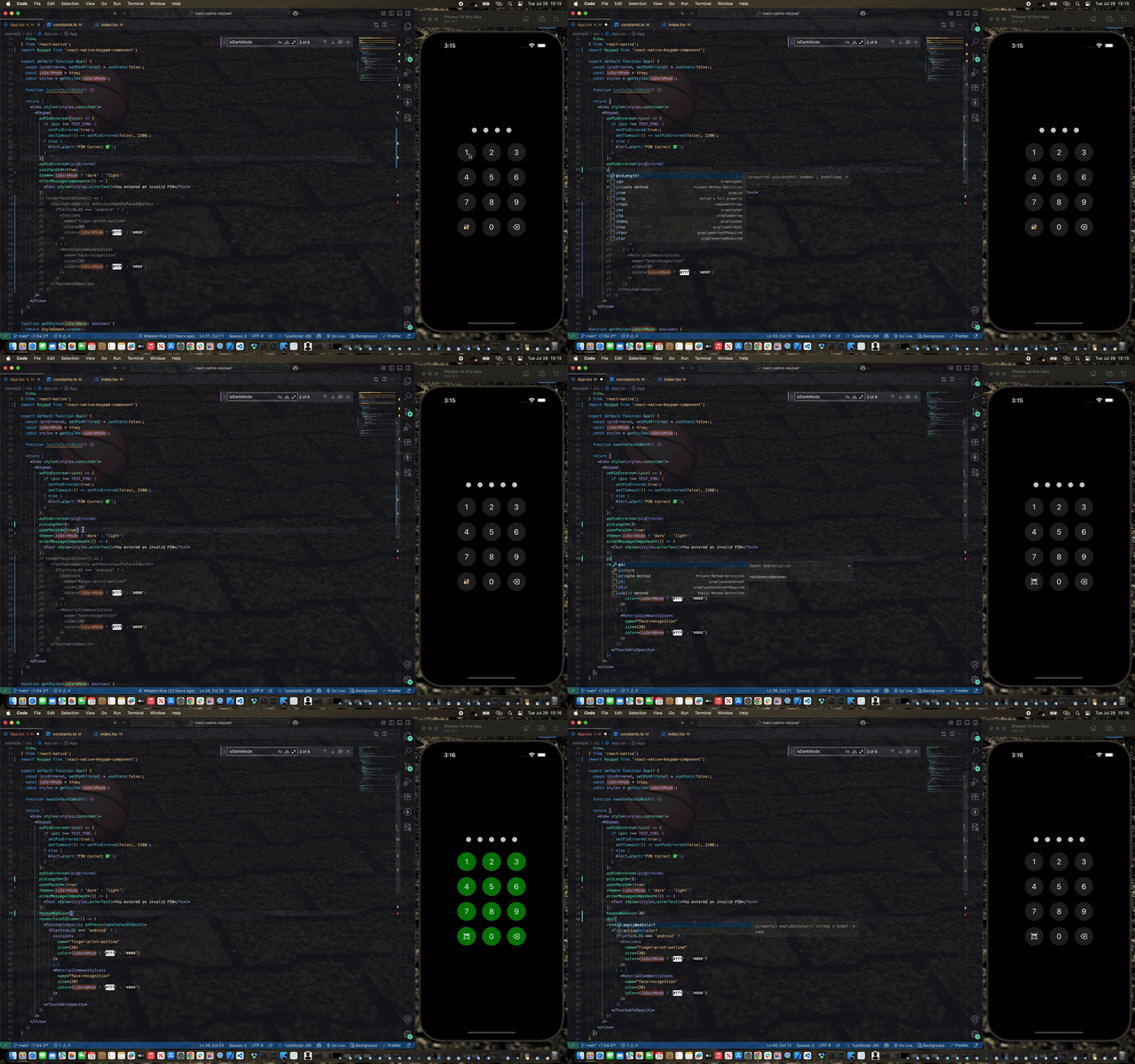
Features
- ✨ Smooth animations with React Native Reanimated
- 🎨 Customizable themes (light/dark)
- 🔧 Highly configurable styling
- 🎯 TypeScript support
- 📏 Adjustable PIN length
- 🚫 Built-in error handling with shake animation
Installation
npm
npm install react-native-keypad-componentyarn
yarn add react-native-keypad-componentbun
bun add react-native-keypad-componentExpo
npx expo install react-native-keypad-componentPeer Dependencies
This package requires the following peer dependencies:
yarn add react-native-reanimated
yarn add react-native-gesture-handler
Make sure to follow the React Native Reanimated installation guide for proper setup.
CLI Tool
For quick scaffolding, you can also use the React Native Keypad Component CLI to add the source code directly to your project. This makes it even easier than it already is to customize the component to fit your exact needs.
npx rn-keypad-cli@latestBasic Usage
import React from 'react';
import Keypad from 'react-native-keypad-component';

export default function App() {
  function handlePinEntered(pin) {
    console.log('PIN entered:', pin);
    // Handle PIN validation here
  }

  return <Keypad onPinEntered={handlePinEntered} pinLength={4} />;
}
Advanced Usage
import React, { useState } from 'react';
import { View, Text } from 'react-native';
import Keypad from 'react-native-keypad-component';

export default function SecureScreen() {
  const [hasError, setHasError] = useState(false);

  function handlePinEntered(pin) {
    // your PIN validation logic here
    if (pin === '1234') {
      setHasError(false);
      // Navigate to secure area
    } else {
      setHasError(true);
      setTimeout(() => setHasError(false), 3000);
    }
  }


  function onDigitPressed(digit: string) {
    // Called when a digit is pressed (e.g., to trigger haptic feedback or update state)
    console.log('Digit pressed:', digit);
    Haptics.selectionAsync();
  }

  function onBackspacePressed() {
    // Called when the backspace button is pressed (e.g., to trigger haptic feedback or clear input)
    Haptics.selectionAsync();
  }


  const renderFaceIdIcon = () => <Text style={{ fontSize: 24 }}>👆</Text>;

  const renderErrorMessage = () => (
    <Text style={{ color: 'red', marginBottom: 10 }}>
      Incorrect PIN. Please try again.
    </Text>
  );

  return (
    <View style={{ flex: 1, justifyContent: 'center', padding: 20 }}>
      <Keypad
        onPinEntered={handlePinEntered}
        onPinErrored={hasError}
        onDigitPressed={onDigitPressed}
        onBackspacePressed={onBackspacePressed}
        errorMessageComponent={renderErrorMessage}
        pinLength={6}
        theme="dark"
        usesFaceId={true}
        renderFaceIdIcon={renderFaceIdIcon}
        keypadRadius={12}
        gridGap={15}
        dotColor="#007AFF"
        keypadColor="#2C2C2E"
        textColor="#FFFFFF"
      />
    </View>
  );
}
Props
| Prop | Type | Required | Default | Description |
| ------------------------------- | ------------------------- | -------- | ----------- | --------------------------------------------------- |
| onPinEntered | (pin: string) => void | ✅ | - | Callback function called when PIN entry is complete |
| onPinErrored | boolean | ❌ | false | Triggers error state and shake animation |
| onDigitPressed | (digit: string) => void | ❌ | - | Triggered when a digit is pressed |
| onBackspacePressed | () => void | ❌ | - | Triggered when the backspace button is pressed |
| errorMessageComponent | () => ReactNode | ❌ | undefined | Custom component to display error messages |
| pinLength | number | ❌ | 4 | Number of digits in the PIN |
| style | ViewStyle | ❌ | undefined | Custom styles for the main container |
| buttonStyle | ViewStyle | ❌ | undefined | Custom styles for keypad buttons |
| buttonTextStyle | TextStyle | ❌ | undefined | Custom styles for button text |
| keypadTextSize | number | ❌ | 24 | Font size for keypad button text |
| disableKeypadBackground | boolean | ❌ | false | Removes background color from buttons |
| usesFaceId | boolean | ❌ | false | Enables Face ID/Touch ID button |
| keypadRadius | number | ❌ | 30 | Border radius for kaypad buttons and dots |
| theme | 'light' \| 'dark' | ❌ | 'light' | Overall theme of the keypad |
| keypadColor | string | ❌ | '#f2f2f7' | Button background color |
| textColor | string | ❌ | '#000000' | Text color of keypad |
| dotColor | string | ❌ | '#000000' | Filled dot color |
| emptyDotColor | string | ❌ | '#d1d1d6' | Empty dot color |
| dotWidth | number | ❌ | 16 | Width of PIN dot |
| dotHeight | number | ❌ | 16 | Height of PIN dot |
| gridGap | number | ❌ | 10 | Gap between keypad buttons |
| renderFaceIdIcon | () => ReactNode | ❌ | undefined | Custom Face ID/Touch ID icon component |
| applyBackgroundToFaceIdButton | boolean | ❌ | true | Applies button background to Face ID button |
Theming
The keypad supports both light and dark themes out of the box. You can customize colors for each theme:
Animations
The keypad includes several built-in animations:
- Dot Animation: Dots scale when PIN digits are entered/removed
- Shake Animation: Triggered when
onPinErroredis true - Error Message: Smooth zoom in/out transitions
- Layout Transitions: Smooth transitions when error messages appear/disappear
Error Handling
To display errors and trigger the shake animation:
const [hasError, setHasError] = useState(false);

function handlePinEntered(pin) {
  if (isValidPin(pin)) {
    setHasError(false);
    // Handle success
  } else {
    setHasError(true);
    // Clear error after some time
    setTimeout(() => setHasError(false), 3000);
  }
}

<Keypad
  onPinEntered={handlePinEntered}
  onPinErrored={hasError}
  errorMessageComponent={() => (
    <Text style={{ color: 'red' }}>Invalid PIN</Text>
  )}
/>;
Biometric Authentication
Enable Face ID or Touch ID button:
function renderFaceIdIcon ()  (
 return  (
   <Icon name="face-id" size={24} color="#007AFF" />
 )

);

<Keypad
  usesFaceId={true}
  renderFaceIdIcon={renderFaceIdIcon}
  applyBackgroundToFaceIdButton={true}
  onPinEntered={handlePinEntered}
/>;
Customization Examples
Minimal Keypad
<Keypad
  onPinEntered={handlePin}
  disableKeypadBackground={true}
  pinLength={6}
  emptyDotColor="transparent"
  style={{ backgroundColor: 'transparent' }}
/>
Colorful Keypad
// Example usage with dark mode support
import { useTheme } from 'your-theme-provider'; // Replace with your theme hook

const isDarkMode = useTheme();

<Keypad
  onPinEntered={handlePin}
  theme={isDarkMode ? 'dark' : 'light'}
  keypadColor={isDarkMode ? '#FF6B6B' : '#FDD835'}
  textColor={isDarkMode ? '#FFFFFF' : '#000000'}
  activeDotColor={isDarkMode ? '#4ECDC4' : '#1976D2'}
  emptyDotColor={isDarkMode ? '#95A5A6' : '#BDBDBD'}
  keypadRadius={20}
  gridGap={20}
/>;
Contributing
See the contributing guide to learn how to contribute to the repository and the development workflow.
License
MIT