
react-native-onboarding-parallax
v0.1.0
Published
A parallax onboarding carousel for React Native with per-layer depth, slot-based pages, and first-class RTL and reduced-motion support.

Maintainers
 nadeem.iqbal
Readme
react-native-onboarding-parallax
A parallax onboarding carousel for React Native. Every page is built from up to three depth layers - background, content and foreground - that glide at their own speed as the user swipes, giving the flow a sense of depth. It ships with a page indicator, skip / next / done controls, and first-class RTL and reduced-motion support, while still letting you drop down to a single parallax primitive when you want to build your own layout.
The motion runs on the native animated driver, so the depth stays smooth even
while your JavaScript is busy. There are no native modules to link: it is
pure TypeScript over React Native's own Animated.
| iOS | Android |
| :-: | :-: |
| 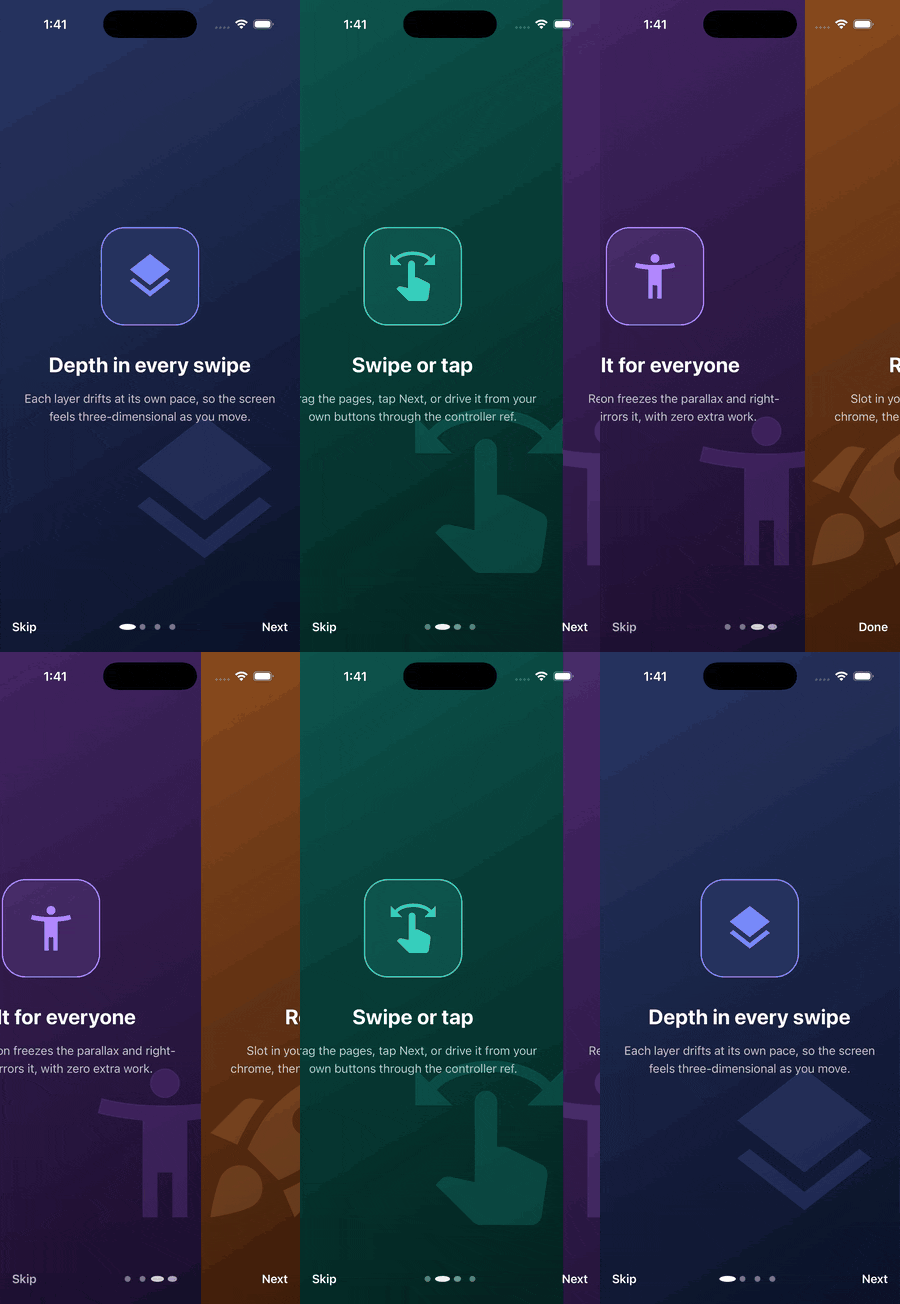 |
| 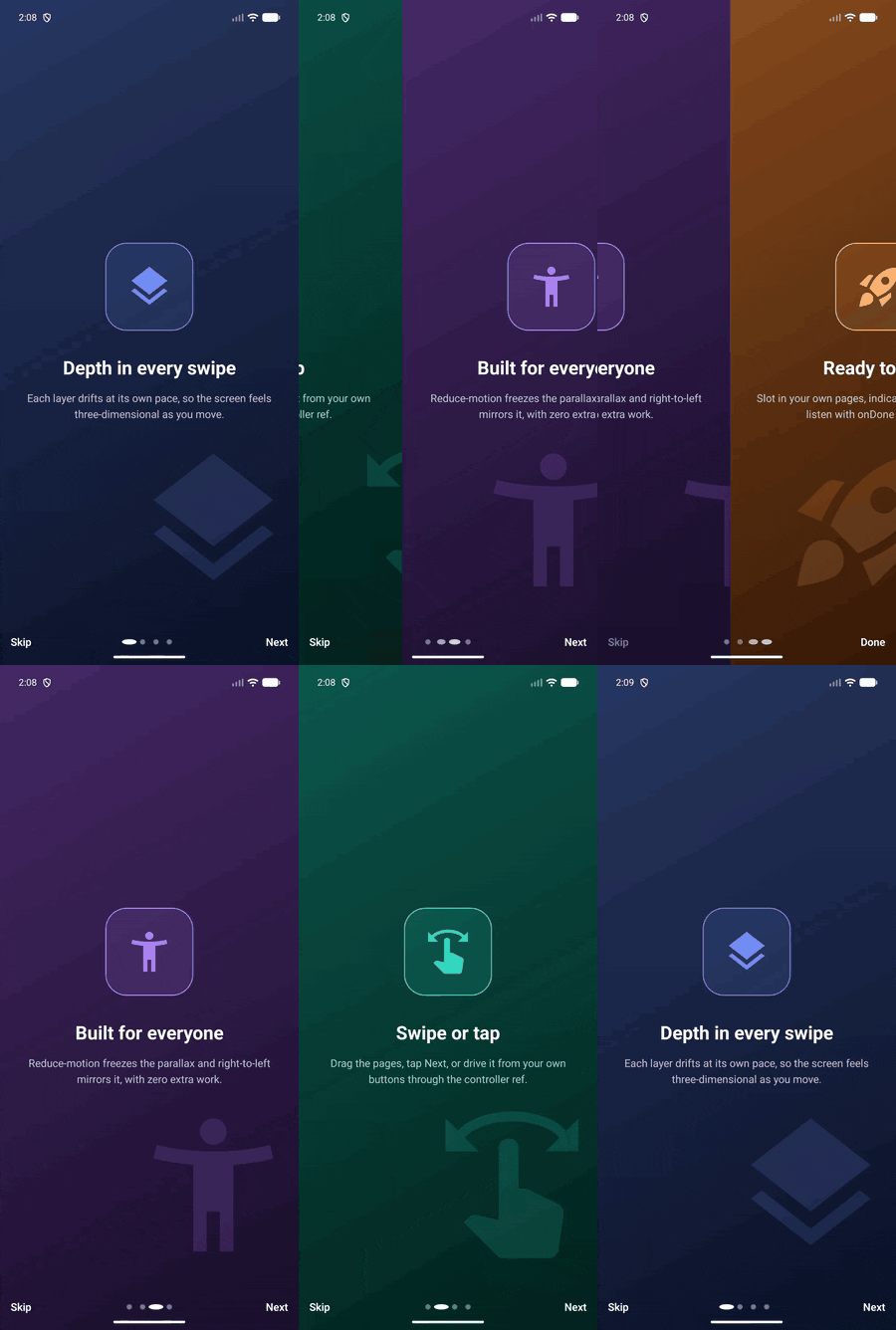 |
|
Features
- Layered parallax pages. Every
OnboardingPagehas abackground,contentandforegroundslot, each with its own parallax factor so they drift at different speeds and read as depth. Any slot can be omitted. - Batteries included.
ParallaxOnboardinggives you paging, an animated dot indicator, and skip / next / done controls out of the box - hand it a list of pages and listen withonDone/onSkip. - Native-driver smooth. The layers interpolate the scroll position with
useNativeDriver, so the parallax never stutters under JS load. - First-class RTL. Horizontal motion mirrors automatically when
I18nManager.isRTLis set, so depth reads the same in both directions. - Reduced motion. Reads the platform "reduce motion" accessibility setting
and freezes the parallax when it is on; force it either way with
reduceMotion. - Imperative controller. A
refexposesnext/previous/goToand the currentindexfor custom buttons, deep links or analytics. - Layered, extensible API. Use the high-level
ParallaxOnboardingcomponent, swaprenderIndicator/renderControlsor the sharedbackground, or drop down to theParallaxLayerprimitive (or the pureparallaxTranslatefunction) in your own pager.
Installation
npm install react-native-onboarding-parallax
# or
yarn add react-native-onboarding-parallax
react and react-native are peer dependencies (React 18+, React Native
0.70+). There is nothing to link and no pod install step: the library is pure
JavaScript built on React Native's Animated, ScrollView and
AccessibilityInfo.
Quick start
Hand ParallaxOnboarding a list of pages and react to completion:
import { View, Text } from 'react-native';
import { ParallaxOnboarding } from 'react-native-onboarding-parallax';

export function Intro({ onFinish }: { onFinish: () => void }) {
  return (
    <ParallaxOnboarding
      onDone={onFinish}
      onSkip={onFinish}
      pages={[
        {
          background: <View style={{ flex: 1, backgroundColor: '#101820' }} />,
          content: <Text style={{ fontSize: 32, color: '#fff' }}>Welcome</Text>,
          foreground: <Logo />,
        },
        {
          background: <View style={{ flex: 1, backgroundColor: '#0E3A53' }} />,
          content: <Text style={{ fontSize: 28, color: '#fff' }}>Swipe to explore</Text>,
          foreground: <Art />,
          foregroundFactor: 0.5,
        },
      ]}
    />
  );
}
ParallaxOnboarding fills its parent, so give it a flex container (or a screen).
Tuning depth
Each slot has its own parallax factor: 0 pins the slot to the page, a
positive value makes it lead the swipe (reading as near), and a negative value
makes it trail (reading as far). The defaults are -0.2 for the background, 0
for the content and 0.35 for the foreground.
const page = {
  background: <Gradient />,
  content: <Title />,
  foreground: <Artwork />,
  backgroundFactor: -0.35, // deep, drifts the other way
  foregroundFactor: 0.6,   // close, leads the swipe
  foregroundAlign: 'bottomRight',
};
background fills the page by default; content and foreground are centered.
Pin a layer to an edge or corner with backgroundAlign / contentAlign /
foregroundAlign ('topLeft', 'bottomRight', 'center', and so on).
Driving it yourself
Pass a ref to advance the flow from your own controls, or to read the current
page:
import { useRef } from 'react';
import {
  ParallaxOnboarding,
  type OnboardingController,
} from 'react-native-onboarding-parallax';

const flow = useRef<OnboardingController>(null);

<ParallaxOnboarding ref={flow} pages={pages} />;

// elsewhere
flow.current?.next();
flow.current?.goTo(2);
console.log(flow.current?.index);
onIndexChange reports the settled page whenever it changes.
Customizing the chrome
Replace the dots or the whole control bar, recolor the defaults with
tintColor, and paint a shared background behind every page:
<ParallaxOnboarding
  pages={pages}
  tintColor="#FFD166"
  background={<SharedGradient />}
  renderIndicator={(state) => <MyDots state={state} />}
  renderControls={(state) => <MyControls state={state} />}
/>
Both render props receive an OnboardingRenderState with the live
scrollPosition (an Animated.Value), pageExtent, index, count,
isFirst, isLast, axis, rtl, tintColor, and the next / previous /
goTo / skip / done callbacks - everything the built-in chrome uses, so
your own can animate against the same scroll position.
Going lower: the ParallaxLayer primitive
For a hand-built layout, skip the high-level component and use the
ParallaxLayer primitive inside your own Animated.ScrollView. Give it how far
the page is from rest (pageDelta), a factor, and the page extent in pixels:
import { ParallaxLayer } from 'react-native-onboarding-parallax';

<ParallaxLayer pageDelta={-0.5} factor={0.4} extent={width}>
  <Art />
</ParallaxLayer>;
Or compute the offset yourself with the pure parallaxTranslate function, which
has no React dependency and is ready for tests or your own animation code:
import { parallaxTranslate } from 'react-native-onboarding-parallax';

parallaxTranslate({ pageDelta: -0.5, factor: 0.4, extent: 200 });
// { translateX: -40, translateY: 0 }

parallaxTranslate({ pageDelta: 0.25, factor: 0.6, extent: 800, axis: 'vertical' });
// { translateX: 0, translateY: 120 }
API reference
ParallaxOnboarding props
| Prop | Type | Default | Description |
| --- | --- | --- | --- |
| pages | OnboardingPage[] | required | The pages to display. |
| axis | 'horizontal' \| 'vertical' | 'horizontal' | Paging direction. |
| initialIndex | number | 0 | Page shown on mount. |
| onDone | () => void | none | Tapped done on the last page. |
| onSkip | () => void | none | Tapped skip. |
| onIndexChange | (index: number) => void | none | Settled page changed. |
| showSkip | boolean | true | Show the skip button. |
| skipLabel / nextLabel / doneLabel | string | Skip / Next / Done | Control labels. |
| background | ReactNode | none | Full-bleed node behind every page. |
| tintColor | string | #FFFFFF | Color for the default dots and labels. |
| reduceMotion | boolean | platform setting | Force the parallax off (true) or on (false). |
| rtl | boolean | I18nManager.isRTL | Mirror horizontal motion. |
| renderIndicator | (state) => ReactNode | dots | Replace the indicator. |
| renderControls | (state) => ReactNode | bar | Replace the whole control bar. |
| style | StyleProp<ViewStyle> | none | Style for the root container. |
The ref is an OnboardingController: next(), previous(),
goTo(index, animated?), and the readonly index.
OnboardingPage
| Field | Type | Default | Description |
| --- | --- | --- | --- |
| background / content / foreground | ReactNode | none | The three depth slots, back to front. |
| backgroundFactor | number | -0.2 | Parallax factor for the background. |
| contentFactor | number | 0 | Parallax factor for the content. |
| foregroundFactor | number | 0.35 | Parallax factor for the foreground. |
| backgroundAlign | LayerAlign | 'fill' | Alignment for the background. |
| contentAlign | LayerAlign | 'center' | Alignment for the content. |
| foregroundAlign | LayerAlign | 'center' | Alignment for the foreground. |
Accessibility
- Reduce motion. When the OS "reduce motion" setting is on, the parallax
factors collapse to zero so the layers hold still while paging stays usable.
Override with the
reduceMotionprop. - Right-to-left. Horizontal depth mirrors automatically under
I18nManager.isRTL, or force it per instance withrtl.
License
Apache-2.0 (c) Nadeem Iqbal. Issues and pull requests are welcome at
https://github.com/NadeemIqbal/react-native-onboarding-parallax. See the
example/ app for a runnable demo that auto-plays the parallax across four
pages.