
react-native-pencil-kit
v1.2.3
Published
iOS PencilKit for React Native

Maintainers
 mj_studio
Readme
React Native Pencil Kit is a full API support iOS PencilKit framework porting.
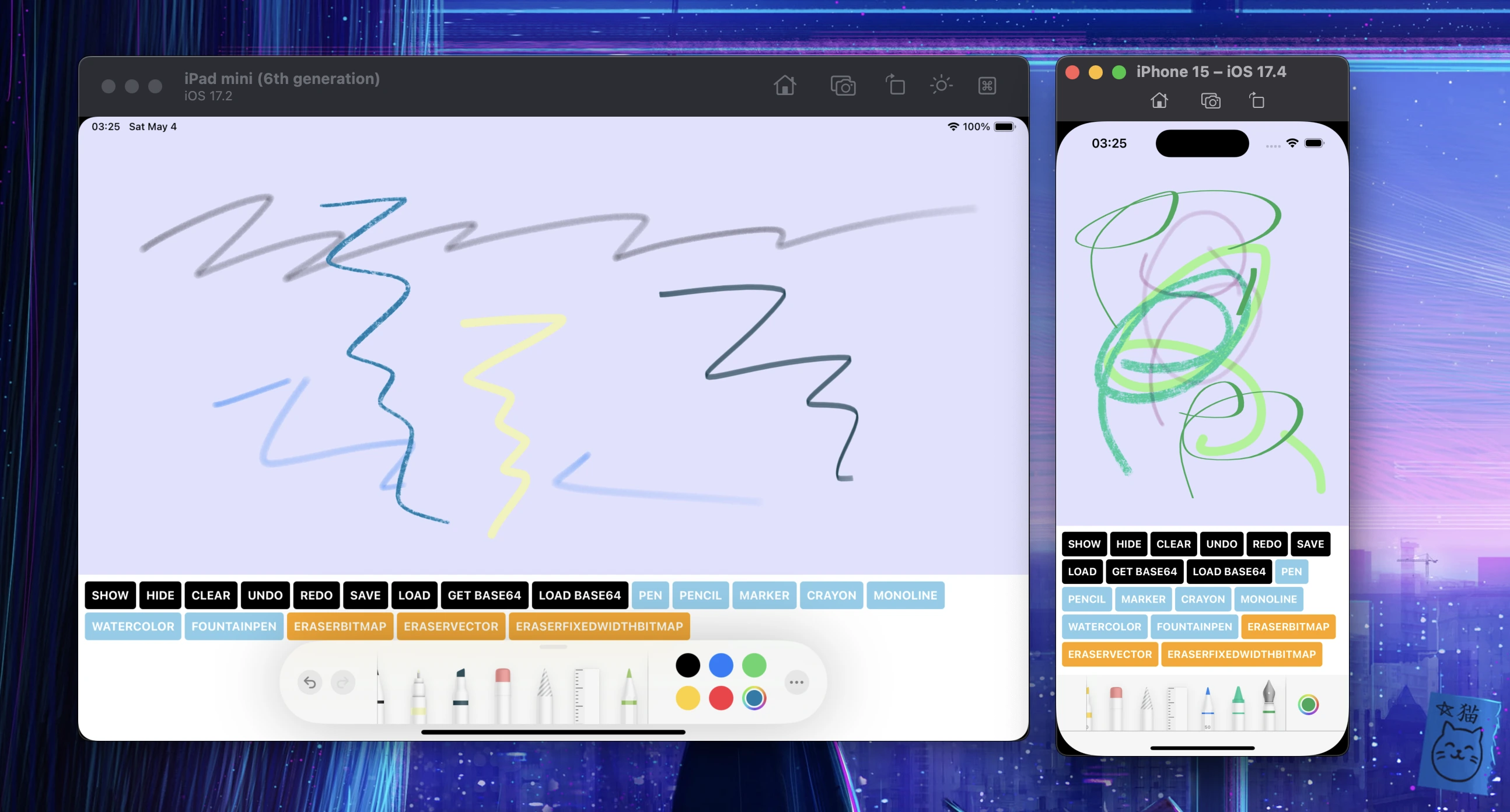
Getting Started
yarn add react-native-pencil-kitLink PencilKit.framework in the Xcode application project settings

With Fabric, we should access c++ functions and we should use objective-c++. This prevents us from Apple SDK framework module importing and we cannot link PencilKit automatically at now. If you are using
use_frameworks!(dynamic linking), this configuration is maybe not required.
Usage
import PencilKitView, { type PencilKitRef, type PencilKitTool } from 'react-native-pencil-kit';

<PencilKitView style={{ flex: 1 }} />
[!NOTE] You can explore full example! Full Example
Props
| Props | Description | Default |
|-----------------------------------|--------------------------------------------------------------------------------------------------------------------------------|---------|
| alwaysBounceVertical | A Boolean value that determines whether bouncing always occurs when vertical scrolling reaches the end of the content. | true |
| alwaysBounceHorizontal | A Boolean value that determines whether bouncing always occurs when horizontal scrolling reaches the end of the content view. | true |
| isRulerActive | A Boolean value that indicates whether a ruler view is visible on the canvas. | false |
| drawingPolicy | The policy that controls the types of touches allowed when drawing on the canvas. This properties can be applied from iOS 14.0 | default |
| backgroundColor | The canvas background color | none |
| isOpaque | Whether the canvas is opaque | true |
| toolPickerVisibilityDidChange | Tells the delegate that the tool picker UI changed visibility. | |
| toolPickerIsRulerActiveDidChange | Tells the delegate that the ruler active state was changed by the user. | |
| toolPickerFramesObscuredDidChange | Tells the delegate that the frames the tool picker obscures changed. | |
| toolPickerSelectedToolDidChange | Tells the delegate that the selected tool was changed by the user. | |
| canvasViewDidBeginUsingTool | Called when the user starts using a tool, eg. selecting, drawing, or erasing. | |
| canvasViewDidEndUsingTool | Called when the user stops using a tool, eg. selecting, drawing, or erasing. | |
| canvasViewDrawingDidChange | Called after the drawing on the canvas did change. | |
| canvasViewDidFinishRendering | Called after setting drawing when the entire drawing is rendered and visible. | |
Commands
| Method | Description | Etc |
|------------------------------------------------------------------------------------------|--------------------------------------------------------|------------------------------------------------------------------------------------|
| clear(): void | Clear canvas | |
| showToolPicker(): void | Show Palette | |
| hideToolPicker(): void | Hide Palette | |
| redo(): void | Redo last drawing action | |
| undo(): void | Undo last drawing action | |
| saveDrawing(path: string): Promise<string> | Save drawing data into file system, return base64 data | |
| getBase64Data(): Promise<string> | Get current drawing data as base64 string form | |
| getBase64PngData(options: { scale?: number }): Promise<string> | Get current drawing data as base64 png form | scale = 0 means use default UIScreen.main.scale |
| getBase64JpegData(options: { scale?: number; compression?: number }): Promise<string> | Get current drawing data as base64 jpeg form | scale = 0 means use default UIScreen.main.scale. default compression is 0.93 |
| loadDrawing(path: string): Promise<void> | Load drawing data from file system | |
| loadBase64Data(base64: string): Promise<void> | Load base64 drawing data into canvas | Use base64 get from getBase64Data() |
| setTool(params: { toolType: PencilKitTool; width?: number; color?: ColorValue }): void | Set PencilKitTool type with width and color | |
Tools
- pen
- pencil
- marker
- monoline // ios 17
- fountainPen // ios 17
- watercolor // ios 17
- crayon // ios 17
- eraserVector // width is supported from 16.4
- eraserBitmap // width is supported from 16.4
- eraserFixedWidthBitmap // ios 16.4
Utils
Use PencilKitUtil for using utilty functions.
getAvailableTools(): string[]isPencilKitAvailable(): boolean
Troubleshooting
- Pencilkit is not rendered
- This package supports only equal or greater than 14.0 version.
- This package supports only Fabric.
Contributing
License
- See LICENSE