
react-native-prepare-svg
v0.1.7
Published
Convert svg files to json, remove all unnecessary values.

Maintainers
 jasancheg
Readme
react-native-prepare-svg


Tool to transform svg files and 'strings' into a flat JSON list.
Generate valid data for react-native-svgx.
Useful to manipulate
SVGwithExpoorreact-native-svgComponents.
Features
- Convert svg files to json, remove all unnecessary values.
- Group all svg files into a common lib file.
- Optimize output with svgo.
- Returns a json output friendly to be consumed by the React Native components provided by Expo.io or react-native-svg.
- It was designed to generate the data required by the react-native-svgx component.
How to use
npm install -g react-native-prepare-svg react-native-prepare-svg [options]Options
  -h, --help              output usage information
  -V, --version           output the version number
  -i, --input [input]     Specifies input folder or file.
                          Default current folder
  -o, --output [output]   Specifies output file. Default ./svgson.json
  -p, --pretty            Prettyfied JSON
Use via CLI
inputcurrent folder width defaultoutputsvgLib.json file$ rn-prepare-svginput/svgs folder withoutputmy-svgs.json file$ rn-prepare-svg --input svgs --output my-svgs.jsoninputmyfile.svg file |outputmy-file.json file$ rn-prepare-svg -i myfile.svg -o my-file.jsonComplex example
input/svgs folderoutputmySvgLib.json file- prettifies JSON output
$ rn-prepare-svg -i ./svgs -o ./mySvgLib.json --pretty
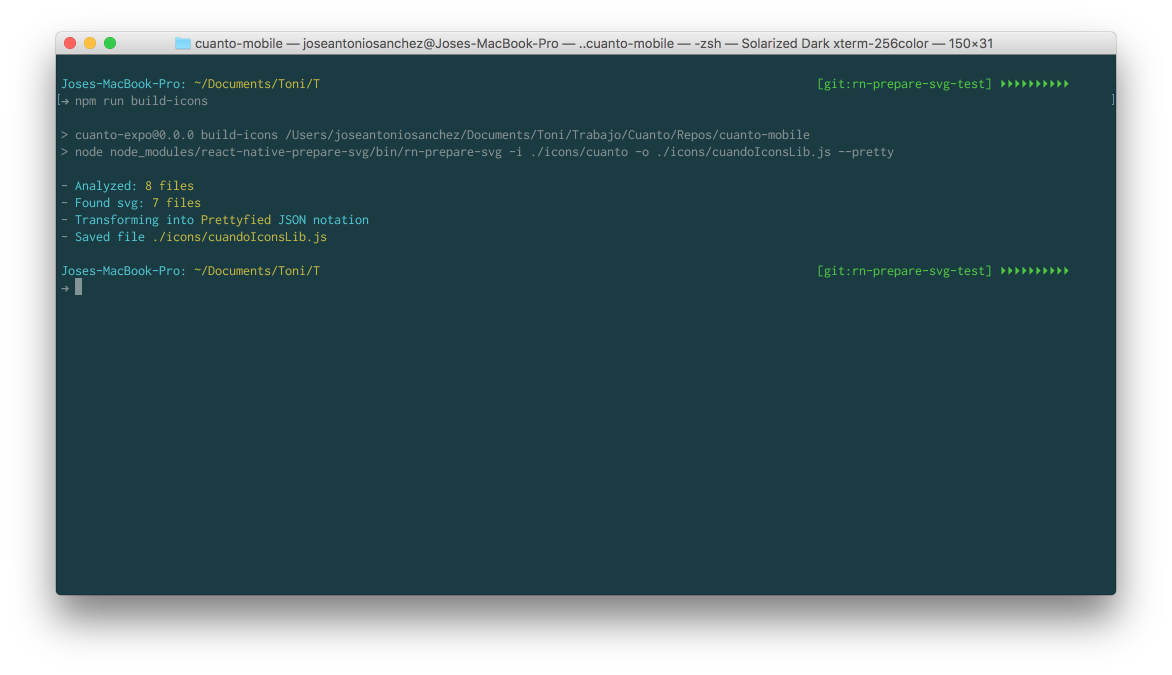
Use as npm script with local dependency
  # save in dependencies
  npm i -D react-native-prepare-svg
add the npm scripts:
  ...
  "scripts": {
    ...,
    "build-icons": "node node_modules/react-native-prepare-svg/bin/rn-prepare-svg -i ./icons/svg -o ./icons/appIconsLib.js"
  },
...
Use as Node Module
  # save in devDependencies
  npm i -D react-native-prepare-svg
const rnPrepareSvg = require('react-native-prepare-svg');
// From .svg file
const fs = require('fs');
fs.readFile('logo.svg', 'utf-8', (err, data) => {
rnPrepareSvg(data, { title: 'logo'}, result => console.log(result));
});
// From svg String
const SVG = '<svg width="300" height="300"><circle r="20" stroke-linecap="round" /></svg>';
rnPrepareSvg(SVG, {}, result => console.log(result));
Response example:
rn-prepare-svg -i ./checkmark-icon.svg -o ./mySvgLib.json --pretty
// mySvgLib.json

{
  "checkmarkIcon": {
    "type": "Svg",
    "attrs": {
      "id": "cuanto-checkmark",
      "width": "100",
      "height": "100"
    },
    "childs": [
      {
        "type": "Path",
        "attrs": {
          "id": "checkmark-path",
          "display": "none",
          "fill": "#558DCA",
          "d": "M36.966 67.047L24.619 53.542a2.564 2.564 0 0 1 .163-3.623c.035-.032.075-.065.112-.097a2.915 2.915 0 0 1 3.966.27l9.628 10.271a2.605 2.605 0 0 0 3.78.024l26.668-27.739a2.88 2.88 0 0 1 4.074-.082l.055.058a2.978 2.978 0 0 1-.02 4.202L42.58 67.189a3.88 3.88 0 0 1-5.614-.142z"
        }
      },
      {
        "type": "Path",
        "attrs": {
          "id": "circle-path",
          "fill": "#548DCA",
          "d": "M49.999 98.5c-26.743 0-48.5-21.757-48.5-48.5 0-26.744 21.757-48.5 48.5-48.5S98.5 23.256 98.5 50c0 26.743-21.758 48.5-48.501 48.5zm0-94c-25.089 0-45.5 20.411-45.5 45.5s20.411 45.5 45.5 45.5S95.5 75.089 95.5 50 75.088 4.5 49.999 4.5z"
        }
      }
    ]
  }
}
Tests
  make test
  # or
  npm test
License
MIT © Jose Antonio Sanchez