
react-native-slack-login
v1.0.1
Published
React Native slack Login, a simple slack login library for React Native


Readme
React Native Slack login
Note: I haven't used it in a while, don't hesitate to create a pull request
Install
npm install react-native-slack-login react-native-webview --saveThen link the native iOS package:
npx pod-installSetup (React Native < 0.60.0):
Automatic (recommended)
react-native linkwith manual, see more
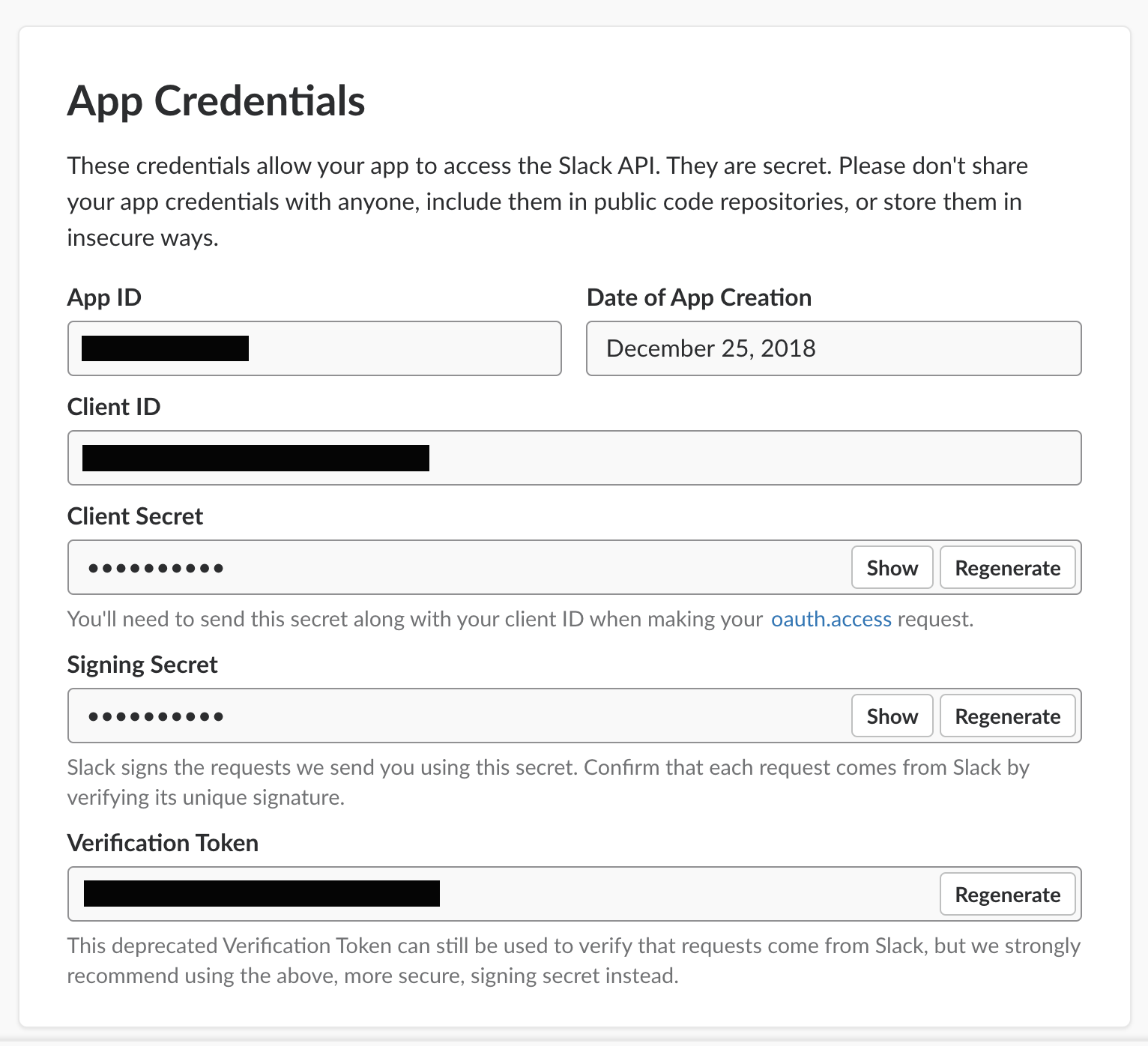
How to get Client ID and Client Secret of slack?
You'll need credentials to use Sign in with Slack. To retrieve your Client ID and secret, you'll need to create a Slack App if you haven't already.
in OAuth & Permissions section, add Redirect URLs
after that, you must complete steps in Basic Information
-Add features and functionality
-Install your app to your workspace
-Manage distribution
Usage:
For Functional component:
import React, { useState, useRef } from "react";
import { View, Text, TouchableOpacity, StyleSheet } from "react-native";
import SlackLogin from "react-native-slack-login";
import CookieManager from "@react-native-community/cookies";

export default function App() {
  const slackRef = useRef();
  const [token, setToken] = useState(null);

  const onClear = () => {
    CookieManager.clearAll(true).then((res) => {
      setToken(null);
    });
  };

  return (
    <View>
      <TouchableOpacity onPress={() => slackRef.current.show()}>
        <Text style={{ color: "white" }}>Login</Text>
      </TouchableOpacity>
      <SlackLogin
        ref={slackRef}
        clientId="your client id"
        clientSecret="your client secret"
        redirectUrl="your redirect url"
        scopes={["chat:write:user", "channels:read"]}
        onLoginSuccess={(token) => setToken(token)}
        onLoginFailure={(data) => console.log(data)}
      />
    </View>
  );
}
For Class component:
import SlackLogin from "react-native-slack-login";
<View>
  <TouchableOpacity onPress={() => this.slackLogin.show()}>
    <Text style={{ color: "white" }}>Login</Text>
  </TouchableOpacity>
  <SlackLogin
    ref={(ref) => (this.slackLogin = ref)}
    clientId="your client id"
    clientSecret="your client secret"
    redirectUrl="your redirect url"
    scopes={["chat:write:user", "channels:read"]}
    onLoginSuccess={(token) => this.setState({ token })}
    onLoginFailure={(data) => this.setState({ failure: data })}
  />
</View>;
Props
| Property | Type | Description |
| -------------- | ---------------- | ---------------------------------------------------------------------- |
| clientId | PropTypes.string | Slack App ClientId, issued when you created your app (required) |
| clientSecret | PropTypes.string | clientSecret App ClientId, issued when you created your app (required) |
| scopes | PropTypes.array | Permissions to request |
| redirectUrl | PropTypes.string | URL to redirect back to, get it in OAuth & Permissions tab |
| onLoginSuccess | PropTypes.func | Function will be call back on success |
| onLoginFailure | PropTypes.func | Function will be call back on error |
| onClose | PropTypes.func | Function will be call back on close modal |
| modalVisible | PropTypes.bool | true or false |
| renderClose | PropTypes.func | Render function for customize close button |
| containerStyle | PropTypes.object | Customize container style |
| wrapperStyle | PropTypes.object | Customize wrapper style |
| closeStyle | PropTypes.object | Customize close style |
| language | PropTypes.string | Override language of modal,alpha-2 eg:"es","tr" etc. |
Logout
To logout use clear cookies by using https://github.com/react-native-community/cookies
import CookieManager from '@react-native-community/cookies';

  logout() {
    CookieManager.clearAll(true)
      .then((res) => {
        console.log('CookieManager.clearAll =>', res);
        this.setState({ token: '' })
      });
  }
Pull request
Pull requests are welcome!