
react-native-svg-cli
v1.0.4
Published
This CLI gets an icon from https://FlatIcon.com and ouputs the react-native compatible SVG in a folder

Maintainers
 alburivan
Readme
react-native-svg-cli
This CLI is a helper to include an SVG component to your react-native project from FlatIcon's thousand of available icons and save it in your desired directory.
Table of Contents
Installation
$ npm install react-native-svg-cliHow to Use
- Open https://www.flaticon.com/
- Search for your desired icon and click on it
- On the search bar look for the icon's FQN: https://www.flaticon.com/free-icon/github-social-logo_9310
- Copy that name (Ex. github-social-logo_9310)
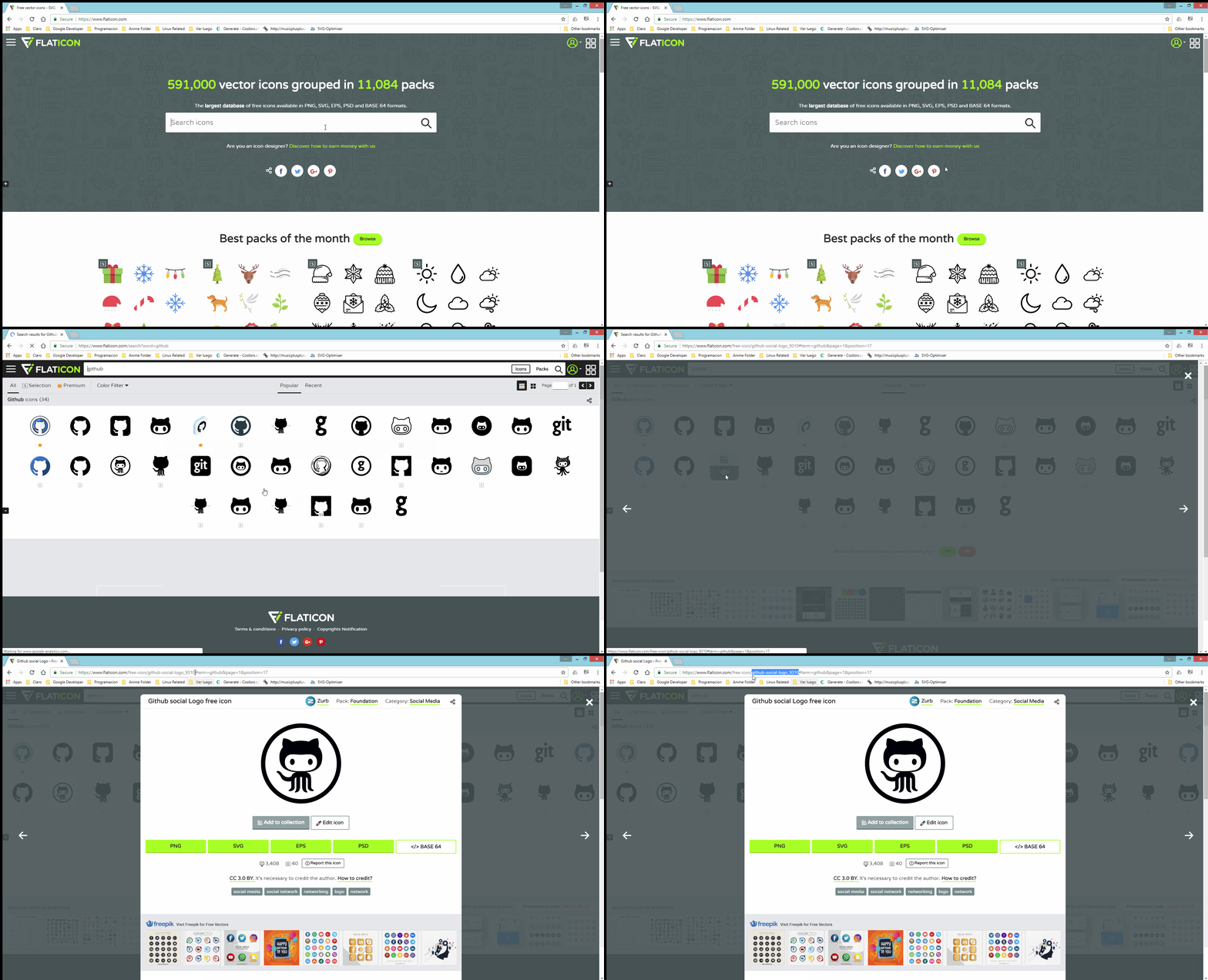
Then run the cli with either option below:
$ rn-svg-cli search -n name -f filename -o outputDirNote: Flags can be ommited, but order should be respected:$ (Example) rn-svg-cli search github-social-logo_9310 githublogo assets/icons
Or you could use:
$ rn-svg-cli searchWith the later, you will be asked the next set of questions:
- Whats the name of the Icon (Ex. github-social-logo_9310):
- What name should the new file have (we will append .icon.js):
- Where should we save the new file (default assets/icons):
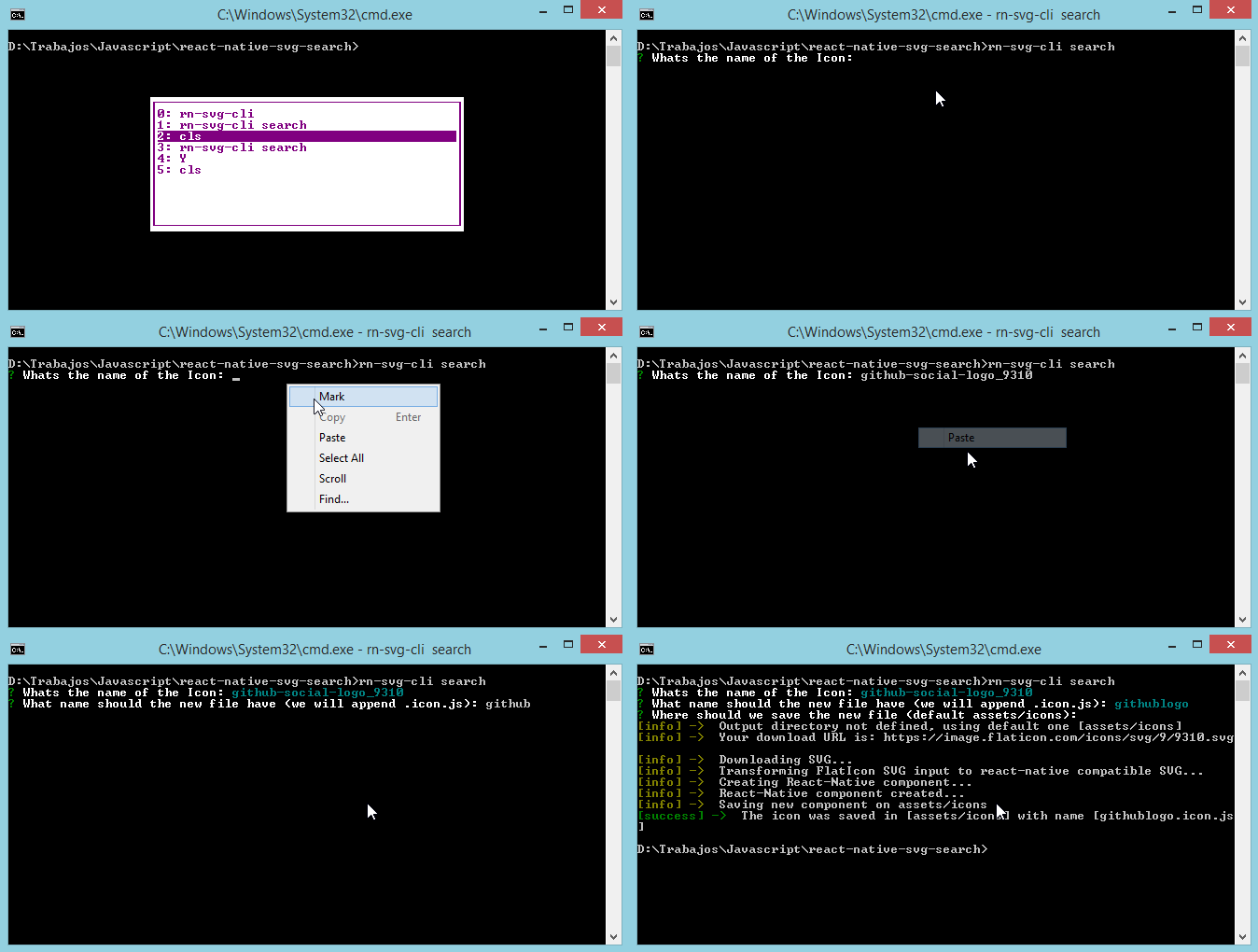
And... voilà, success! You now have your react-native compatible SVG ready to be used:
import React, { Component } from 'react';
import { GithubLogoIcon } from 'assets/icons';

export default class CustomComponent extends Component {

	render() {
		return(
			<GithubLogoIcon width={50} height={50} />
		);
	}

}
Credits
- Please give due credit to the users whom you have downloaded their resources. Thanks
- Thanks to FlatIcon for existing.
License
Copyright 2017 AlburIvan

Licensed under the Apache License, Version 2.0 (the "License");
you may not use this file except in compliance with the License.
You may obtain a copy of the License at

   http://www.apache.org/licenses/LICENSE-2.0

Unless required by applicable law or agreed to in writing, software
distributed under the License is distributed on an "AS IS" BASIS,
WITHOUT WARRANTIES OR CONDITIONS OF ANY KIND, either express or implied.
See the License for the specific language governing permissions and
limitations under the License.