
react-native-swipe-sheet
v0.1.1
Published
Swipe-to-dismiss bottom sheet for React Native

Maintainers
 mansoor_akhter
Readme
react-native-swipe-sheet
Swipe-to-dismiss bottom sheet for React Native with smooth open/close animations, backdrop tap, and safe-area aware layout.
Preview
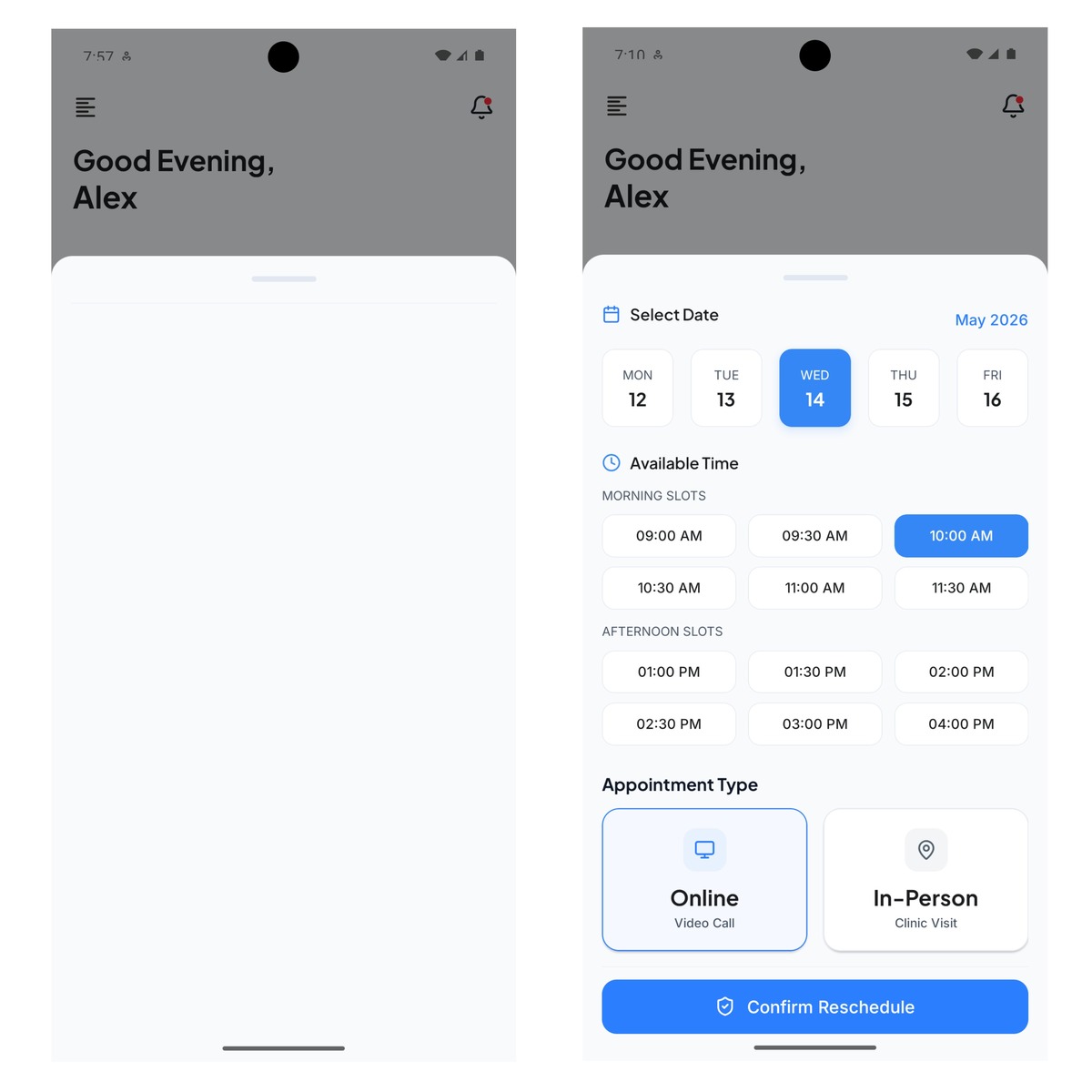
Features
- Swipe down on the handle to dismiss
- Tap the backdrop to close
- Configurable max height (
heightRatio) - Optional root
stylefor the modal container - Built-in responsive scaling via
useResponsiveScale
Installation
npm install react-native-swipe-sheet react-native-safe-area-contextreact-native-safe-area-context is a peer dependency and must be installed in your app.
Usage
import { useState } from 'react';
import { Button, Text, View } from 'react-native';
import { SafeAreaProvider } from 'react-native-safe-area-context';
import { SwipeSheet } from 'react-native-swipe-sheet';

export default function App() {
  const [visible, setVisible] = useState(false);

  return (
    <SafeAreaProvider>
      <View style={{ flex: 1, justifyContent: 'center', alignItems: 'center' }}>
        <Button title="Open sheet" onPress={() => setVisible(true)} />
        <SwipeSheet
          visible={visible}
          onClose={() => setVisible(false)}
          heightRatio={0.75}
        >
          <Text>Sheet content</Text>
        </SwipeSheet>
      </View>
    </SafeAreaProvider>
  );
}
Custom root style
Pass style to customize the full-screen container inside the modal (merged with the default flex: 1 root):
<SwipeSheet
  visible={visible}
  onClose={() => setVisible(false)}
  style={{ backgroundColor: 'transparent' }}
>
  <Text>Sheet content</Text>
</SwipeSheet>
API
SwipeSheet
| Prop | Type | Default | Description |
|------|------|---------|-------------|
| visible | boolean | — | Controls sheet visibility |
| onClose | () => void | — | Called after dismiss animation completes |
| children | ReactNode | — | Sheet body content |
| heightRatio | number | 0.75 | Max height as fraction of screen height |
| backdropLabel | string | 'Close' | Accessibility label for backdrop |
| style | StyleProp<ViewStyle> | — | Style for the root container inside the modal |
useResponsiveScale
Returns { width, scale, rs } where rs(value) scales a design-token number for the current screen width (baseline width 430).
import { useResponsiveScale } from 'react-native-swipe-sheet';

const { rs } = useResponsiveScale();
const padding = rs(16);
Development
npm install
npm run build
npm test
See example/README.md to run the demo app.
License
MIT