
react-nova-table
v0.0.6
Published
Reuseable Tankstack table library

Maintainers
 tuannakg97
Readme

📺 Watch the Demo Video on YouTube
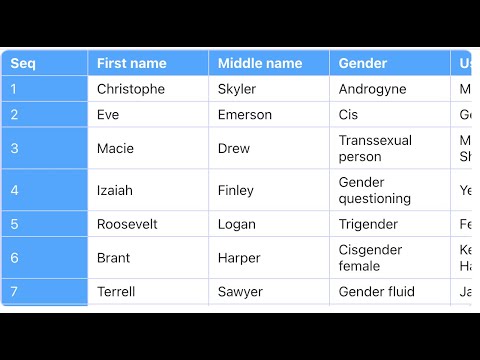
React Nova Table is built on top of the @tanstack/react-table library. It provides a single Table component as its output for convenient usage. This is a library designed for tables with a large number of rows and columns. It helps optimize the rendering of table elements to ensure your UI remains smooth and performant.
Features
React Nova Table is a combination of the built-in features provided by the @tanstack/react-table library. Its main features include:
Installation
yarn add react-nova-table
# or
npm install react-nova-table --save
Example
You can use this library easily as shown below
import Table from "react-nova-table";
import { faker } from "@faker-js/faker";

function App() {
  const columns = [
    {
      header: "Seq",
      accessorKey: "seq",
      fixed: "left",
      size: 80,
    },
    {
      header: "First name",
      accessorKey: "firstName",
      size: 120,
    },
    {
      header: "Middle name",
      accessorKey: "middleName",
      size: 120,
    },
    {
      header: "Gender",
      accessorKey: "gender",
      size: 120,
    },
    {
      header: "Username",
      accessorKey: "username",
      size: 120,
    },
    {
      header: "Display name",
      accessorKey: "displayName",
      size: 120,
    },
    {
      header: "Last name",
      accessorKey: "lastName",
      size: 120,
    },
    {
      header: "Email",
      accessorKey: "email",
      size: 250,
    },
    {
      header: "Job title",
      accessorKey: "jobTitle",
      size: 150,
    },
    {
      header: "Job type",
      accessorKey: "jobType",
      size: 150,
    },
    {
      header: "Job area",
      accessorKey: "jobArea",
      size: 150,
    },
  ];

  const defaultData = [...Array(100).keys()].map((idx) => ({
    seq: idx + 1,
    firstName: faker.person.firstName(),
    middleName: faker.person.middleName(),
    lastName: faker.person.lastName(),
    gender: faker.person.gender(),
    username: faker.internet.username(),
    displayName: faker.internet.displayName(),
    email: faker.internet.email(),
    jobTitle: faker.person.jobTitle(),
    jobType: faker.person.jobType(),
    jobArea: faker.person.jobArea(),
  }));

  return (
    <div style={{ width: 550, height: 300, overflow: "auto" }}>
      <Table columns={columns} data={defaultData} />
    </div>
  );
}

export default App;