
react-number-easing
v1.1.0
Published
React component for fancy transition for numbers.

Maintainers
 javierbyte
Readme
React Number Easing
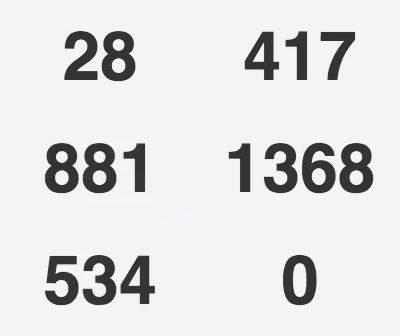
React component for animated number transitions. It supports React 17, 18, and 19, TypeScript, server rendering, and the Next.js App Router.
Installation
pnpm add react-number-easingThe package also works with npm, Yarn, and Bun.
Usage
import NumberEasing from 'react-number-easing';

export default function Total({ value }) {
  return (
    <NumberEasing
      value={value}
      speed={300}
      decimals={0}
      ease="quintInOut"
    />
  );
}
The initial render displays the target value. Later value changes animate
from the currently rendered value to the new target.
Props
| Prop | Type | Default | Description |
| --- | --- | --- | --- |
| value | number | required | Target value displayed at the end of the animation. |
| speed | number | 500 | Animation duration in milliseconds. |
| ease | EaseName | 'quintInOut' | Easing equation from eases. |
| decimals | number | 0 | Decimal places passed to Number(value).toFixed(decimals). |
| customFunctionRender | (value, decimals) => ReactNode | default formatter | Replaces the default text formatter. |
All easing names and the component props are exported as TypeScript types:
import NumberEasing, {
  type EaseName,
  type NumberEasingProps,
} from 'react-number-easing';

const ease: EaseName = 'cubicOut';

const props: NumberEasingProps = {
  value: 1200,
  decimals: 2,
  ease,
  customFunctionRender: (value, decimals) => (
    <strong>{value.toLocaleString(undefined, {
      minimumFractionDigits: decimals,
      maximumFractionDigits: decimals,
    })}</strong>
  ),
};

export default function Total() {
  return <NumberEasing {...props} />;
}
TEaseTypes remains available as an alias-compatible legacy type name.
Next.js App Router
The package declares its own client boundary, so a Server Component can render it directly when its props are serializable:
import NumberEasing from 'react-number-easing';

export default function Page() {
  return <NumberEasing value={42} decimals={0} />;
}
customFunctionRender is a function and therefore cannot cross a
server-to-client boundary. Put that usage in your own Client Component:
'use client';

import NumberEasing from 'react-number-easing';

export default function FormattedTotal({ value }: { value: number }) {
  return (
    <NumberEasing
      value={value}
      decimals={2}
      customFunctionRender={(current, decimals) => (
        <strong>{current.toFixed(decimals)}</strong>
      )}
    />
  );
}
Effects run only in the browser. Server rendering and the client's first render both display the same formatted target value, so hydration starts from matching text.
Compatibility
- React and React DOM 17 through 19
- Next.js App Router and other React server-rendering frameworks
- TypeScript declarations for Node, Node16/NodeNext, and bundler resolution
- The historical default export and
react-number-easing/src/index.jspath
The v1 scheduler intentionally remains interval-based for compatibility. Animation-driver changes, reduced-motion defaults, stricter runtime validation, and modern export-map encapsulation are deferred to v2.