
react-preload-assets
v1.2.4
Published
`react-preload-assets` is a React plugin designed to load and track the progress of various assets (music, video, images) and display a progress bar. It provides an easy way to manage the loading state of your assets and update the UI accordingly.


Readme
react-preload-assets
react-preload-assets is a React plugin designed to load and track the progress of various assets (music, video, images) and display a progress bar. It provides an easy way to manage the loading state of your assets and update the UI accordingly.
Features
Load and track progress of music, video, and image assets
Display a progress bar based on the loading state
Customizable callbacks for before and after loading resources
Video Showcase
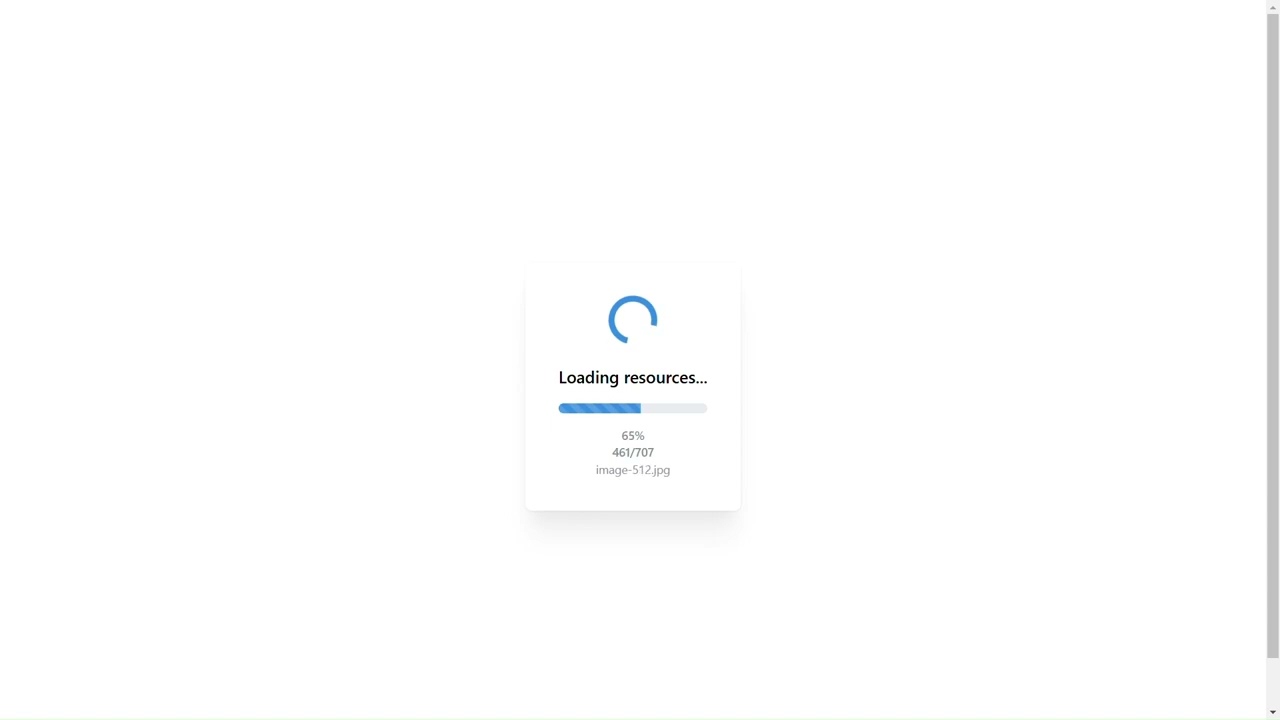
Watch the demo video to see react-preload-assets in action!
Installation
You can install the package via npm:
npm install react-preload-assetsOr via yarn:
yarn add react-preload-assetsAdd the following section to your package.json :
{
  "scripts": {
	"extract-preload-assets": "extract-preload-assets"
	}
}
Finally, run:
npm run extract-preload-assetsThis will print out a json file of your website assets in public folder.
Usage
Here's an example of how to use the useTrackProgress hook in your React component:
import { useState, useEffect } from 'react';
import {
    Container,
    Paper,
    Text,
    Progress,
    Loader,
    Stack,
    Center,
    Group,
    Box,
    Transition,
    Flex
} from '@mantine/core';
import { useTrackProgress } from 'react-preload-assets'

const LoadingScreen = () => {

    const [loadingText, setLoadingText] = useState('Loading resources...');

    const { progress,
        currentResource,
        totalResources,
        currentResourceName
    } = useTrackProgress({
        onBeforeResourcesLoaded: () => console.log('Loading started'),
        onAllResourcesLoaded: () => console.log('Loading completed'),
        isLoadAssets: {
            isLoadMusic: true,
            isLoadVideo: true,
            isLoadImage: true,
        },
    });

    useEffect(() => {
        if (progress === 0) {
            setLoadingText('Initializing...');
        } else if (progress < 100) {
            setLoadingText('Loading resources...');
        } else setLoadingText('Resources loaded');

    }, [progress]);

    return (<Container size="sm" h="100vh">
        <Center h="100%">
            <Paper shadow="xl" p={40} radius="md" w="100%">
                <Stack >
                    <Box ta="center">
                        <Transition
                            mounted={progress < 100}
                            transition="fade"
                            duration={400}
                        >
                            {(styles) => (
                                <Loader size="xl" style={styles} />
                            )}
                        </Transition>

                        <Text size="xl" fw={600} mt="md">
                            {loadingText}
                        </Text>
                    </Box>

                    <Progress
                        value={progress}
                        size="lg"
                        radius="xl"
                        striped
                        animated={progress < 100}
                    />
                    <Flex direction="column" align="center" h="100%" w="100%">
                        <Text size="sm" c="dimmed" fw={500}>
                            {Math.round(progress)}%
                        </Text>

                        <Text size="sm" c="dimmed" fw={500}>
                            {currentResource}/{totalResources}
                        </Text>
                        <Transition
                            mounted={!!currentResourceName}
                            transition="slide-up"
                            duration={400}
                        >
                            {(styles) => (
                                <Text
                                    ta="center"
                                    size="sm"
                                    c="dimmed"
                                    style={styles}
                                >
                                    {currentResourceName}
                                </Text>
                            )}
                        </Transition>
                    </Flex>

                </Stack>
            </Paper>
        </Center>
    </Container>
    );

};

export default LoadingScreen;
API
useTrackProgress
Parameters
onBeforeResourcesLoaded(optional): A callback function that is called before loading resources.onAllResourcesLoaded(optional): A callback function that is called after all resources are loaded.isLoadAssets(optional): An object specifying which types of assets to load. Default values aretruefor all asset types.isLoadMusic(optional): Boolean indicating whether to load music assets.isLoadVideo(optional): Boolean indicating whether to load video assets.isLoadImage(optional): Boolean indicating whether to load image assets.
Returns
progress: A number representing the loading progress as a percentage.currentResource: A number representing the current resource being loaded.totalResources: A number representing the total number of resources to be loaded.currentResourceName: A string representing the name of the current resource being loaded.
Contributing
Contributions are welcome! Please open an issue or submit a pull request if you have any improvements or bug fixes.
License
This project is licensed under the GNU License. See the LICENSE file for more details.
Author
- https://github.com/SJunWah