
react-styled-slider
v0.1.4
Published
React styled-components carousel. No css is needed, fully configurable, SSR supported. Theming supported.
Downloads
27

Maintainers
 itsmrakhil
Readme
React Styled Slider
React Styled Slider is a react and styled component slider. It is fully configurable.

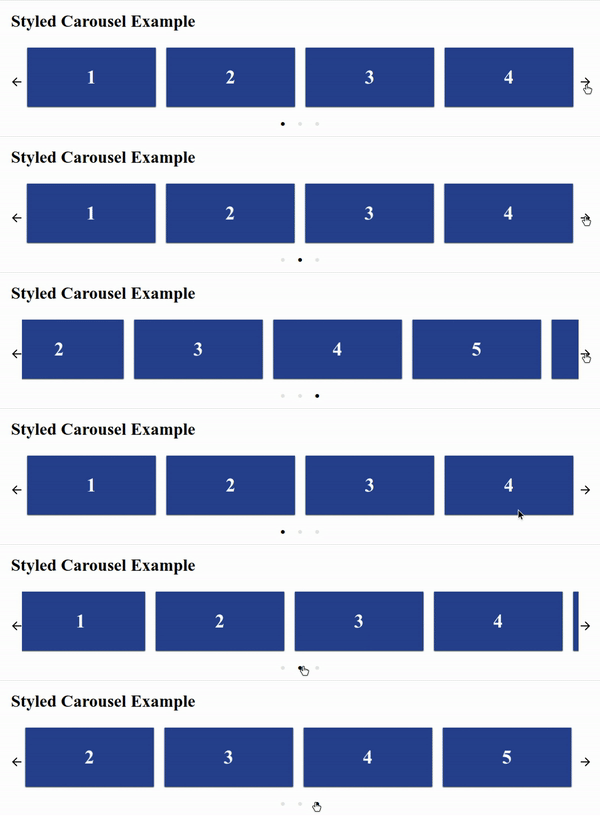
Features
- Mostly configurable
- Styled-Components
- No external CSS required.
- Server Side Rendering supported
Note: Server Side Rendering works well without the styled-components collectStyles function also. But for better user experience please use collectStyles function from styled-components
Installation
$ npm install --save react-styled-carouselRunning example in local
$ git clone github.com/itsMrAkhil/react-styled-carousel
$ npm start
It'll open localhost:9000 port, where you can see live demo.
Example
import React from 'react';
import ReactDOM from 'react-dom'
import Slider from 'react-styled-carousel';

const ExampleSlider = () => (
  <Slider>
    <h1>1</h1>
    <h1>2</h1>
    <h1>3</h1>
    <h1>4</h1>
  </Slider>
);

ReactDOM.render(<ExampleSlider />, document.getElementById('root'));
Configurable Props
Props | Type | Default Value | Description
----- | ---- | ------------- | -----------
showArrows | Boolean | true | If true then only Arrows of navigation will be shown
LeftArrow | React Node | Default | Customized left arrow button
infinite | Boolean | true | Infinitely slide cards
RightArrow | React Node | Default | Customized right arrow button
showDots | Boolean | true | Show navigation or pagination dots below the slider
Dot | React Node | Default | Customized pagination button (Active slide Dot will get active as Boolean prop.)
children | React Node | null | Cards are components which you want to show in the carousel
cardsToShow | Number | Children length | How many cards to be shown for a single slide.
afterSlide | Function | null | This function will be executed after every sliding is completed
beforeSlide | Function | null | This function will be executed before starting every sliding
License
MIT (Free Software, Chill Yeah!)