
react-svg-path-timer
v1.1.11
Published
Illustrated timer using svg path


Readme
react-svg-path-timer
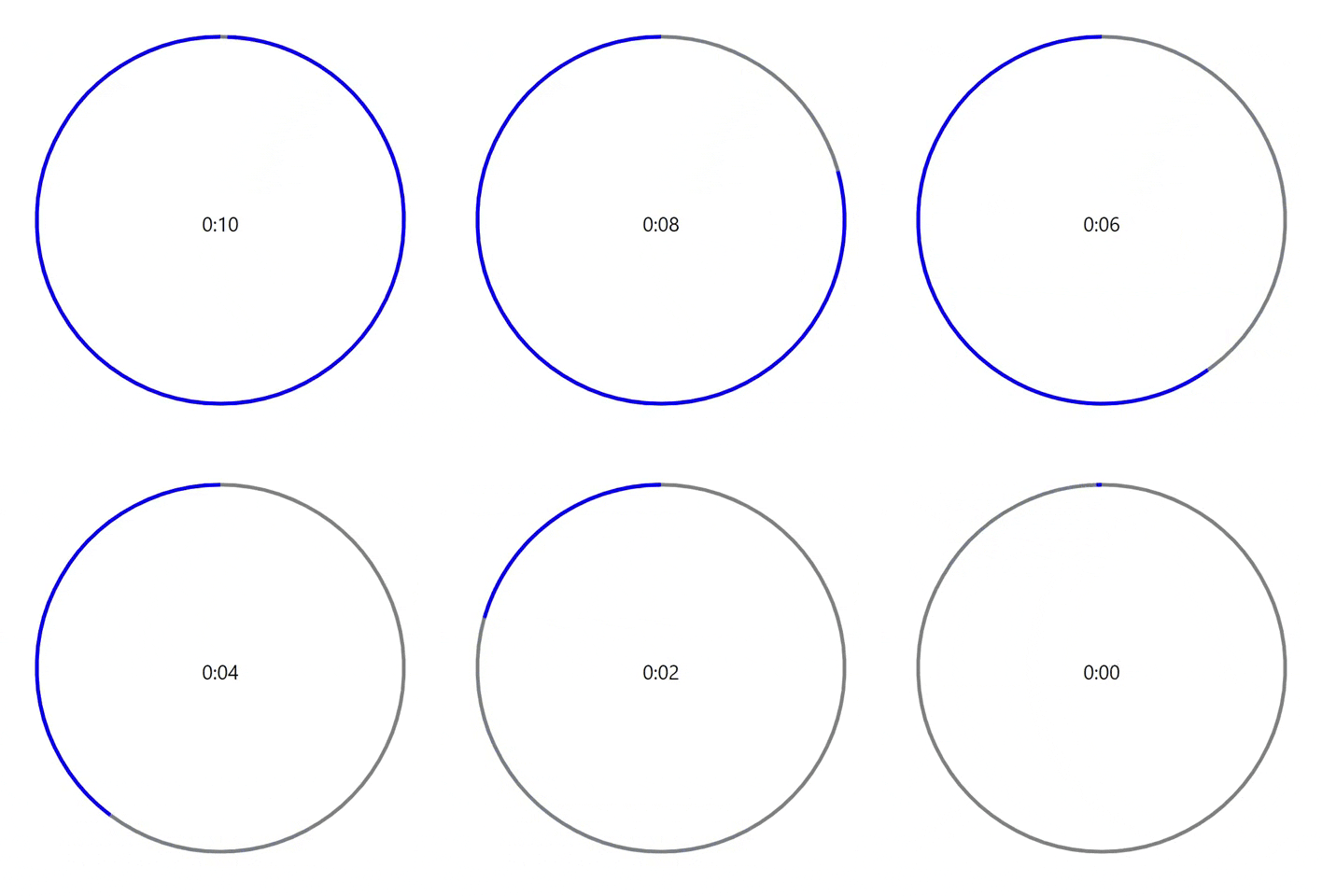
Timer made with an SVG path. Easily display a timer in a more creative and interactive way! Can also be used for easy SVG animation!
🚀 Getting Started
Using npm:
npm i react-svg-path-timer✨ Usage
Simplest Use
import React from "react";
import SvgPathTimer from "react-svg-path-timer";

export default function MyComponent() {
  return (
    <div>
      <SvgPathTimer strokeColor={"blue"} />
    </div>
  );
}
Utilizing Props
import React, { useState } from "react";
import SvgPathTimer from "react-svg-path-timer";

export default function MyComponent() {
  const [timerActive, setTimerActive] = useState(false);
  const [resetOnChange, setResetOnChange] = useState(0);

  function finishCallback() {
    document.getElementById("finish-message").innerHTML = "The timer finished!";
  }

  const containerStyles = {
    height: "300px",
    display: "flex",
    flexDirection: "column",
    justifyContent: "center",
    alignItems: "center",
    padding: "50px",
  };

  return (
    <div style={containerStyles}>
      <SvgPathTimer
        time={10}
        active={timerActive}
        resetOnChange={resetOnChange}
        finishCallback={finishCallback}
        d={
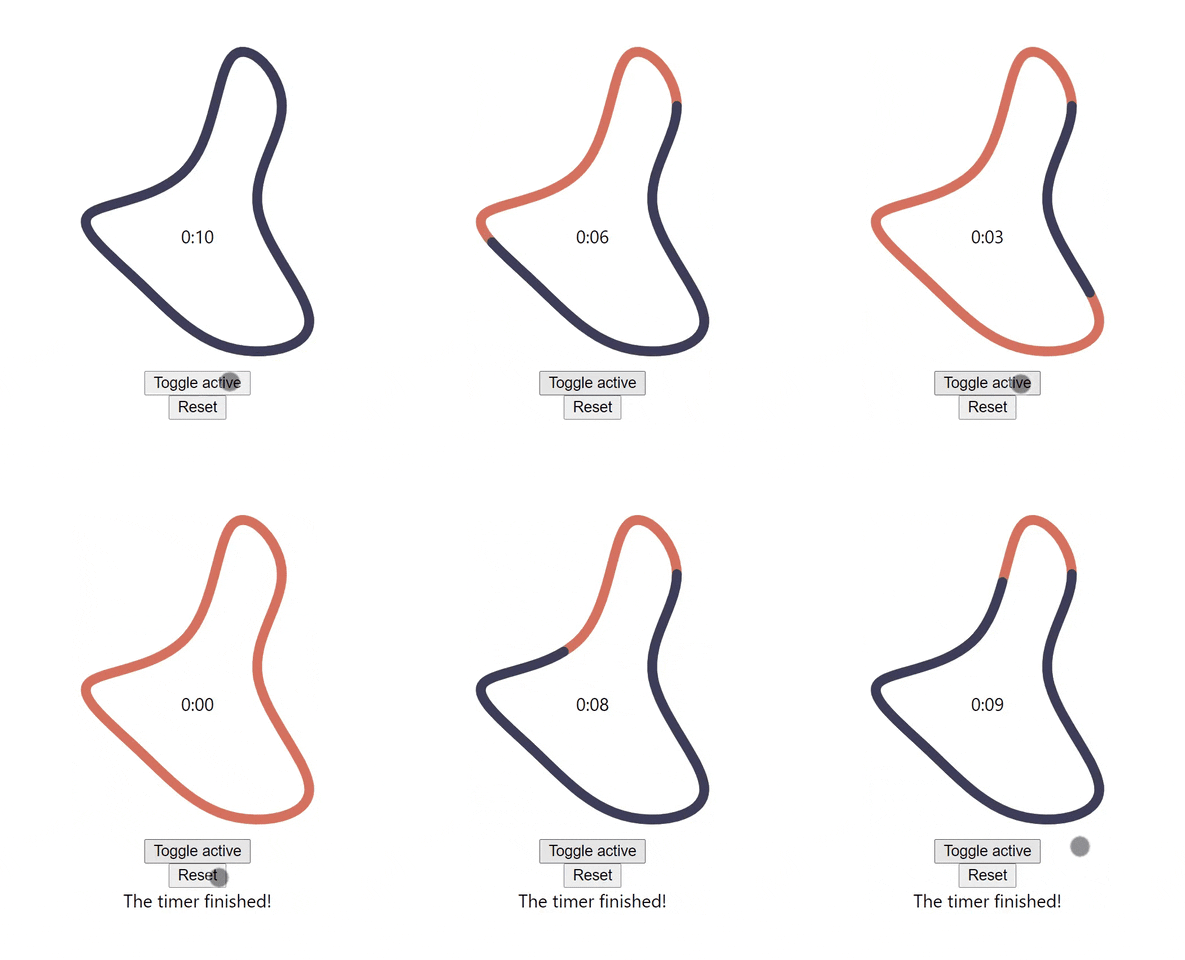
          "M32.9,-49.3C33.1,-32.7,17.3,-16.3,20.8,3.5C24.3,23.3,47.1,46.7,46.9,60.5C46.7,74.4,23.3,78.8,5.2,73.6C-13,68.4,-25.9,53.7,-40.7,39.8C-55.5,25.9,-72,13,-65.7,6.3C-59.4,-0.4,-30.3,-0.7,-15.5,-17.4C-0.7,-34,-0.4,-66.9,8,-74.8C16.3,-82.8,32.7,-65.9,32.9,-49.3Z"
        }
        strokeWidth={5}
        strokeLinecap={"round"}
        strokeColor={"#3d405b"}
        pathColor={"#e07a5f"}
        digitalTimerStyles={{ top: "10%" }}
      />
      <button onClick={() => setResetOnChange(resetOnChange + 1)}>Reset</button>
      <div id={"finish-message"}></div>
    </div>
  );
}
📌 Props
| Prop | Type | Description | Default | Required |
| -------------------- | ------- | ------------------------------------------------------------------------------------------------------ | ---------------------------------------- | -------- |
| time | Number | Time in seconds for timer to countdown from | 30 | No |
| active | Boolean | Timer will only run while active is true | true | No |
| resetOnChange | any | Anytime this value is changed the timer will reset. Recommend using a number that increments by 1. | null | No |
| finishCallback | func | Callback to be run when timer hits zero | () => {} | No |
| d | String | The path to be drawn. Follows standard path commands for an SVG path | "M 0 0 a 50 50 0 1 0 0.001 0 z" (circle) | No |
| direction | String | Reverses direction of path movement when set to "backwards" | "forwards" | No |
| strokeColor | String | Color of the timer stroke | "white" | No |
| pathColor | String | Color of the path the timer stroke follows. Can be set to "none" if unwanted. | "grey" | No |
| strokeWidth | Number | The width of the path stroke | 1 | No |
| strokeLinecap | String | Can use any standard SVG path linecap | "butt" | No |
| fill | String | Color to fill the drawn path with | "none" | No |
| digitalTimer | Boolean | Displays a digital timer in the center of the path | true | No |
| digitalTimerStyles | Object | Used to add styles to the digital timer. Can be useful to move timer if your path crosses over it. | {} | No |
| infinite | Boolean | If true, infinitely loops, resetting the timer and rerunning upon finish. Overrides infiniteReverse. | false | No |
| infiniteReverse | Boolean | Same as infinite but reverses direction each loop. Overridden by infinite. | false | No |
| countUp | Boolean | If true, counts up instead of down | false | No |
| height | String | Specifies height in any standard unit | "100%" | No |
| width | String | Specifies width in any standard unit | "100%" | No |