
react-terminal-c
v0.3.31
Published
React component that renders a terminal
Downloads
96


Readme
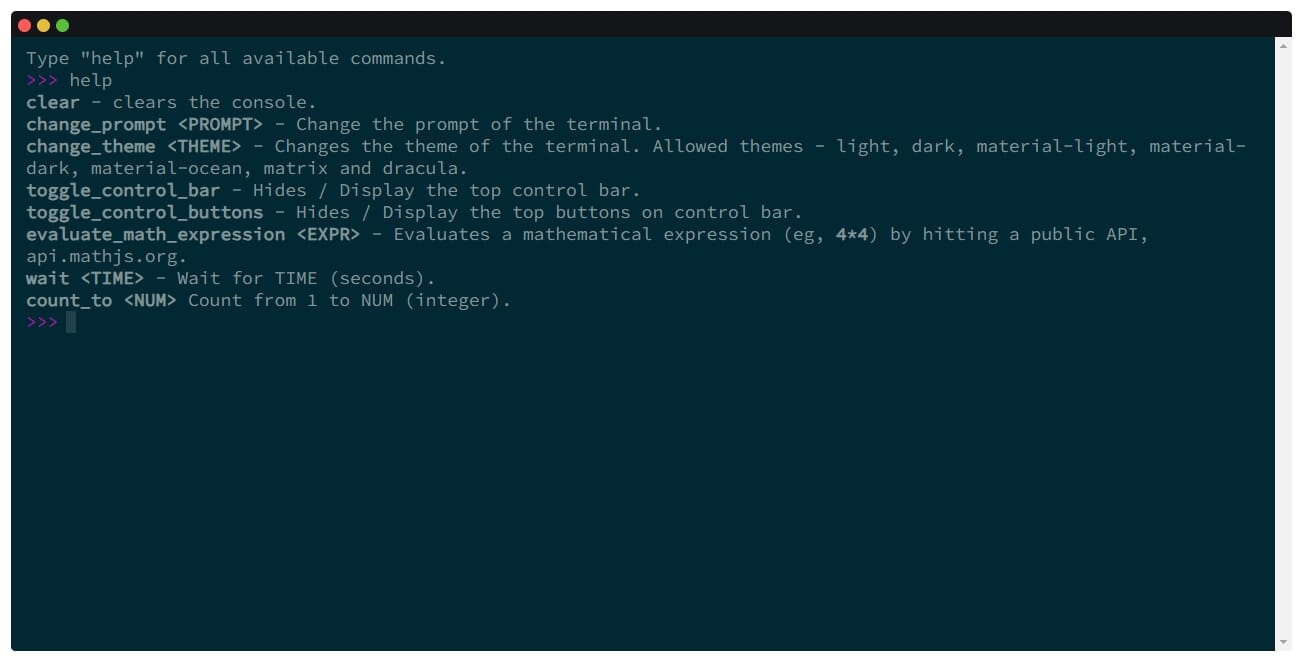
寻找贡献者
如果你发现任何问题或有新特性,欢迎提交拉取请求,我将很高兴进行审查。谢谢!
特征
- 移动端支持 📱
- 可自定义命令、提示符和错误信息 ✅
- 支持回调(异步/非异步)命令 🔄
- 支持使用上下箭头查看命令历史 🔼
- 支持复制/粘贴 📋
- 内建主题并支持创建更多 🚀
安装
使用 npm 或 yarn 安装依赖::
npm install react-terminal-cOR
yarn add react-terminal-c使用
import { ReactTerminal } from "react-terminal-c";

function App(props) {
  // Define commands here
  const commands = {
    whoami: "JokerChor",
    cd: (directory) => `changed path to ${directory}`
  };

  return (
    <ReactTerminal
      commands={commands}
    />
  );
}
还要确保将主挂载点包裹在 TerminalContextProvider 周围。即使组件被卸载,然后再挂载回来,也会保持这个状态:
import { TerminalContextProvider } from "react-terminal-c";

ReactDOM.render(
  <TerminalContextProvider>
    <App/>
  </TerminalContextProvider>,
  rootElement
);
如果你需要多个 ReactTerminal 实例,则不能包裹 App,请包裹每一个 ReactTerminal 实例:
import { TerminalContextProvider } from "react-terminal-c";

function App(props) {
  // Define commands here
  const commands = {
    whoami: "JokerChor",
    cd: (directory) => `changed path to ${directory}`
  };

  return (
    <TerminalContextProvider>
      <YourComponent>
        <ReactTerminal  commands={commands} />
      </YourComponent>
    </TerminalContextProvider>
  );
}
方法
| name | description | default |
| ------------------------ | ----------------------------------- | ------- |
| clear | 清除终端输出 | null |
| appendCommandToHistory | 可以手动添加你的 Command 到 History | null |
创建自定义主题
该组件的主题很少: light , dark , material-light , material-dark , material-ocean , matrix 和 dracula 。您还可以通过在道具中传递 themes 参数来创建自定义主题,如下所示:
<ReactTerminal
  commands={commands}
  themes={{
    "my-custom-theme": {
      themeBGColor: "#272B36",
      themeToolbarColor: "#DBDBDB",
      themeColor: "#FFFEFC",
      themePromptColor: "#a917a8"
    }
  }}
  theme="my-custom-theme"
/>
属性
| name | description | default |
| -------------------- | ----------------------------------------------------------------------------------------------------------------- | ------------ |
| welcomeMessage | 在提示开始之前,在开始时显示的欢迎消息。值可以是字符串、JSX/HTML 标签或回调 | null |
| prompt | 终端提示符 | >>> |
| commands | 作为键值对提供的命令列表,其中值可以是字符串、JSX/HTML 标记或回调 | null |
| errorMessage | 消息显示当未识别的命令执行时,可以是字符串,JSX/HTML 标记或回调 | "not found!" |
| enableInput | 是否允许用户输入 | true |
| showControlBar | 是否显示顶部控制条 | true |
| showControlButtons | 是否在终端顶部栏显示控制按钮 | true |
| multilineMode | 是否开启多行模式 | false |
| theme | 终端主题 | "light" |
| themes | 对象来提供自定义主题 | null |
| defaultHandler | 当没有命令匹配时,将使用默认处理程序(如果提供)。当您事先不知道命令列表/希望将它们发送到服务器进行处理时非常有用 | null |
上报 bug
如果你在这个库中发现了一个 bug,请提交 GitHub issue here.