
react-use-drag
v1.12.1
Published
Drag interactions made easier.


Readme
React use drag 

Drag interactions made easier. Lightweight, React hook-based, and powered by Pointer Events for seamless mouse and touch support.
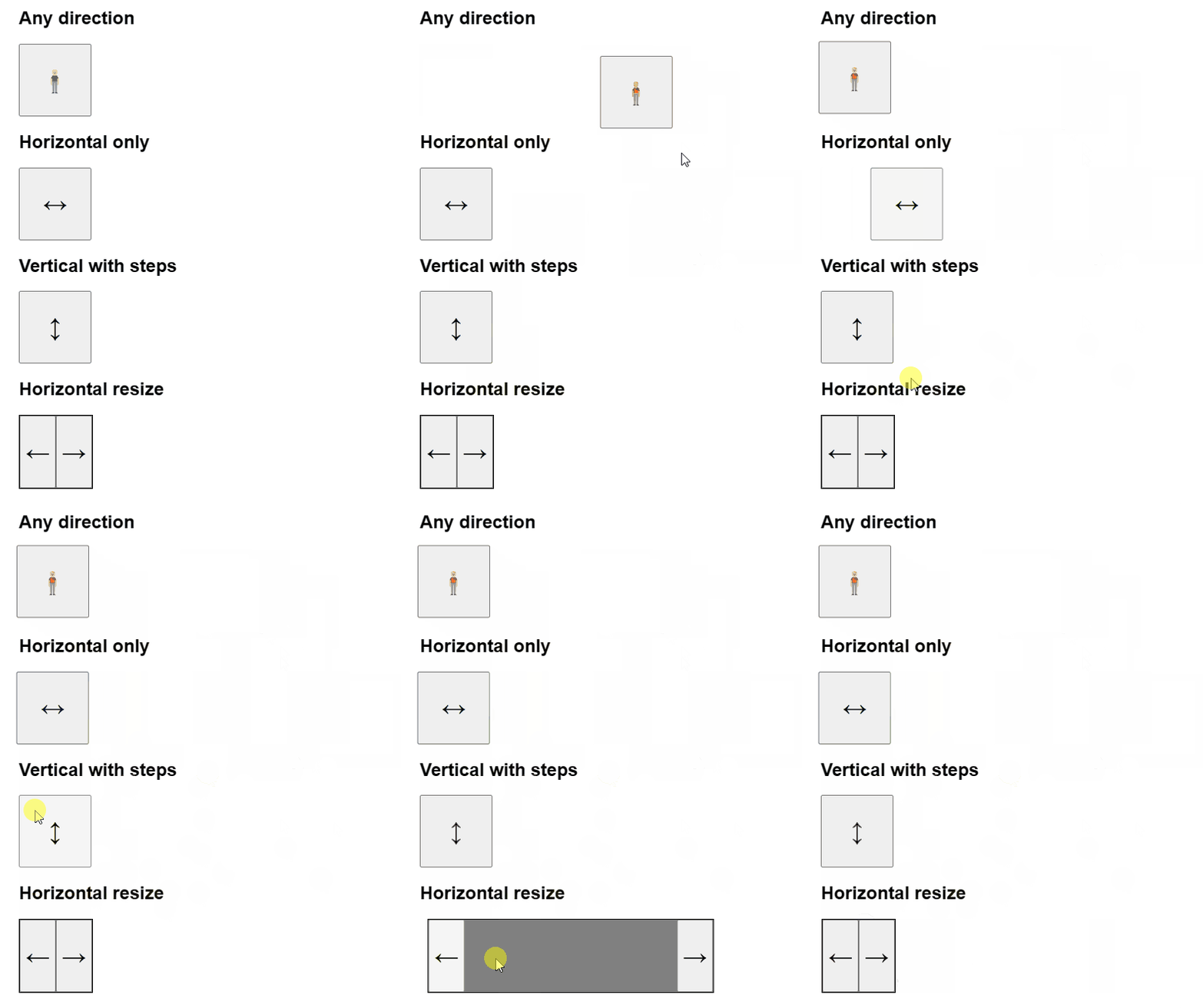
Table of Contents
Installation
npm install react-use-dragHow to use
A minimal drag below. For inertia, snap points, scroll-aware drag, and nested swipe-in-list composition, see the Storybook demo.
import { useDrag } from 'react-use-drag'
import { useState, useCallback } from 'react'

const App = () => {
	const [position, setPosition] = useState({ x: 0, y: 0 })
	const [positionOffset, setPositionOffset] = useState({ x: 0, y: 0 })

	const onRelativePositionChange = useCallback(({ x, y }) => {
		setPositionOffset({ x, y })
	}, [])

	const onStart = useCallback(() => {
		console.log('Dragging has started')
	}, [])

	const onEnd = useCallback(({ x, y }) => {
		setPosition((previousPosition) => ({
			x: previousPosition.x + x,
			y: previousPosition.y + y,
		}))
		setPositionOffset({ x: 0, y: 0 })
	}, [])

	const { elementProps, state } = useDrag({
		onRelativePositionChange,
		onStart,
		onEnd,
	})

	return (
		<button
			className="draggable"
			style={{
				transform: `translate(${position.x + positionOffset.x}px, ${
					position.y + positionOffset.y
				}px)`,
				touchAction: 'none', // Recommended for mobile support
			}}
			{...elementProps}
		>
			{state === 'resting' ? '🧍' : '🚶'}
		</button>
	)
}
CSS requirements
The hook works with native Pointer Events but the browser may try to claim the same gesture for native scrolling/panning. touch-action tells the browser to leave the gesture alone.
Plain drag (no scrollable descendants)
.draggable {
	touch-action: none;
}
Without it, vertical/horizontal swipes get hijacked by the browser as page scroll on touch devices.
Scroll-aware drag (auto-detect)
When the draggable contains a scrollable descendant (e.g. a card with overflowing content), the hook auto-detects it and switches to a manual scroll mode on touch/pen — the browser must stay out of the way:
.drag-root {
	touch-action: none;
}

.scrollable-descendant {
	overflow: auto; /* or overflow-y: auto, overflow-x: auto */
	touch-action: none;
}
The scrollable descendant needs overflow: auto (or scroll) so the hook recognizes it when it walks the DOM up from the touch target. Both elements need touch-action: none so the browser doesn't dispatch pointercancel mid-gesture once it commits to native pan. The hook drives the scroll itself, including momentum on release and a dominant-axis lock for diagonal gestures.
Custom shouldStart with a scrollable subtree
shouldStart and scroll auto-detection are independent: shouldStart answers is this a drag?, while the scrollable lookup answers where does the gesture go when it isn't? The two compose — if your shouldStart returns false and there's a scrollable descendant under the gesture, the hook takes over the scroll itself (momentum and all), exactly as in the auto-detect case. Keep touch-action: none on both elements (the same CSS as above); do not use pan-y here, or the browser will fight the hook for the gesture and may cancel it mid-drag.
Custom shouldStart without a scrollable subtree
The pan-y fallback below applies only when there's no scrollable descendant for the hook to defer to. In that case returning false releases the pointer and lets the browser take over — set touch-action to whatever native gesture you want as the fallback (pan-y for vertical scroll, pan-x for horizontal, etc.):
.drag-root {
	touch-action: pan-y; /* drag wins for some gestures, native vertical scroll for others */
}
API Reference
useDrag(options)
Options
| Property | Type | Description |
| :------------------------- | :------------------------------------------------------------------------------------- | :-------------------------------------------------------------------------------------------------------------------------------------------------------------------------------------------------------------------------------------------------------------------------------------------------------------------------------------------------------------------------------------------------------------------------------------------------------------------------------------------------------------------------------------------------------------------------------------------------------------------------------------------------------------------------------------------------------------------------------------------------------------------------------------------------------------------------------------------------------------------------------------------------------------------------------------------------------------------------------------------------------------------------------------------------------------------------------------------------------------------------------------------------------------------------- |
| onRelativePositionChange | (position: PositionWithVelocity) => void | Required. Called when the position changes during dragging or coasting. position.x and position.y are relative to the start position. position.velocity holds the current velocity in pixels per second. |
| onStart | () => void | Optional. Called when the dragging interaction starts. |
| onEnd | (position: PositionWithVelocity) => void | Optional. Called when the interaction fully ends. With inertia or snapPoints this fires only after the coasting animation settles. Receives the final relative position and velocity. On cancellation x, y, and velocity are 0. |
| inertia | boolean | Optional. When true, the element keeps moving after release with friction-based deceleration until it settles. |
| snapPoints | Position[] | Optional. Snap targets ({ x, y }) in the same coordinate space as the relative position. On release the snap point closest to the inertia projection is chosen. With inertia the position springs to the target absorbing release velocity; without inertia it teleports there. |
| shouldStart | (firstMove: Position, info: { pointerType: 'mouse' \| 'touch' \| 'pen' }) => boolean | Optional escape hatch. Evaluated on the first pointermove past a few-pixel threshold. Return true to take over the gesture as a drag, false to defer it (the hook then either takes over scroll manually if there's a scrollable subtree, or releases the pointer for native behavior). This is independent of scroll detection, so a custom shouldStart still composes with auto-detected scroll — keep touch-action: none (not pan-y) on the scrollable element so the hook, not the browser, drives that scroll; the pan-y fallback applies only without a scrollable subtree. When omitted, the hook auto-detects: on pointerdown it walks the DOM up from the touch target looking for a scrollable element. If found and the input is touch/pen, the gesture is held back until the first move; the verdict picks drag (scroll is at the gesture-direction edge) or scroll (otherwise). Mouse always drags immediately. The scrollable element should have touch-action: none so the browser doesn't fight the hook for the gesture; the hook drives the scroll itself, including momentum on release and a dominant-axis lock for diagonal gestures. |
Position
| Property | Type | Description |
| :------- | :------- | :------------------------------------------ |
| x | number | Pixels relative to the drag start position. |
| y | number | Pixels relative to the drag start position. |
PositionWithVelocity (extends Position)
| Property | Type | Description |
| :--------- | :------------------------- | :------------------------------------------ |
| velocity | { x: number; y: number } | Current drag velocity in pixels per second. |
Return Value
An object containing:
| Property | Type | Description |
| :------------- | :-------------------------------------- | :--------------------------------------------------------------------------------------------------------------------------------------------------------------------------------------------------------- |
| state | 'resting' \| 'dragging' \| 'coasting' | 'dragging' while the user is interacting, 'coasting' while an inertia or snap animation is settling, 'resting' otherwise. The 'coasting' value only appears when inertia or snapPoints is set. |
| elementProps | object | Props to be spread onto the target element. Contains onPointerDown, onPointerUp, onPointerMove, onPointerCancel, and data-use-drag (used internally for nested-hook coordination — see below). |
Features
- Pointer Events: Works with Mouse, Touch, and Pen out of the box.
- Inertia: Optional friction-based decay continues the drag after release until it settles.
- Snap points: Optional set of targets the position springs to (or teleports to) on release. The chosen point absorbs release velocity for natural-feeling snap.
- Scroll-aware: Auto-detects scrollable descendants and turns vertical/horizontal gestures into native-feeling scroll, with momentum and dominant-axis lock. Pulling past a scroll edge promotes the gesture to a drag (rubber-band).
- Nested composition: Multiple
useDraginstances on the same element subtree coordinate without context or wrappers — innermost gets first refusal, the verdict bubbles outward through standard pointer events. Each draggable element gets adata-use-dragattribute; the hook reads it onpointerdownto decide whether to capture the pointer immediately (standalone element, no nesteduseDragunder the click target) or to wait for the inner hook's arming verdict first. This means standalone drag elements — resize handles, sliders — reliably track the mouse even when it exits the element before the arming threshold fires, with no extra configuration needed. - Lightweight: Zero dependencies (other than React) and tiny bundle size.
- TypeScript: Fully typed for a great developer experience.
License
ISC