
react-web3-icons
v4.0.0
Published
React SVG icon library for Web3 — blockchains, wallets, DEXs, tokens, and more

Maintainers
 derodero24
Readme





React Web3 Icons
A comprehensive React SVG icon library for Web3 — blockchains, wallets, DEXs, tokens, and more.
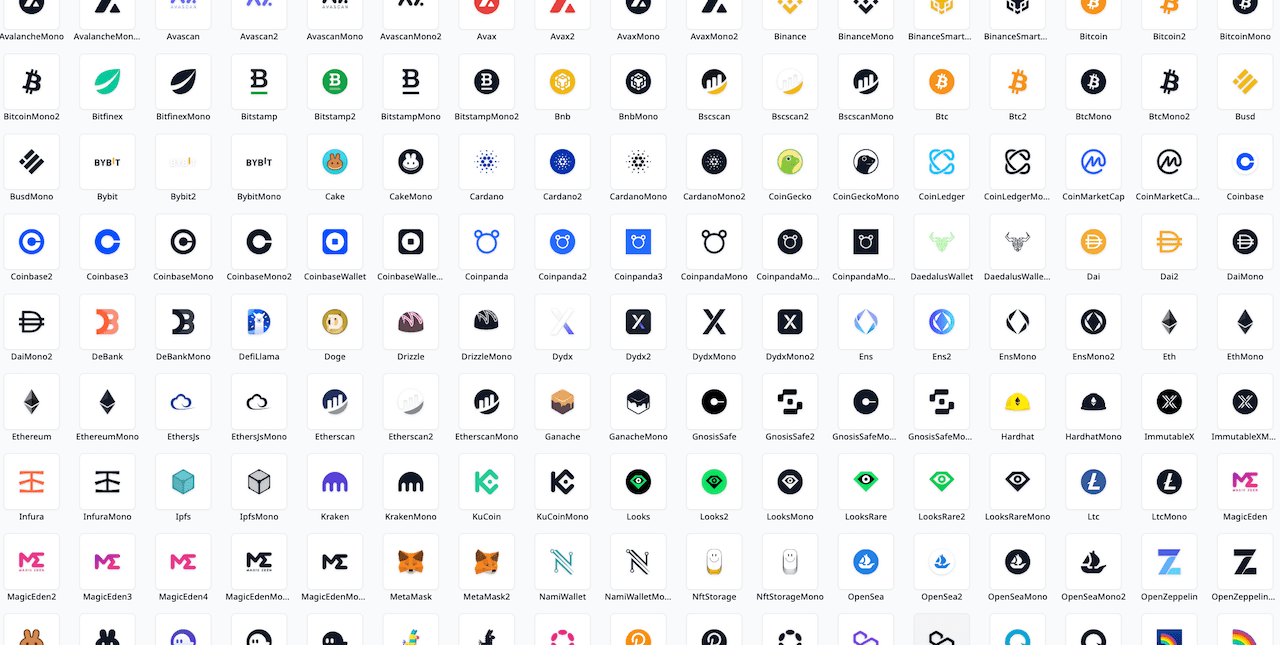
Browse all icons · API Reference
Features
- 230+ icons (700+ component exports including mono and container variants) across 16 categories
- Colored and monochrome variants for every icon
- Server Components ready — no hooks, renders without
'use client' - Tree-shakeable — only import what you use (
sideEffects: false) - Scales with font size (
1emdefault) - Full TypeScript support
- Works with React 18+
Install
npm install react-web3-iconsOr with other package managers:
yarn add react-web3-icons
pnpm add react-web3-icons
Requires React 18+ (Node.js 22.12+ when rendering on the server). Upgrading from v3? See the migration guide.
Quick Start

import { Ethereum, EthereumMono } from 'react-web3-icons';

function App() {
  return (
    <div>
      {/* Colored icon — renders official brand colors */}
      <Ethereum />

      {/* Mono icon — inherits CSS color */}
      <EthereumMono style={{ color: '#6366f1' }} />
    </div>
  );
}
Usage
Sizing
Icons default to 1em, so they scale with the surrounding font size:
<Ethereum style={{ fontSize: '2rem' }} />You can also set explicit dimensions:
<Ethereum width={32} height={32} />Monochrome Variants
Every icon has a Mono variant that uses currentColor, making it easy to match your app's theme:
<BitcoinMono style={{ color: 'white' }} />
<BitcoinMono className="text-gray-500" /> {/* Tailwind */}
Accessibility
Add a title prop for screen reader support:
<Ethereum title="Ethereum" />When no title is provided, the icon is treated as decorative.
For maximum screen reader compatibility, pair title with titleId — the SVG will automatically get aria-labelledby pointing to the title:
<Ethereum title="Ethereum logo" titleId="eth-title" />
{/* Renders: <svg aria-labelledby="eth-title"><title id="eth-title">Ethereum logo</title>…</svg> */}
All Standard SVG Props
Icons accept all standard SVG attributes:
<Ethereum className="my-icon" style={{ opacity: 0.8 }} onClick={handleClick} />Per-Category Imports
Import from a specific category to reduce your bundle size:
import { Ethereum } from 'react-web3-icons/chain';
import { Uniswap } from 'react-web3-icons/dex';
The root import still works and includes all icons:
import { Ethereum } from 'react-web3-icons';Raw SVG Files
Every icon is also published as a plain, optimized SVG file under the svg/ subpath — useful outside React (Vue, Svelte, static HTML, image pipelines, design tools):
react-web3-icons/svg/<category>/<Name>.svg// With a bundler (Vite, webpack, Next.js) — resolves to a URL or asset per your config
import ethereumSvgUrl from 'react-web3-icons/svg/chain/Ethereum.svg';The files have no fixed width/height, so they scale to their container. Mono variants use currentColor and inherit CSS color.
You can also hotlink them from a CDN without installing the package:
https://cdn.jsdelivr.net/npm/react-web3-icons@latest/dist/svg/chain/Ethereum.svg
https://unpkg.com/react-web3-icons@latest/dist/svg/chain/Ethereum.svg
Iconify (Vue, Svelte, Tailwind, and more)
The full set also ships as IconifyJSON collections — react-web3-icons/iconify.json (colored, prefix web3) and react-web3-icons/iconify-mono.json (currentColor, prefix web3-mono) — so the icons work outside React through the Iconify ecosystem:
import { addCollection, Icon } from '@iconify/react';
import web3Icons from 'react-web3-icons/iconify.json';

addCollection(web3Icons);
<Icon icon="web3:chain-ethereum" />;
Icon names are <category>-<kebab-name> (e.g. chain-ethereum, coin-bitcoin, wallet-meta-mask); ticker shorthands are registered as Iconify aliases (e.g. coin-btc). The same JSON works with Iconify's Vue/Svelte/Web Component packages and unplugin-icons.
React Server Components (RSC)
Static icons are pure, hook-free components. They render in React Server Components with no 'use client' directive:
// app/page.tsx — Server Component
import { Ethereum, Bitcoin } from 'react-web3-icons';

export default function Page() {
  return <Ethereum size={24} />;
}
Server-rendered icons ship zero client JavaScript. Only the dynamic components (react-web3-icons/dynamic) are client-only, since they lazy-load icon chunks at runtime.
Internal SVG ids (masks, gradients) are deterministic per component. Rendering the same icon multiple times on one page duplicates those ids; the duplicated definitions are identical, so the icons still render correctly.
Type-Safe Dynamic Icon Lookup
Use the IconName type to reference icon names safely:
import type { IconName } from 'react-web3-icons';
import * as allIcons from 'react-web3-icons';

function DynamicIcon({ name }: { name: IconName }) {
  const Icon = allIcons[name];
  return <Icon />;
}

// TypeScript errors on unknown names:
<DynamicIcon name="Ethereum" />   // ✅
<DynamicIcon name="Unknown" />    // ❌ TypeScript error
Dynamic Icon Components
The react-web3-icons/dynamic entry point provides components that lazily load icons at runtime by identifier (ticker, slug, or chain ID). Each resolved icon is fetched as its own small chunk — rendering one icon does not download the whole category. The following categories have dedicated dynamic components:
import { ChainIcon, CoinIcon, WalletIcon, ExchangeIcon, DefiIcon, DexIcon, BridgeIcon, OracleIcon } from 'react-web3-icons/dynamic';

<ChainIcon chainId={1} />               // Ethereum by chain ID
<ChainIcon name="arbitrum" />            // Arbitrum by slug
<CoinIcon symbol="ETH" />               // ETH coin icon
<WalletIcon name="metamask" />           // MetaMask wallet icon
<ExchangeIcon name="binance" />          // Binance exchange icon
<DefiIcon name="aave" />                // Aave DeFi protocol icon
<DexIcon name="uniswap" />              // Uniswap DEX icon
<BridgeIcon name="layerzero" />         // LayerZero bridge icon
<OracleIcon name="pyth" />              // Pyth oracle icon
Use the variant prop to switch between colored and monochrome:
<CoinIcon symbol="BTC" variant="mono" />Fallback
Use the fallback prop to render alternative content while the icon chunk is loading or when the identifier is not recognized:
<CoinIcon symbol={token.symbol} fallback={<GenericTokenIcon />} />
<CoinIcon symbol={token.symbol} fallback={<Skeleton width={24} height={24} />} />
When omitted, nothing is rendered for unknown identifiers and during loading.
All standard icon props (size, className, fill, etc.) are forwarded to the underlying SVG icon.
Metadata Lookups
The react-web3-icons/meta subpath exports lookup maps for resolving icons by chain ID, slug, or ticker symbol at runtime:
| Export | Key | Value | Example |
| --- | --- | --- | --- |
| CHAIN_ID_TO_NAME | EVM chain ID (1, 42161, …) | Chain icon base name | 1 → 'Ethereum' |
| CHAIN_SLUG_TO_NAME | Lowercased slug ('arbitrum', …) | Chain icon base name | 'arbitrum' → 'Arbitrum' |
| TICKER_TO_COIN | Uppercase ticker ('ETH', …) | Coin icon base name | 'ETH' → 'Eth' |
| WALLET_SLUG_TO_NAME | Lowercased slug ('metamask', …) | Wallet icon base name | 'metamask' → 'MetaMask' |
| EXCHANGE_SLUG_TO_NAME | Lowercased slug ('binance', …) | Exchange icon base name | 'binance' → 'Binance' |
| DEFI_SLUG_TO_NAME | Lowercased slug ('aave', …) | DeFi icon base name | 'aave' → 'Aave' |
| DEX_SLUG_TO_NAME | Lowercased slug ('uniswap', …) | DEX icon base name | 'uniswap' → 'Uniswap' |
| BRIDGE_SLUG_TO_NAME | Lowercased slug ('layerzero', …) | Bridge icon base name | 'layerzero' → 'LayerZero' |
| ORACLE_SLUG_TO_NAME | Lowercased slug ('pyth', …) | Oracle icon base name | 'pyth' → 'Pyth' |
Each map exports a corresponding type (ChainId, ChainSlug, Ticker, WalletSlug, ExchangeSlug, DefiSlug, DexSlug, BridgeSlug, OracleSlug) for type-safe key access.
Example: Resolve a chain icon from wagmi/viem
import { CHAIN_ID_TO_NAME, type ChainId } from 'react-web3-icons/meta';
import * as chains from 'react-web3-icons/chain';

function ResolvedChainIcon({ chainId }: { chainId: number }) {
  if (!(chainId in CHAIN_ID_TO_NAME)) return null;
  const name = CHAIN_ID_TO_NAME[chainId as ChainId];
  const Icon = chains[name];
  return <Icon />;
}
Example: Resolve a coin icon from a ticker
import { TICKER_TO_COIN, type Ticker } from 'react-web3-icons/meta';
import * as coins from 'react-web3-icons/coin';

function TokenIcon({ symbol }: { symbol: string }) {
  const key = symbol.toUpperCase().trim();
  if (!(key in TICKER_TO_COIN)) return null;
  const Icon = coins[TICKER_TO_COIN[key as Ticker]];
  return <Icon />;
}
Icon Manifest
The react-web3-icons/manifest subpath exports a flat, machine-readable catalog of every icon export — ideal for building icon pickers, search indexes, or docs without importing the component bundles:
import { ICON_MANIFEST, type IconManifestEntry } from 'react-web3-icons/manifest';

// [{ name: 'Ethereum', category: 'chain', chainId: 1, slug: 'ethereum' },
//  { name: 'EthereumMono', category: 'chain' }, ...]
const chains = ICON_MANIFEST.filter(e => e.category === 'chain' && !e.deprecated);
Each entry carries name, category, and — where registered in the metadata maps — chainId, slug, or ticker, plus a deprecated flag for aliases. Base entries additionally list their variants (e.g. ['', 'Mono', 'Circle']), extra lowercase search aliases (e.g. 'btc' on Bitcoin), and the dominant brandColor of the colored artwork. The same data ships as plain JSON for non-JavaScript consumers at react-web3-icons/manifest.json (also available on the CDN under dist/manifest.json).
Icon Categories
| Category | Description | Examples |
| --- | --- | --- |
| bridge | Cross-chain bridge protocols | Across, LayerZero, Stargate, Wormhole |
| chain | L1/L2 blockchains | Ethereum, Arbitrum, Polygon, Solana |
| coin | Cryptocurrencies & tokens | Bitcoin, Doge, Usdt, Usdc |
| defi | DeFi protocols | Aave, EigenLayer, Lido |
| devtool | Developer tools | Hardhat, Truffle, Web3Js |
| dex | Decentralized exchanges | Uniswap, PancakeSwap, Dydx |
| domain | Domain services | Ens, UnstoppableDomains |
| exchange | Centralized exchanges | Binance, Coinbase, Kraken |
| explorer | Block explorers | Etherscan, Bscscan, Solscan |
| marketplace | NFT marketplaces | OpenSea, MagicEden, LooksRare |
| node | Node providers | Alchemy, Infura, QuickNode |
| oracle | Oracle networks | Pyth, Band, API3, RedStone |
| portfolio | Portfolio trackers | DeBank, Zapper, CoinLedger |
| storage | Decentralized storage | Ipfs, Arweave, NftStorage |
| tracker | Analytics & tracking | DefiLlama, CoinGecko, CoinMarketCap |
| wallet | Wallet apps | MetaMask, PhantomWallet, RainbowWallet |
Browse the full list at the demo site.
Props
All icons extend SVGProps<SVGSVGElement> with the following additions:
| Prop | Type | Default | Description |
| --- | --- | --- | --- |
| title | string | — | Accessible title rendered as <title> inside the SVG |
| titleId | string | — | ID applied to the <title> element; when provided together with title, aria-labelledby is automatically set to this value |
| size | string \| number | "1em" | Sets both width and height unless explicitly overridden |
| width | string \| number | — | Icon width (overrides size for width only) |
| height | string \| number | — | Icon height (overrides size for height only) |
| className | string | — | CSS class name |
| style | CSSProperties | — | Inline styles |
Plus all standard SVG attributes (fill, stroke, opacity, onClick, etc.).
Contributing
We welcome contributions! Please see CONTRIBUTING.md for guidelines on adding icons, lifecycle/deprecation rules, the SVG optimization pipeline, and submitting pull requests.
Icon Lifecycle Policy
When icon brands are renamed (for example, GnosisSafe -> Safe, Matic -> Pol), this project keeps backward compatibility by shipping deprecated aliases.
- Canonical exports follow the current official brand name.
- Deprecated aliases stay available for at least one minor release and at least 90 days.
- Alias removals happen only in major releases and are documented in changelog/release notes.
Filtering Deprecated Icons
Use the exported DEPRECATED_ICON_NAMES set to filter deprecated aliases from icon lists:
import * as icons from 'react-web3-icons';
import { DEPRECATED_ICON_NAMES } from 'react-web3-icons';

// Get current (non-deprecated) icon names, excluding non-icon exports
const activeIconNames = Object.keys(icons).filter(
  name => !DEPRECATED_ICON_NAMES.has(name) && name !== 'DEPRECATED_ICON_NAMES',
);
Or import from the dedicated subpath to avoid loading the full bundle:
import { DEPRECATED_ICON_NAMES } from 'react-web3-icons/deprecated';Full process and test requirements: CONTRIBUTING.md#icon-lifecycle-policy.
Trademarks
All product names, logos, and brands contained in this library are the property of their respective owners and are used for identification purposes only. Their inclusion does not imply any affiliation with or endorsement by the trademark holders. The MIT license covers this library's code, not the trademarks themselves — your use of a logo remains subject to the brand guidelines of its owner.
If you are a rights holder and would like an icon corrected or removed, please open an issue and we will address it promptly.