
react-whatsapp-editor
v0.3.0
Published
A plug-and-play WhatsApp-style rich text editor for React.

Maintainers
 emmanuel254
Readme
react-whatsapp-editor


🌟 Try the Live Interactive Demo Here! 🌟
A plug-and-play, enterprise-grade rich text editor for React that perfectly replicates WhatsApp's unique Markdown formatting rules. Built on top of Meta's powerful Lexical framework.
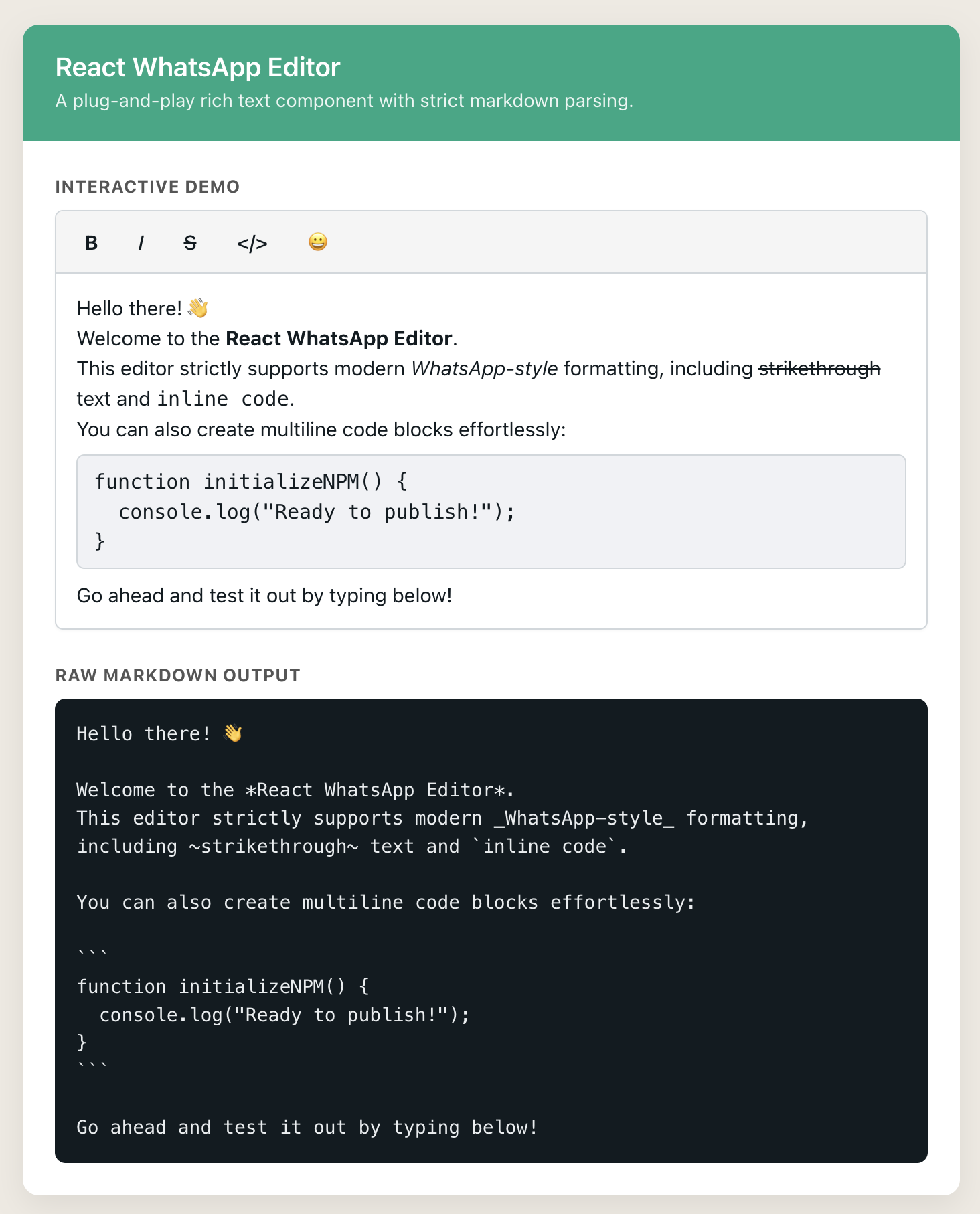
🚀 Why this editor?
Standard Markdown editors break when you try to apply WhatsApp's strict formatting rules (like disabling bolding inside code blocks or preventing multiline inline styles).
React WhatsApp Editor is engineered specifically for chat applications, CRM tools, and messaging clones. It provides a polished UI with built-in toolbar controls, smart markdown parsing, and zero configuration required.
✨ Features
- WhatsApp Markdown Rules: Supports
*bold*,_italic_,~strikethrough~,`inline code`, and```multiline code```. - Native Emoji Picker: Built-in, responsive emoji menu that automatically syncs with your light/dark theme.
- Smart Toolbar: Context-aware formatting buttons that disable themselves when inside conflicting block elements.
- Two-Way Binding: Safely load database strings into the editor without cursor jumping.
- First-Class Dark Mode: Built-in
lightanddarkthemes. - Lexical Engine: Powered by the same robust text engine used by Meta.
📦 Installation
Install the package via your preferred package manager:
npm install react-whatsapp-editor
# or
yarn add react-whatsapp-editor
# or
pnpm add react-whatsapp-editor
⚠️ Important: You must import the compiled CSS file in your app for the editor and toolbar to render correctly!
💻 Quick Start
Here is a minimal example of how to use the editor in your React application:
import React, { useState } from 'react';
import { WhatsappEditor } from 'react-whatsapp-editor';

// 1. Import the default styles!
import 'react-whatsapp-editor/style.css';

export default function ChatApp() {
  const [message, setMessage] = useState('');

  return (
    <div style={{ maxWidth: '600px', margin: '0 auto', padding: '20px' }}>
      <WhatsappEditor
        value={message}
        onChange={(newValue) => setMessage(newValue)}
        theme="light"
        placeholder="Type a message..."
      />

      <div style={{ marginTop: '20px' }}>
        <strong>Raw Output:</strong>
        <pre>{message}</pre>
      </div>
    </div>
  );
}
📖 Displaying Messages (The Viewer)
Don't write your own markdown parser! Use the built-in <WhatsappViewer /> component to securely and perfectly render the saved markdown back into your UI.
import { WhatsappViewer } from 'react-whatsapp-editor';

// Inside your chat bubble component:
<WhatsappViewer value="I am *bold* and _italic_" />
🛠 API Reference (Props)
| Prop | Type | Default | Description |
| --- | --- | --- | --- |
| value | string | "" | The raw Markdown string to populate the editor. |
| onChange | (value: string) => void | undefined | Callback fired on every keystroke. Returns the formatted Markdown string. |
| theme | 'light' | 'dark' | 'light' | Toggles the built-in UI color variables. |
| placeholder | string | "" | Text to display when the editor is empty. |
| className | string | "" | Optional CSS class to append to the root wrapper. |
📝 Supported Formatting
This editor strictly enforces modern WhatsApp syntax:
- Bold: Wrap text in asterisks
*like this*. - Italic: Wrap text in underscores
_like this_. - Strikethrough: Wrap text in tildes
~like this~. - Inline Code: Wrap text in single backticks
like this. - Multiline Code Block: Type three backticks ````` and start typing to create a shaded code block.
- Emojis: Use the built-in toolbar smiley face to open the picker, or use your native OS emoji keyboard. Emojis are parsed and exported as standard Unicode characters.
🤝 Contributing
Contributions, issues, and feature requests are welcome! Feel free to check the issues page.
📜 License
This project is MIT licensed.