
react-xflex-datepicker
v2.0.4
Published
React datepicker component
Downloads
46

Maintainers
 ilchotaleski
Readme
React XFLEX Date Picker
A very simple react datepicker component which includes range picker. Now supports server side rendering.
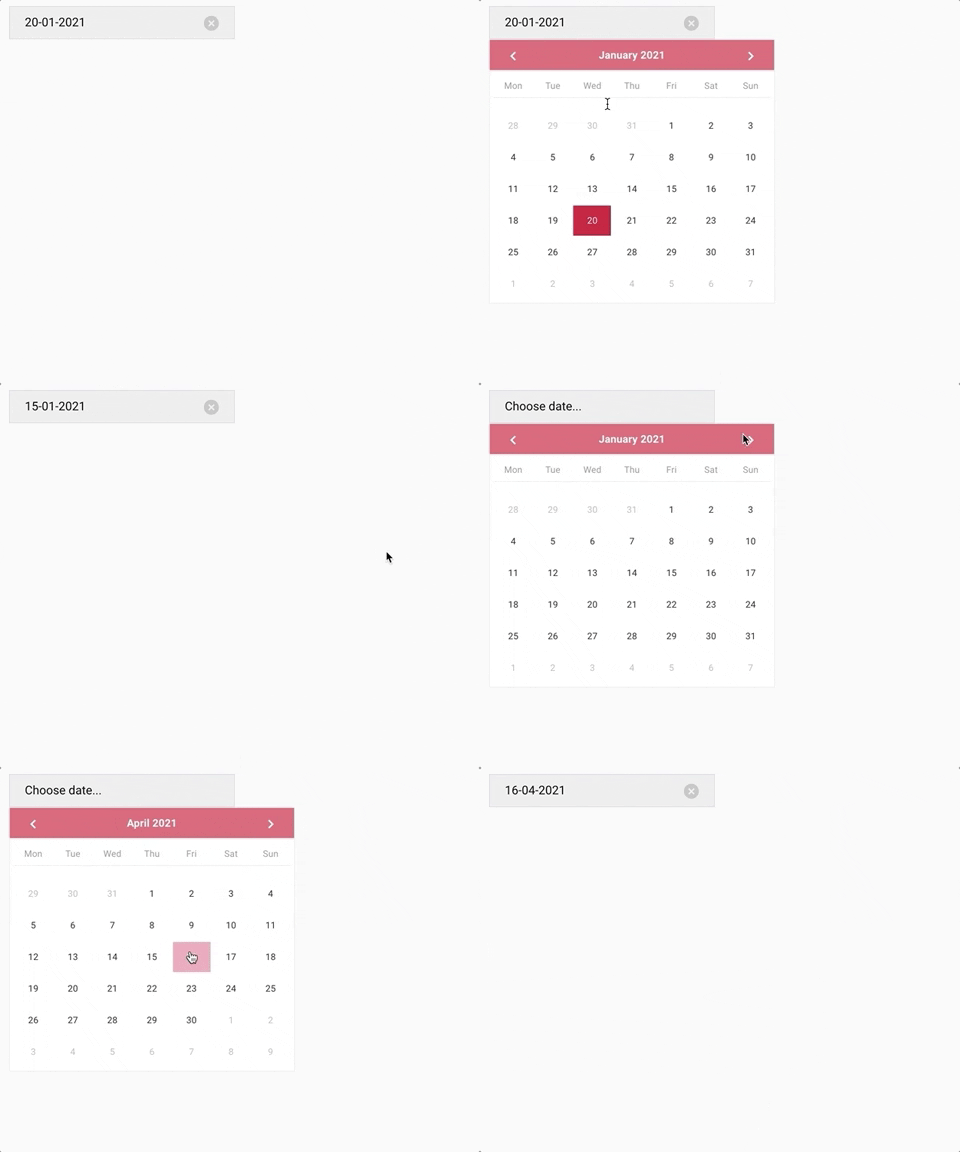

Installation
The package can be installed via NPM:
npm install react-xflex-datepicker --saveOr yarn:
yarn add react-xflex-datepickerUsage
- Datepicker component for choosing only one date:
import { XFlexDatepicker } from 'react-xflex-datepicker';- Daterange picker component:
import { XFlexDatepickerRange } from 'react-xflex-datepicker';Then you can use it in your code:
<XFlexDatepicker />or
<XFlexDatepickerRange />Styles need to be imported separately.
import 'react-xflex-datepicker/dist/xflex-datepicker.css';Options
Datepicker
moment is required for some of the options
| Option | Type | Values | Default | Description | | :--------------------- | :------------------------------------------------------------------------------------------------------------ | :----------------- | :----------------------------------------------------------------------------------------------------------------- | :----------------------------------------------------------------------------------------------------------------------------------------- | | initialDate | Moment | moment dates, null | moment() (Current date) | This is the initial date set on the calendar on mount. | | position | String | top, bottom | bottom | It tells where the calendar will be positioned regarding the input control. This property has no effect when inputControl is set to false. | | inputControl | Boolean | true, false | true | When is set to false, the calendar will be visible all the time, otherwise it will be opened by a button. | | placeholder | String | any | Choose date... | This is the placeholder on the input control when no date is selected. It has no effect when inputControl is set to false. | | String | moment formats (see momentjs webpage for available formats) | YYYY, MMMM DD | The format in which the dates will be shown on the input control. Has no effect when inputControl is set to false. | | locale | String | moment locale | en | The locale of the calendar. This does not affect the placeholder | | buttonControlClassName | String | any className | '' | This is optional className for the button control for custom styling. |
Datepicker Range
Range datepicker has the same above options as the datepicker and a few more:
| Option | Type | Values | Default | Description |
| :----------- | :------- | :---------- | :-------------------------------------------- | :------------------------------------------------------------------------------------------------------------------------------ |
| hasTooltip | Boolean | true, false | true | Whether or not to have an info tooltip on day mouseover |
| tooltipLabel | Function | functions | (numberOfNights) => {return numberOfNights} | Provided this function, you can set a custom label for the day tooltip. It receives number of nights between the days selected. |
Events
| Event | Arguments | Description |
| :------------- | :------------------ | :---------------------------------------------------------------------------------------------------------------------------------------------------------------------------------------------------------------------------------------------------------------------------------------------- |
| onChooseDate | date: Moment object | Fired when clicked on a date. On datepicker it fires with {date: Moment} and on range picker with {start: Moment, end: Moment \| null. The end date is null if the event is fired when selecting the start date. |
| onClearDate | date: Moment object | Fired when cleared a date from the input control. On datepicker it fires with {date: Moment} and on range picker with {start: Moment, end: Moment \| null. The object tells which dates have been cleared. The end date is null if the event is fired when only the start date is selected. |
| onCalendarShow | none | Fired when the calendar is shown. Only when inputControl is false |
| onCalendarHide | none | Fired when the calendar is hidden. Only when inputControl is false |
| onMonthDayOver | date: Moment object | Fired when mouseover on a date. The argument is a Moment object which represents the date that has been hovered. |
License
ISC