
reelson
v0.9.0
Published
Agent Skills (Claude Code, Codex, …) + CLI that turn a scripted Playwright walkthrough into a branded HyperFrames demo video.
Downloads
114

Maintainers
 icaliman
Readme


Turn a prompt into a finished, branded demo video of a web app. Two
Agent Skills plus a reelson CLI, for Claude Code, Codex or any agent
that reads SKILL.md skills:
| Skill | Does | Output |
|------------------------------------------|-----------------------------------------------------------------------------|------------------------------------------|
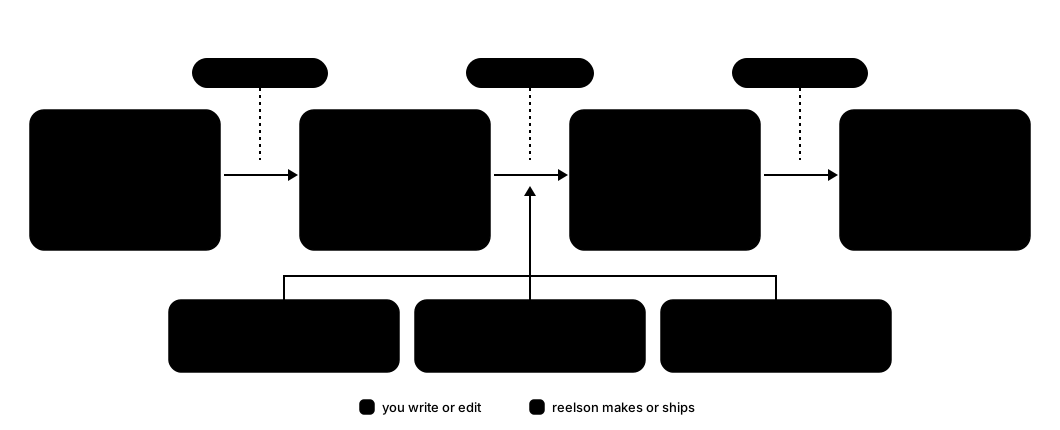
| reelson-record | Playwright walkthrough with a visible human-paced cursor, dev chrome hidden, step markers and logged clicks | <slug>/recording.mp4 + markers.json |
| reelson-compose | HyperFrames composition from a template + mix-and-match intro/recap/outro sections: poster intro, framed recording, callouts, cursor-timed zooms, recap, brand outro, music | <slug>/video/renders/<slug>.mp4 |
The same prompt re-creates the video after a UI change: a scenario re-records in ~20 s, headless, with identical pacing, and callouts/zooms follow their markers and clicks.

The Orbit example (a pretend project board in one static page), recorded and rendered by CI on every push to main.
📖 Documentation · ▶ Watch the 1-minute launch video — recorded and edited with reelson itself, studio included.
⭐ If reelson is useful to you, please star the repo to support our open source work. If it saves you time, you can also sponsor its development.
Requirements
- Node 22.18+ and
ffmpeg(brew install ffmpeg) - The app you record, running locally
- HyperFrames is fetched by
npxon first use (version pinned in hyperframes.ts)
Install
npm install -g reelson
reelson install        # asks: every project (default), this project, or another folder
reelson install downloads Playwright's Chromium and links both skills into .agents/skills/
(Codex and the other agents that read Agent Skills) and .claude/skills/ (Claude Code, linked to
the first — or nothing to do when the whole folder already links to .agents/skills):
- every project: in
~/.agents/skillsand~/.claude/skills(reelson install --global); runreelson initin a project for itsreelson.config.json; - one project: in
my-app/.agents/skillsandmy-app/.claude/skills(reelson install ~/code/my-app); also createsmy-app/reelson.config.jsonand prints the.gitignorelines.
-y takes the default without asking; without a terminal (CI, scripts) it never asks. The links
point at the installed package, so npm update -g reelson updates every project.
To work on reelson itself, install from a checkout instead: the reelson command then runs the
TypeScript sources directly and git pull updates every project.
git clone [email protected]:reelson/reelson.git ~/reelson
~/reelson/install.sh     # npm link + reelson install (same question; or --global / <project-dir>)
reelson was called reelkit before 0.7. Re-run reelson install (or install.sh) for each project: it drops the old
reelkit command and reelkit-* skill links. Then point scenario imports and $schema paths
at .agents/skills/reelson-* (.claude/skills/reelson-* works too).
Configure per project — reelson.config.json
Everything project-specific lives in one file at the project root. It is validated against a JSON Schema (editors autocomplete it; a typo is an error with a "did you mean" hint).
{
    "videosDir": "docs/videos",          // where <slug>/ folders live
    "language": "en", "locale": "en-US", // UI language: plurals, personas, <html lang>
    "brand": { "name": "ACME", "tagline": "PLATFORM", "eyebrow": "Acme",
               "color": "#dc2626", "colorSoft": "#f87171",
               "logo": "docs/brand/logo.svg" },      // optional: replaces the text wordmark
    "template": "classic",
    "sections": { "intro": "poster", "recap": "steps", "outro": "wordmark" },  // the defaults
    "strings": {                                       // optional: built in for en, ro, de, fr, es, it,
        "recapTitle": "In short",                      // pt, nl, pl, ru, uk, cs, sv, da, nb, fi, hu, tr
        "stepsLabel": { "one": "step", "other": "steps" },      // Intl.PluralRules categories
        "secondsLabel": { "one": "second", "other": "seconds" } // e.g. ro: one/few/other
    },
    "music": { "file": "docs/videos/_music/track.mp3", "lufs": -28, "lufsUnderNarration": -34 },
    "record": {
        "viewport": { "width": 1440, "height": 900 },
        "hideSelectors": [".environment-indicator"],   // local-only UI to hide on camera
        "extraHTTPHeaders": { "X-Demo-Recording": "1" },
        "personaDomain": "example.com",
        "cursor": "layer",                             // or "recorded": film it into the footage
        "capture": "screencast"                        // every painted frame → smooth 30 fps (or "playwright")
    }
}
Use
Ask your agent in the project, e.g.:
Make a demo video of searching a customer. Admin area on https://app.test as the admin. Steps: open Customers, type a name in the table search, hover the match. Title "Find a customer". Zoom on the search box while typing. Slug customers-search.
Ready-to-copy prompts on the docs site and in docs/prompting.md; the rules every video follows in docs/style-guide.md. By hand:
# tools + cursor/footage sync on this machine
reelson doctor
# a scenario stub
reelson new customers-search --url https://app.test
# --mobile / --square: the takes for --portrait / --square; --all-takes: all three
reelson record customers-search [--headed]
# creates video.json on the first run; then edit it: callout wording,
# { "clicks": [2, 3], "scale": 1.8 } zooms, trim ("auto" or a marker)
reelson build customers-search --title "Find a customer"
# "voice": true in video.json: speak the callouts
# (voice.provider: openai, elevenlabs, piper, command)
reelson voice customers-search
# schemas, zoom timing, hyperframes lint
reelson check customers-search
# after an app change: every demo still records and fits
reelson verify --all
# preview + edit on a layer timeline (saves video.json)
reelson studio customers-search
# templates and intro/recap/outro sections
reelson templates
# the MP4 + .srt/.vtt captions; --gif, --square, --portrait, --all-formats, --draft, --4k,
# --low-memory (a machine short on RAM or disk); flags after -- go to hyperframes render
reelson render customers-search
# every demo; skips the unchanged ones
reelson render --all
# upload the render to the config's channels (asks which; --to youtube,shorts)
reelson publish customers-search [--dry-run]
Per video, commit scenario.ts, markers.json, video.json and (after reelson publish)
published.json; everything else is generated.
Publish — "channels" in reelson.config.json
reelson publish <slug> uploads the rendered video to the channels listed under "channels" in
reelson.config.json (reelson channels init adds starter ones). A project
can list several channels — each with a type (the service; youtube for now) and its own
settings — and you choose per run which ones get the video (--to a,b, --all-channels, or it
asks):
{
    // …brand, language, music…
    "channels": {
        "youtube": { "type": "youtube", "privacy": "unlisted", "playlist": "PL…", "footer": "https://acme.test" },
        "shorts":  { "type": "youtube", "format": "portrait", "privacy": "public", "tags": ["acme"] }
    }
}formatpicks the render:landscape(default),portraitorsquare— render it first.- The title is video.json's; the description is the subtitle plus the numbered steps (the
callouts), then the channel's
footer. Word them yourself in video.json"publish": { "title", "description", "tags" }.--dry-runshows what would go up. - YouTube also uploads the
.srtcaptions ("captions": falseto skip) and adds the video toplaylist.channelId(UC…) guards against signing in to the wrong channel. - What went where is kept in the demo's
published.json; publishing again skips those channels unless--again(a second copy) or--replace. - After a re-recording,
--replaceuploads the new render and makes the old video private (never deletes it);published.jsonkeeps the old ids underreplaced. YouTube cannot swap the file behind a URL, so every upload gets a new one: share a link of your own (a redirect, or the id in your app's embed) and point it at the new id that--replaceprints. - To fix the words,
--updaterewrites the title, description and tags of the video that is up, replaces its captions and adds it toplaylist— same URL, views and comments. It never changes the video itself or its privacy; captions are left alone when the render changed after the upload.
YouTube setup, once: in a Google Cloud project, enable the YouTube Data API v3, set up the
OAuth consent screen (add yourself as a test user) and create an OAuth client of type Desktop
app. While the consent screen is in Testing, Google ends the sign-in after 7 days and
reelson publish asks you to log in again. To stay signed in, publish the app (Audience →
Publish app). For your own channels it needs no Google verification, only an "unverified app"
warning at sign-in. Put the client's id and secret in the .env next to reelson.config.json:
YOUTUBE_CLIENT_ID=….apps.googleusercontent.com
YOUTUBE_CLIENT_SECRET=…
Then reelson channels login youtube signs the channel in through the browser (pick the brand
channel if the account has several); reelson channels shows who each channel is logged in as.
Sign-ins are kept in ~/.config/reelson/credentials/ (per project and channel), never in the
project. Until Google audits the Cloud project, YouTube keeps its uploads private whatever
privacy says — switch them to public in YouTube Studio, or apply for the audit. Each upload
uses a sizeable share of the project's daily API quota.
Templates and sections
A video is a template (the stage: background, framed recording, callouts) plus one section per slot, chosen separately in reelson.config.json or per video in video.json:
| Slot | Sections (first = default) |
|---------|----------------------------------------------|
| intro | poster, minimal, split, showcase |
| recap | steps, compact, none |
| outro | wordmark, compact, endcard |
// video.json — this video only
"sections": { "intro": "minimal", "recap": "none", "outro": "endcard" }
Every intro keeps frame 0 as the poster and every outro ends on the brand, so any mix keeps
the house style. brand.logo (an SVG, or a PNG ≥ 340 px tall) replaces the text wordmark in all
of them. classic is the only template today. The contract for new templates and sections is in
templates/README.md; a project can keep its own under
<videosDir>/_templates/<name>/ and <videosDir>/_sections/<slot>/<name>/. Templates ship
their scripts and fonts (no CDN).
Develop
npm run setup          # deps + Chromium
npm run typecheck      # tsc --noEmit
npm test               # unit + golden tests (node:test)
npm run test:update-golden   # after an intended template/composition change — review the diff
npm run example:record && npm run example:build && npm run example:check && npm run example:render
CI (.github/workflows/ci.yml) runs the type check and tests, then records the TodoMVC example, builds, checks and renders it, and uploads the MP4 and frames.
Publish to npm
Node will not run TypeScript from under node_modules, so the package ships .js compiled beside
each .ts (npm run build; npm pack / npm publish build first and clean up after).
bin/run.js picks the compiled CLI when installed from npm and the sources in a checkout.
- Add the release to CHANGELOG.md, then
npm version patch(orminor/major: bumps package.json, commits, tagsvX.Y.Z) andgit push --follow-tags. - .github/workflows/publish.yml checks the tag matches
package.json, runs the checks and stages the release with npm trusted publishing (OIDC: no
npm token exists anywhere; with provenance). It runs in the
npmenvironment, so it first waits for a required reviewer on GitHub. - Approve it on npm with 2FA:
npm stage list reelson, thennpm stage approve <id>(or on npmjs.com). Until then nobody can install it.
One-time setup:
- npmjs.com → the package → Settings → Trusted publisher: GitHub Actions,
reelson/reelson, workflowpublish.yml, environmentnpm, "Allow npm publish" off (it may only stage). Under Publishing access, pick "Require two-factor authentication and disallow bypass 2fa tokens". - GitHub → Settings → Environments →
npm: add yourself as a required reviewer and allow onlyv*tags to deploy. Settings → Rules → Rulesets: restrict creatingv*tags to yourself. (Both need a public repository, or a paid plan for a private one.)
The workflows pin every action to a commit SHA (Dependabot proposes updates weekly, npm packages after a 7-day cooldown), install dependencies without install scripts when publishing, and never leave a token in the checkout.
The very first release has to be published by hand (trusted publishing needs the package to
exist): npm login && npm publish. Check the contents first with npm pack --dry-run.
Layout
bin/reelson.ts  the CLI (run.js: the npm entry point)
skills/
  reelson-record/  SKILL.md, scripts/ (record, scenario, cursor-overlay, config, validate), schemas/
  reelson-compose/   SKILL.md, scripts/ (build, check, timeline, zooms, composition, project, hyperframes,
                publish + publish-<service>, oauth),
                schemas/, templates/<name>/ (stages), sections/<slot>/<name>/
docs/           style-guide.md, prompting.md
site/           the docs website (Astro Starlight → GitHub Pages; cd site && npm install && npm run dev)
examples/       reelson.config.json + orbit/ (the demo app) + orbit-ship-it/ and todo-add-item/ (scenario, markers, video.json)
test/           unit + golden tests, fixtures
music/          local-only tracks (git-ignored; licences are per project)
MIT licence (LICENSE). Third-party code and fonts: NOTICE.md.