
regl-recorder
v0.2.0
Published
Small utility for recording videos in regl.


Readme
regl-recorder



A small utility that can be used for recording videos in the WebGL framework regl.
Example
A small example for recording a rotating bunny is shown below
var createReglRecorder = require('../index')
const normals = require('angle-normals')
const mat4 = require('gl-mat4')
const bunny = require('bunny')

const VIDEO_WIDTH = 3840 * 0.1
const VIDEO_HEIGHT = 2160 * 0.1

const regl = require('regl')(require('gl')(VIDEO_WIDTH, VIDEO_HEIGHT, {preserveDrawingBuffer: true}))
var recorder = createReglRecorder(regl, 150)

const drawBunny = regl({
  vert: `
  precision mediump float;

  attribute vec3 position;
  attribute vec3 normal;

  varying vec3 vNormal;

  uniform mat4 view, projection;

  void main() {
    vNormal = normal;
    gl_Position = projection * view * vec4(position, 1);
  }`,

  frag: `
  precision mediump float;

  varying vec3 vNormal;

  void main() {
    vec3 color = vec3(0.6, 0.0, 0.0);
    vec3 lightDir = vec3(0.39, 0.87, 0.29);
    vec3 ambient = 0.3 * color;
    vec3 diffuse = 0.7 * color * clamp( dot(vNormal, lightDir), 0.0, 1.0 );
    gl_FragColor = vec4(ambient + diffuse, 1.0);
  }`,

  attributes: {
    position: bunny.positions,
    normal: normals(bunny.cells, bunny.positions)
  },

  elements: bunny.cells,

  uniforms: {
    view: ({tick}) => {
      const t = 0.01 * (tick + 100)
      return mat4.lookAt([],
                         [30 * Math.cos(t), 10.5, 30 * Math.sin(t)],
                         [0, 2.5, 0],
                         [0, 1, 0])
    },
    projection: ({viewportWidth, viewportHeight}) =>
      mat4.perspective([],
                       Math.PI / 4,
                       viewportWidth / viewportHeight,
                       0.01,
                       1000)
  }
})

regl.frame(({viewportWidth, viewportHeight}) => {
  regl.clear({
    depth: 1,
    color: [0, 0, 0, 1]
  })
  drawBunny()

  recorder.frame(viewportWidth, viewportHeight)
})
Notice from the above that we have to do two things to use
regl-recorder. Firstly, we must create a
headless WebGL context, and
give it to the regl:
const regl = require('regl')(require('gl')(VIDEO_WIDTH, VIDEO_HEIGHT, {preserveDrawingBuffer: true}))
var recorder = createReglRecorder(regl, 150)
Secondly, at the end of a frame, we must insert
recorder.frame(viewportWidth, viewportHeight)And then you start the recording by running the program in node with
node example/index.jsIf you do the above, regl-recorder will record 150 frames of a bunny
animation. Since the tool records at 30FPS, this will result in a
5 minutes long video.
This tool will not output a video file, but only the recorded
frames. They are put into a folder named something like
video-71f41ec69ea844df11b0. You can convert these frames into a
video file with ffmpeg, by doing
ffmpeg -y -framerate 30 -i video-71f41ec69ea844df11b0/frame%08d.jpg -b 10000k -vf "vflip" -c:v libx264 -r 30 out.mp4And you will thus obtain a video like the below:
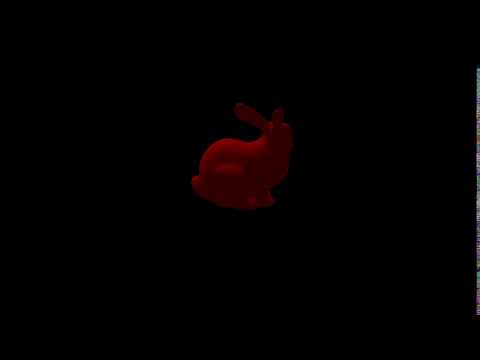
Note that since the recorder uses headless, you can only record regl programs that uses extensions supported by headless. So you can only use these extensions
API
var recorder = require('regl-recorder')(regl, frames)
This creates a new recorder instance.
regla regl contextframesthe number of frames to record. The recording rate is 30FPS, so the resulting video will beframes/30seconds long.
recorder.frame(viewportWidth, viewportHeight)
Records the current frame. Should be called at the end of every frame.
viewportWidth, viewportHeightthe current dimensions of the viewport.