
remote-viewer
v1.0.6
Published
This Node.js and Socket.io based app provides real-time remote management. With screen sharing, batch commands, and instant communication, it offers a user-friendly solution.

Maintainers
 mustafatokmak
Readme
Remote Viewer - Real-Time Remote Management Solution
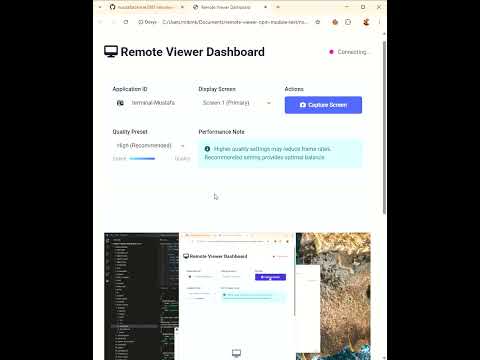
🌟 Notes
- ** All examples are given for localhost and tcp port 3033. Please change this to your own ip.
🌟 Features
- Real-time Screen Sharing - View remote screens with adjustable quality settings
- Batch Command Execution - Run multiple commands simultaneously across devices
- Platform - Runs on Windows. Also adaptable for Linux or MacOS or Raspberry Pi
📦 Installation
npm install remote-viewer📦 Usage Backend(NodeJS) Side
const { server } = require('remote-viewer');
server.start(); // Listening 3033 tcp port as default
📦 Example Screen Of Backend(NodeJS) Side

📦 Usage ElectronJS Side
const { app, BrowserWindow } = require('electron');

// Remote Viewer Module
const RemoteViewer = require('remote-viewer').electron;
const remoteViewer = new RemoteViewer();

app.on('ready', () => {
    const main = new BrowserWindow();

    // Enter the IP address or domain instead of localhost of the NodeJS Server
    remoteViewer.initialize('localhost');
});
📦 Example Of ElectronJS Side

📦 Usage Web Side
All Web Files at here:
https://github.com/mustafatokmak1881/remote-viewer/tree/main/modules/public


- ** Main Functions:
https://github.com/mustafatokmak1881/remote-viewer/blob/main/modules/public/js/screenViewer.js

- **Add your ip instead of localhost:
var info = {
  host: "localhost",
  port: 3033,
  dashboardId: new Date().getTime() + "-" + Math.floor(Math.random() * 99999),
};